
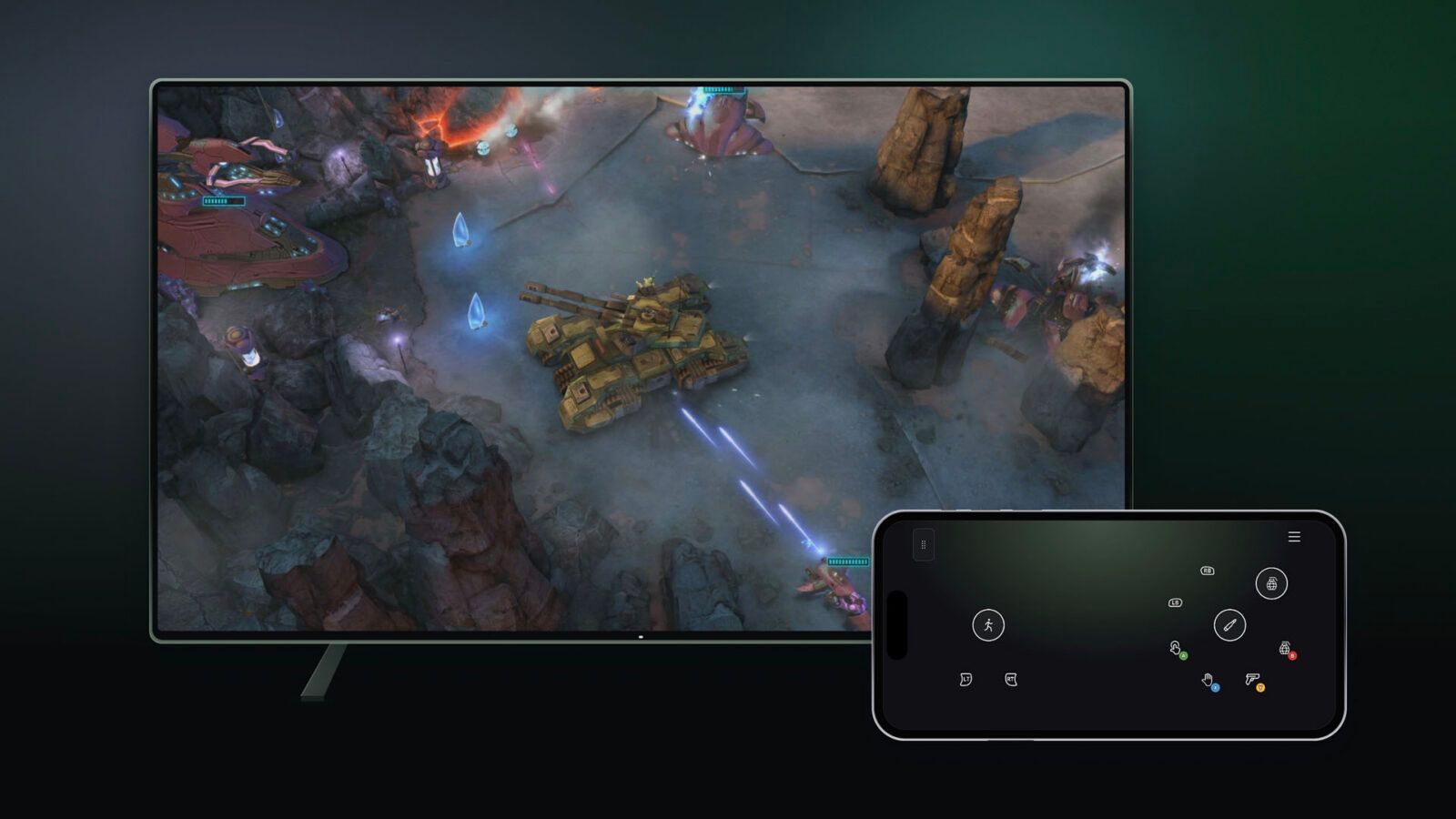
Microsoft's new Xbox Cloud Gaming preview lets players control games on supported Smart TVs using their phones, so they can play without a physical controller. Announced November 4, 2026, the phone feature is rolling out in countries where cloud gaming is supported.
A second preview, cloud connect for the Xbox Nano Controller, began the same day and is limited to the US for now. It lets the controller reach game servers directly over Wi-Fi, which Microsoft says can help reduce input latency.
Set Up Your Phone Controls
The phone option works on supported Android and iOS phones. The controls open in the phone's browser, so there is no app to download.
To try it, players need the latest supported Smart TV experience, then turn on Preview Features under Settings > Account. Starting a game with no physical controller connected brings up the option to use a phone for that session.
Players then scan a QR code on the TV to connect the phone. Microsoft says some games will also have controls tailored to how they play.
A Direct Connection for Nano
On the $49.99 Xbox Nano Controller, cloud connect replaces the Bluetooth link between the controller and the TV. The controller uses Wi-Fi to connect directly to the cloud server running the game.
Microsoft calls it an early test that won't work with every cloud gaming experience yet. For now, it runs on supported Smart TVs and the web.
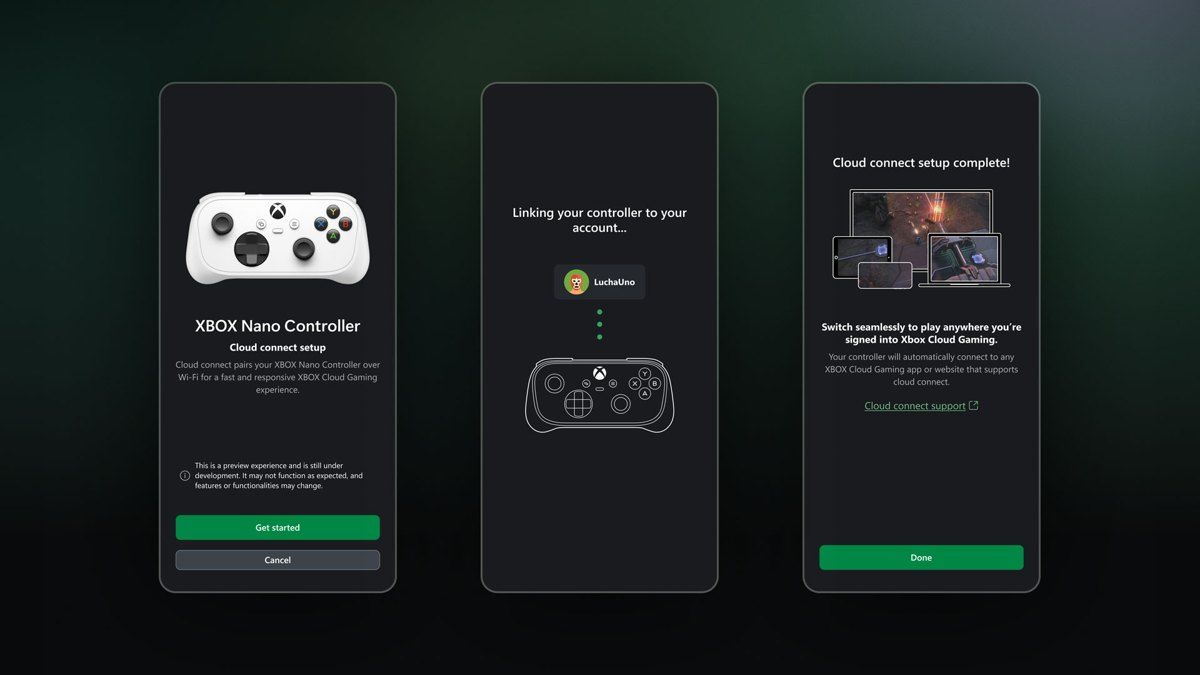 Image: Microsoft Xbox
Setup runs through the Xbox beta app on Android or the Xbox Accessories app on PC, and the PC route requires Xbox Insider enrollment. The app walks players through connecting the controller to their Wi-Fi network. They then sign in to a supported cloud gaming experience with the same Xbox account used during setup. Microsoft has a cloud connect setup guide with the details.
Both features are still being tested, and availability and supported games or devices may be limited during the previews. Phone controller testers can send feedback by tapping the Xbox icon on the phone and choosing Give Feedback, or from a supported TV app. Cloud connect feedback goes through the Xbox Accessories app on PC or the Xbox mobile app.
Microsoft says it will use that feedback to shape future updates. It has not given a date for a wider release.