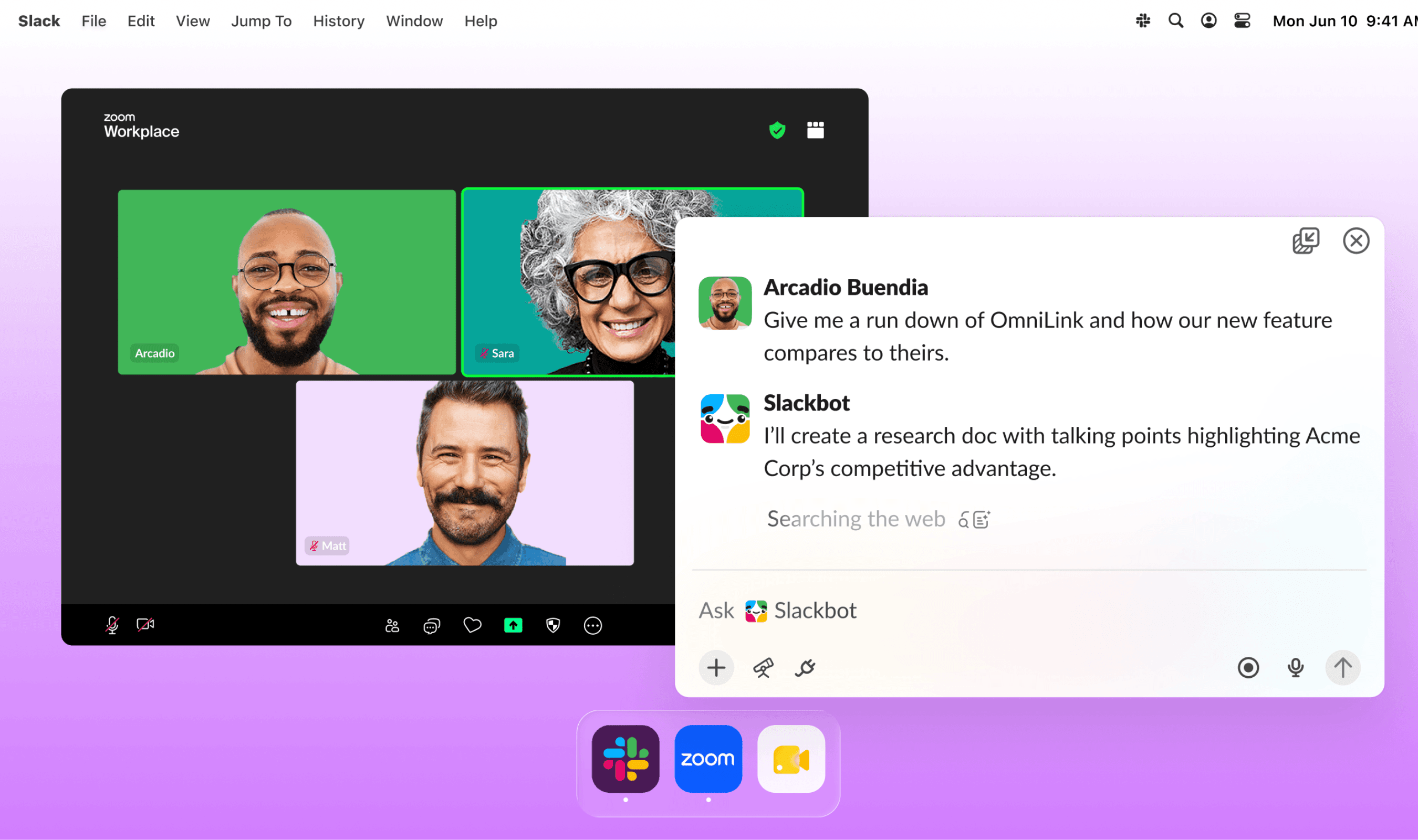
Slackbot can now start work when activity happens in Slack, while Slackbot Mini provides a floating window for using the assistant alongside other apps. Slack shipped Event-Triggered Tasks on October 28, giving users a choice between approving actions first and allowing automatic approval. Previously, users had to request a Task in conversation or arrange for it to run on a schedule.
A reaction or a newly created channel can trigger a Task, as can a posted message or an update to a list item. Slack describes a customer account workflow in which reacting to an update prompts Slackbot to create an action item and suggest who should handle it. Another example has Slackbot check an invoice question against company policy, prepare a response and notify the person responsible for approval.
Slackbot Mini adds a menu bar icon and a floating window that users can keep beside a document or another app. It supports questions, research and running a Skill without requiring users to switch into Slack. Slack suggests using it to prepare a meeting brief beside a calendar or look up an unfamiliar competitor during a customer call.
The revised Skills experience separates users’ own creations into “My skills,” while “Discover” offers skills supplied by Slack and teammates, with categories and filters. Administrators get a dashboard for verifying trusted skills and assigning them to teams automatically. Through the Skills API, approved apps can create and revise skills, publish them and manage automatic assignment through code.
Earlier this month, Slack enabled external links for sharing Slackbot skills across organizations, with recipients saving their own copies and needing Slackbot to run them. That feature also gave administrators separate controls over outgoing and incoming sharing, while authors could revoke their links.
Workflow Builder also gains Start Conversation with Slackbot, which combines a prompt and workflow variables with skills or knowledge sources, then returns structured results to the workflow. Slack’s onboarding example uses a submitted form to generate a welcome message and a checklist tailored to the new hire’s role and organization.
Other updates let Slackbot process attached audio or video files of up to 100 MB to produce transcripts, summaries or answers. It can also review as many as 20 calendar invitations at once in Google or Outlook, with users approving every response. Users can ask it to recover a canvas deleted within the past 24 hours, subject to permission checks and approval.