

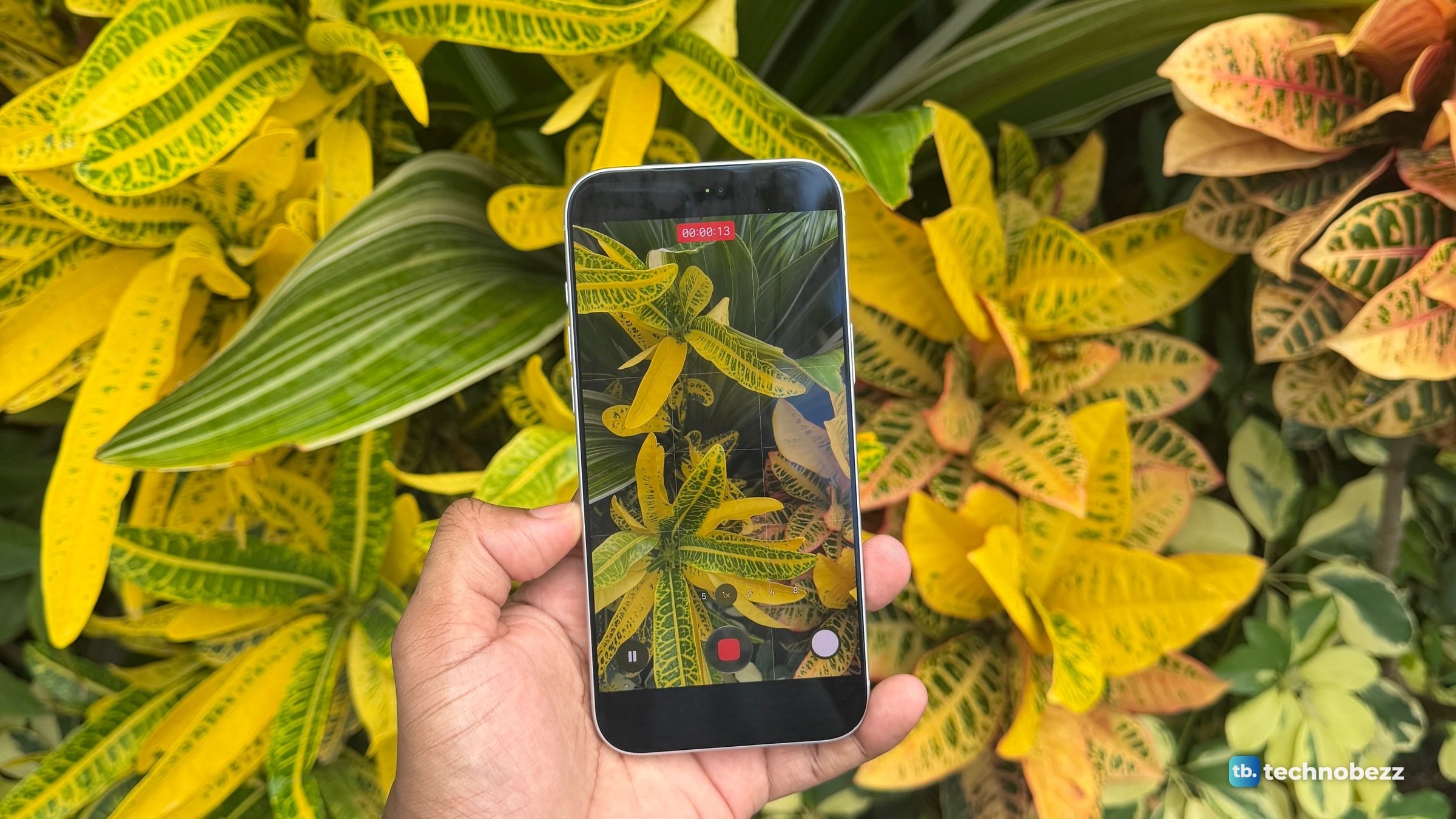
On an iPhone 18 Pro or iPhone 18 Pro Max, open Camera, tap the Camera Controls button, then tap Shutter Speed, White Balance, Lens Aperture or Histogram. Drag the slider for shutter speed, or tap a value for white balance and aperture. Apple calls the set Pro controls and lists it for these two models, which ship with iOS 27.
The short version
- Apple lists four Pro controls: Lens Aperture, Shutter Speed, White Balance and Histogram.
- It lists the manual settings for Photo, Video, Cinematic, Slo-mo and Time-Lapse modes.
- The Camera Controls menu on my iPhone 18 Pro Max has no ISO tile, in Photo or Video mode.
- Tap the Camera Controls button, tap Edit, then tap a tool in the menu to add it above the camera frame.
How to open Pro controls in the Camera app
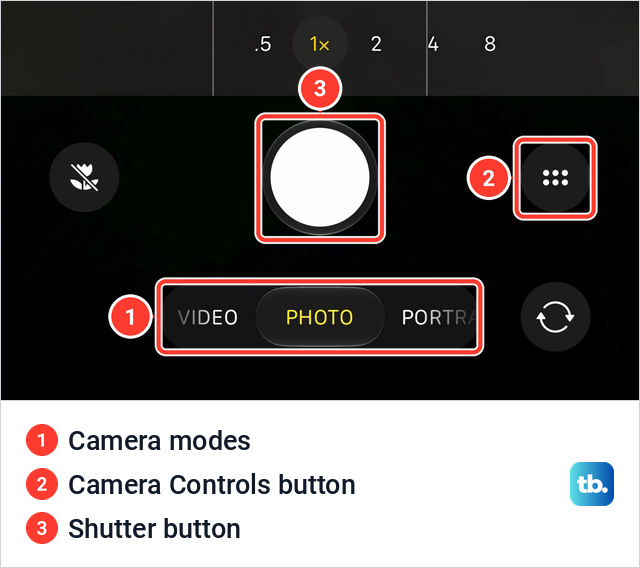
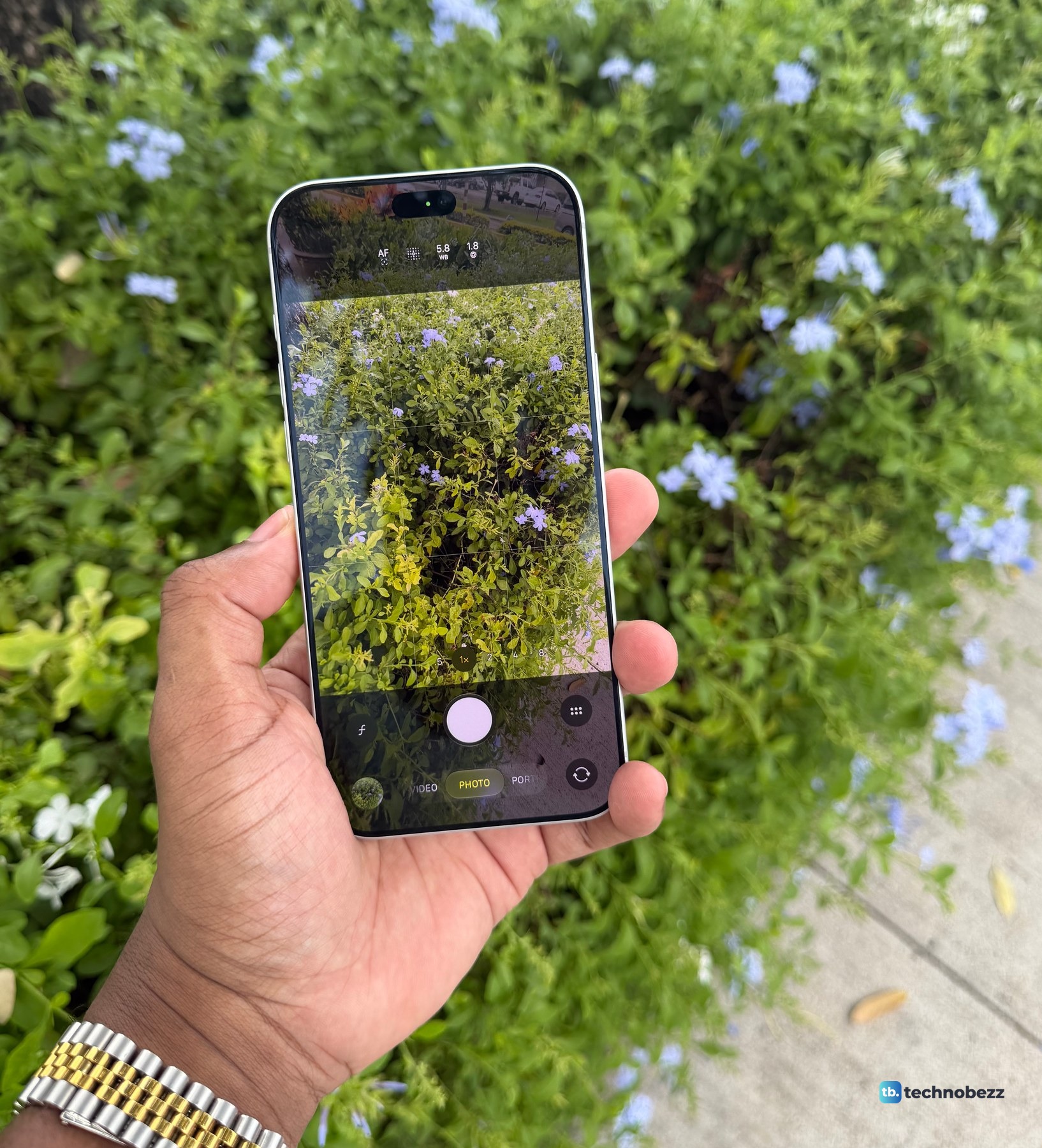
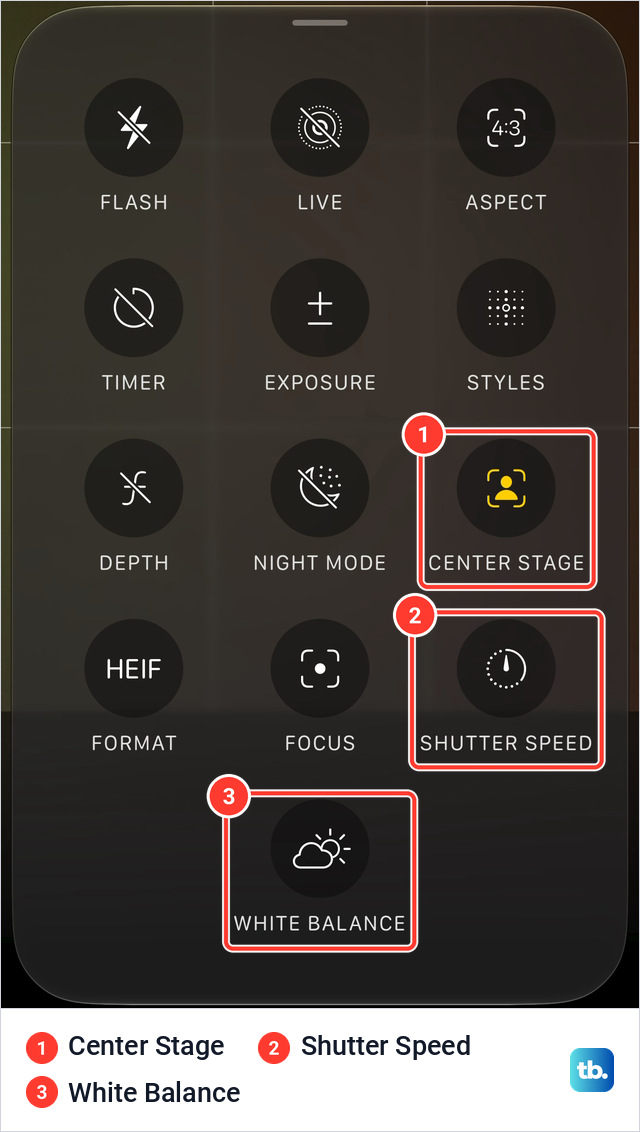
These steps follow Apple's iPhone User Guide for iOS 27, on its page about the advanced camera tools on iPhone. The Camera Controls button is on the screen. It is not the Camera Control, the physical button on the side of the phone. On my iPhone 18 Pro Max it is the round button with six dots to the right of the Shutter button.
- 1.Open Camera on your iPhone.
- 2.Swipe to Photo, Video, Cinematic, Slo-mo or Time-Lapse mode.
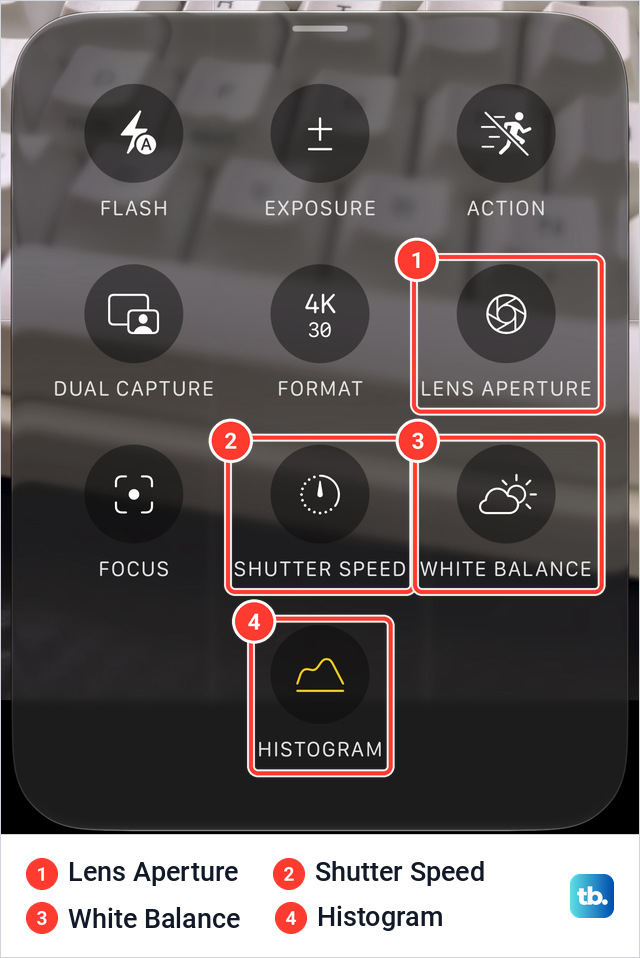
- 3.Tap the Camera Controls button. A menu of tools slides up.
- 4.Tap Lens Aperture, Shutter Speed or White Balance.
- 5.For Lens Aperture or White Balance, tap the value you want to use. For Shutter Speed, drag the slider.
- 6.In Photo mode, tap the Shutter button to take a photo.
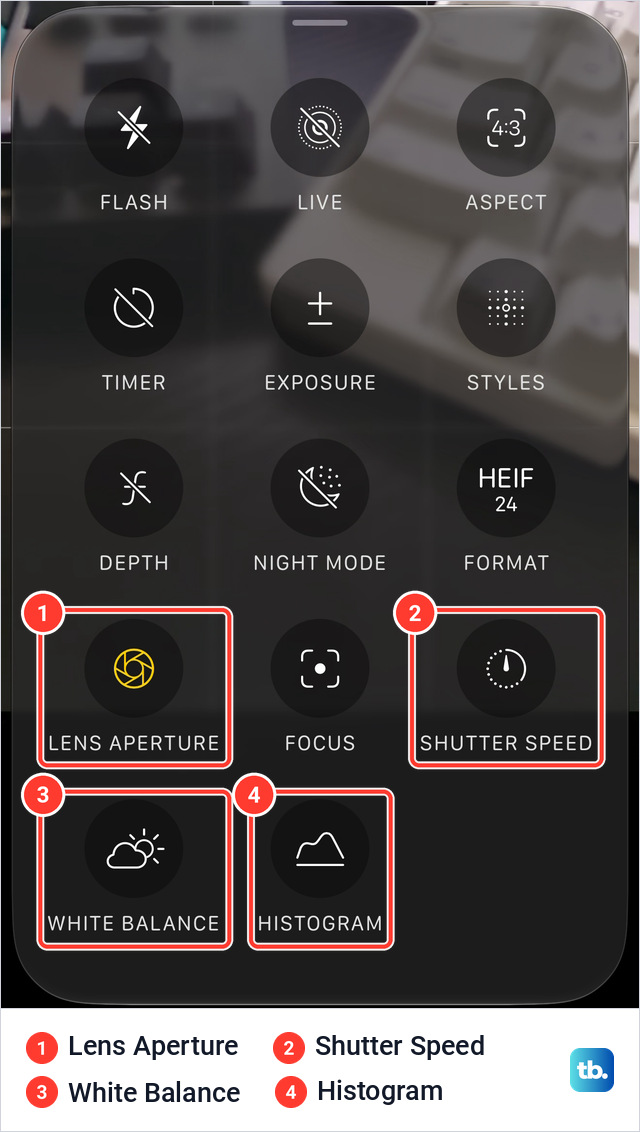
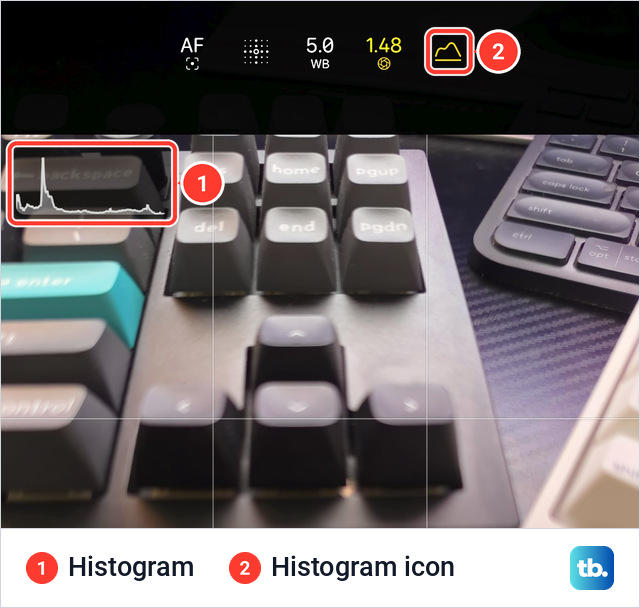
The histogram opens the same way. Tap the Camera Controls button, then tap Histogram. On my phone the graph sits in the top left corner of the camera frame, and a yellow histogram icon joins the tools above it.
What each Pro control does
Left alone, the Main camera sets the aperture, shutter speed and white balance automatically.
| Control | What it changes | When to touch it |
|---|---|---|
| Shutter Speed | How long the sensor collects light. Fast freezes movement and lets in less light. Slow lets in more and blurs anything that moves. | Fast for sports and pets. Slow for moving water or light trails, with the phone on something steady. |
| White Balance | How the camera reads the color temperature of the light, so whether a shot leans warm or cool. | When the color shifts between shots of one scene. |
| Lens Aperture | The lens opening on the Main camera. A lower f-number lets in more light and softens the background. | Close subjects, where the background changes most. |
| Histogram | Nothing in the picture. It is a graph for checking exposure across the frame. | Scenes with very bright and very dark areas. |
| ISO | The camera's sensitivity to light. Higher values brighten dark scenes and add noise. | The menu on my iPhone 18 Pro Max has no ISO tile. |
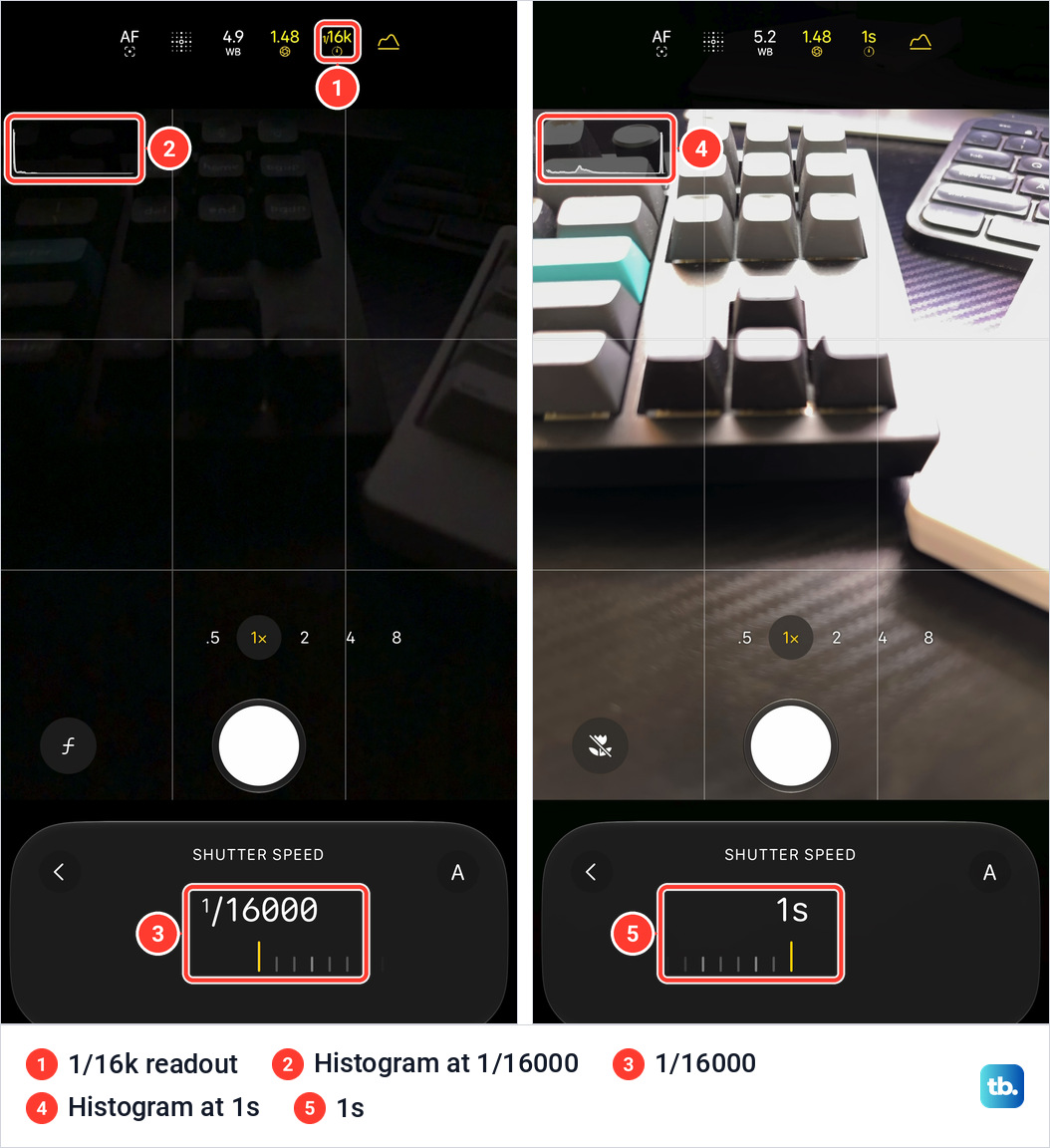
Shutter Speed opens in a small panel under the Shutter button. On my iPhone 18 Pro Max in Photo mode, the slider runs from 1/16000 at the fast end to 1s at the slow end. Pointed at a keyboard, 1/16000 left the frame almost black and 1s washed it out.
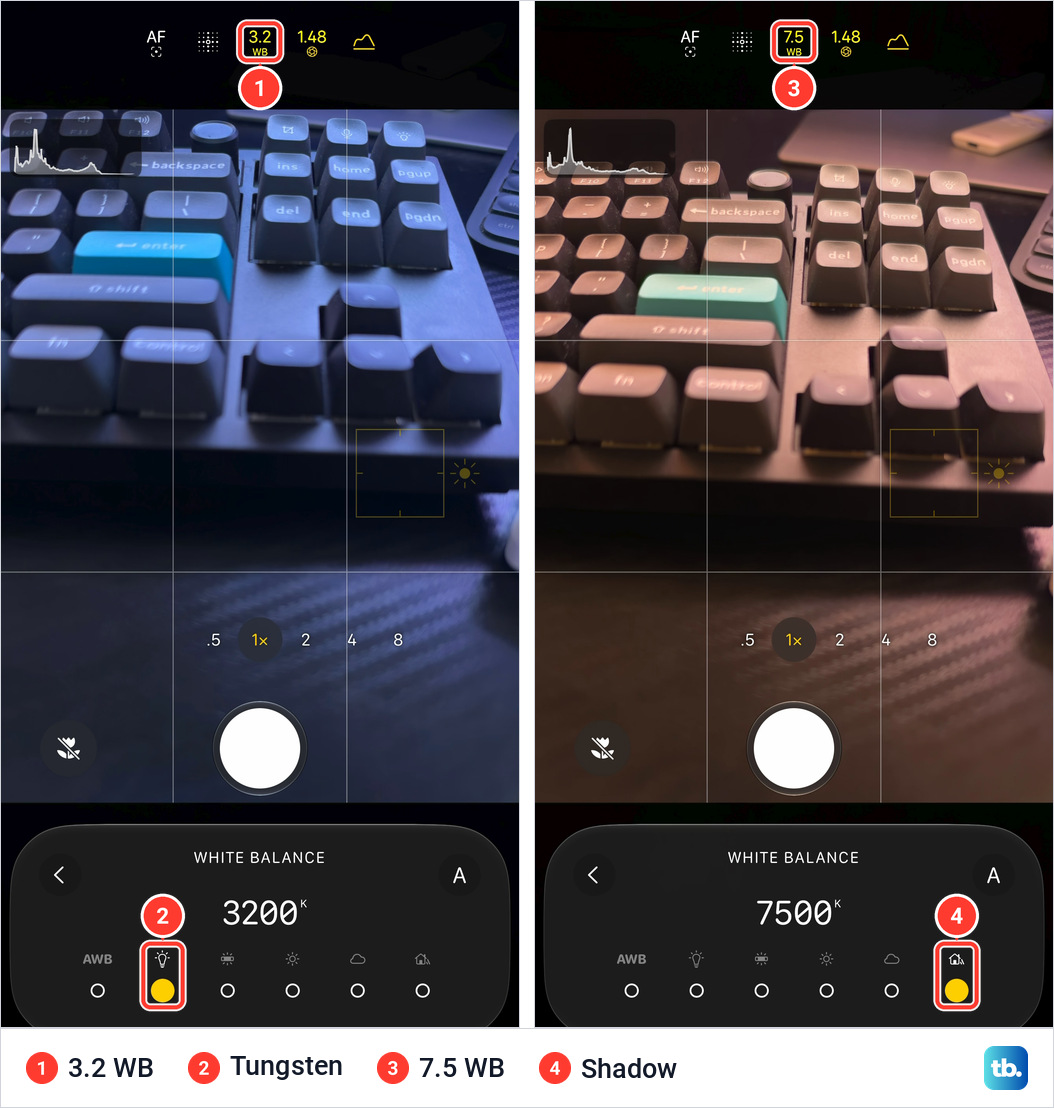
The White Balance panel on my phone has six choices: AWB for automatic, then Tungsten (3200K), Fluorescent (4000K), Daylight (5500K), Cloudy (6500K) and Shadow (7500K). The WB tile above the frame shows the same color temperature in thousands, so 3.2 means 3200K. You can still adjust color later when you edit photos on iPhone.
The histogram helps you check exposure across the frame while composing. In the shutter speed pictures above, the graph hugs the left edge at 1/16000 and spikes at the right edge at 1s.
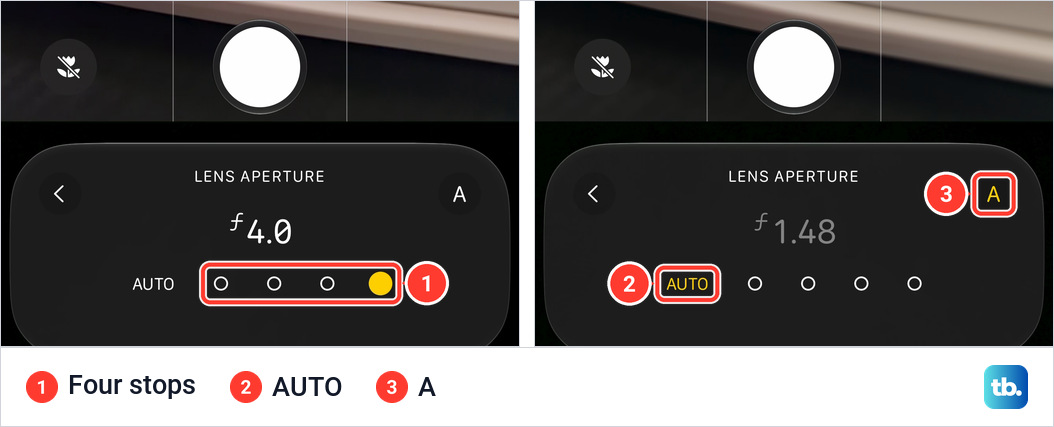
Aperture is the simplest of the four. The Lens Aperture panel on my phone shows the word AUTO and four dots, one for each stop.
Apple announced the variable aperture on the iPhone 18 Pro in September, and in my daylight photos it mattered most up close. This Short shows the same car badge at all four settings.
To compare the effect of your settings on a bigger screen, transfer the photos to a computer or AirDrop them to a Mac.
How to go back to automatic
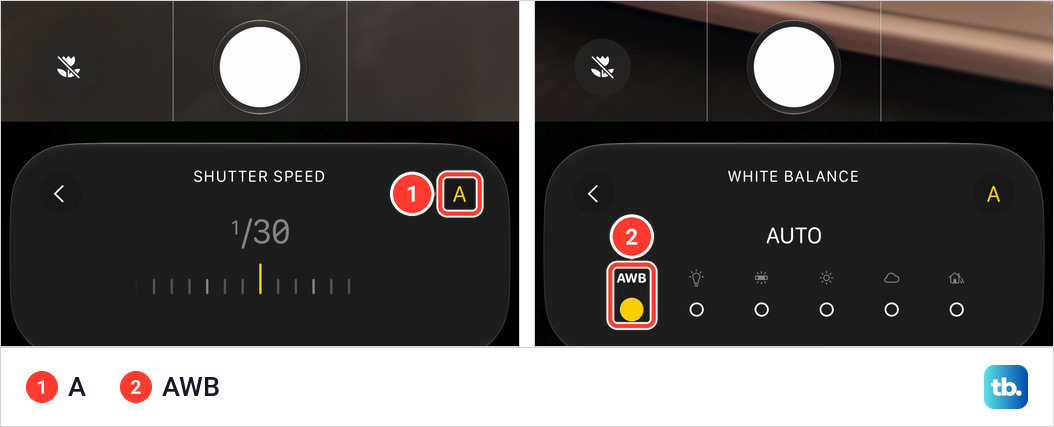
Every panel has an A on its right. On my phone it is yellow while the camera is choosing and white once a value is set by hand. For Shutter Speed, tap the A. For White Balance, choose AWB, the first of the six. For Lens Aperture, choose AUTO at the left of the dots.
For Lens Aperture, Apple says the setting is reset the next time you open Camera. To keep your choice, go to Settings, tap Camera, tap Preserve Settings, then turn on Lens Aperture. Apple's Preserve Settings list has no matching switch for shutter speed or white balance.
How to add or remove Pro controls above the camera frame
Apple's guide says the Flash and Live Photo tools appear above the camera frame for quick access, and that you can add or edit the tools there. On my phone the row holds four: Focus (shown as AF), Styles, White Balance and Lens Aperture. These steps are from Apple's page on camera tools.
- 1.Open Camera on your iPhone.
- 2.Tap the Camera Controls button, then tap Edit at the top left of the screen. In Photo mode the menu changes to a panel titled Add Photo Controls.
- 3.Tap a tool in the menu to add it above the camera frame.
- 4.To remove a tool, tap the Minus button on its corner above the camera frame.
- 5.Tap Done at the top right, then swipe down on the tool menu to close it.
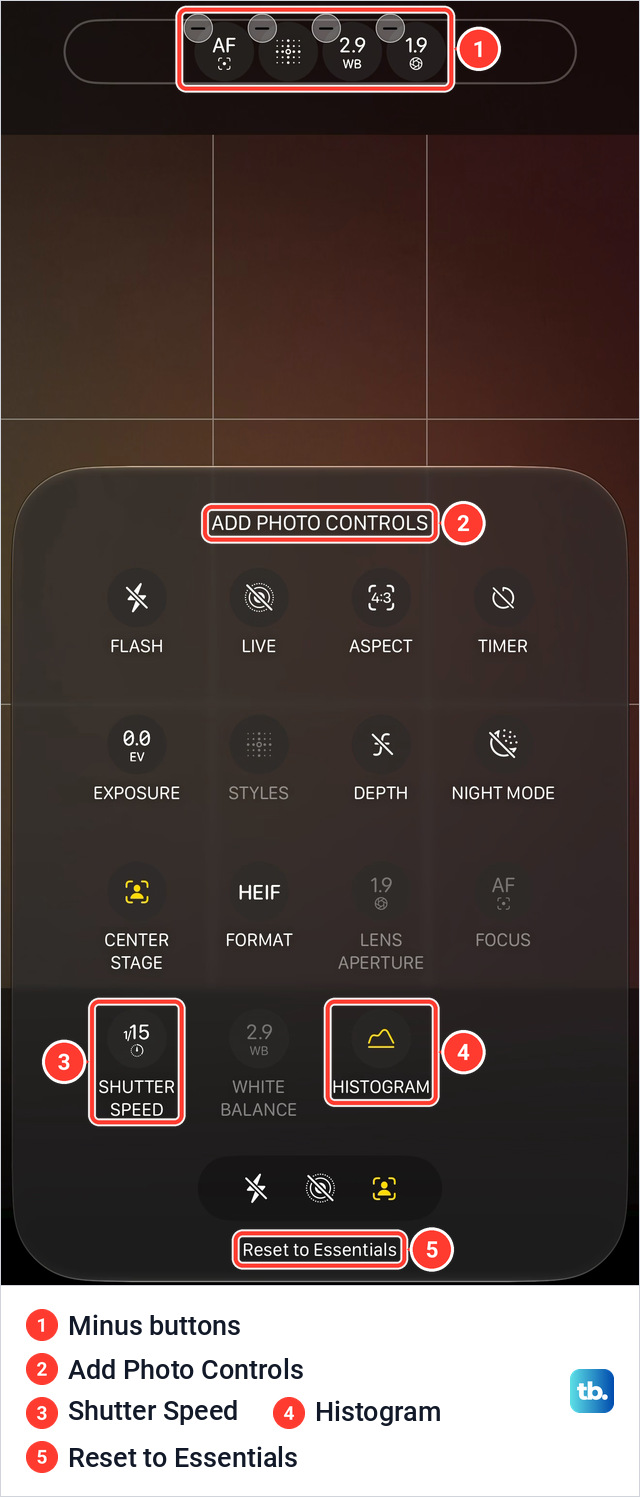
Tapping Reset to Essentials, at the bottom of that panel, returns the default tools. Tom's Guide reports that the bar holds two to eight tools and that you can drag them into a new order.
Which cameras and modes support Pro controls
Apple names five modes for the manual settings: Photo, Video, Cinematic, Slo-mo and Time-Lapse. Portrait, Pano and Spatial are not on its list. In Video mode on my phone the menu has ten tiles, and all four Pro tools are among them.
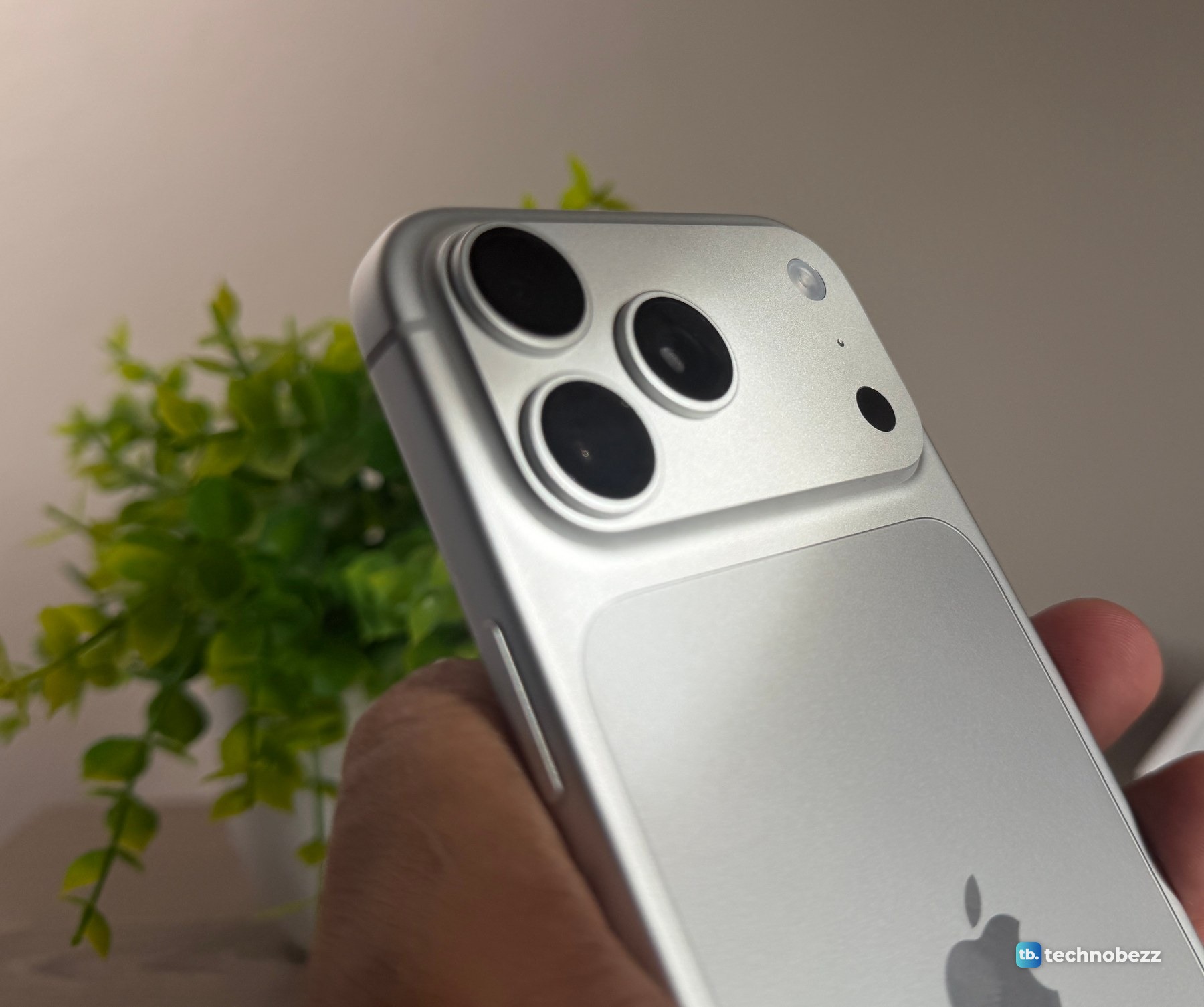
Lens Aperture belongs to the 48MP Fusion Main camera. On my phone the panel offered all four stops with the zoom set to 1x. Apple's specifications give the stops as f/1.48, f/1.8, f/2.8 and f/4.0 and list f/2.2 for the Ultra Wide and f/2.8 for the Telephoto.
On the front camera of my iPhone 18 Pro Max, the menu in Photo mode has Shutter Speed and White Balance and no Lens Aperture tile. It has no Histogram tile either, although Apple's specifications list the histogram for the front camera.
Pro controls not showing or not working
Check the model first. Apple lists Pro controls for the iPhone 18 Pro and iPhone 18 Pro Max, so if you are not sure which phone you are holding, here is how to know what iPhone you have. Then check the mode against the five above.
A tool that is not above the frame can still be opened from the Camera Controls button. To restore a removed Pro control, add it again with Edit. Reset to Essentials returns the row to its default tools. Apple lists the four aperture stops for the Main camera, so switch to it first. If the whole phone stops responding with Camera open, force restart the iPhone.
Common questions about Pro controls
Can you change ISO on iPhone 18 Pro?
Not from the Camera Controls menu on my iPhone 18 Pro Max. It has no ISO tile in Photo mode, in Video mode or on the front camera, and Apple does not list an ISO control. Tom's Guide calls manual ISO the only glaring omission. In my four-aperture test on the badge of my car, the photo data reads ISO 64 or 80 throughout, with the shutter going from 1/3378 of a second at f/1.48 to 1/561 at f/4. Apple's separate Final Cut Camera app, which records video, does have an ISO dial.
Do Pro controls work on iPhone 17 Pro?
Not according to Tom's Guide, which reports that the iOS 27 update does not bring them to the iPhone 17 Pro series. Apple's guide describes them for iPhone 18 Pro models.