

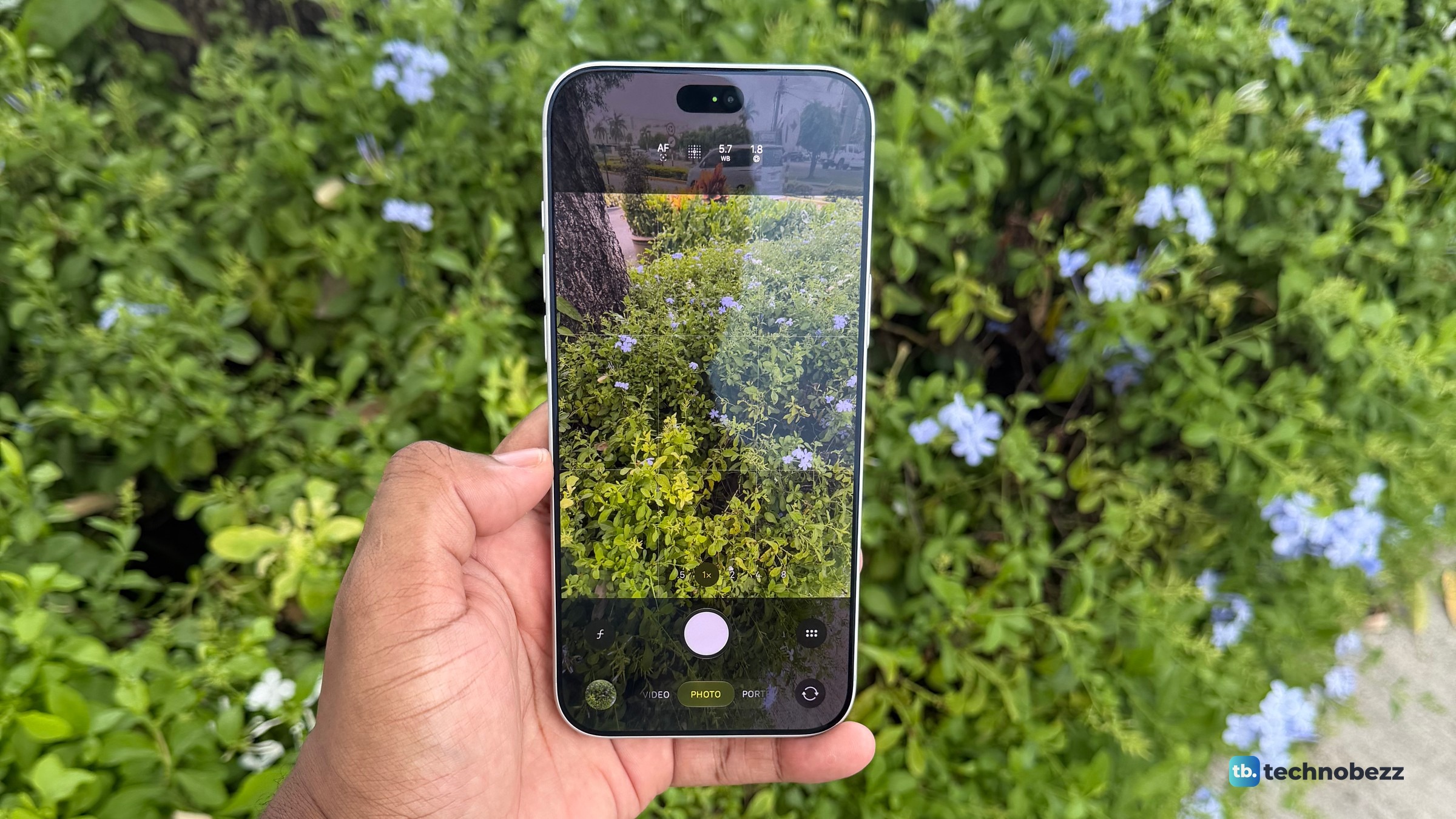
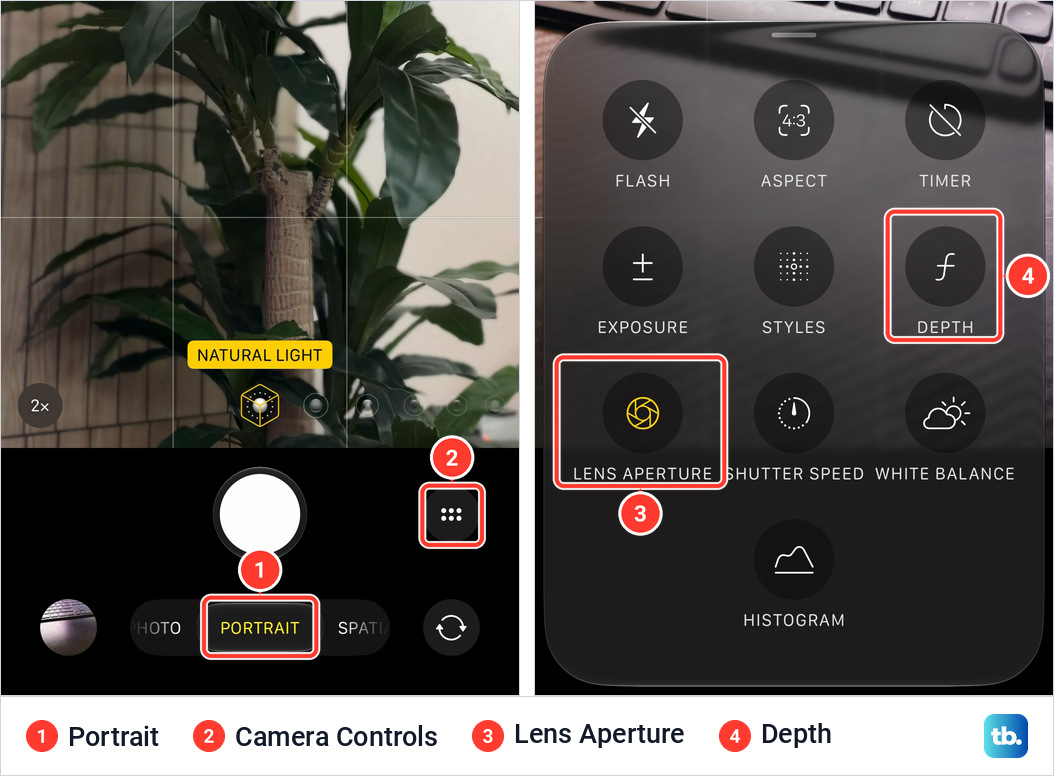
To change the aperture on an iPhone 18 Pro or iPhone 18 Pro Max, open Camera, tap the Camera Controls button (six dots, right of the shutter), tap Lens Aperture, then tap one of the four dots: f/1.48, f/1.8, f/2.8 or f/4. It works on the 48MP Fusion Main camera, in Photo, Video, Cinematic, Slo-mo and Time-Lapse modes. Until you pick a value, the control sits on AUTO and the camera sets the aperture itself.
The short version
- Path: Camera, the Camera Controls button, Lens Aperture, then one of four dots.
- Four settings plus AUTO: f/1.48, f/1.8, f/2.8 and f/4. Apple calls f/1.8 the default.
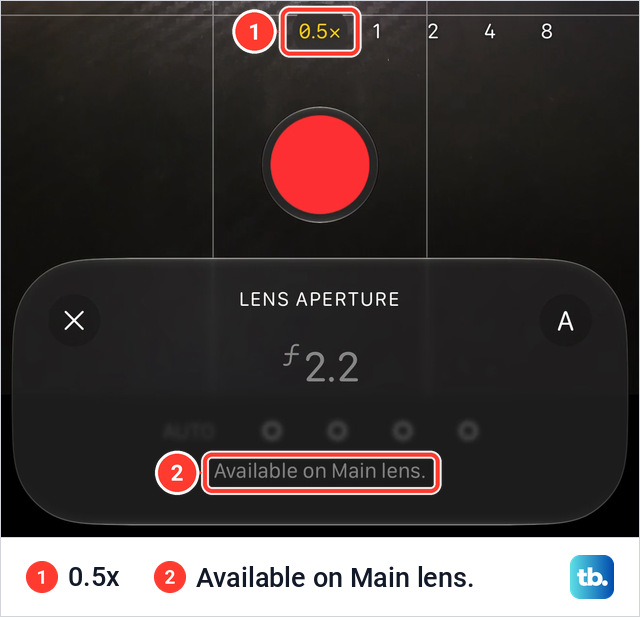
- Main camera only. At .5x my iPhone 18 Pro Max grays the control out and says Available on Main lens.
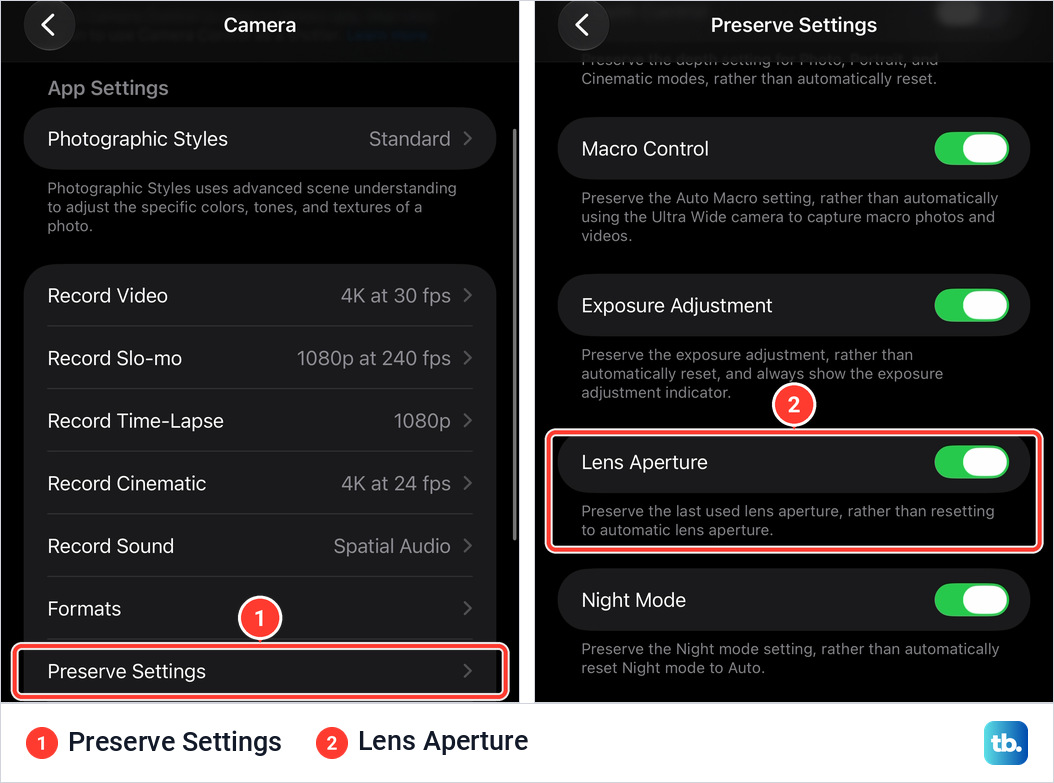
- To keep your choice, turn on Lens Aperture in Settings, Camera, Preserve Settings.
- In my daylight photos it mattered most up close.
Which iPhones can change the aperture
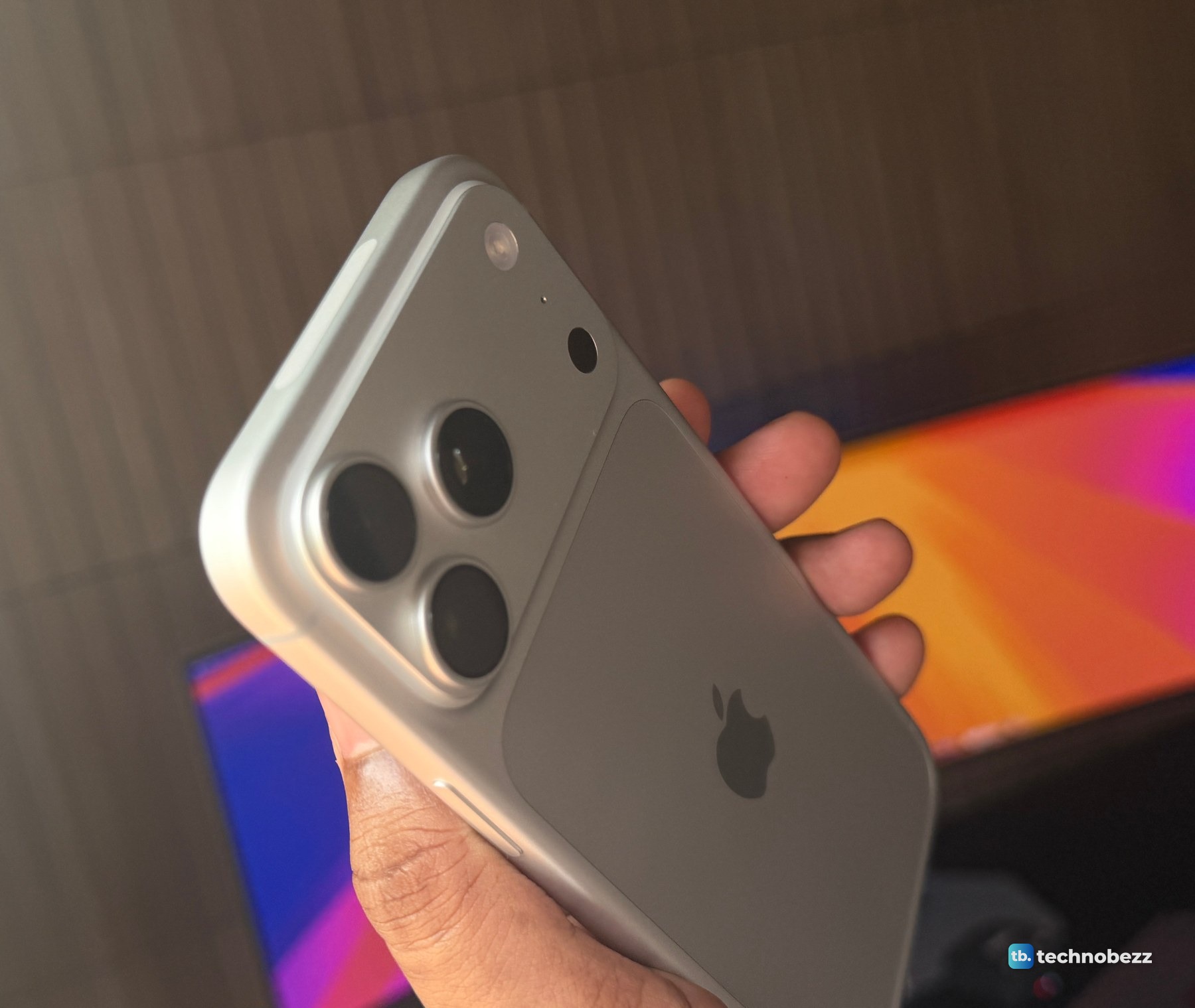
Apple's guide gives manual aperture control to iPhone 18 Pro models, the iPhone 18 Pro and iPhone 18 Pro Max, which ship with iOS 27. Technobezz covered the variable aperture when Apple announced it. My iPhone 17 Pro's main camera has a fixed f/1.78 aperture. If you are not sure which model you are holding, check which iPhone you have first.
How to change the aperture in the Camera app
The steps below follow Apple's iPhone User Guide for iOS 27, under Use advanced camera tools on iPhone, with the labels my iPhone 18 Pro Max shows.
- 1.Open Camera.
- 2.Choose Photo, Video, Cinematic, Slo-mo or Time-Lapse mode.
- 3.Start at 1x. Apple documents automatic switching to the Ultra Wide camera at macro distances, so the zoom reading alone does not confirm which camera is active.
- 4.Tap the Camera Controls button.
- 5.Tap Lens Aperture. In Photo mode, pull the menu up first if the tile is cut off at the bottom.
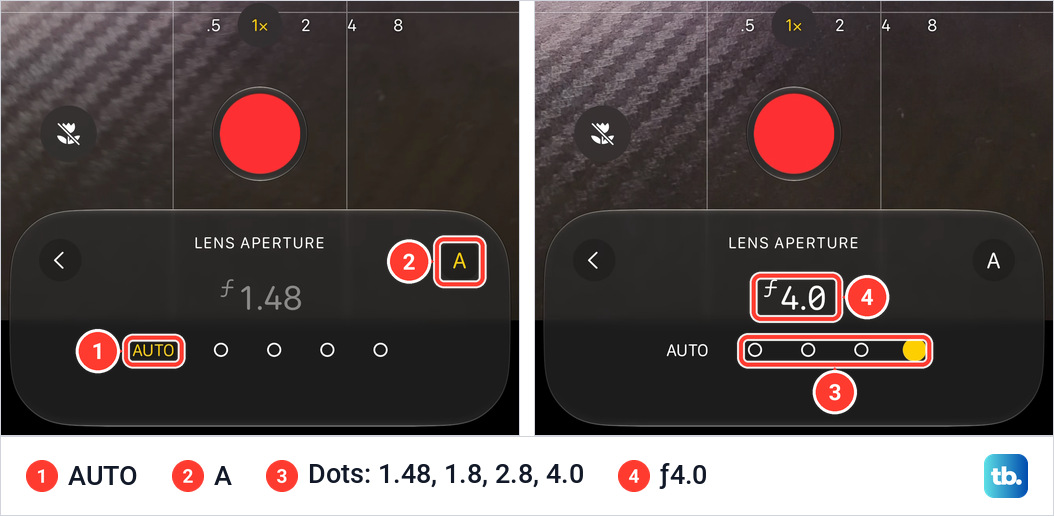
- 6.Tap one of the four dots. From left to right they are f/1.48, f/1.8, f/2.8 and f/4, and the number above them shows your choice.
- 7.In Photo mode, tap the Shutter button to take a photo. In a video mode, tap the Record button to start recording.
On my iPhone 18 Pro Max the Camera Controls button sits to the right of the Shutter button.
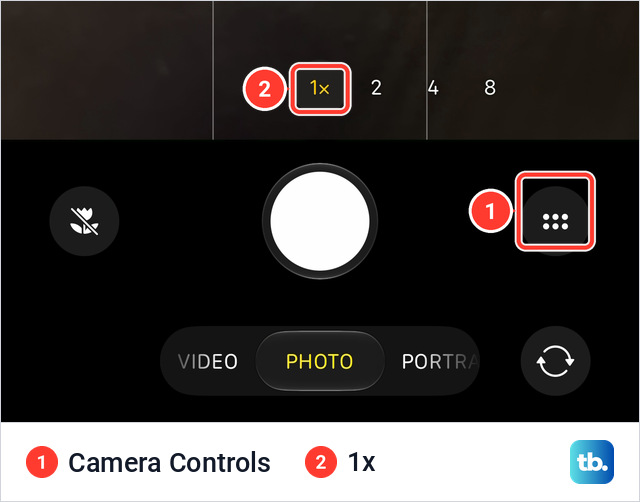
The button opens a menu of tiles. In Photo mode mine opened with three rows on screen and Lens Aperture on the fourth. In Video mode the menu is shorter and Lens Aperture is in the top row.
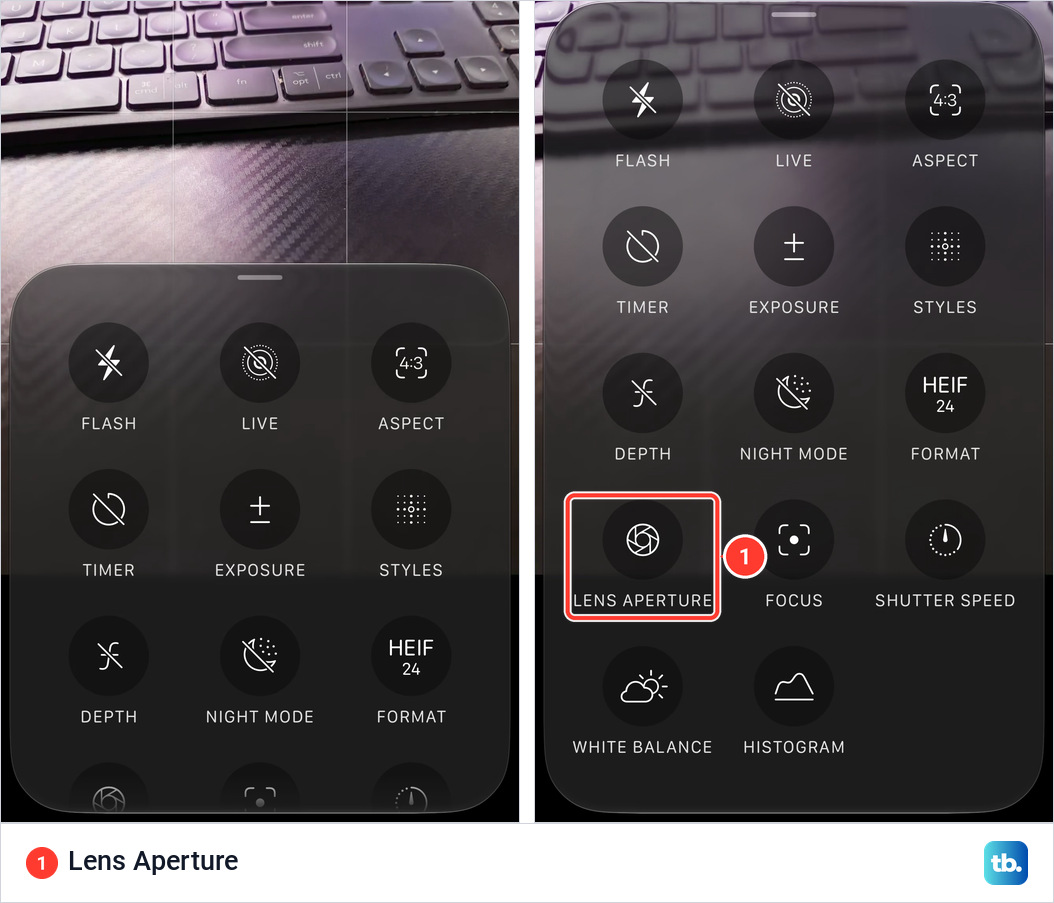
The Lens Aperture panel has a row with AUTO and four dots, and an A button on the right. While the camera is choosing, AUTO and A are yellow and the number is gray. Tap a dot and it fills in yellow. Tap A to hand the choice back to the camera.
How to keep Lens Aperture above the camera frame
To keep the panel one tap away, add Lens Aperture to the tools above the camera frame. I did it in Video mode on my iPhone 18 Pro Max.
- 1.Open Camera and choose the mode you want it in.
- 2.Tap the Camera Controls button.
- 3.Tap Edit at the top left of the screen. In Video mode, the grid is titled ADD VIDEO CONTROLS. Opened from Portrait on my phone, it is titled ADD PHOTO CONTROLS.
- 4.Tap Lens Aperture in the grid. It appears above the camera frame and its tile dims.
- 5.Tap Done at the top right.
- 6.Swipe down on the tool menu to close it.
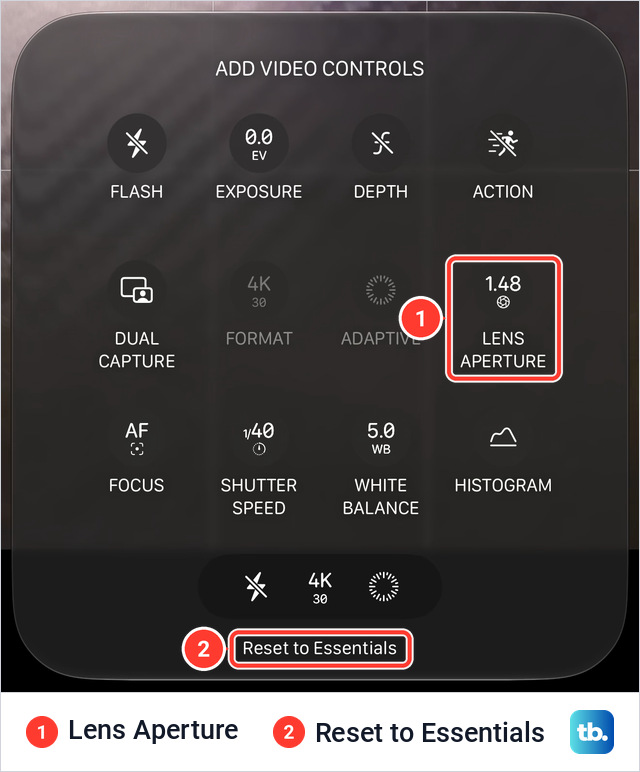
After the tap in step 4, Lens Aperture joins the tools above the frame, each with a minus button while you are still editing.
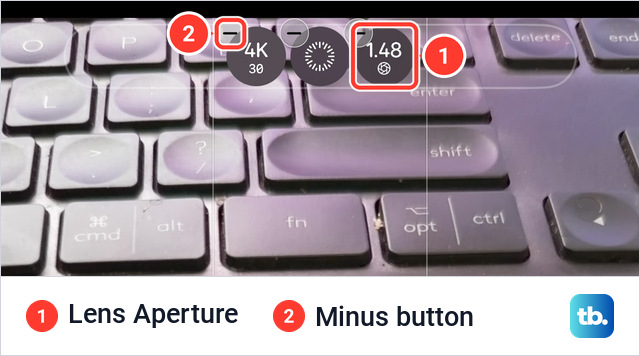
After that, tap the reading above the frame to open the same panel, this time with an X to close it. While editing, the minus button next to a tool removes it, and Reset to Essentials returns to the default tools. For photos, the strip above that button on my phone shows Flash and Live, the two tools Apple says sit there to begin with, and Live is where you turn off Live Photos.
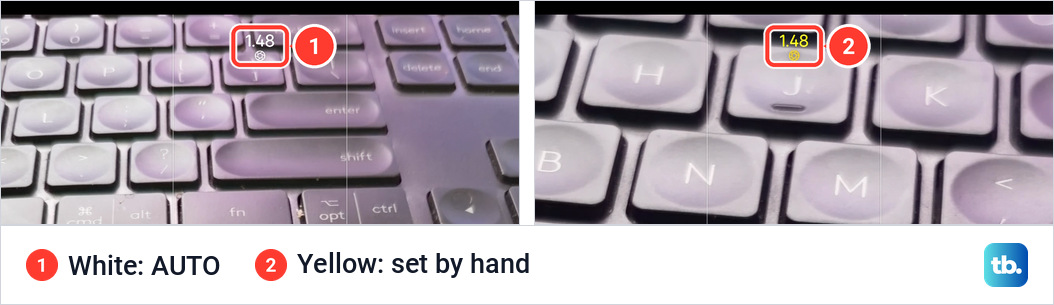
The reading is white while the control is on AUTO and yellow once you set a value yourself.
How to stop the aperture from resetting
With Lens Aperture turned on in Preserve Settings, Camera keeps the last aperture you used. The line under the switch on my iPhone 18 Pro Max reads: Preserve the last used lens aperture, rather than resetting to automatic lens aperture.
- 1.Open Settings.
- 2.Tap Camera.
- 3.Tap Preserve Settings.
- 4.Turn on Lens Aperture.
What each aperture setting does
A lower f-number is a wider opening, so more light gets in and less of the scene is in focus. A higher number does the reverse. The middle column is how Apple describes each setting. The last is the photo data from my own test, a Mercedes badge shot handheld on a sunny afternoon.
| Setting | Apple's description | My badge photo |
|---|---|---|
| f/1.48 | Maximum light, for indoor and low-light scenes | 1/3378 s, ISO 64 |
| f/1.8 | Default, a balance between low light and depth | 1/2208 s, ISO 64 |
| f/2.8 | More depth, with detail farther back in the scene | 1/1027 s, ISO 80 |
| f/4 | Maximum depth, and starburst effects from bright light | 1/561 s, ISO 80 |
Going from f/1.48 to f/4 lets in about 7.3 times less light. The camera made up for it by keeping the shutter open six times longer, 1/561 of a second against 1/3378.
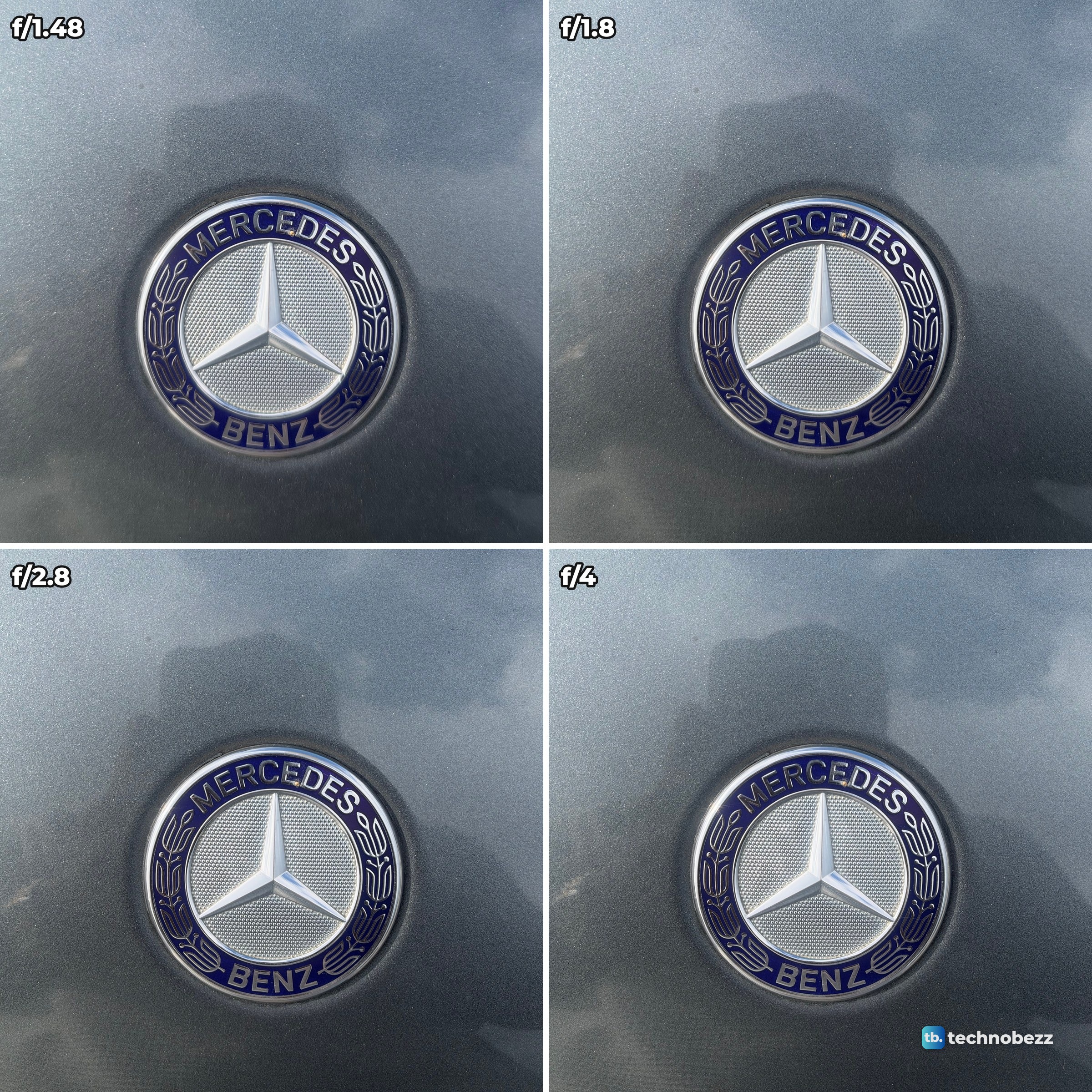
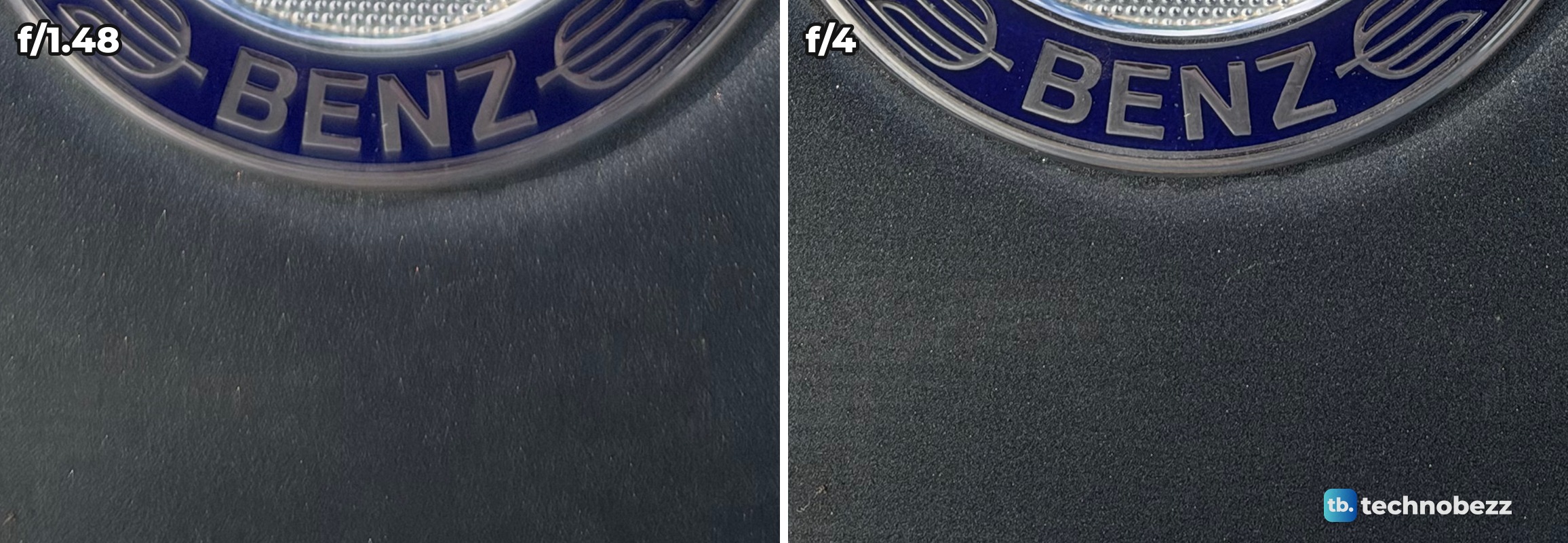
The badge itself stays sharp at every setting. What changes is the paint just in front of it. Wide open it blurs away, and at f/4 the metallic flake shows. Measured with the four photos lined up on the badge, that paint has about 3.2 times more fine detail at f/4 than at f/1.48, and the paint behind the badge about 1.8 times.
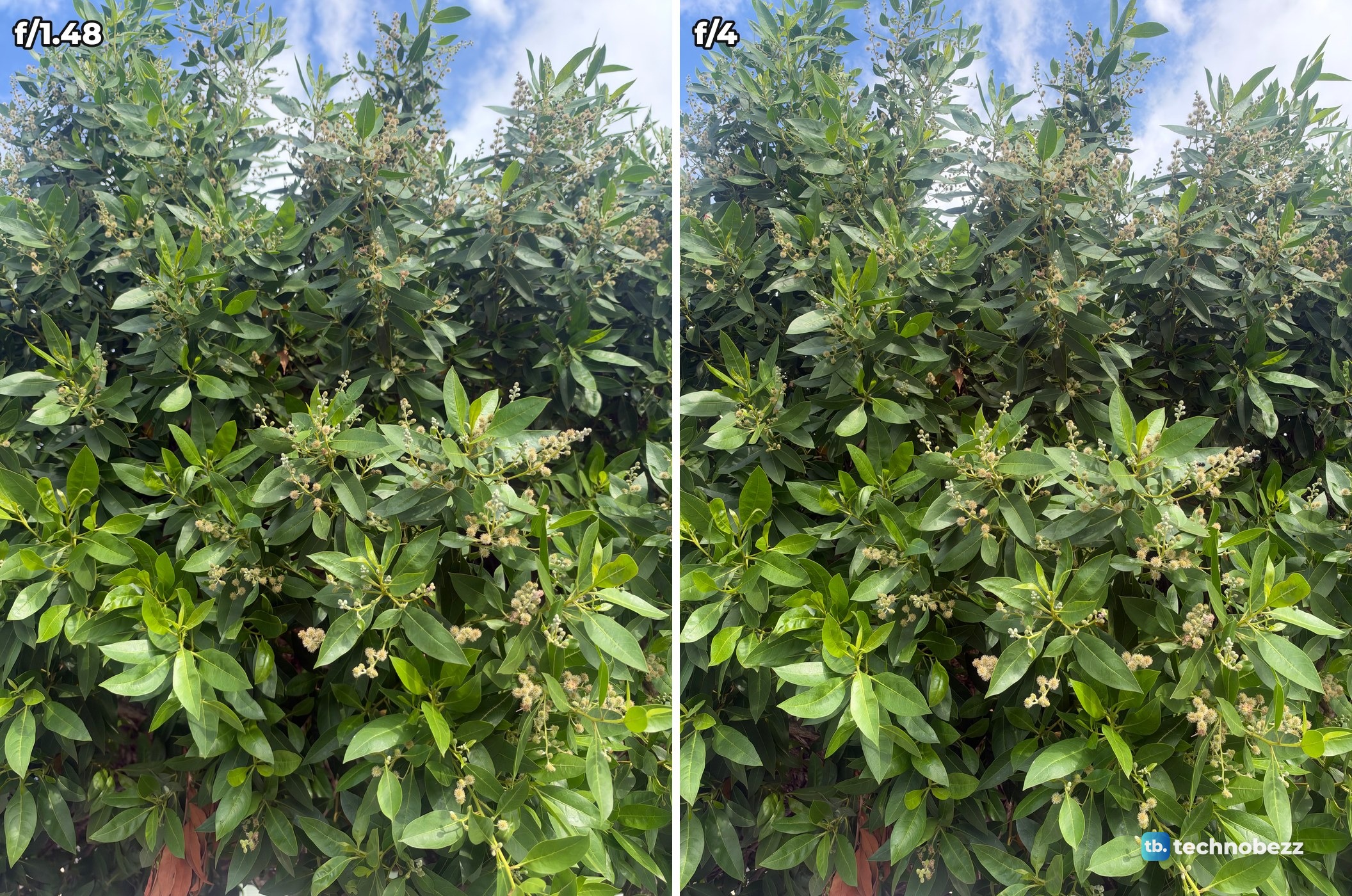
On a tree further away, f/1.48 and f/4 look the same at screen size, and a difference only shows when zoomed in to full size. If you run your own comparison, judge it on a bigger screen: transfer the photos to a computer or AirDrop them to a Mac.
This Short shows the badge test, with the same shot wiping from f/1.48 to f/4.
So which one? Most of my Main camera photos that afternoon, 57 of 68, read f/1.8, Apple's default. Go to f/4 when you want more of a close subject in focus, and to f/1.48 when the area around it should soften. Apple labels f/1.48 Maximum light.
In low light the choice matters more. In a dark room with Night mode off, my f/2.8 photo came out 29 percent as bright as the f/1.48 photo, because the camera was at ISO 12,500 for both. With a little more light, f/4 kept up with f/1.48 only by going from ISO 800 to ISO 5000, and it showed about twice the grain. I have not compared the settings in a recorded video.
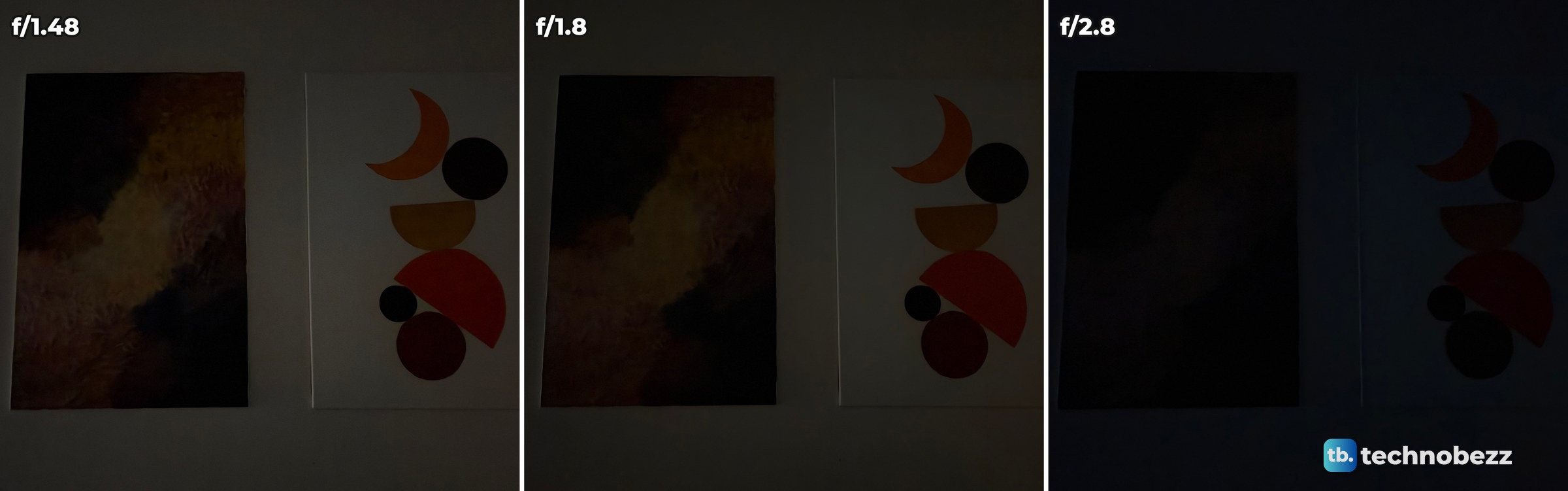
This Short shows those low-light photos.
What to do when Lens Aperture is missing or does nothing
- Model. Apple lists the control for iPhone 18 Pro models.
- Mode. Apple lists Photo, Video, Cinematic, Slo-mo and Time-Lapse. The Portrait menu on my iPhone 18 Pro Max has a Lens Aperture tile too. Pano is not on Apple's list.
- Camera. At .5x the panel on my phone is grayed out, shows ƒ2.2 and says Available on Main lens. Apple lists one aperture for each of the other cameras: f/2.2 for the Ultra Wide (.5x), f/2.8 for the Telephoto (4x and 8x) and f/1.9 for the front camera. All five telephoto photos I took read f/2.8.
- A frozen app. Quit Camera and reopen it. If the phone stops responding, force restart the iPhone.
The round ƒ button that can appear left of the shutter is a different control. On my iPhone 18 Pro Max the Camera Controls menu puts the ƒ icon on a tile named Depth, and Apple's portrait guide calls it the Depth button. It is a way to take a portrait, with a background blur you can adjust or remove later when you edit the photo in the Photos app. For the variable aperture, Apple says the Main camera uses six laser-cut blades to move between apertures.
What Apple documents for Camera Control
Apple's published list of Camera Control settings does not include Lens Aperture. The list is Exposure, Depth, Zoom, Cameras, Styles and Tone, and Apple describes Depth there as the background depth-of-field effect, which turns on Portrait mode. You can still click it to open Camera, set the aperture on screen, then click again to take the photo. To see what the overlay offers on your phone, go to Settings, Camera, Camera Control, turn on Camera Adjustments, then tap Customize.
Does the aperture work at 2x?
Yes. On my iPhone 18 Pro Max the Lens Aperture panel stays active with 2x selected.
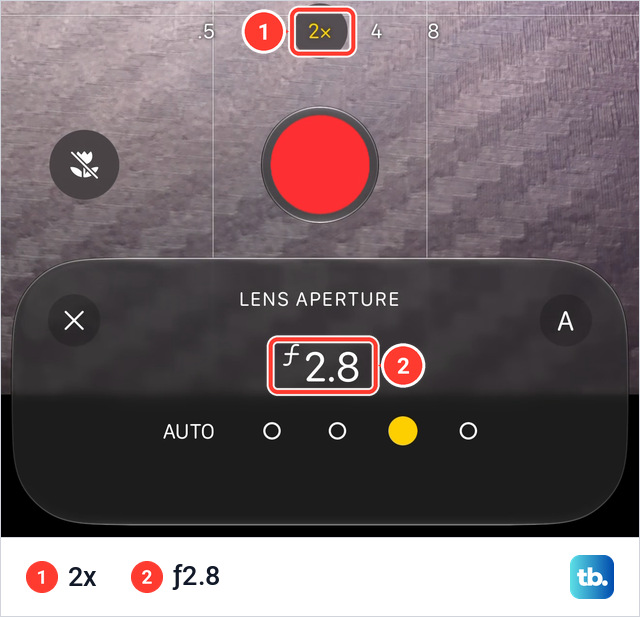
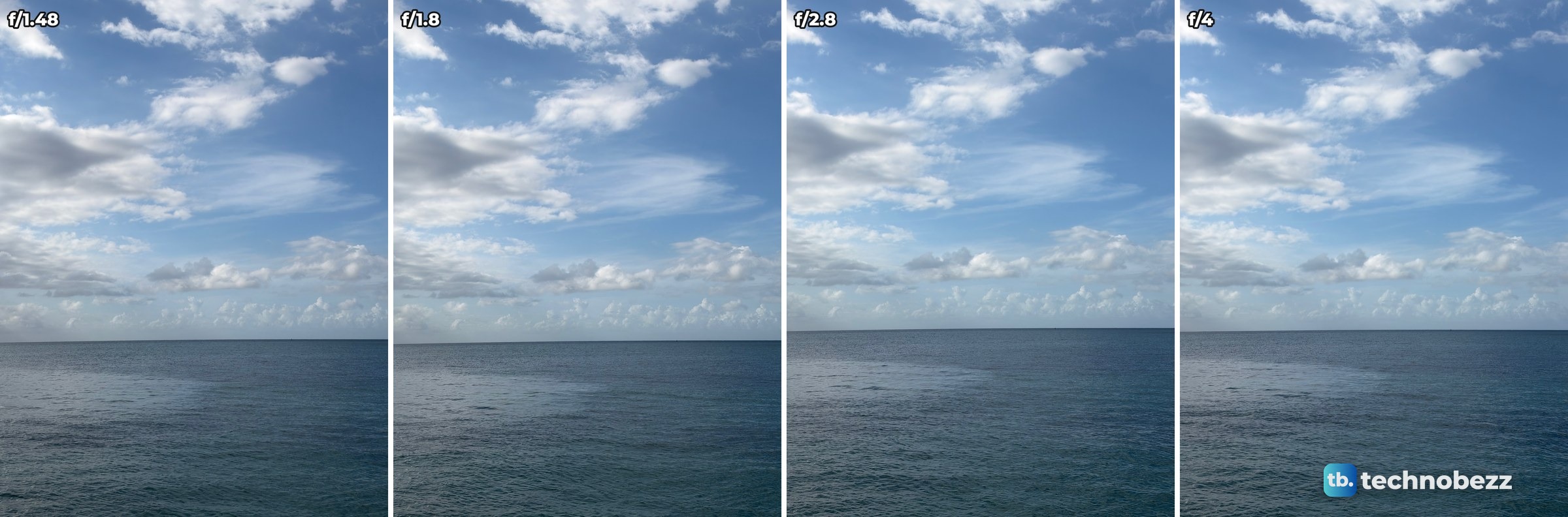
My photos agree. Apple lists the Fusion Main camera at 24 mm and 48 mm, which is 1x and 2x, and the four sea photos I shot at 2x read f/1.48, f/1.8, f/2.8 and f/4.
The manual settings and the AUTO reading
Apple says the Camera app lets you manually adjust any of the four aperture settings, and that an API gives developers more control across the aperture range in their own apps. On AUTO in Photo mode, though, the reading above the frame on my phone passed through numbers such as 2.19 and 3.77 as it moved between 1.48 and 4.0. My screen recording does not show whether the lens stopped at those in-between apertures or the number was only animated.