The Mac mini is smaller and cheaper than the Mac Studio, starting at $899 against $2,499. Apple's specs list higher memory and storage options, more ports and more external displays for the Mac Studio.
The current lineup and prices
Apple's comparison page lists four models as of November 2026: Mac mini with M6, Mac mini with M5 Pro, Mac Studio with M5 Max and Mac Studio with M5 Ultra. Apple announced the starting prices below on August 25, 2026. They are Apple's regular US prices before tax.
- Mac mini (M6): starts at $899 with a 12-core CPU, 12-core GPU, 16GB of memory and a 256GB SSD.
- Mac mini (M5 Pro): starts at $1,699 with a 15-core CPU, 16-core GPU, 24GB of memory and a 512GB SSD.
- Mac Studio (M5 Max): starts at $2,499 with an 18-core CPU, 32-core GPU, 36GB of memory and a 512GB SSD.
- Mac Studio (M5 Ultra): starts at $5,499 with a 30-core CPU, 64-core GPU, 96GB of memory and a 1TB SSD.
The M5 Pro Mac mini can be configured with an 18-core CPU and 20-core GPU. The M5 Max has an 18-core CPU and 40-core GPU option, and the M5 Ultra has a 36-core CPU and 80-core GPU option.
Memory and storage ceilings
The M6 Mac mini comes with 16GB, 24GB or 32GB, and the M5 Pro model with 24GB, 48GB or 64GB. The M5 Max Mac Studio starts at 36GB, and its 48GB, 64GB and 128GB options require the 18-core CPU and 40-core GPU chip.
The M5 Ultra Mac Studio starts at 96GB and can be ordered with 256GB or 512GB. Both of Apple's pages tie the 512GB option to the 80-core GPU chip. They differ on 256GB: the tech specs page lists it under the same condition, while the comparison page attaches that requirement only to 512GB.
The M6 Mac mini offers SSDs from 256GB to 2TB. The M5 Pro Mac mini and the M5 Max Mac Studio both run from 512GB to 8TB. The M5 Ultra Mac Studio runs from 1TB to 16TB.
Ports and displays
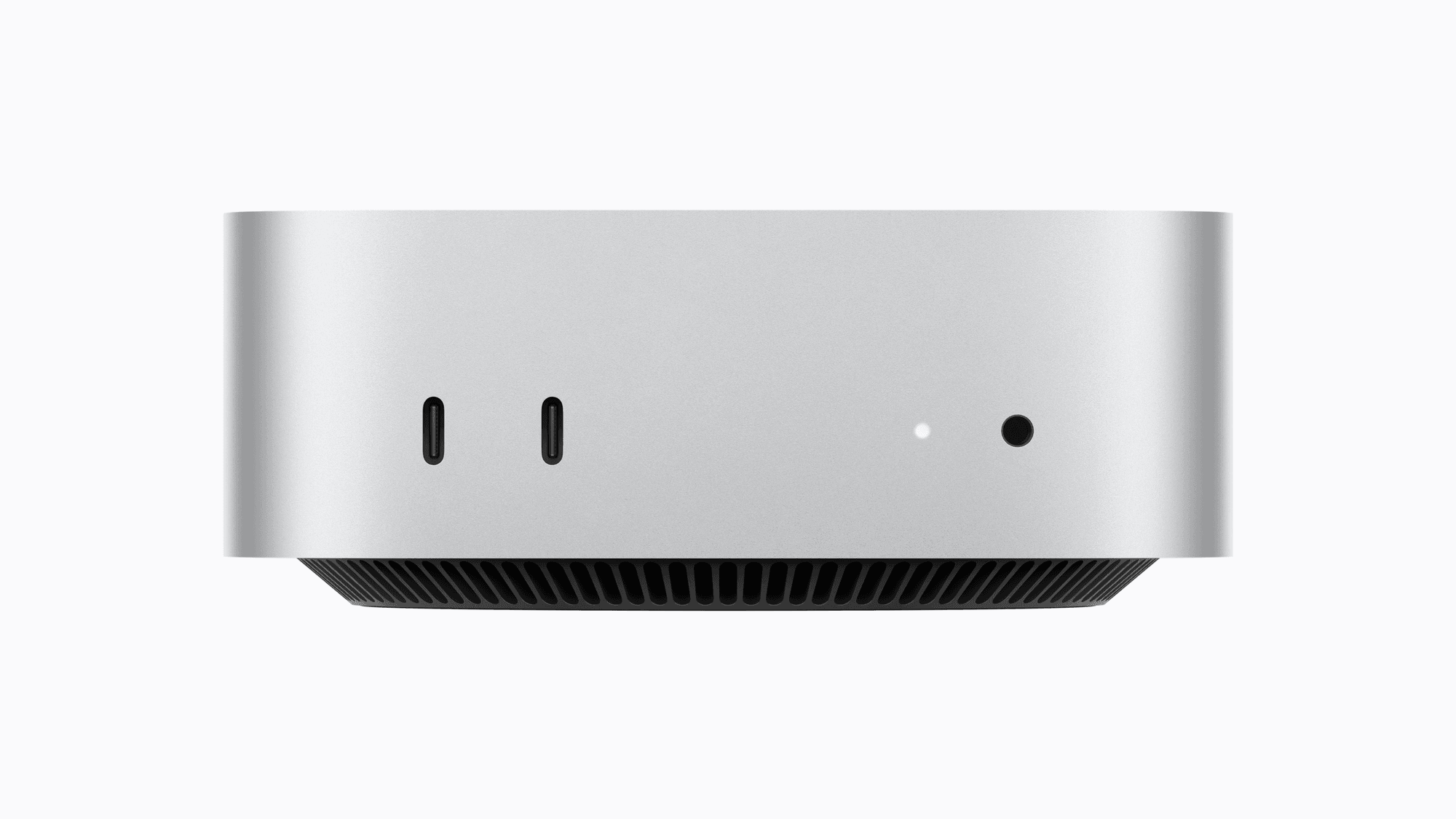
Both Mac mini models have two USB-C ports (USB 3, up to 10Gb/s) and a 3.5 mm headphone jack on the front. On the back are three Thunderbolt ports, HDMI and 2.5Gb Ethernet that can be configured to 10Gb Ethernet. The M6 model's rear ports are Thunderbolt 4 at up to 40Gb/s. The M5 Pro model's are Thunderbolt 5 at up to 120Gb/s.
The Mac Studio adds ports the Mac mini does not list. Both versions have four Thunderbolt 5 ports, two USB-A ports, HDMI 2.1, 10Gb Ethernet and a headphone jack on the back, plus a UHS-II SDXC card slot on the front. The two front ports are USB-C at up to 10Gb/s on the M5 Max and Thunderbolt 5 on the M5 Ultra.
Apple's Mac mini tech specs list up to three external displays for the M6 model, and a separate Apple support article gives the same limit of three for the M5 Pro model. The Mac Studio tech specs list up to five displays on the M5 Max and up to eight on the M5 Ultra. Resolution and refresh rate limits depend on how many displays are connected.
Size and weight
The Mac mini measures 2.0 inches high and 5.0 inches wide and deep. It weighs 1.5 pounds with M6 and 1.6 pounds with M5 Pro.
The Mac Studio is 3.7 inches high and 7.7 inches wide and deep. It weighs 6.0 pounds with M5 Max and 8.0 pounds with M5 Ultra.
Which one fits
If you want the lower starting price of the two lines, the M6 Mac mini fits because Apple lists it from $899, which is $1,600 below the Mac Studio's starting price, and offers up to 32GB of memory and up to a 2TB SSD. If you want Thunderbolt 5 or up to 64GB of memory in the smaller case, the M5 Pro Mac mini fits because Apple lists both for it in the same 5-inch case.
If you want more than 64GB of memory, more than three displays, a built-in SD card slot or USB-A ports, the Mac Studio fits because its spec sheet lists them. If you want 256GB or 512GB of memory, 16TB of storage or up to eight displays, the M5 Ultra Mac Studio fits because Apple lists those options for that model.