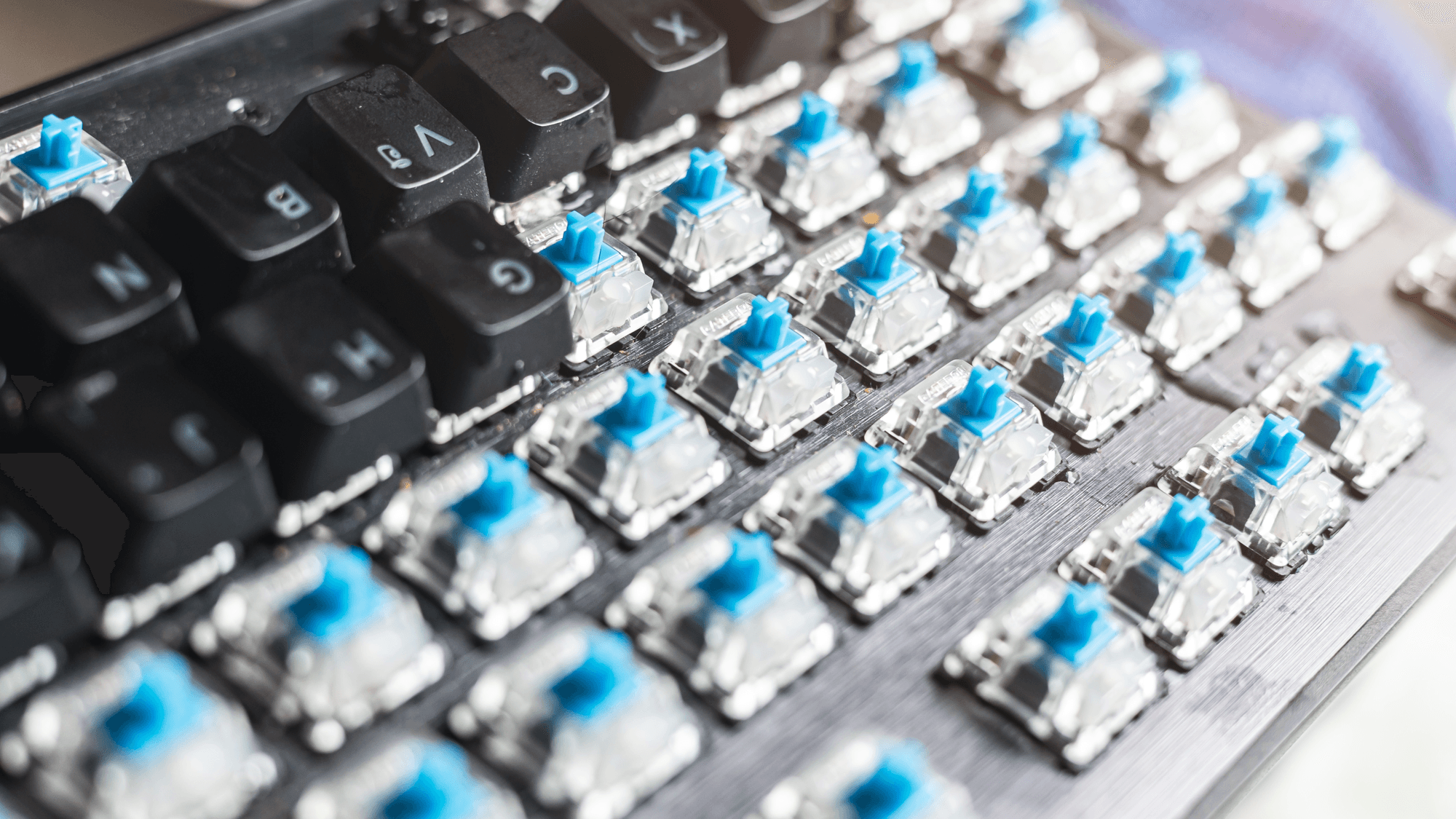
A mechanical keyboard is a keyboard that uses an individual switch under each key. In CHERRY's description, pressing a key moves a stem and compresses a spring, electrical contacts connect, and a signal goes out through the circuit board. In CHERRY's rubber-dome membrane design, a dome closes the contact instead.
How a mechanical switch works
CHERRY's mechanical technology page lays out the sequence. The stem travels down and the spring compresses. Contact points then meet, which closes a circuit through the PCB and sends the signal. When you let go, the spring pushes the stem back up.
Razer describes the same motion for its switches. The stem travels downward and depresses the spring until the switch activates, then the spring returns to its original position and resets the key. Razer notes there is no rubber dome to compress in this mechanism.
CHERRY also says a mechanical switch can register the signal before the key is fully pressed. Gateron, another switch maker, adds one more distinction. A conventional mechanical switch actuates through a metal-to-metal connection, while an optical switch uses light. Gateron's KS-3 Full Black switch, for example, uses a POM stem, a nylon housing, a stainless steel spring and gold alloy contacts.
Switch types and hot-swapping
Switch makers sort their switches into three types. CHERRY's switch page defines them this way:
- Linear: a smooth keystroke without tactile feedback. CHERRY's example is MX Red.
- Tactile: a noticeable bump that indicates when the keystroke is registered. CHERRY's example is MX Brown.
- Clicky: similar to tactile, but with an audible click. CHERRY's example is MX Blue.
Other makers use the same three labels. Gateron classifies its G Pro 3.0 Red as linear, Brown as tactile and Blue as clicky. Logitech lists GX Blue (Clicky), GX Brown (Tactile) and GX Red (Linear) for its G512 keyboard.
Razer uses different colors for the same idea. Its Green switches are clicky, with an audible click and a tactile bump. Its Orange switches are tactile, and Razer describes their actuation as quieter. Its Yellow switches are linear and use sound dampeners, which Razer says result in a quieter and smooth experience.
On a hot-swappable board, you can pull the switches out and fit different ones without soldering. Keychron says every switch on its Q1 Max can be replaced this way, and that the board supports almost all 3-pin and 5-pin MX-style mechanical switches, including ones from CHERRY and Gateron. Razer's BlackWidow V4 75% uses a socketed PCB that accepts 3-pin or 5-pin mechanical switches in place of the preinstalled ones.
Compatibility has limits. Keychron sells the K8 in several versions. The mechanical hot-swappable version supports most MX-style 3-pin and 5-pin switches, while the optical versions need their matching optical switch types.
Layouts from full-size to 60%
Mechanical keyboards come in several sizes. The makers' own product pages show what each one keeps.
- Full-size: Keychron describes the K10 as a classic full-size 104-key layout with a number pad.
- Tenkeyless (TKL): Keychron's K8 keeps the function, navigation and multimedia keys and removes the number pad.
- 75%: Razer's European product page calls this a more compact version of a tenkeyless keyboard. Its BlackWidow V4 75% keeps the function row, arrow keys, Delete, Page Up, Page Down and Insert.
- 60%: Keychron lists the Q4 as a 60% ANSI mechanical keyboard. Razer's 60% Huntsman Mini, which uses optical switches, drops the function row, home cluster and number pad.
On the Huntsman Mini, the missing keys stay available as secondary functions and shortcuts. Fn+1 gives you F1, for example. See How to Use the Home Key on a 60 Percent Keyboard.
Mechanical vs membrane
CHERRY describes its rubber-dome membrane mechanism as an elastic dome that compresses and inverts to close an electrical contact. When you release the key, the dome regains its shape, and that is what returns the key.
Logitech identifies its G213 Prodigy as a membrane keyboard with tactile Mech-Dome keys, and describes their response as similar to a mechanical keyboard. Razer's Mecha-Membrane technology is a blend of membrane rubber domes and mechanical switches, which Razer says gives a cushioned touch and a tactile click.
What to check before you buy
If you want a mechanical keyboard, a tactile feel alone does not confirm one, because Logitech identifies the G213 Prodigy as a membrane keyboard with tactile keys. If you want to try other switches later, look for a hot-swappable board and check which switch types it accepts, since Keychron's K8 versions differ on that point.
If you enter a lot of numbers, a full-size layout fits because it keeps the number pad. If desk space matters more, TKL, 75% and 60% boards each remove more dedicated keys. See How to Fix Sticky Keyboard Keys and How to Fix Common Keyboard Problems on a PC.