Choosing a MacBook comes down to a few decisions: screen size, chip, memory and storage, ports, and how much weight you want to carry. This page is for US shoppers buying a new Mac laptop for school, everyday work or professional creative work who want the specifications set out plainly.
Technobezz is supported by its audience. We may get a commission from retail offers.
6 Best MacBooks in 2026
The Apple MacBook Air 13-inch (M5) leads our six best MacBooks of 2026, with picks for students, big-screen fans and pros compared by chip, memory and ports.
T
Technobezz
Editorial Team
Updated November 24, 2026Nov 24, 2026
•16 min read

Get Deals Like These in Your Inbox
The best prices, straight to your inbox.
Add Technobezz on Google:Preferred SourceGoogle Discover
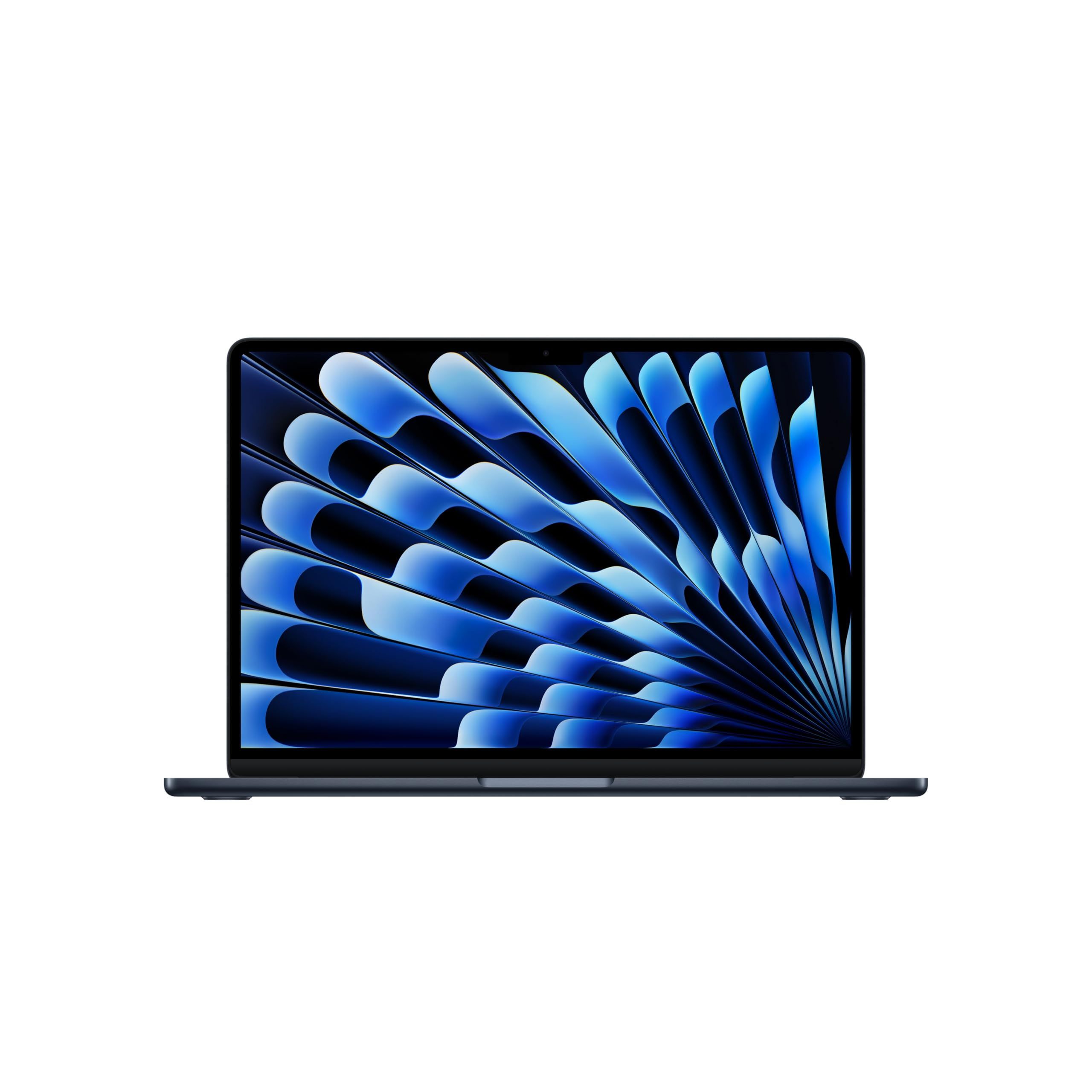
The Apple MacBook Air 13-inch (M5) is our best overall pick. It pairs the M5 chip with a 13.6-inch Liquid Retina display, 16GB of unified memory, a 512GB SSD and up to 18 hours of battery life, and it weighs 2.7 pounds.
The other five picks cover narrower needs. The Apple MacBook Neo 13-inch is the budget pick with the A18 Pro chip, and the Apple MacBook Air 15-inch (M5) has a 15.3-inch display. The Apple MacBook Pro 14-inch (M5 Pro), the Apple MacBook Pro 16-inch (M5 Pro) and the Apple MacBook Pro with 16.3-inch PROLED XDR Display (M5 Pro) each come with the M5 Pro chip, 24GB of memory and 1TB of storage.
At a Glance
| Category | Product | Why We Picked It |
|---|---|---|
| Best overall | Apple MacBook Air 13-inch (M5) | M5 chip, 13.6-inch display, 16GB memory, 512GB SSD and up to 18 hours of battery life |
| Best budget | Apple MacBook Neo 13-inch | A18 Pro chip, 13-inch display, 8GB memory, 256GB SSD and up to 16 hours of battery life |
| Best big-screen MacBook Air | Apple MacBook Air 15-inch (M5) | 15.3-inch display and six speakers with the M5 chip, 16GB memory and 512GB SSD |
| Best for pros | Apple MacBook Pro 14-inch (M5 Pro) | M5 Pro chip with 15-core CPU and 16-core GPU, 24GB memory, 1TB SSD, HDMI port and SDXC card slot |
| Best large-screen pro laptop | Apple MacBook Pro 16-inch (M5 Pro) | 16.2-inch Liquid Retina XDR display and M5 Pro chip with 18-core CPU and 20-core GPU |
| Best premium | Apple MacBook Pro with 16.3-inch PROLED XDR Display (M5 Pro) | 16.3-inch tandem OLED touch display, up to 2000 nits peak brightness and up to 22 hours of battery life |
How we chose
We compared the specifications on each product's Amazon page. We checked that each pick is sold new by Amazon or the brand.
The best MacBooks right now
Apple MacBook Air 13-inch (M5) - Best overall
The Apple MacBook Air 13-inch (M5) is a 2026 model built around the M5 chip, with 16GB of unified memory and a 512GB SSD in this configuration. Its 13.6-inch Liquid Retina display supports 1 billion colors, and the laptop weighs 2.7 pounds.
It has two Thunderbolt 4 ports, a MagSafe charging port and a headphone jack, plus Wi-Fi 7 and Bluetooth 6 through the Apple N1 chip, and it supports up to two external displays. For calls there is a 12MP Center Stage camera, a three-mic array and a four-speaker sound system with Spatial Audio and support for Dolby Atmos. Battery life is rated at up to 18 hours.
Key highlights
- M5 chip with 16GB unified memory and 512GB SSD
- 13.6-inch Liquid Retina display with support for 1 billion colors
- Up to 18 hours of battery life
- Two Thunderbolt 4 ports, MagSafe charging port and headphone jack
- Wi-Fi 7 and Bluetooth 6
- 12MP Center Stage camera and Touch ID
- Weight: 2.7 pounds
- Color: Midnight
Pros
- 2.7 pounds, against 3.3 pounds on the Apple MacBook Air 15-inch (M5)
- Up to 18 hours of battery life, against up to 16 hours on the Apple MacBook Neo 13-inch
- 16GB of memory and a 512GB SSD, against 8GB and 256GB on the Apple MacBook Neo 13-inch
- Supports up to two external displays
- Center Stage keeps you in frame on video calls, and Desk View shares a top-down view of your workspace
Cons
- 13.6-inch display, against 15.3 inches on the Apple MacBook Air 15-inch (M5)
- Four speakers, against six on the Apple MacBook Air 15-inch (M5)
- Two Thunderbolt 4 ports, against three Thunderbolt 5 ports on the Apple MacBook Pro 14-inch (M5 Pro)
- 16GB of memory and 512GB of storage, against 24GB and 1TB on the Apple MacBook Pro 14-inch (M5 Pro)
Who it is for: Most buyers who want a 2.7-pound MacBook with the M5 chip, 16GB of memory and up to 18 hours of battery life for study, office work and everyday use.
Skip if
You want a larger screen (the Apple MacBook Air 15-inch (M5) has a 15.3-inch display) or more memory and storage (the Apple MacBook Pro 14-inch (M5 Pro) has 24GB and 1TB).
Apple MacBook Neo 13-inch - Best budget
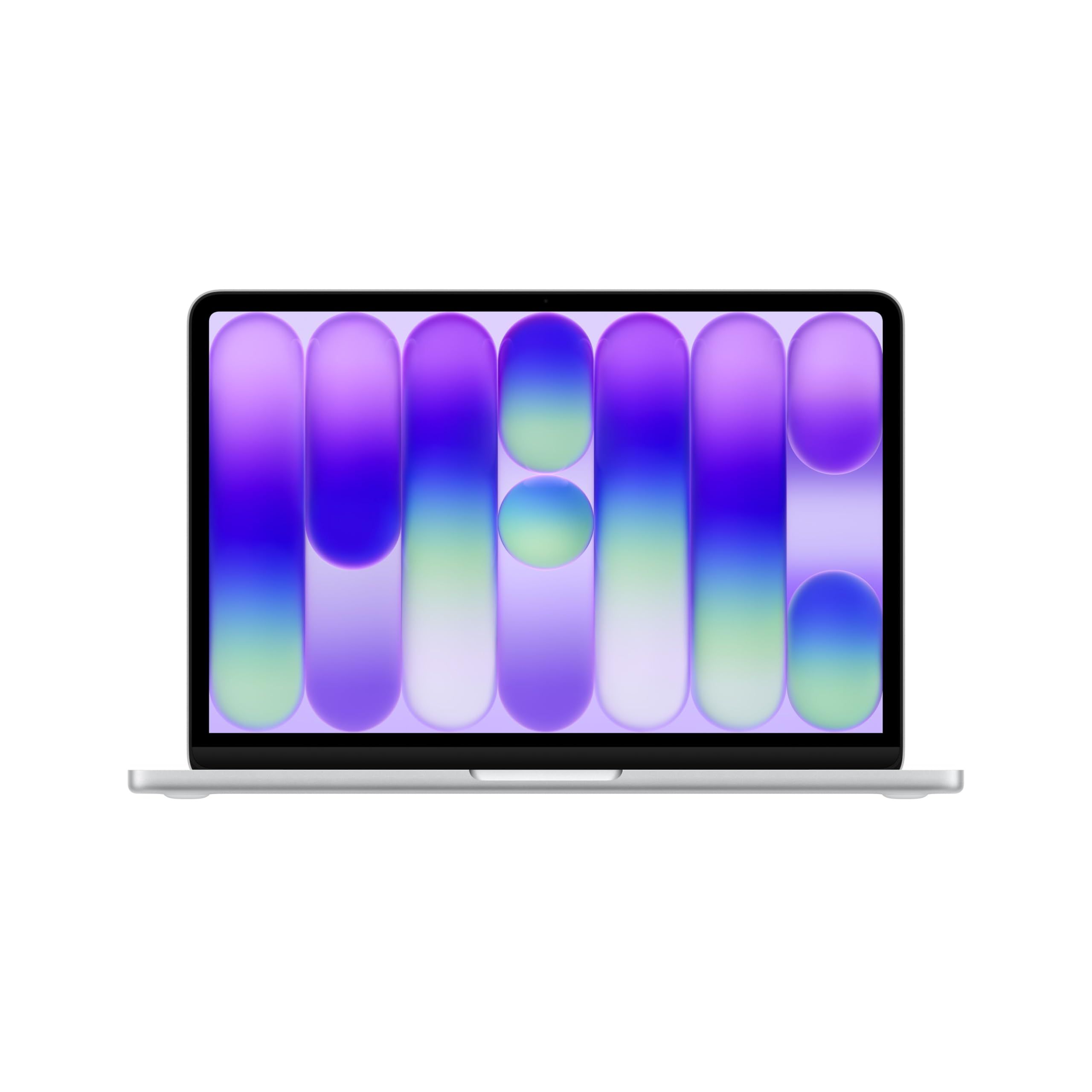
The Apple MacBook Neo 13-inch is our budget pick. It runs the A18 Pro chip with 8GB of unified memory and 256GB of SSD storage, and it has a 13-inch Liquid Retina display that supports 1 billion colors.
Battery life is rated at up to 16 hours. The enclosure is recycled aluminum, which helps the laptop reach 60 percent recycled content by weight, and it comes in Silver, Blush, Citrus or Indigo, each with a color-coordinated keyboard. It also has a 1080p FaceTime HD camera, a dual-mic array and two side-firing speakers, and it weighs 2.7 pounds.
Key highlights
- A18 Pro chip
- 8GB unified memory and 256GB SSD storage
- 13-inch Liquid Retina display with support for 1 billion colors
- Up to 16 hours of battery life
- 1080p FaceTime HD camera, dual-mic array and two side-firing speakers
- Recycled aluminum enclosure, 60 percent recycled content by weight
- Weight: 2.7 pounds
- Color: Silver
Pros
- Up to 16 hours of battery life
- Four color choices, each with a color-coordinated keyboard
- 60 percent recycled content by weight
- 2.7 pounds, against 3.3 pounds on the Apple MacBook Air 15-inch (M5)
- Built for Apple Intelligence
Cons
- 8GB of memory, against 16GB on the Apple MacBook Air 13-inch (M5)
- 256GB of storage, against 512GB on the Apple MacBook Air 13-inch (M5)
- Up to 16 hours of battery life, against up to 18 hours on the Apple MacBook Air 13-inch (M5)
- Two speakers and a dual-mic array, against four speakers and a three-mic array on the Apple MacBook Air 13-inch (M5)
Who it is for: Students and first-time Mac buyers on a budget who mainly write, browse and join video calls, and who want up to 16 hours of battery life.
Skip if
You need more than 8GB of memory or 256GB of storage. The Apple MacBook Air 13-inch (M5) has 16GB and 512GB.
Apple MacBook Air 15-inch (M5) - Best big-screen MacBook Air
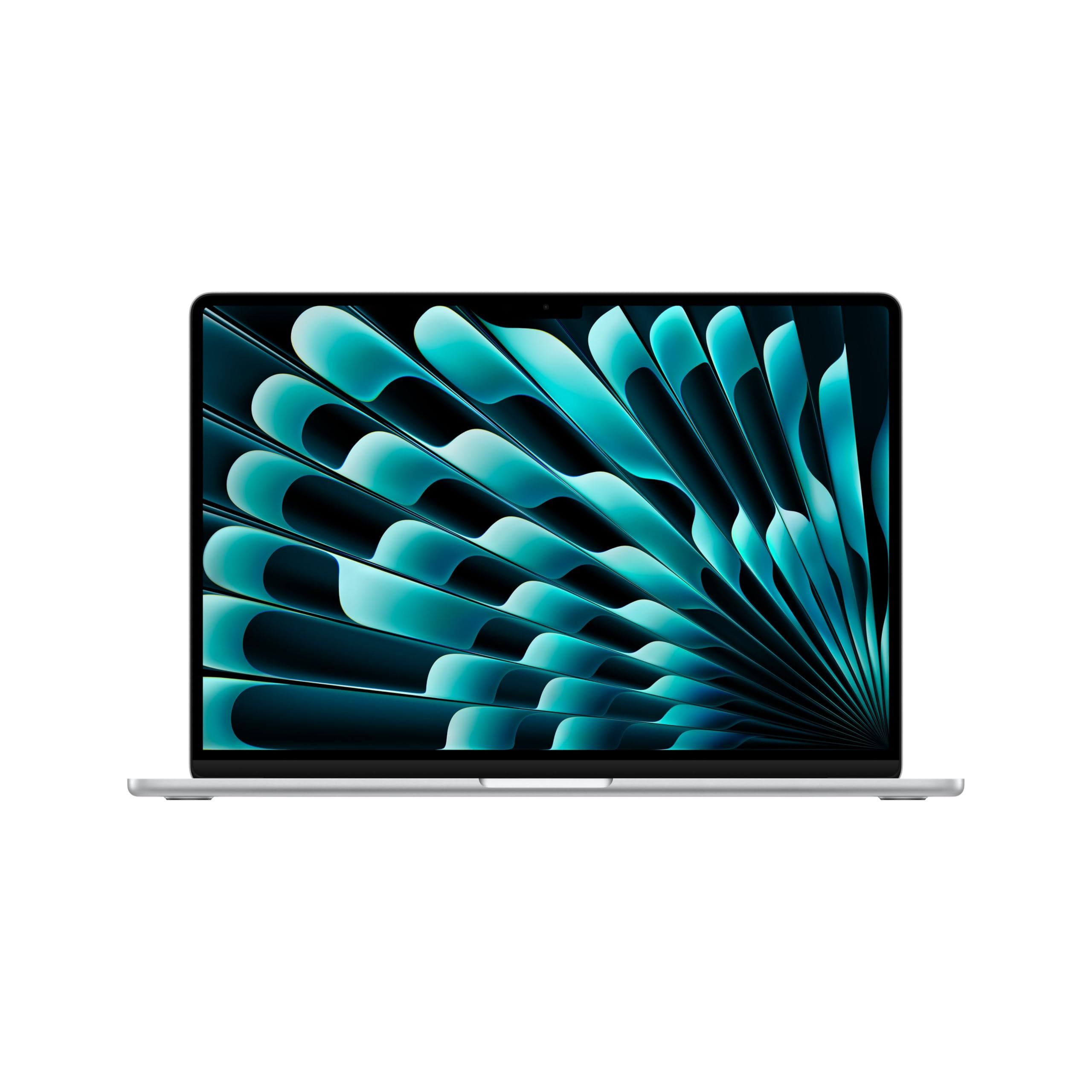
The Apple MacBook Air 15-inch (M5) has a 15.3-inch Liquid Retina display that supports 1 billion colors. Inside are the M5 chip, 16GB of unified memory and a 512GB SSD, the same configuration as the Apple MacBook Air 13-inch (M5), and it weighs 3.3 pounds.
It has a six-speaker sound system with Spatial Audio and Dolby Atmos, a three-mic array and a 12MP Center Stage camera. Ports are two Thunderbolt 4, a MagSafe charging port and a headphone jack, with Wi-Fi 7 and Bluetooth 6 on board. It supports up to two external displays, and battery life is rated at up to 18 hours.
Key highlights
- 15.3-inch Liquid Retina display with support for 1 billion colors
- M5 chip with 16GB unified memory and 512GB SSD
- Up to 18 hours of battery life
- Six-speaker sound system with Spatial Audio and Dolby Atmos
- Two Thunderbolt 4 ports, MagSafe charging port and headphone jack
- Wi-Fi 7 and Bluetooth 6
- 12MP Center Stage camera and Touch ID
- Weight: 3.3 pounds
- Color: Silver
Pros
- 15.3-inch display, against 13.6 inches on the Apple MacBook Air 13-inch (M5)
- Six speakers, against four on the Apple MacBook Air 13-inch (M5)
- Up to 18 hours of battery life, the same figure as the Apple MacBook Air 13-inch (M5)
- 3.3 pounds, against 4.7 pounds on the Apple MacBook Pro 16-inch (M5 Pro)
- Supports up to two external displays
Cons
- 3.3 pounds, against 2.7 pounds on the Apple MacBook Air 13-inch (M5)
- Two Thunderbolt 4 ports, against three Thunderbolt 5 ports on the Apple MacBook Pro 16-inch (M5 Pro)
- Up to two external displays, against up to three on the Apple MacBook Pro 16-inch (M5 Pro)
- 16GB of memory and 512GB of storage, against 24GB and 1TB on the Apple MacBook Pro 16-inch (M5 Pro)
Who it is for: Buyers who want a 15.3-inch screen for documents, spreadsheets and split-screen work in a laptop that weighs 3.3 pounds.
Skip if
You carry your laptop all day and want less weight (the Apple MacBook Air 13-inch (M5) weighs 2.7 pounds), or you want 24GB of memory and 1TB of storage behind a large screen (the Apple MacBook Pro 16-inch (M5 Pro) has both).
Apple MacBook Pro 14-inch (M5 Pro) - Best for pros
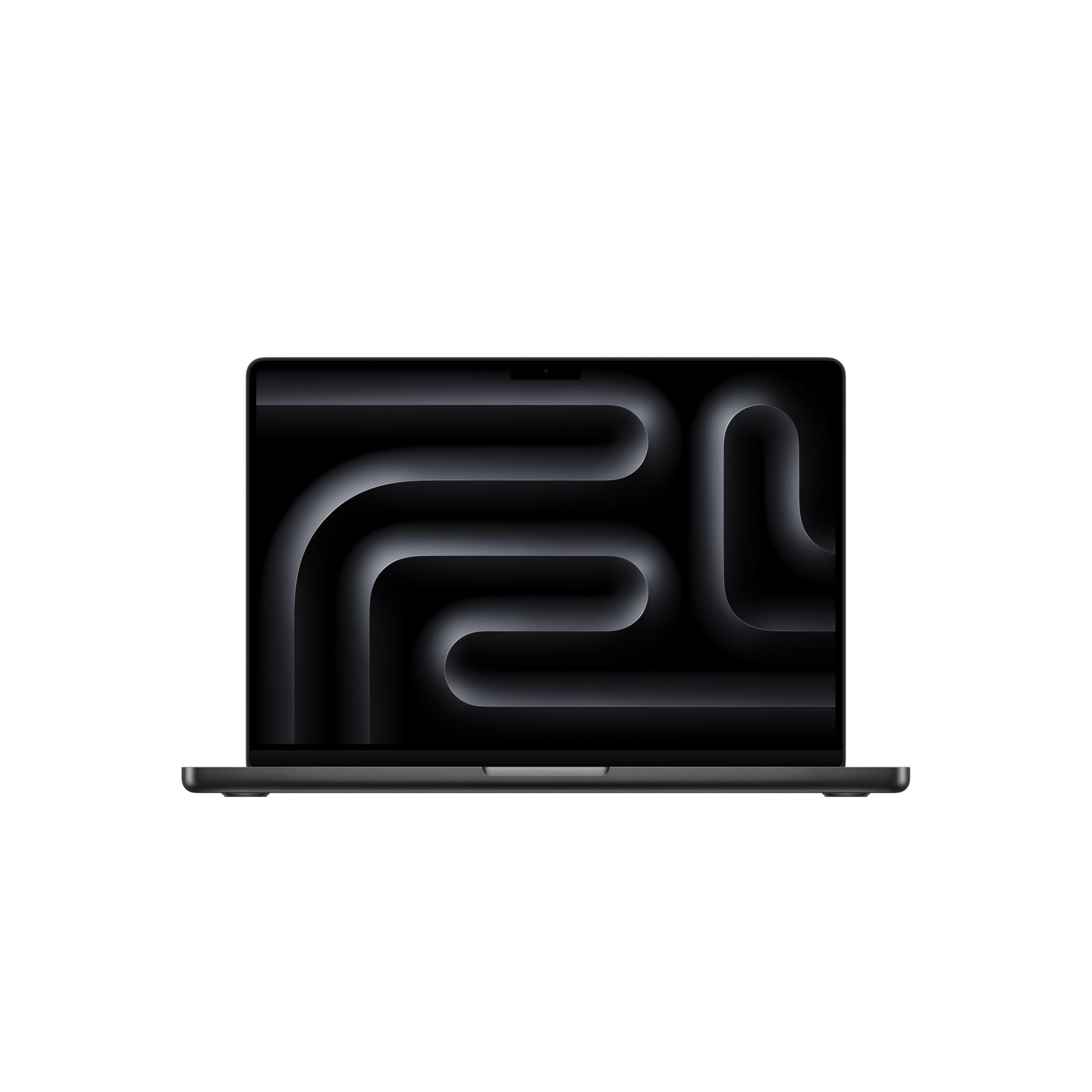
The Apple MacBook Pro 14-inch (M5 Pro) uses the M5 Pro chip with a 15-core CPU and a 16-core GPU, paired with 24GB of unified memory and a 1TB SSD. Its 14.2-inch Liquid Retina XDR display has 1600 nits peak brightness, 1000 nits sustained brightness and a 1,000,000:1 contrast ratio.
It has three Thunderbolt 5 ports, a MagSafe 3 charging port, an SDXC card slot, an HDMI port and a headphone jack, and it supports up to three external displays with the M5 Pro chip. It also has Wi-Fi 7, Bluetooth 6, a 12MP Center Stage camera, three mics and six speakers with Spatial Audio and support for Dolby Atmos. It weighs 3.5 pounds.
Key highlights
- M5 Pro chip with 15-core CPU and 16-core GPU
- 24GB unified memory and 1TB SSD
- 14.2-inch Liquid Retina XDR display
- 1600 nits peak brightness, 1000 nits sustained brightness and 1,000,000:1 contrast
- Three Thunderbolt 5 ports, MagSafe 3, SDXC card slot, HDMI port and headphone jack
- Supports up to three external displays with M5 Pro
- Wi-Fi 7 and Bluetooth 6
- 12MP Center Stage camera, three mics and six speakers
- Weight: 3.5 pounds
- Color: Space Black
Pros
- 24GB of memory and 1TB of storage, against 16GB and 512GB on the Apple MacBook Air 13-inch (M5)
- Three Thunderbolt 5 ports, an HDMI port and an SDXC card slot
- Up to three external displays, against up to two on the Apple MacBook Air 13-inch (M5)
- 3.5 pounds, against 4.7 pounds on the Apple MacBook Pro 16-inch (M5 Pro)
Cons
- 15-core CPU and 16-core GPU, against 18-core CPU and 20-core GPU on the Apple MacBook Pro 16-inch (M5 Pro)
- 14.2-inch display, against 16.2 inches on the Apple MacBook Pro 16-inch (M5 Pro)
- 1600 nits peak brightness, against up to 2000 nits on the Apple MacBook Pro with 16.3-inch PROLED XDR Display (M5 Pro)
- 3.5 pounds, against 2.7 pounds on the Apple MacBook Air 13-inch (M5)
Who it is for: Photo, video, audio and software professionals who want the M5 Pro chip, 24GB of memory, an SDXC card slot and an HDMI port in a 14.2-inch laptop.
Skip if
You want a bigger display and more CPU and GPU cores. The Apple MacBook Pro 16-inch (M5 Pro) has a 16.2-inch display with an 18-core CPU and a 20-core GPU.
Apple MacBook Pro 16-inch (M5 Pro) - Best large-screen pro laptop
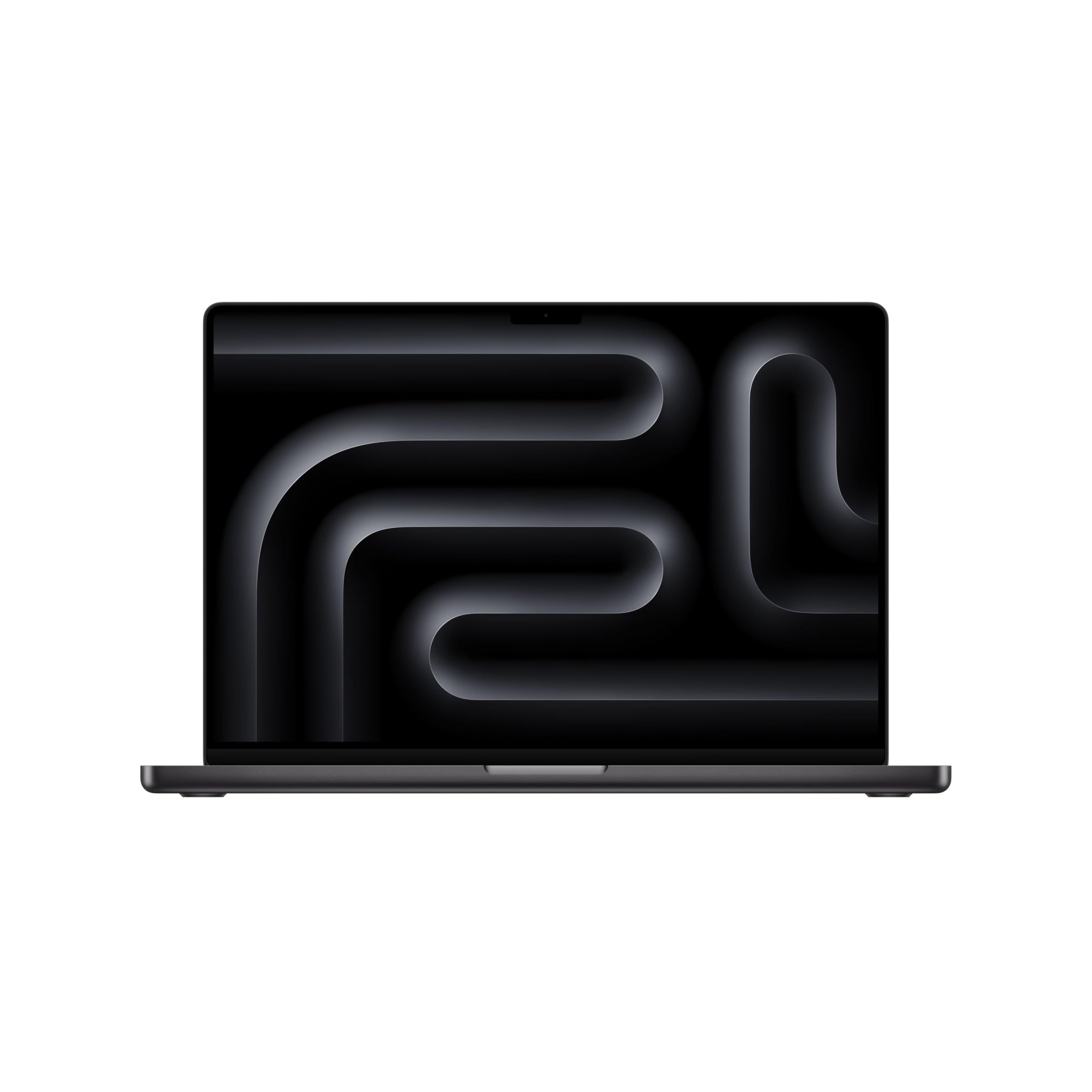
The Apple MacBook Pro 16-inch (M5 Pro) has a 16.2-inch Liquid Retina XDR display with 1600 nits peak brightness, 1000 nits sustained brightness and a 1,000,000:1 contrast ratio. Its M5 Pro chip has an 18-core CPU and a 20-core GPU, with 24GB of unified memory and a 1TB SSD.
It has three Thunderbolt 5 ports, a MagSafe 3 charging port, an SDXC card slot, an HDMI port and a headphone jack, and it supports up to three external displays with the M5 Pro chip. Wi-Fi 7, Bluetooth 6, a 12MP Center Stage camera, three mics and six speakers with Spatial Audio and support for Dolby Atmos are built in. It weighs 4.7 pounds.
Key highlights
- 16.2-inch Liquid Retina XDR display
- 1600 nits peak brightness, 1000 nits sustained brightness and 1,000,000:1 contrast
- M5 Pro chip with 18-core CPU and 20-core GPU
- 24GB unified memory and 1TB SSD
- Three Thunderbolt 5 ports, MagSafe 3, SDXC card slot, HDMI port and headphone jack
- Supports up to three external displays with M5 Pro
- Wi-Fi 7 and Bluetooth 6
- 12MP Center Stage camera, three mics and six speakers
- Weight: 4.7 pounds
- Color: Space Black
Pros
- 18-core CPU and 20-core GPU, against 15-core CPU and 16-core GPU on the Apple MacBook Pro 14-inch (M5 Pro)
- 16.2-inch display, against 14.2 inches on the Apple MacBook Pro 14-inch (M5 Pro)
- Three Thunderbolt 5 ports, an HDMI port and an SDXC card slot
- Supports up to three external displays with M5 Pro
- 24GB of memory and 1TB of storage
Cons
- 4.7 pounds, against 4.0 pounds on the Apple MacBook Pro with 16.3-inch PROLED XDR Display (M5 Pro) and 3.5 pounds on the Apple MacBook Pro 14-inch (M5 Pro)
- 1600 nits peak brightness, against up to 2000 nits on the Apple MacBook Pro with 16.3-inch PROLED XDR Display (M5 Pro)
- 1,000,000:1 contrast ratio, against 10,000,000:1 on the Apple MacBook Pro with 16.3-inch PROLED XDR Display (M5 Pro)
Who it is for: Editors, developers and designers who want a 16.2-inch display with an 18-core CPU and a 20-core GPU, and who mostly work at a desk.
Skip if
You travel often and want less weight. The Apple MacBook Pro 14-inch (M5 Pro) weighs 3.5 pounds, against 4.7 pounds here.
Apple MacBook Pro with 16.3-inch PROLED XDR Display (M5 Pro) - Best premium
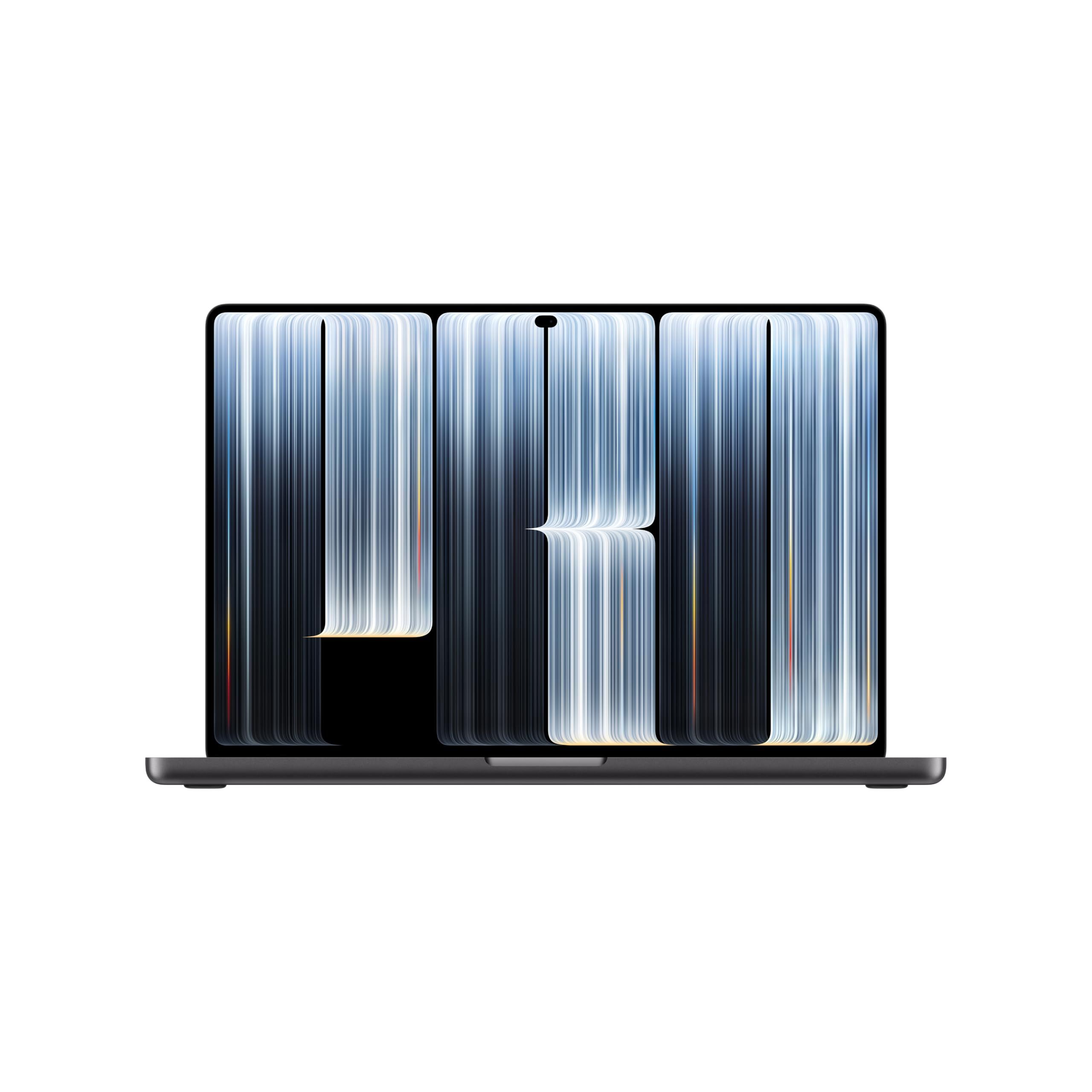
The Apple MacBook Pro with 16.3-inch PROLED XDR Display (M5 Pro) is our premium pick. Its 16.3-inch PROLED XDR display uses a tandem OLED panel with up to 2000 nits peak HDR and SDR brightness, a 10,000,000:1 contrast ratio and P3 and Adobe RGB color. The display also takes touch input, with Multi-Touch gestures to scroll, pinch and draw on the screen.
It runs the M5 Pro chip with an 18-core CPU and a 20-core GPU, 24GB of unified memory and 1TB of storage, and battery life is rated at up to 22 hours. It has three Thunderbolt 5 ports, a MagSafe 3 charging port, an SDXC card slot, an HDMI port and a headphone jack, with Wi-Fi 7 and Bluetooth 6, and it supports up to three external displays with the M5 Pro chip. A six-speaker sound system, a 12MP Center Stage camera and Touch ID are built in, and it weighs 4.0 pounds.
Key highlights
- 16.3-inch PROLED XDR display with a tandem OLED panel
- Up to 2000 nits peak HDR and SDR brightness and 10,000,000:1 contrast ratio
- Touch input with Multi-Touch gestures
- M5 Pro chip with 18-core CPU and 20-core GPU
- 24GB unified memory and 1TB SSD storage
- Up to 22 hours of battery life
- Three Thunderbolt 5 ports, MagSafe 3, SDXC card slot, HDMI port and headphone jack
- Wi-Fi 7 and Bluetooth 6
- Weight: 4.0 pounds
- Color: Space Black
Pros
- Up to 2000 nits peak brightness, against 1600 nits on the Apple MacBook Pro 16-inch (M5 Pro)
- 10,000,000:1 contrast ratio, against 1,000,000:1 on the Apple MacBook Pro 16-inch (M5 Pro)
- Up to 22 hours of battery life, against up to 18 hours on the Apple MacBook Air 15-inch (M5)
- 4.0 pounds, against 4.7 pounds on the Apple MacBook Pro 16-inch (M5 Pro)
- Touch ID fingerprint unlock and FileVault file encryption
Cons
- 4.0 pounds, against 3.5 pounds on the Apple MacBook Pro 14-inch (M5 Pro)
- The M5 Pro chip has the same 18-core CPU and 20-core GPU as the Apple MacBook Pro 16-inch (M5 Pro)
- 24GB of memory and 1TB of storage, the same as the Apple MacBook Pro 14-inch (M5 Pro)
- This M5 Pro configuration supports up to three external displays, and four needs the M5 Max chip
Who it is for: Filmmakers, designers and other professionals who want a 16.3-inch tandem OLED display with touch input and up to 22 hours of battery life.
Skip if
You want a lighter laptop. The Apple MacBook Pro 14-inch (M5 Pro) has the M5 Pro chip, 24GB of memory and 1TB of storage at 3.5 pounds.
How to Choose
- Start with screen size and weight. The picks run from the 13-inch display on the Apple MacBook Neo 13-inch to the 16.3-inch display on the Apple MacBook Pro with 16.3-inch PROLED XDR Display (M5 Pro), and from 2.7 pounds on the Apple MacBook Air 13-inch (M5) to 4.7 pounds on the Apple MacBook Pro 16-inch (M5 Pro). Decide how often the laptop leaves your desk before you pick a size.
- Match memory to your workload. The Apple MacBook Neo 13-inch has 8GB, the Apple MacBook Air 13-inch (M5) and the Apple MacBook Air 15-inch (M5) have 16GB, and the three MacBook Pro picks have 24GB. Buy for the heaviest apps you run, not the lightest.
- Buy enough storage. Storage is 256GB on the Apple MacBook Neo 13-inch, 512GB on the Apple MacBook Air 13-inch (M5) and the Apple MacBook Air 15-inch (M5), and 1TB on the three MacBook Pro picks. Add up the photos, video and projects you keep on your laptop today and leave room to grow.
- Count the ports you need. The Apple MacBook Air 13-inch (M5) and the Apple MacBook Air 15-inch (M5) have two Thunderbolt 4 ports, a MagSafe charging port and a headphone jack. The three MacBook Pro picks have three Thunderbolt 5 ports, a MagSafe 3 charging port, an SDXC card slot, an HDMI port and a headphone jack.
- Plan your desk setup. The Apple MacBook Air 13-inch (M5) and the Apple MacBook Air 15-inch (M5) support up to two external displays, and the three MacBook Pro picks support up to three with the M5 Pro chip. Our guides to the best monitors for MacBook and the best mice for MacBook cover the rest of the desk.
- Compare battery figures. Battery life is rated at up to 16 hours on the Apple MacBook Neo 13-inch, up to 18 hours on the Apple MacBook Air 13-inch (M5) and the Apple MacBook Air 15-inch (M5), and up to 22 hours on the Apple MacBook Pro with 16.3-inch PROLED XDR Display (M5 Pro). These are maximum figures, so leave yourself a margin.
FAQ
Which MacBook is best for most people?
The Apple MacBook Air 13-inch (M5) is our best overall pick. It has the M5 chip, a 13.6-inch display, 16GB of memory, a 512GB SSD and up to 18 hours of battery life in a 2.7-pound laptop.
How much memory and storage should I get?
It depends on your work. The Apple MacBook Neo 13-inch has 8GB of memory and 256GB of storage, the Apple MacBook Air 13-inch (M5) and the Apple MacBook Air 15-inch (M5) have 16GB and 512GB, and the three MacBook Pro picks have 24GB and 1TB. Choose the configuration that covers your largest projects with room to spare.
Which of these MacBooks have an HDMI port and an SD card slot?
The Apple MacBook Pro 14-inch (M5 Pro), the Apple MacBook Pro 16-inch (M5 Pro) and the Apple MacBook Pro with 16.3-inch PROLED XDR Display (M5 Pro) each have an HDMI port and an SDXC card slot, alongside three Thunderbolt 5 ports.
How many external displays can these MacBooks run?
The Apple MacBook Air 13-inch (M5) and the Apple MacBook Air 15-inch (M5) support up to two external displays. The Apple MacBook Pro 14-inch (M5 Pro), the Apple MacBook Pro 16-inch (M5 Pro) and the Apple MacBook Pro with 16.3-inch PROLED XDR Display (M5 Pro) support up to three with the M5 Pro chip.
Is there a MacBook with a touch display?
Yes. The Apple MacBook Pro with 16.3-inch PROLED XDR Display (M5 Pro) supports touch, with Multi-Touch gestures that let you scroll, pinch and draw on the screen.
Published November 24, 2026 Last updated November 24, 2026
Add Technobezz on Google:Preferred SourceGoogle Discover
More buying guides
Buying guide
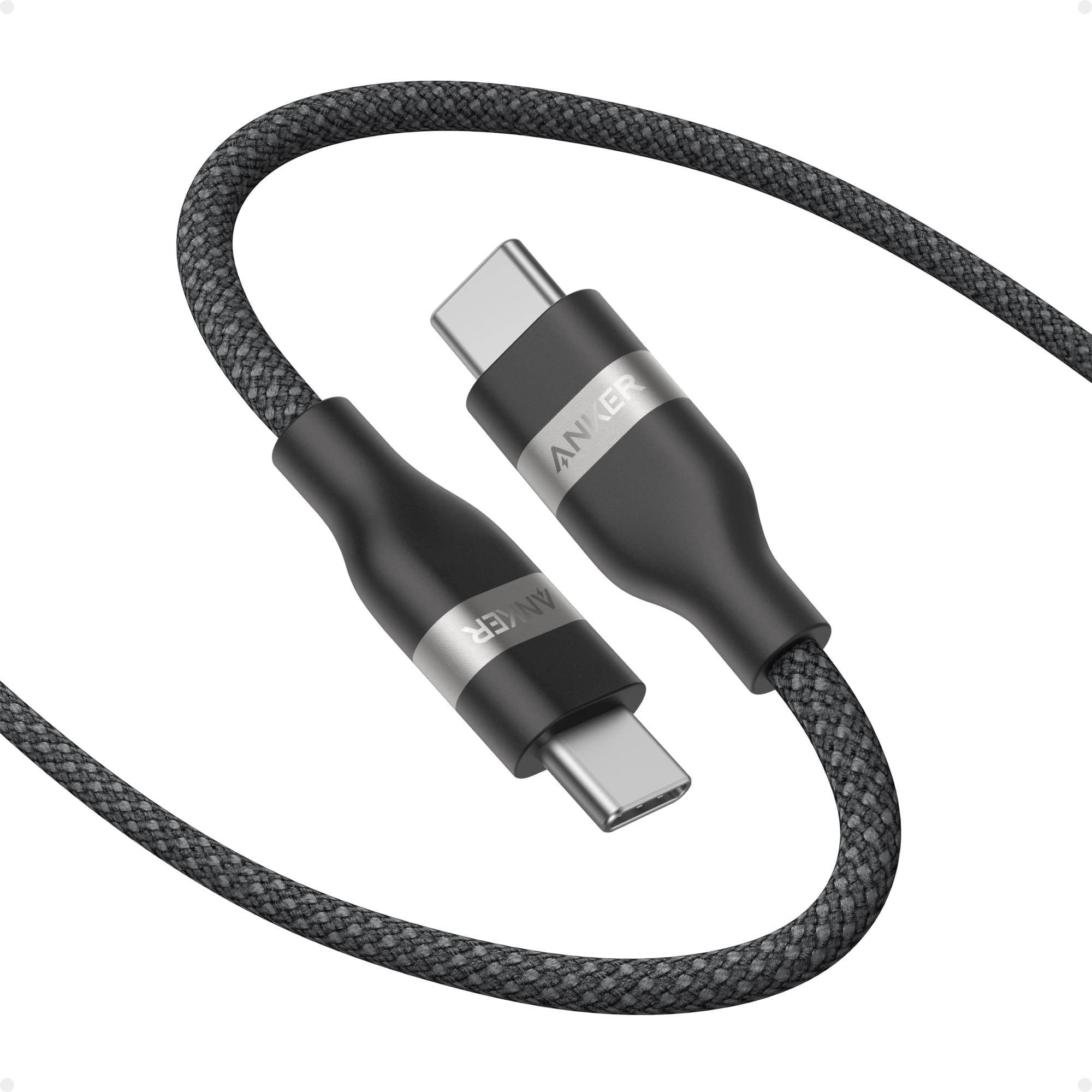
7 Best USB-C Cables in 2026
Buying guide
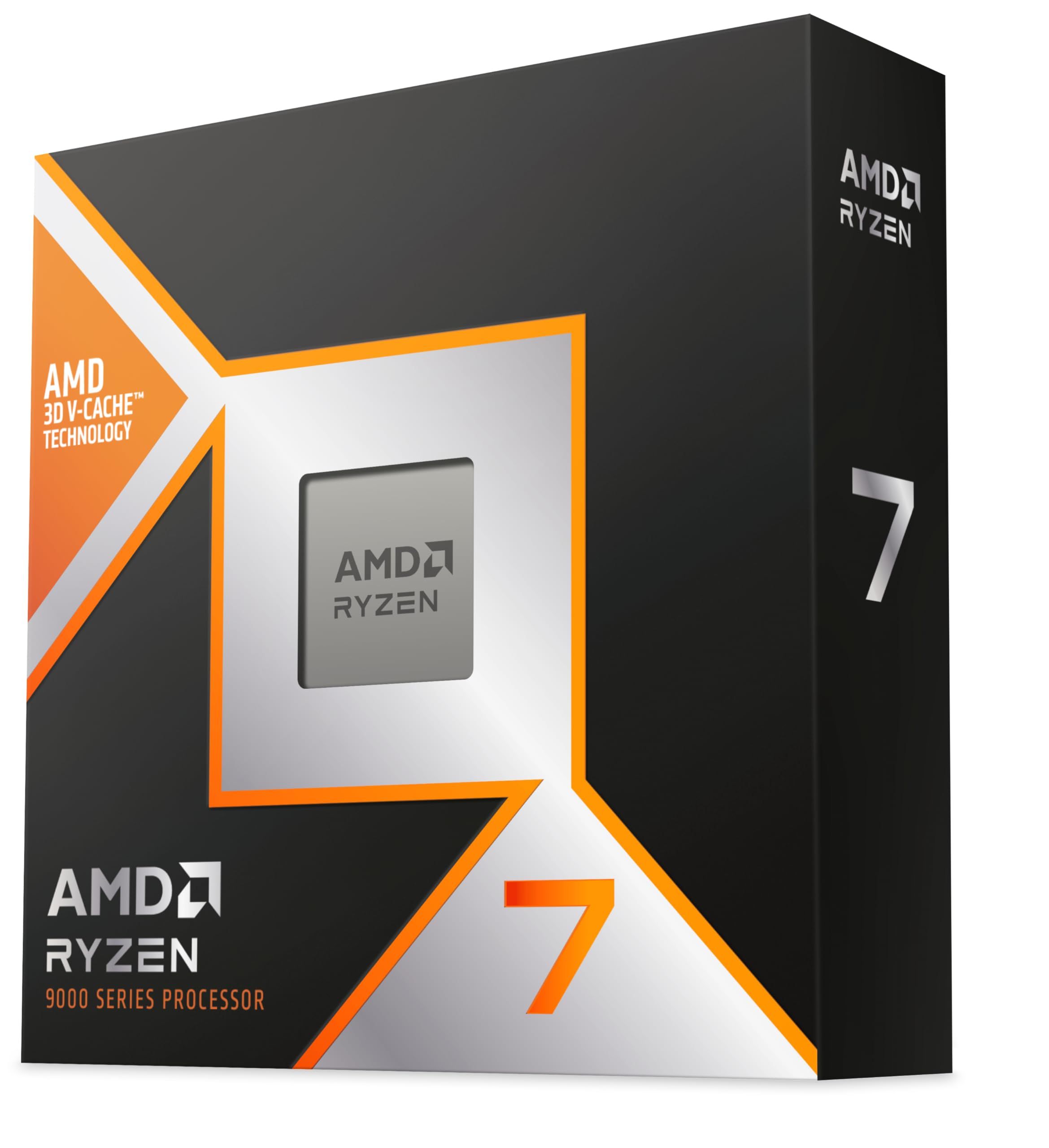
6 Best CPUs for Gaming in 2026
Buying guide
7 Best 32-Inch Monitors in 2026
Buying guide
5 Best Wireless CarPlay Adapters in 2026
Buying guide6 Best Ethernet Cables in 2026Buying guide5 Best TV Antennas in 2026Buying guide5 Best Karaoke Machines in 2026Buying guide7 Best Radar Detectors in 2026Buying guide6 Best Portable Tire Inflators in 2026Buying guide7 Best Logitech Mice in 2026Buying guide7 Best JBL Speakers in 2026Buying guide5 Best Bose Headphones in 2026