Chrome users can now automate repetitive AI tasks with one-click shortcuts called Skills, eliminating the need to retype the same prompts across different web pages. Google announced the feature today as part of its push to make Gemini more practical for daily browser use.
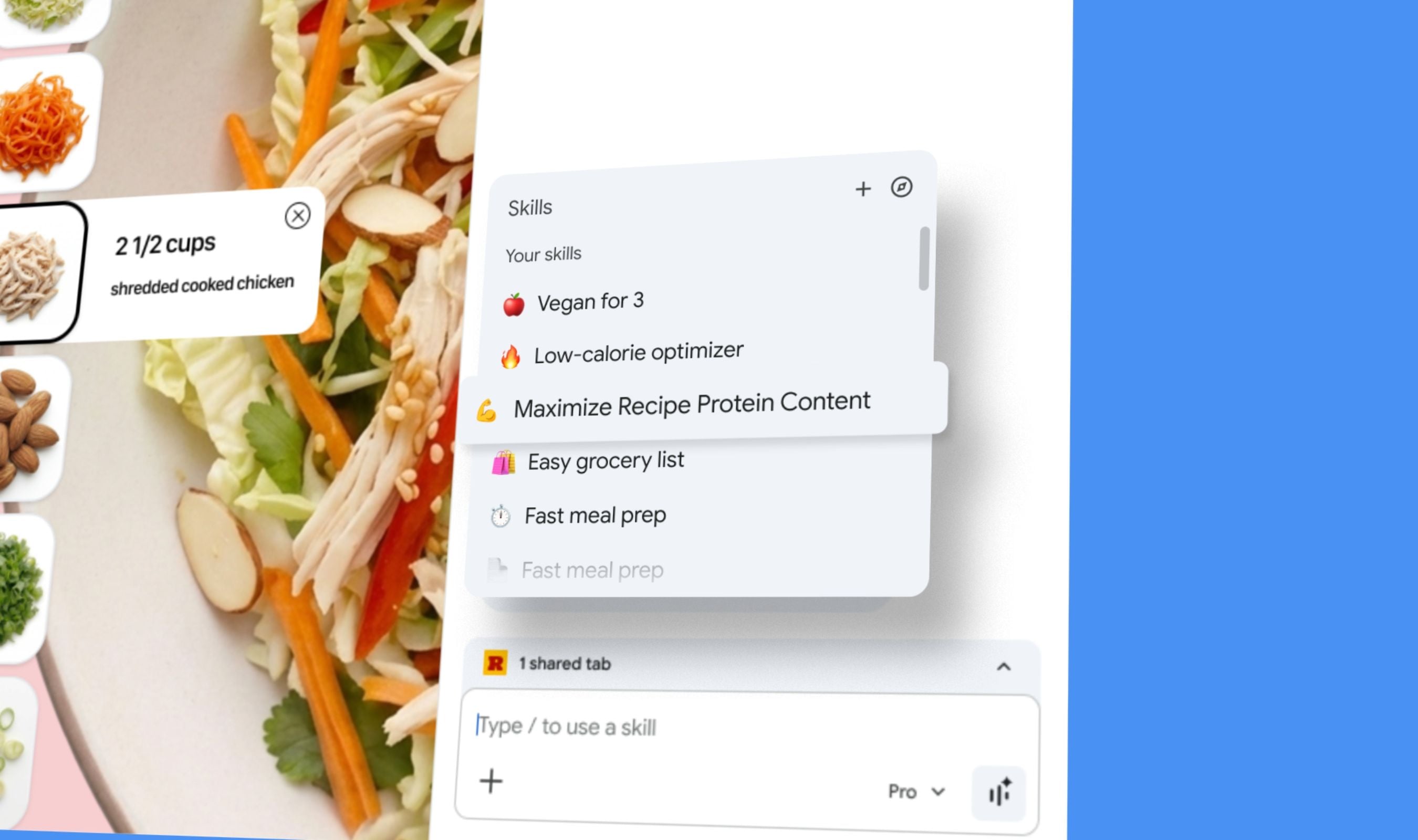
Skills function like bookmarks for AI workflows, allowing users to save frequently used prompts and run them instantly on any webpage or selected tabs. The system launches with a library of pre-made Skills for common tasks including recipe analysis, product comparison shopping, and nutritional calculations.
To create a Skill, users save any Gemini prompt directly from their chat history. The saved workflow then appears when typing forward slash (/) in Gemini or clicking the plus button in Chrome's interface. Each Skill runs on the currently viewed page along with any additional selected tabs.
Google product manager Hafsah Ismail explained that until now, repeating an AI task like asking for vegan ingredient substitutions meant re-entering the same prompt on each recipe website visited.
Skills aim to eliminate that friction by turning helpful prompts into reusable tools accessible across browsing sessions.
The feature maintains Gemini's existing security protocols despite its automation capabilities. Skills prompt for confirmation before taking sensitive actions like sending emails or adding calendar events, matching the safeguards applied to manually typed commands.
Skills are rolling out today to Chrome desktop users signed into their Google accounts, though initial availability requires US English language settings. Saved workflows sync across devices where users are logged in with the same account.
Early testers have created Skills for calculating nutritional information from online recipes and generating side-by-side product comparisons while shopping across multiple tabs. Google's official library at chrome://skills/browse offers additional pre-built workflows categorized by learning, research, shopping, and writing tasks.