

To fix a shared calendar not showing up on iPhone, open Calendar > Calendars, select the missing calendar, then swipe down on the list to refresh it. If it is absent from that list, check that you have enabled the account that received the sharing invitation and accepted the invitation.
Start with the calendar list, then follow the steps for iCloud, Google Calendar, or Outlook. If the calendar appears but some events are missing, check the event sync window and any active Focus filter.
The short version
- Show the calendar: Select the shared calendar in your app’s calendar list.
- Check access: Use the account that received the invitation and accept any outstanding invitation.
- Match the provider: Follow the iCloud, Google, or Outlook steps for the calendar you were sent.
- Separate missing events: Check syncing and filters when the calendar appears but its events do not.
| Fix | When to use it |
|---|---|
| Select the shared calendar | The calendar is listed but hidden |
| Refresh Apple Calendar | The calendar list needs updating |
| Enable iCloud Calendar | The invited Apple Account is not syncing calendars |
| Check iCloud service status | iCloud calendars fail to sync |
| Accept the iCloud invitation | You have not joined the private calendar |
| Have the owner resend the invitation | The invitation was missed |
| Check invitation delivery | You cannot find the invitation |
| Have the owner restore sharing access | Your permission needs restoring |
| Enable the Google account’s calendars | The account is connected to Apple Calendar |
| Add the invited Google account | The account is missing from Apple Calendar |
| Subscribe through Google Calendar on a computer | The shared Google calendar has not been added |
| Have the Google owner repair permissions | Your Google account lacks access |
| Have an Outlook calendar shared again | An older share is missing on mobile |
| Enable Outlook background refreshing | Updates fail after inactivity |
| Reset the Outlook account | Outlook syncing trouble persists |
| Add a subscription in Calendar | You have a compatible calendar URL on iOS 26 or later |
| Add a subscription through Settings or its link | You need another subscription route |
| Allow for subscription delays | Microsoft calendar updates arrive periodically |
| Change the event sync window | The calendar appears but events are missing |
| Include the calendar in a Focus filter | Visibility changes with a Focus |
| Adjust account fetching | The account does not support Push |
| Reopen the calendar app | The app is stuck or fails to refresh |
| Check connectivity | Google Calendar cannot sync |
| Update Google Calendar or Outlook | An app update is available |
| Reinstall Google Calendar | Google Calendar syncing trouble remains unresolved |
| Restart the iPhone | The app remains stuck after reopening |
| Force restart the iPhone | The phone is unresponsive and cannot restart normally |
| Update iOS | iCloud syncing trouble persists and an update is available |
Show the calendar and refresh the list
For an iCloud calendar, open Apple’s Calendar app and tap Calendars. Under the account heading, select the missing calendar using the exact name its owner gave you. Swipe downward on the calendar list to refresh it.
Google Calendar and Outlook have their own visibility controls. In Google Calendar, open Menu and check the shared calendar’s name. In Outlook, open the Calendar view, tap Menu at the upper left, then tap the shared calendar to enable it.
If the calendar is missing from the list, check its account, invitation, or subscription next. Follow the steps for the service that hosts the shared calendar.
Enable iCloud Calendar for the invited account
For an iCloud share, open Settings, tap your name, then open iCloud > See All > iCloud Calendar. Turn on Use on this iPhone. Use the Apple Account that accepted the calendar invitation.
This account setup applies to iOS 17 and later. If your version shows Show All instead of See All, choose Show All to reach iCloud Calendar.
Check for an iCloud Calendar service incident as well. Open Apple’s calendar sync troubleshooting page and follow its System Status link to check iCloud Calendar. If an incident is reported, retry after the service recovers.
Accept or resend the iCloud invitation
An outstanding invitation needs to be accepted before the private shared calendar appears. On a tablet or computer, open iCloud Calendar and sign in with the invited Apple Account. Open the calendar inbox button and select Join Calendar.
If you cannot find the invitation, ask the owner to resend it from iCloud Calendar on a tablet or computer. Ask them to open Calendar Information beside the calendar, open Options beside your name, then choose Invite Again. Check the invitation again and join the calendar.
You can also check where invitations arrive by opening Actions > Settings > Account in iCloud Calendar. Select Receive via In-App Notifications or Receive via Email, then check the corresponding inbox.
If your sharing permission needs restoring, ask the owner to open Calendar > Calendars on their iPhone and tap the calendar’s Info button. Ask them to choose Add Person, enter your name or email address, then tap Done. You must then join the shared calendar.
Check Google Calendar access and syncing
For a Google calendar in Apple Calendar, open Settings > Apps > Calendar > Calendar Accounts, select the Google account, and turn on Calendars. Return to Calendar > Calendars and select the shared calendar if listed. If the invited account is missing, choose Add Account from Calendar Accounts, select Google, and sign in with that account.
Adding your account does not grant access to someone else’s calendar. To subscribe, open Google Calendar on a computer and, beside Other calendars, choose Add other calendars > Subscribe to calendar. In the Add calendar box, enter the owner’s email and select a calendar from the list. If the calendar is not shared with you, the owner gets an email asking to give you access. Google supports these access requests only for a person’s primary calendar, so ask the owner to share any other calendar with you directly. Alternatively, follow the addition link in the sharing email.
The Google Calendar iPhone app cannot create that subscription. If your access needs repairing, ask the owner to open Google Calendar on a computer, find My calendars, and choose More beside the calendar. Ask them to open Settings and sharing > Shared with > Add people and groups, enter your Google account, choose the required access, and send the invitation.
Restore a missing calendar in Outlook
In Outlook, first check the shared calendar in Calendar > Menu. If an older share still does not appear on mobile, ask the owner to share it again. Ask them to open Calendar > Menu, tap the gear beside the calendar, choose Add people, add you with the appropriate permissions, then tap the checkmark.
Open the new invitation in current Outlook for iOS or Outlook on the web and accept it using the invitation’s displayed control. For an older Exchange Online sharing relationship, Microsoft says the owner can reshare it without you first removing the existing calendar.
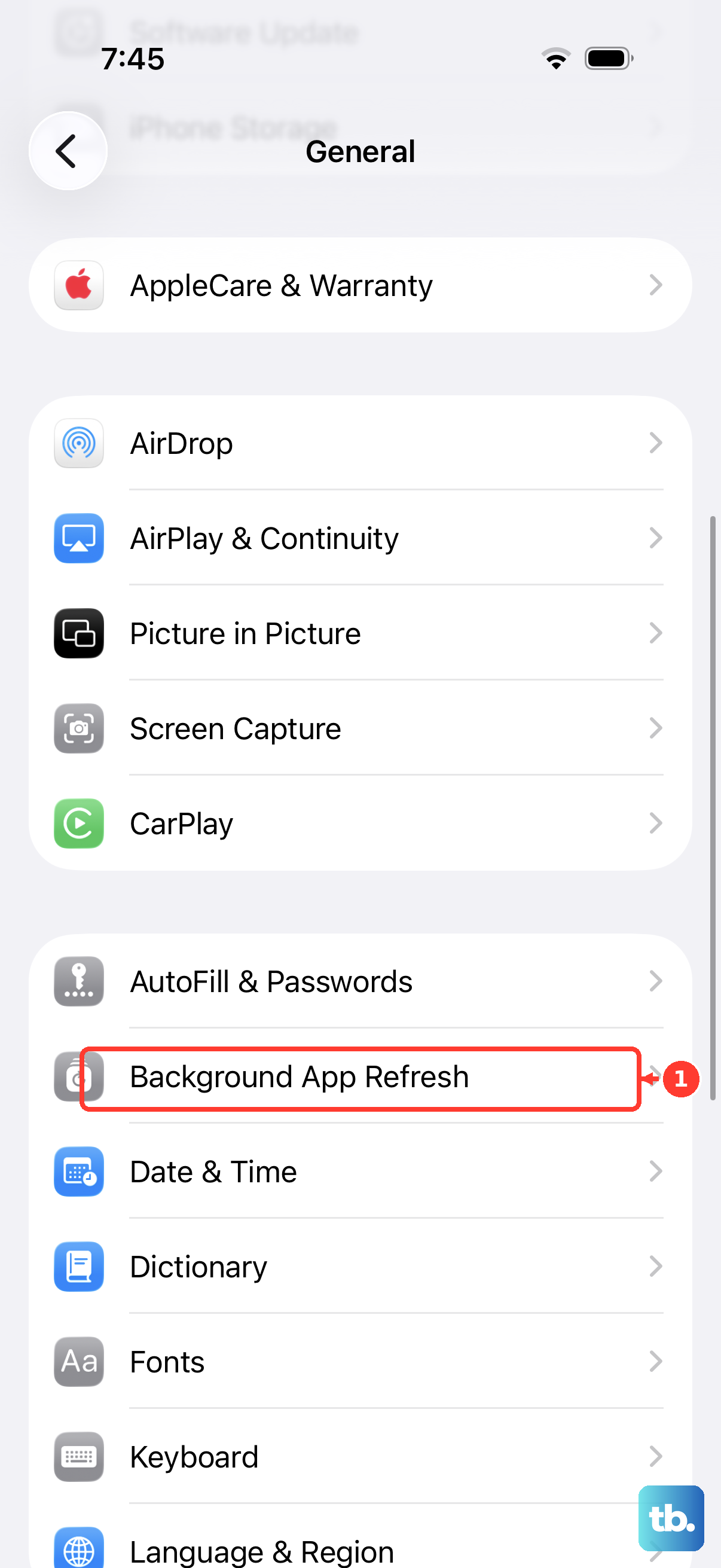
For updates that fail after inactivity, open iPhone Settings > General > Background App Refresh. Enable background refreshing and Outlook in the app list, leave Outlook in the background briefly, then reopen it.
For persistent Outlook syncing trouble, an account reset is a later option. Resetting can lose unsynced outgoing messages or drafts, so check for those before proceeding. In Outlook, open Settings > Accounts, select the affected account, then tap Reset Account.
Add a calendar shared as a subscription link
If you received a compatible read-only calendar URL, add it as a subscription. On iOS 26 and later, open Calendar > Calendars > Add Calendar > Add Subscription Calendar. Enter the URL and tap Find, set the title and color, choose iCloud under Account, then tap Done.
On current iPhone software, you can also open Settings > Apps > Calendar > Calendar Accounts > Add Account > Other > Add Subscribed Calendar and enter the .ics URL. Alternatively, tap a compatible iCalendar link to start subscribing.
Microsoft calendar subscriptions can update periodically rather than immediately. Check the owner’s calendar in its original service and allow for the recipient service’s refresh interval before treating a delayed event as missing. Microsoft says some Gmail subscriptions can take 24 to 48 hours to refresh.
Check missing events and Focus filters
When the calendar appears but events are missing, check the event sync window. On iOS 18 and later, open Settings > Apps > Calendar > Sync and select All Events. If that is already selected, temporarily choose Events 1 Month Back, return to the Home Screen, wait several minutes, then refresh Calendar > Calendars.
If visibility changes when a Focus turns on, open Settings > Focus and select that Focus. Under Focus filters, tap Add Filter, choose Calendar, and include the calendar you need. Tap Add to save the filter.
For accounts without Push support, open Settings > Apps > Calendar > Calendar Accounts > Fetch New Data. Choose a schedule under Fetch. Apple says Automatically fetches while your iPhone is charging and connected to Wi-Fi.
Reopen the app and update your iPhone
A stuck calendar app may need to be reopened. On a Face ID iPhone, swipe up from the bottom and pause; on a Home-button model, double-click Home. Find the calendar app and swipe its preview upward, then reopen it. For Apple Calendar syncing trouble, Apple recommends waiting about one minute before reopening.
For Google Calendar syncing problems, enable Wi-Fi or cellular data, disable Airplane Mode, and check internet access in a browser. You can also update apps on your iPhone by opening the Google Calendar or Outlook App Store listing and installing an available update. Google and Microsoft recommend updating their apps when troubleshooting syncing problems.
If Google Calendar still will not sync, reinstalling is another option. Deleting Google Calendar removes the app from your iPhone. Touch and hold it, tap Remove App > Delete App, then confirm Delete. You can then reinstall the deleted iPhone app from the App Store and sign in.
To restart your phone normally, open Settings > General > Shut Down and drag the slider. After shutdown, hold the Side button until the Apple logo appears. If your phone is unresponsive and cannot restart normally, force restart your iPhone instead.
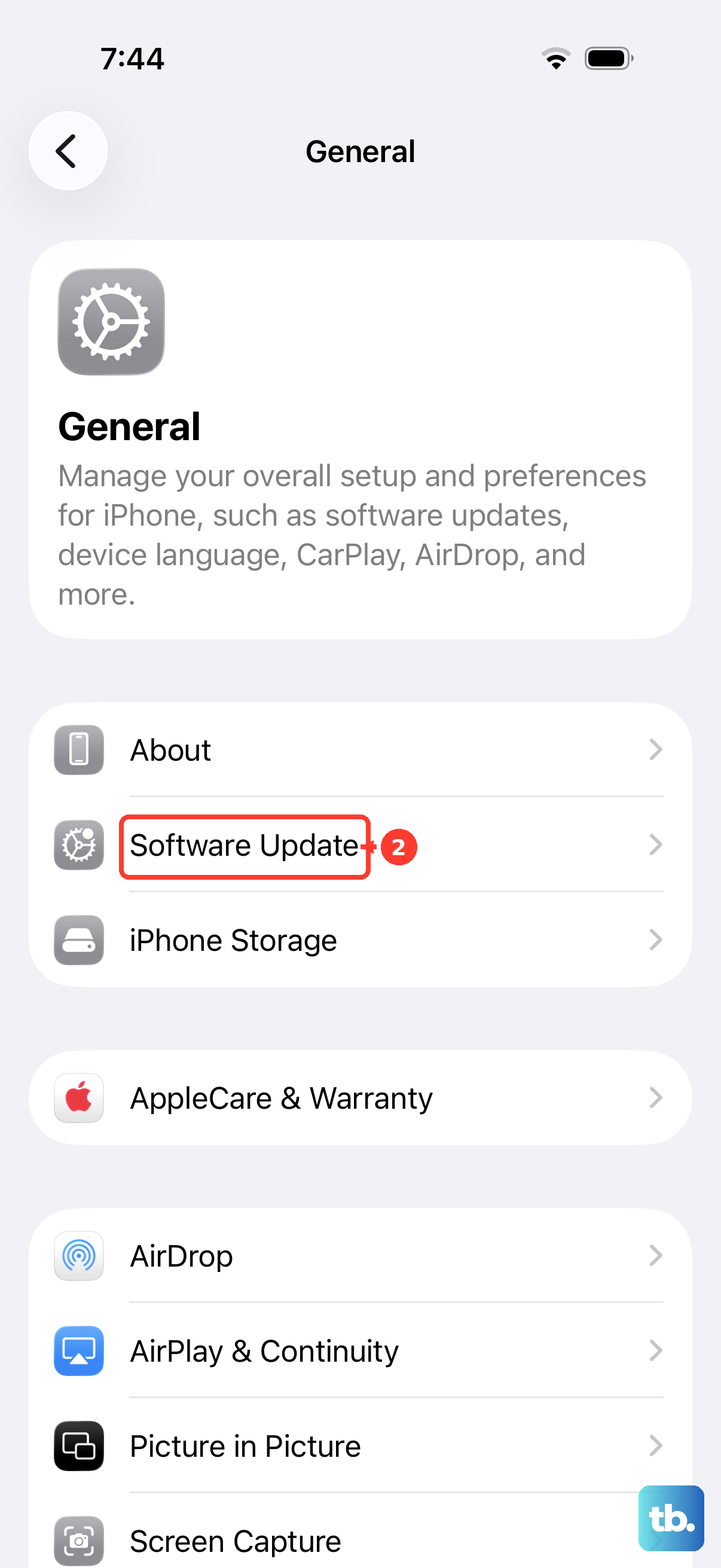
Finally, check for an iOS update, which Apple recommends for iCloud syncing problems. Back up your iPhone, connect it to power and Wi-Fi, then open Settings > General > Software Update. When an update is offered, tap Download and Install and complete the displayed instructions.
Frequently Asked Questions
Why are Google Calendar events from more than a year ago missing?
The Google Calendar iOS app syncs only the preceding year of events. Open calendar.google.com in a browser, sign in to the account with calendar access, and look up the older event there.
Why do events you create end up outside the shared calendar?
Your default calendar determines where future events are saved. Open Settings > Apps > Calendar > Default Calendar and choose the intended writable shared calendar. For an existing event, open it in Calendar, tap Calendar, and choose the destination calendar.
What should you check if the Apple Family Sharing calendar is missing?
Check that you have joined the family. Ask the organizer to open Settings > Family, select your name, then tap Resend Invitation. On your iPhone, open Settings, tap your name, then open Invitations. Open the invitation and complete its displayed joining instructions.
Why can another calendar app not read calendars already on your iPhone?
An app that reads your iPhone’s calendar database needs calendar permission. Open Settings > Privacy & Security > Calendars, select the affected app, and enable the appropriate access. This permission does not grant access to a shared calendar at Google, iCloud, or Microsoft.
What if a work or school calendar remains inaccessible?
Ask your administrator to check your organization’s calendar sharing restrictions. Google Workspace sharing is subject to administrator policy, and Microsoft 365 external sharing may also need administrator configuration. For Microsoft sharing between organizations or hybrid Exchange systems, ask IT to check the owner’s and recipient’s organizations and the applicable sharing policies.