"I just switched to Verizon, but my phone's data isn't working. I think I need the right APN settings. Can someone help?"
This is common when you join Verizon or move your SIM card to a new phone.
We cut through tech confusion with clear answers. That's been our job since 2012.
Verizon is America's largest wireless carrier, but you need correct APN settings for mobile internet and MMS. If they don't auto-populate, here's how to set them up.
What's New / Changes (2026)
- APN Protocol and APN Roaming Protocol fields are more important now: many users report issues if these are set to IPv4 only. Verizon now supports IPv4/IPv6 in most cases. (Verizon Support – APN Settings)
- Carrier settings and configuration profiles on iPhones are more automatic, especially with newer iOS versions. But after major iOS updates, APN/default network settings may reset. (Apple Support – View and edit your APN settings)
- Verizon uses several specialized APNs: vzwinternet for general data, vzwims for IMS/text messaging services, and vzwadmin for administrative functions. Most users only need vzwinternet configured.
The Configuration
If your data still doesn't work after you've entered these settings, make sure they're spelled correctly. Also, confirm your phone supports Verizon's network bands (especially 5G bands if using 5G). If that doesn't help, reset your network settings, ensure your phone is unlocked, or contact Verizon support.
For Android
- 1.Settings
- 2.Connections (or "Network & internet" depending on Android version)
- 3.Mobile Networks
- 4.Access Point Names
- 5.Tap the menu (usually 3 dots)
- 6.Reset to Default (if needed)
- 7.Enter the new APN settings below or edit existing one
- 8.Save, then select the APN you just made or edited
- 9.Restart the device or toggle Airplane Mode to help the new settings take effect
For iPhone / iPad
- 1.Settings
- 2.Cellular or Mobile Data
- 3.Cellular Data Network or "Mobile Data Network" depending on iOS version
- 4.Enter the new APN settings below
- 5.If missing, try also Reset Network Settings: Settings → General → Transfer or Reset → Reset → Reset Network Settings
- 6.After iOS updates, double-check that settings have not been reverted
Verizon APN Settings for Android Devices (2026)
Use these if you have an Android phone, tablet, or smartwatch:
- Name: Verizon
- APN:
- vzwinternet (for LTE / 5G capable devices)
- internet (for some older / non-LTE fallback devices)
- Proxy: <Not set>
- Port: <Not set>
- Username: <Not set>
- Password: <Not set>
- Server: <Not set>
- MMSC:
http://mms.vtext.com/servlets/mms - MMS proxy: <Not set>
- MMS port: 80
- MMS protocol: WAP 2.0
- MCC: 310
- MNC: 012
- Authentication Type: <Not set> (or "None")
- APN Type:
default,supl,mms(some phones call this "Internet+MMS" or allow multiple tags likeia,hipriif needed) - APN Protocol: IPv4/IPv6
- APN Roaming Protocol: IPv4/IPv6 (or IPv4 only if using an international roaming network without IPv6 support)
- Turn APN on/off: Grayed out unless multiple APNs configured
- Bearer: LTE (or Unspecified)
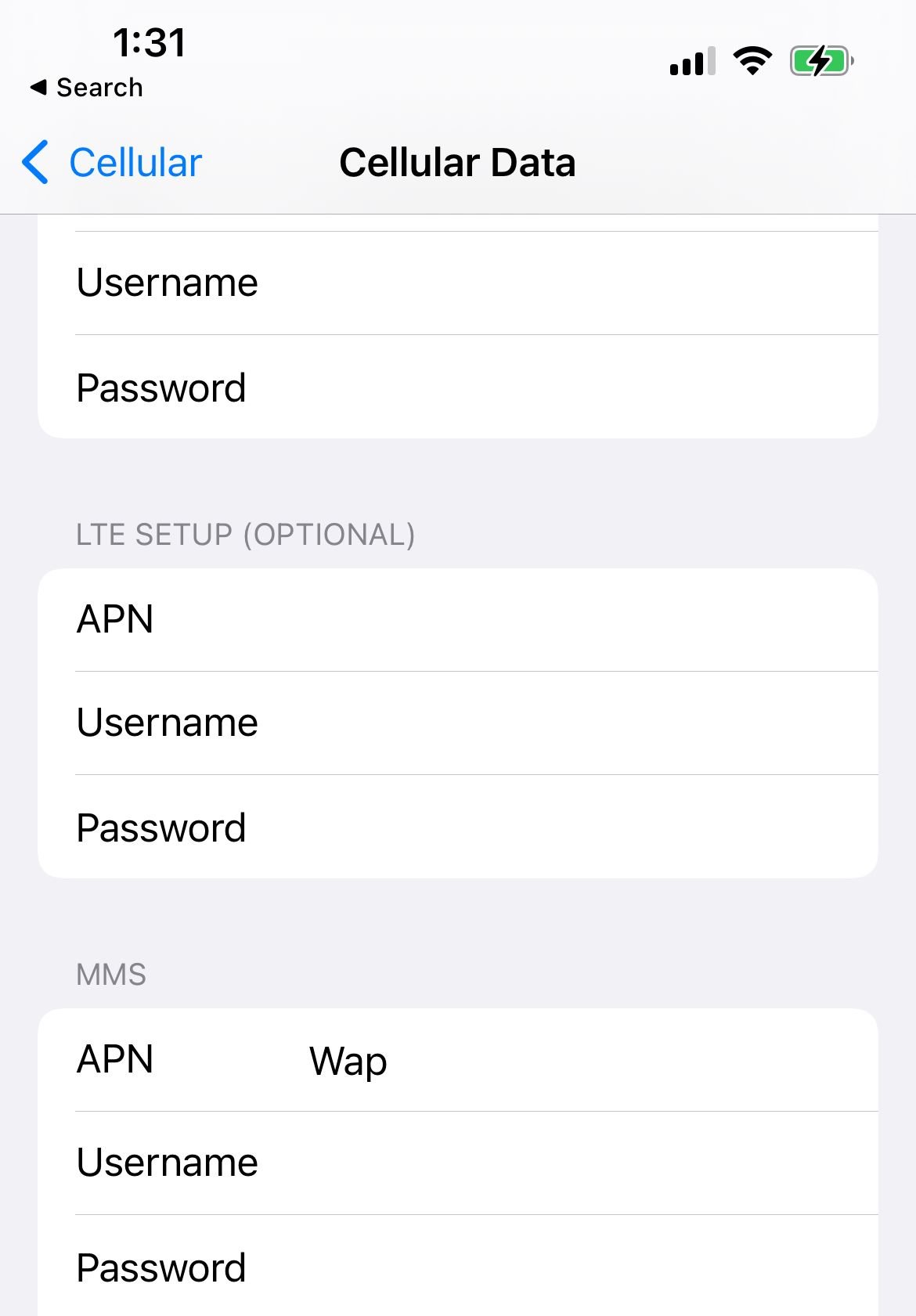
Verizon APN Settings for iPhone / iPad (2026)
These generally auto-populate. If not, or if you need to manually enter them:
- Cellular Data / Mobile Data (APN):
vzwinternet - Username: <Not set>
- Password: <Not set>
- LTE / 5G Setup (if your iOS displays optional fields): <Not set>
- MMS:
- APN:
vzwinternet - MMSC:
http://mms.vtext.com/servlets/mms - MMS Proxy: <Not set>
- MMS Max Message Size: 1048576
- MMS UA Prof URL:
http://www.apple.com/mms/uaprof.rdf
- APN:
- Personal Hotspot (if visible): APN =
vzwinternet, Username / Password = <Not set>
Default / Fallback Verizon APN Settings
If the above don't seem to work, try these for basic phones, Windows phones, or older handsets:
- Internet + Picture Messaging + MMS
- APN:
vzwinternet - MMSC:
http://mms.vtext.com/servlets/mms
- APN:
Extra Troubleshooting & Tips
- After saving APN settings, restart your phone, or toggle Airplane Mode for ~10-20 seconds. This helps force the phone to re-register with the network.
- Check for carrier settings updates on iPhone: Settings → General → About. Sometimes a carrier profile is pushed automatically that updates or corrects APN or network-related parameters. (Apple's APN article)
- Make sure your phone supports the necessary frequency / band for LTE / 5G in your area. Even with correct APN, if hardware doesn't support a band, you may get poor or no connectivity.
- Ensure your SIM is properly seated, undamaged, and that your device is unlocked (if you switched carriers). Locked devices may restrict APN / network behaviours.
- Set your Preferred Network Mode to LTE/5G Auto (if available on your device) when on Verizon, to ensure best use of 5G infrastructure. Some users report that data / call / SMS fallback issues resolve when this is properly configured.
- If roaming internationally, consider that some roaming partners may require you to toggle APN roaming protocol to IPv4 only, or use a specific roaming APN. Verizon's base APN usually works though.
- After updates (especially major OS updates like iOS or major Android), check APN settings again in case defaults have been reset.
- If using an eSIM or Dual SIM setup, you may need to configure the APN separately for each SIM slot.
FAQs
What if my phone still won't connect after entering these APN settings?
Try resetting your network settings (on Android or iPhone), ensure mobile data is turned on, check that you are on a valid Verizon network (signal strength), check your plan is active, and verify your phone is unlocked. If nothing works, contact Verizon support.
Do I need a special APN for 5G on Verizon?
Generally, no. The same APN (vzwinternet) works for LTE, 5G (non-standalone or standalone), for data and MMS. What matters more are settings like APN Protocol = IPv4/IPv6 and having the correct network mode enabled. If you have a 5G-only device or advanced features, check your carrier options on your phone.
How do I update APN settings on a Windows Phone or other older OS?
The settings UI may differ: look for something like Settings → Network & Wireless → Cellular & SIM → SIM settings or Access Point Names. Use the Android/APN values above. If parts of UI are missing (e.g. MMS proxy/port), leave them blank/not set.
Will these settings let me send MMS?
Yes. The MMSC address, APN Type = default,supl,mms (or Internet+MMS), and correct MMS protocol ensure both data and MMS work properly. Make sure to enable mobile data even when roaming if MMS doesn't work while roaming.
Why do iPhone users see slightly different APN fields?
iPhones group settings under Cellular Data, MMS, and Personal Hotspot. Also recent versions of iOS may hide or auto-fill some carrier fields. Make sure each required field (especially APN / MMSC / MMS fields) is properly filled. If fields are missing, try getting a carrier profile or contacting carrier support.
What are the additional Verizon APNs used for?
Verizon uses several different APNs for various services: vzwims is required for IMS services and text messaging, vzwadmin is used for administrative functions, vzwinternet is the main APN for general internet connections, and vzwapp is required for PDA data service. Most users only need to configure vzwinternet.
How do I set up tethering/hotspot on Verizon?
For hotspot and tethering functionality, use the same vzwinternet APN but set the APN Type to include "dun" specifically for tethering purposes (e.g., default,supl,mms,dun). Contact Verizon to check if there are any restrictions on your plan.