Samsung Gallery users can access their photos and videos across supported Galaxy phones and tablets through a sync service that uses Google storage. Support began on select Galaxy devices running One UI 9, and Samsung says additional devices will gain support in phases. The service also includes a way to remove synced originals from a phone while retaining thumbnails in Gallery.
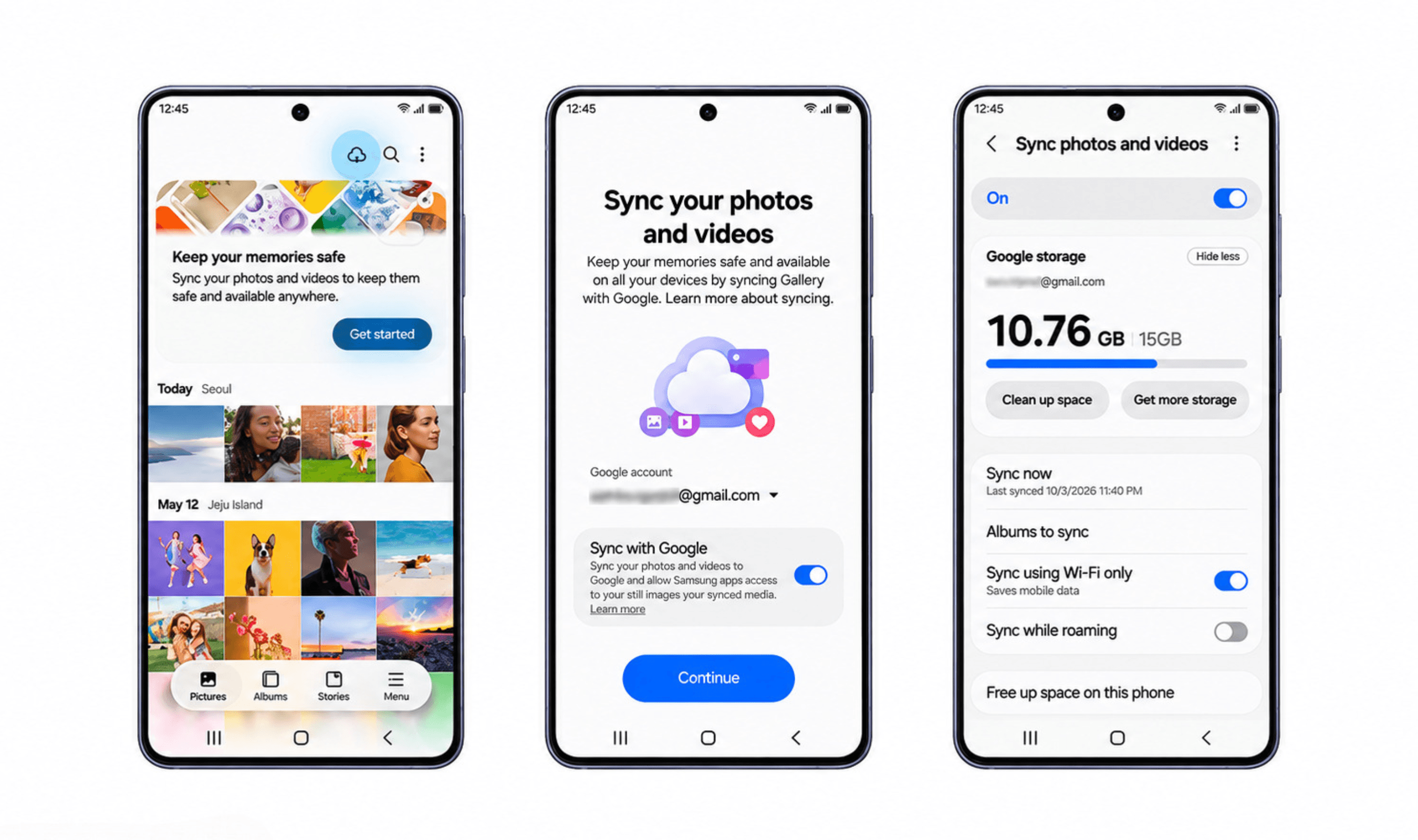
The storage comes from the Google account used for sync, with accounts including up to 15 GB free. Gallery files draw on the same allowance as Gmail, Google Photos and Google Drive, so that capacity also serves those other services. Users who already have Samsung and Google accounts configured on their device can enable Gallery sync without opening another cloud account.
Samsung developed the service with Google to make pictures and videos accessible when moving between supported Galaxy devices. One supported use is taking pictures with a Galaxy phone, then opening Gallery on a Galaxy tablet to view them. Access across those devices depends on enabling Gallery sync with the accounts used for the service.
For setup, users can open Gallery and select its Cloud icon, or begin through the app's tip card. Another route runs through Gallery Settings, where users enable the option named “Sync photos and videos” and complete the setup prompts. Samsung provides these entry points within Gallery for connecting the app to the Google storage account.
When moving to a new Galaxy device, users need to sign in with both the Samsung account and Google account they previously used for Gallery sync. Enabling sync on that device brings photo and video previews into view. Users can then choose an individual file to download onto the device.
The feature named “Free up space on this phone” becomes usable after pictures and videos have synced to Google storage. It removes the original files held locally to recover device capacity, while thumbnails remain visible inside Gallery as the files stay in Google storage. Samsung describes this as a new feature intended to help users make room on their devices for more photos and videos.