This article is brought to you in partnership with Jotform.
Jotform has become one of the first workflow platforms to live natively inside ChatGPT, turning form creation from a dashboard task into a conversation. Through the new Jotform app in ChatGPT, users can build, edit, restyle, and analyze forms without leaving the chat window.
The app debuted as OpenAI opened its Apps Marketplace to third-party developers in late 2025 and began rolling submissions out to hundreds of millions of weekly ChatGPT users. Spotify, DoorDash, and Apple Music were in the first wave of listings. Jotform lands in the cohort solving a different problem: how to finish actual work inside the same window where the thinking happens.
"People use ChatGPT to get things done. They ask questions, brainstorm, plan workflows, manage tasks, and look for faster ways to work with their data. Now, Jotform is part of that conversation," wrote Chris Bass in the company's announcement.
Forms Built by Prompt
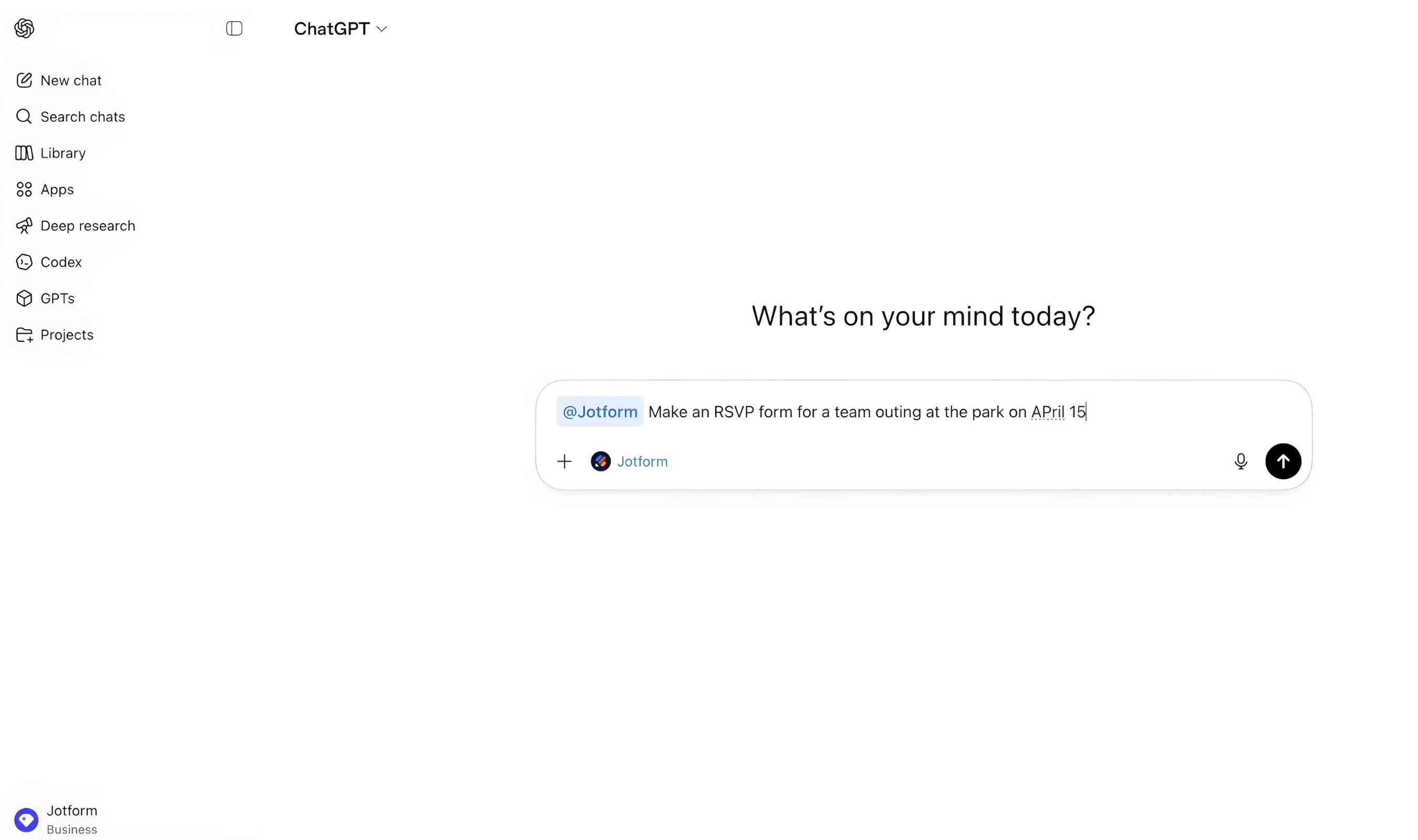
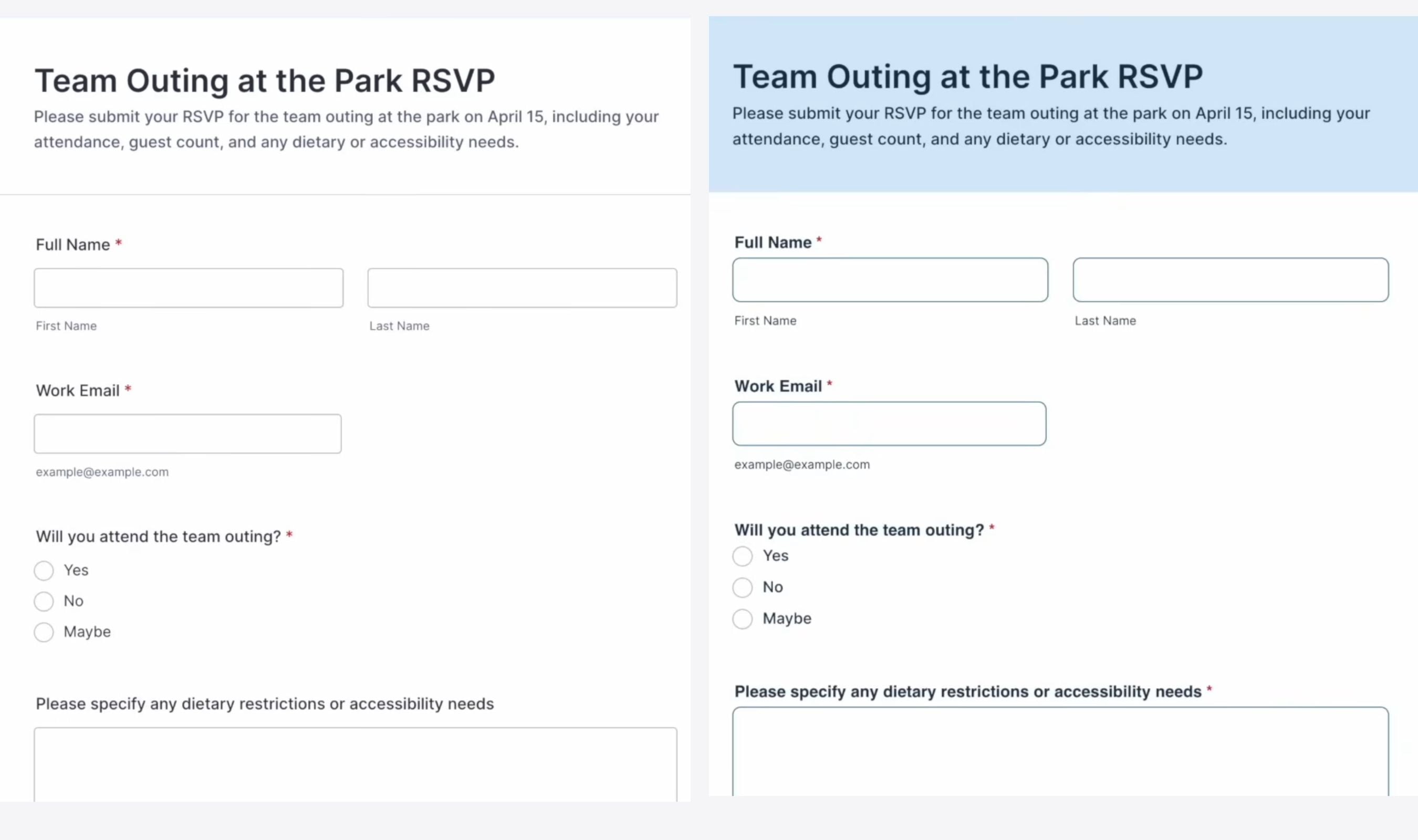
Creating a form starts with a single instruction. "Create an RSVP form for a company holiday party. Include name, email, plus one, dietary restrictions, and arrival time" is enough for ChatGPT to render a working form in seconds, with the full preview inline in the chat.
Behind that preview is Jotform's existing form infrastructure. The ChatGPT app does not ship a new form engine; it wires the platform's creation and editing APIs into OpenAI's Apps SDK, which is built on the open Model Context Protocol. That detail matters because every field, theme, and submission routes through Jotform's own systems, not OpenAI's.
Getting Started in Three Steps
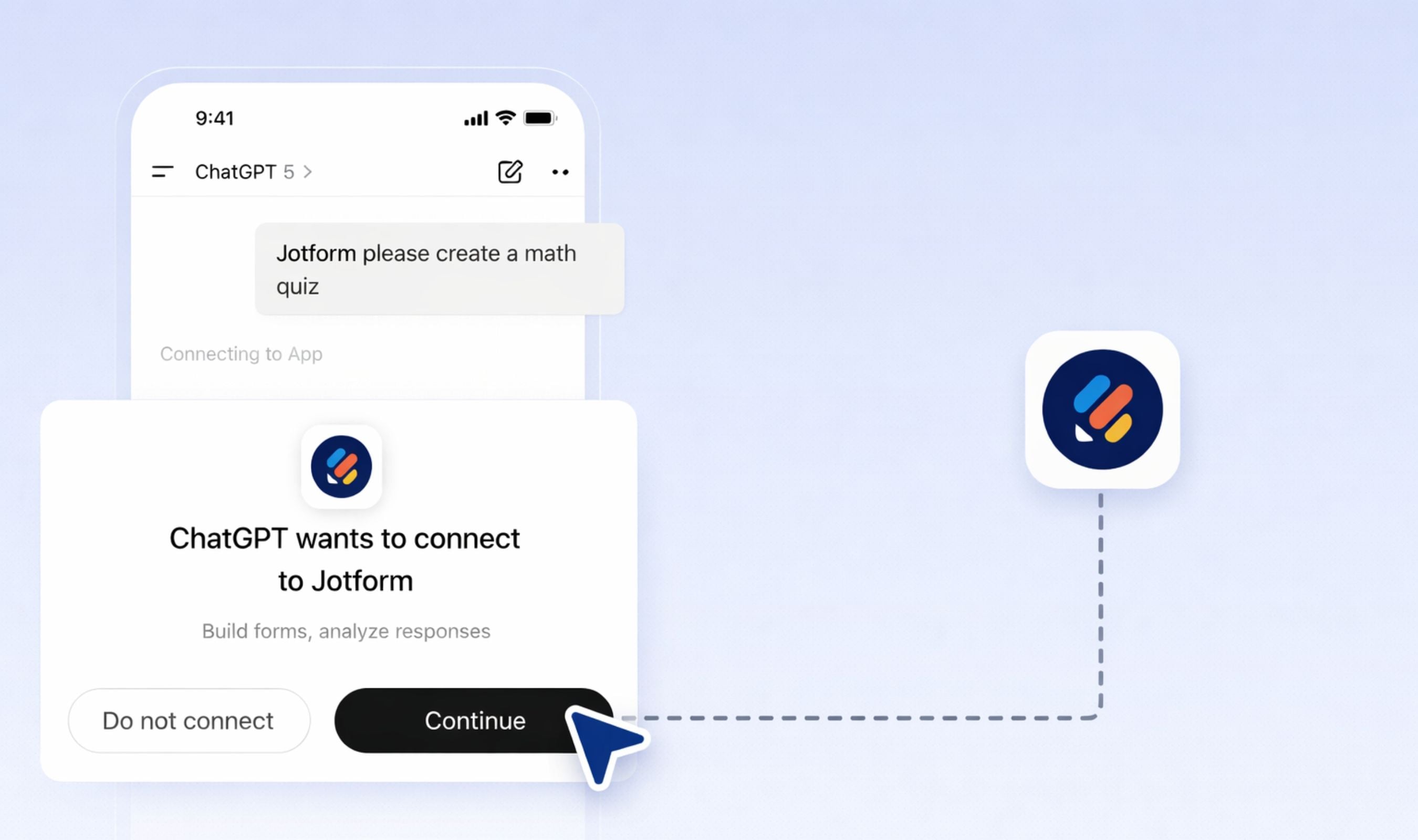
Step 1. Connect. Log in to ChatGPT and mention Jotform in the chat. ChatGPT will prompt to link an existing Jotform account through the standard Apps connection flow.
Step 2. Create and refine. Describe the form in plain English, then keep chatting to add, remove, or reorder fields, rewrite questions, and adjust the theme or layout.
Step 3. Analyze. List forms, pull submissions, filter responses by date or field value, and ask ChatGPT to summarize, spot trends, or flag outliers.
Editing by Asking
Once a form exists, users keep shaping it by talking to it. Ask ChatGPT to rewrite a question, remove a field, make dietary restrictions required, reorder the sections, or switch the color scheme to something more vibrant, and the update propagates. The form in Jotform's builder stays in lockstep with whatever the chat says.
That lockstep matters for teams that historically managed forms across four windows: a document for the question list, Jotform's visual builder for layout, a designer for branding, and a spreadsheet for responses. The ChatGPT app collapses the first three into plain English.
Users with long form libraries can also ask ChatGPT to surface them. A simple "list my quizzes" or "show all of my intake forms" filters the full account without touching the Jotform dashboard, which helps teams juggling dozens of live forms across departments.
What People Are Actually Building
The ChatGPT app is designed for any business use case. Among the many it supports, these four are the ones Jotform explicitly aims to demonstrate, and each follows the same create, refine, analyze pattern.
RSVP and events. A prompt such as "Add a conditional question that asks for meal preference, but only if dietary restrictions are selected" adds branching logic without touching rule menus. Afterwards, users can ask ChatGPT to "summarize attendees by dietary needs and show who has not yet responded," turning the RSVP list into an operating document.
Quizzes and training. "Create a 10 question onboarding quiz for new hires about company policies and tools" drops a structured quiz into ChatGPT in seconds. Refinement is conversational: "Rewrite question 4 to be clearer and reorder the quiz so easier questions come first." After responses land, the app computes average scores and flags the questions answered incorrectly most often.
Customer intake. Agencies, service firms, and freelancers can build qualifying forms with a single sentence, then ask the app to "recommend new fields to better qualify leads and reorder the form to reduce drop off." Once intake data accumulates, ChatGPT can surface the most common project requests without an analyst stepping in.
Feedback and surveys. A prompt like "Create a customer satisfaction survey for a SaaS product with rating and open ended questions" produces a working survey. "Group responses into themes, highlight recurring pain points, and suggest improvements for the next survey" turns raw feedback into next steps.
Reading the Responses
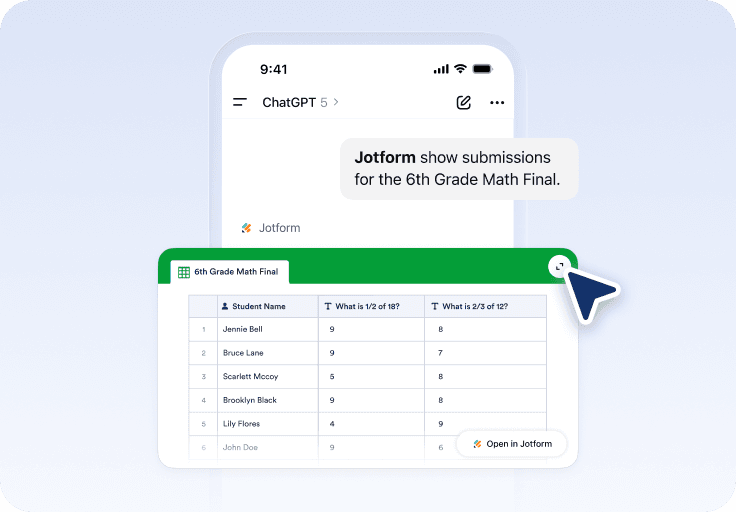
The analysis layer is where the ChatGPT app separates itself from every prior Jotform integration. Users can pull submission lists for any form, filter by date, status, keyword, or specific field value, then ask targeted questions: who answered the first question correctly, which participants have and have not responded, what the average score looks like across a cohort.
Submissions render inside the chat as a clean table, not a wall of text, which keeps the experience closer to a reporting tool than a document summary. Because the data lives in Jotform's platform, nothing needs to be exported or pasted in. ChatGPT reads directly from the source.
Jotform has confirmed that submission data stays within its platform and that the company does not train any AI model on customer data. Information routed through ChatGPT follows each user's ChatGPT privacy settings.
For years, AI integrations with SaaS platforms meant connecting automation tools like Zapier or Make to bridge two systems. The ChatGPT Apps Marketplace collapses that pattern. Jotform is no longer a destination users visit; it is a capability they summon. That shift has obvious implications for teams that live in chat, but it also forces SaaS companies to rethink the product surface itself. A form builder's brand, pricing tier, and upsell path all had to be reconsidered for a context where the user might never see the dashboard.
Jotform's move into ChatGPT puts the platform inside a distribution channel that reaches hundreds of millions of weekly users, an audience it would have had to court individually under the old model. The bet is simple: if knowledge workers are already in ChatGPT to plan a quiz, an RSVP, or a customer intake process, the form builder should be there too.
The Jotform ChatGPT app is available now to any ChatGPT user with a connected Jotform account.