Google Docs has added inline captions that renumber automatically, cross-references that update their text, and tables of captions for navigating documents with figures, equations and tables. The features are available now for both Rapid Release and Scheduled Release domains, covering every Google Workspace customer, Workspace Individual subscribers and people using personal Google accounts.
Captions can use custom labels or numbered figure and table labels, with numbering adjusting when users insert, move or delete captions. Cross-references point to captions elsewhere in the document and change their displayed text to match the target caption. Unlike ordinary hyperlinks, these references can keep their wording current as the caption changes.
A table of captions creates a clickable index with page numbers, grouping entries according to their label type so readers can navigate to the relevant item. Google says the features replace manual work previously needed to keep numbering and references aligned after edits to complex documents, including contracts and schematics. Google also says caption formatting survives imports and exports involving Microsoft Word (.docx) files.
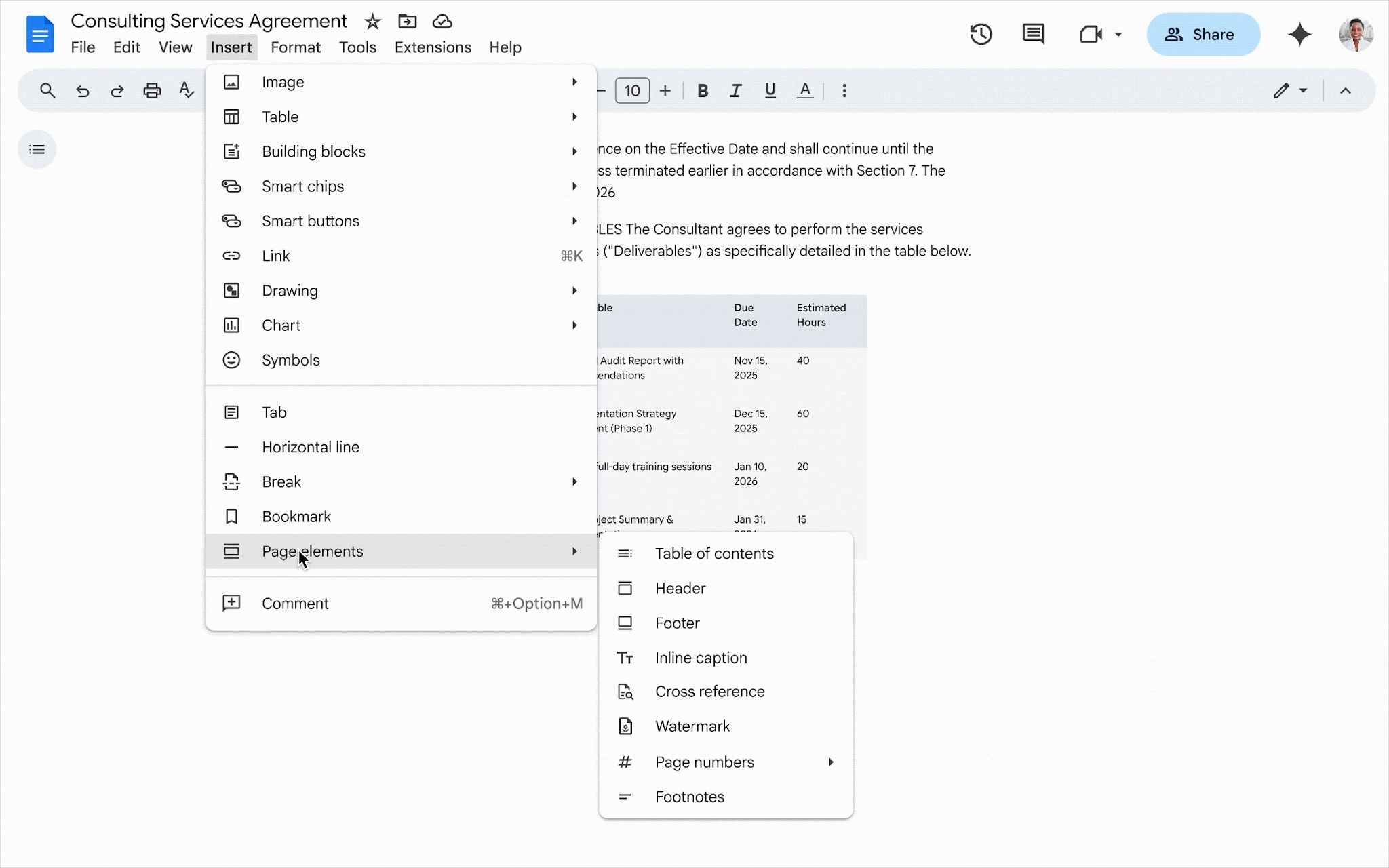
The features are enabled by default, and administrators have no setting to control them. To add a caption, users open Insert, choose Page elements, then select Inline caption. After adding at least one caption, users can return to Page elements and choose Cross reference or Table of captions to insert a reference or navigable index.
The additions follow Google's November 16 introduction of .docx support for the Compare documents tool in Google Docs. That earlier change lets users compare Word documents directly without first converting the files, extending Docs' tools for working across the two formats.