
If your iPhone 17e is plugged in but the battery percentage is crawling up, you're not getting the fast charge it's capable of. This phone supports 20W wired and 15W MagSafe charging, which should get you from empty to around 50% in roughly half an hour. When that's not happening, a few simple checks usually get things back on track.
Confirm You're Using a Fast Charger
The iPhone 17e needs a USB-C Power Delivery (PD) adapter rated for 20 watts or more to fast charge. The small, square 5-watt block from older iPhones won't cut it. Look for "20W" printed on your adapter. Apple's own 20W USB-C adapter is perfect and affordable, but any reputable brand's USB-C PD charger that meets the 20W spec will work just fine.
Make Sure It's a USB-C to USB-C Cable
Fast charging only works with a USB-C cable on both ends. If you're using an older cable with a USB-A connector (the flat, rectangular end), you're limited to much slower speeds. Use the cable that came in the box with your iPhone 17e, or any high-quality USB-C cable you trust. A worn-out or cheap cable can be the single point of failure.
Let It Sit and Charge
Using your phone while it's charging, especially for intensive tasks, makes the A19 chip work hard and generate heat. To protect the battery, iOS 26 will automatically throttle the charging speed if things get too warm. For the fastest possible charge, just leave it alone on the charger. Putting it in Airplane Mode can help even more by cutting off background activity.
Take the Case Off
A thick or poorly ventilated case acts like a blanket, trapping the heat produced during fast charging. This is especially true for MagSafe charging, which already generates more warmth. If your phone feels even slightly warm to the touch, try removing the case. Charging it bare on a cool, hard surface like a table or counter is the ideal scenario.
Check for Overheating Warnings
Your iPhone 17e is designed to slow or even pause charging if it detects a high internal temperature. Charging in direct sunlight, on a soft bed, or in a hot car are common culprits. If you see a temperature warning on screen, unplug it and move it to a cooler spot. The phone will resume normal charging once it cools down.
Perform a Force Restart
Sometimes a minor software hiccup can mess with the power management system. A quick restart clears this out. On the iPhone 17e, you do this by pressing and quickly releasing the Volume Up button, then pressing and quickly releasing the Volume Down button. Finally, press and hold the Side button until you see the Apple logo appear, then let go.
Turn Off Optimized Battery Charging Temporarily
Head to Settings > Battery > Charging > Optimized Battery Charging. This smart feature learns your routine and slows charging past 80% overnight to preserve battery health. If you need a full charge quickly right now, toggle it off. Just remember to turn it back on later for the long-term benefit to your battery.
Clean the USB-C Port
Over time, pocket lint and dust can get packed into the charging port, preventing the cable from making a solid connection. This can limit power flow. Gently use a dry, soft-bristled brush or a wooden toothpick to clear out any debris. Avoid using anything metal. A clean port is essential for a good connection.
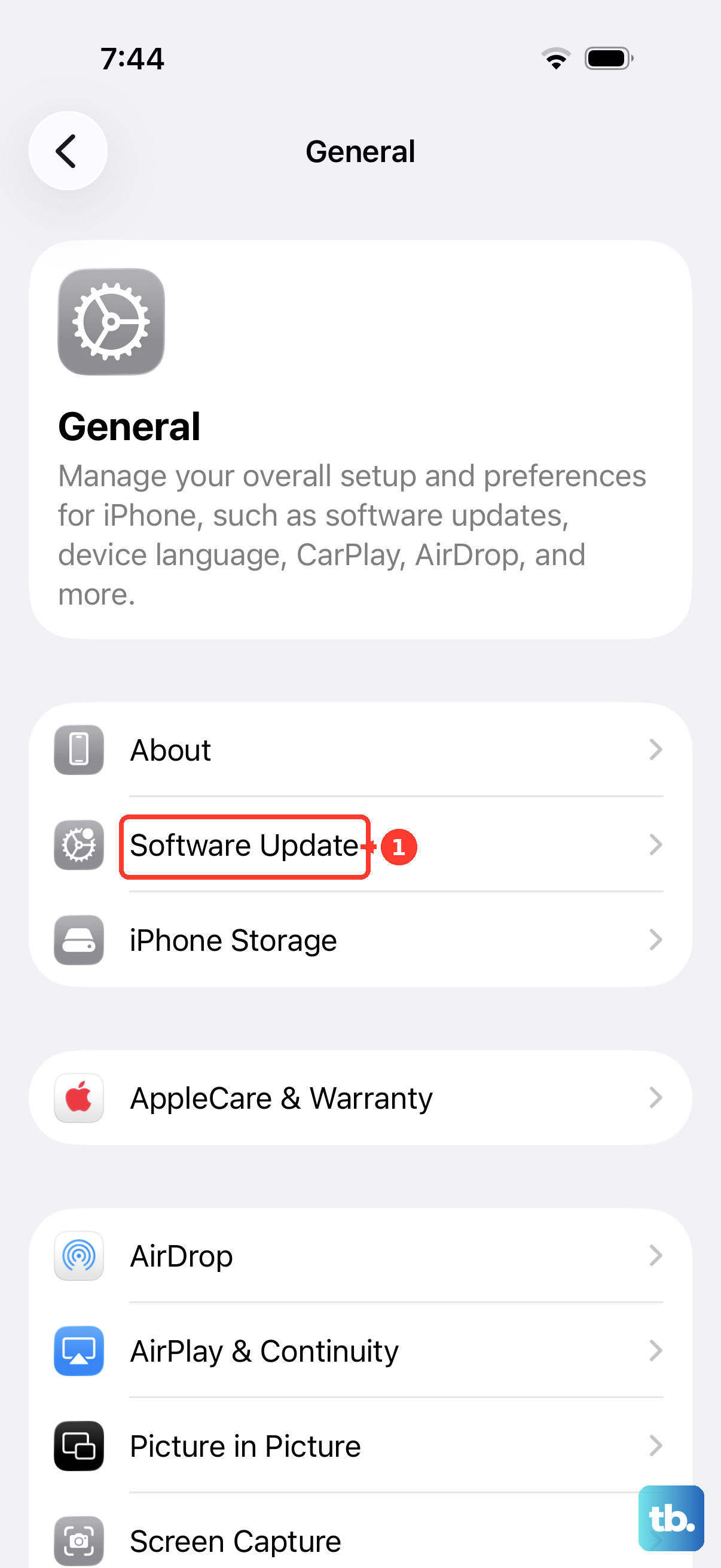
Update to the Latest iOS
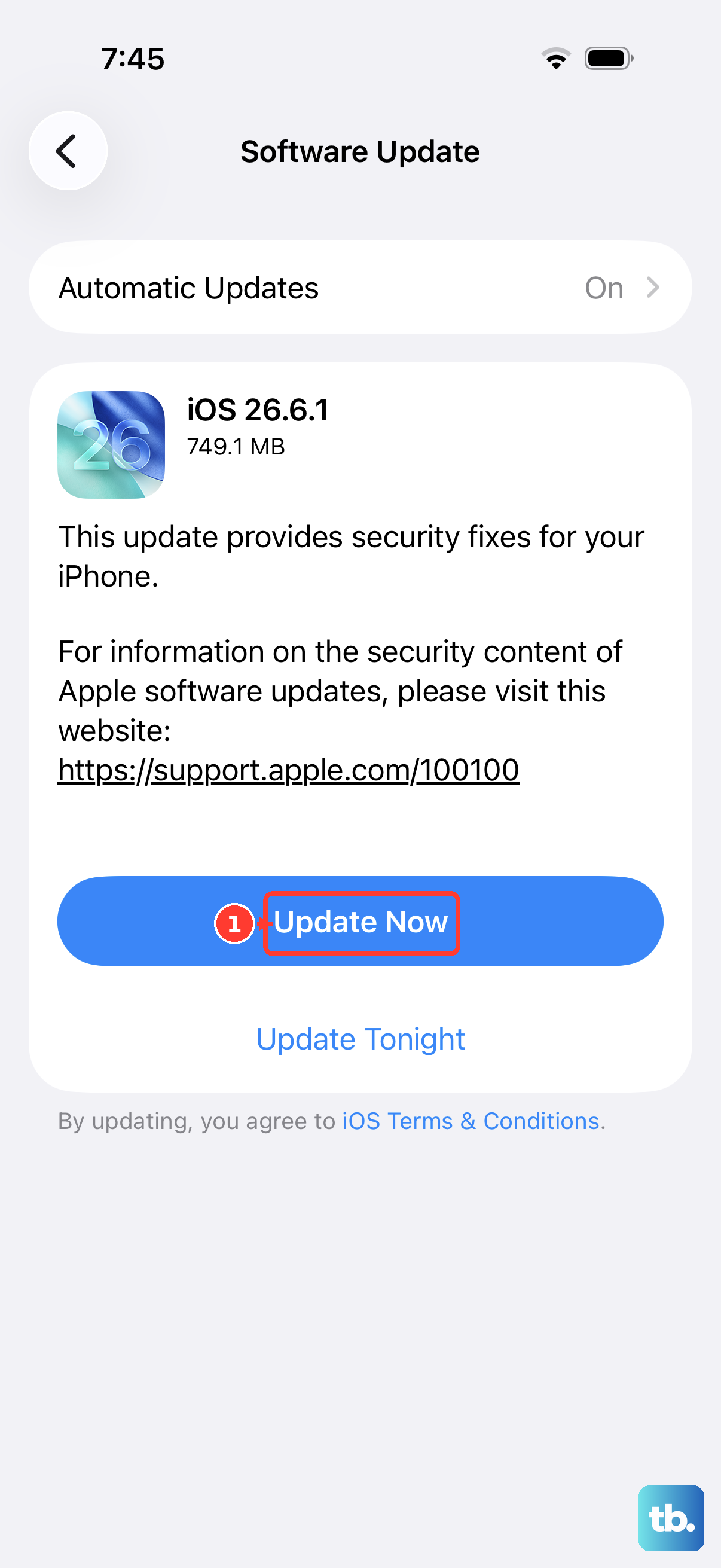
Go to Settings > General > Software Update. Since the iPhone 17e is a brand new model, Apple is likely still fine-tuning its performance with early software updates. These updates can include optimizations for battery management and charging behavior. Making sure you're on the latest version of iOS 26 is a good habit.
Try a Different Outlet and Adapter
If you've tried everything else, the problem might be with the power source itself. Test with a different wall outlet. Also, try a different 20W+ USB-C PD adapter and cable if you have one. This will tell you if the issue is with your original charging gear. I've seen more than one "fast charging" problem solved by simply swapping out a worn cable.