Facebook Login Identify is the recovery page to use when Facebook cannot find your account or the login screen keeps stopping you. It searches for your profile by email address or mobile number, then sends you into the recovery prompts available for that account. Start with the fastest path, then move through the account-search, hacked-account, two-factor, and appeal routes that match what you see on screen.
1. Start with Facebook Login Identify
- 1.Use a device and browser you have used to log in to Facebook before.
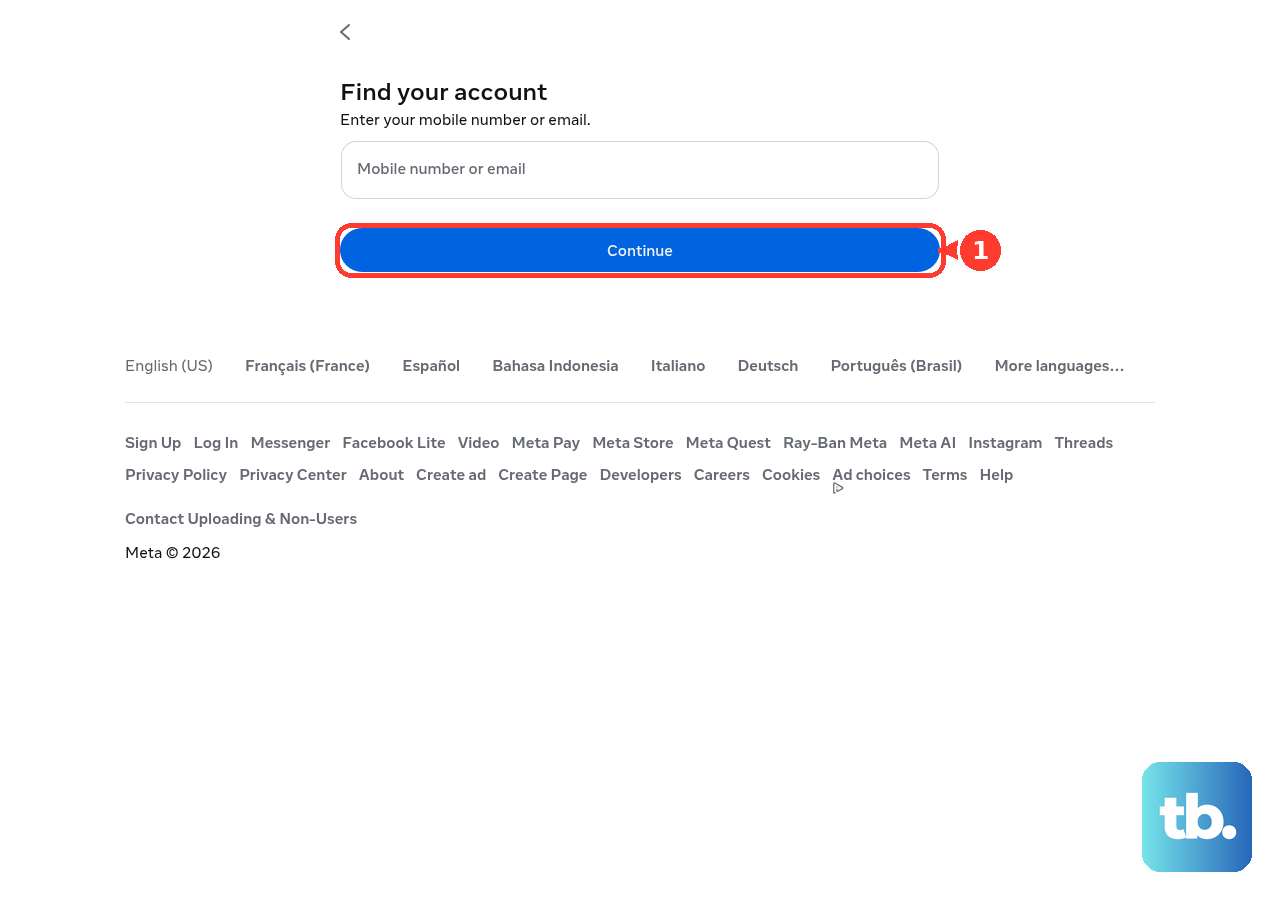
- 2.Open facebook.com/login/identify.
- 3.On Find your account, enter the email address or mobile phone number tied to your account.
- 4.Select Continue.
- 5.Follow the prompts to receive a recovery code and reset access.
- 6.Use Search by email or Search by mobile number when Facebook shows those options and your first search fails.
2. Try the normal Facebook login page
This fixes account recovery when you started at facebook.com instead of the direct Identify page.
Go to facebook.com in your browser.
Next, select Forgot account?.
Use Find your account.
Enter your mobile number, email address, name, or username in the field Facebook provides.
Then select Search or Continue.
Complete the verification prompts Facebook shows for your account.
3. Recover from the Facebook app
On iPhone or Android, use Facebook app > login screen > Forgot password?.
Enter the email address, mobile phone number, full name, or username connected to your account, tap Search, and follow the prompts.
When the app recovery flow fails, install the latest Facebook app version, reinstall the app, or switch to a mobile browser and use m.facebook.com or facebook.com/login/identify.
4. Search again when Facebook cannot find the account
This fixes failed account searches caused by an old email, old phone number, nickname, or missing username.
Return to facebook.com/login/identify.
After that, enter every email address you have owned, one at a time.
Enter every mobile phone number you have used, one at a time.
Search variations of your name or nickname.
Enter your Facebook username.
Ask a Facebook friend to open your profile and send the username from your personalized Facebook URL.
5. Continue without your old email or phone
When you no longer control the email address or phone number on the account, start at facebook.com/hacked, even when you are not certain the account was compromised.
If that does not work, go to previously used device and browser > facebook.com/login/identify.
Enter each email address or mobile phone number you have owned, one at a time.
Then select No longer have access to these? and follow the prompts to provide new contact information and confirm the account belongs to you.
6. Use hacked account recovery when details changed
This fixes account access problems where someone else changed your login details.
On a device you have used to log in to Facebook before, open www.facebook.com/hacked.
Continue through the guided account-security prompts.
For a changed email address, open the message Facebook sent to your previous email account.
Use the special link in that message to reverse the email address change and secure the account.
7. Get past two-factor authentication
Try to log in until Facebook asks for your two-factor authentication code.
Use the help link on that screen: on a computer, select Need another way to authenticate?, then Other options, then Get more help; on Android or a mobile browser, select Having trouble?; on iPhone or iPad, select Need help?.
Follow the instructions sent to the email address or phone number associated with your account, typically within 1-2 business days.
Enter one of your printed or saved recovery codes at the two-factor prompt when you generated recovery codes before losing access.
Use your registered security key when Facebook prompts for it.
Store unused recovery codes somewhere you can reach without your phone.
8. Use passkeys or business recovery when they apply
For an account with a passkey already created on a supported mobile device, use passkey login option > fingerprint, face, or device PIN/password.
For the Facebook account you use with business tools or Pages, open business.facebook.com/login/identify, enter the email or mobile number associated with the account, and follow the recovery prompts.
Skip older Trusted Contacts recovery-code instructions; current friend-help guidance is to help the person use Account Recovery, their usual device, or their profile username.
9. Know when Login Identify is not the fix
For a deactivated profile, log back into Facebook with the email address or mobile number on the account and complete the prompts.
For a locked account, log into Facebook and follow the unlock steps shown, or use the link in the email Facebook sent about the lock.
For a suspended or disabled personal account, try to log in and follow the appeal prompts when Facebook offers an appeal.
For broader recovery support, use the Account Recovery page, select your issue, and follow the guided solution from a device you have used before.
When Facebook offers optional video selfie verification during an eligible recovery or security-check flow, choose the video selfie option, record and submit the requested video selfie, wait for review, then follow the recovery instructions after approval.
In supported regions, open Facebook, Instagram, or the Help Center, open the built-in Meta AI support assistant where offered, ask for password reset or account recovery help, and approve any supported action the assistant offers.
Frequently Asked Questions
What is Facebook Login Identify?
Facebook Login Identify is the account-identification page at facebook.com/login/identify. Use it to search for your account by email address or mobile phone number, then follow Facebook's recovery prompts.
Can I use Facebook Login Identify without my old email or phone?
Yes. Start from a device and browser you have used before, enter every email address or mobile number you have owned, and follow the verification options Facebook shows.
What should I do if Facebook Login Identify cannot find my account?
Try each old email and phone number one at a time, search name or nickname variations, and use your username. Ask a Facebook friend to send the username from your profile URL.
Do Trusted Contacts still recover Facebook accounts?
No current official recovery surface supports Trusted Contacts recovery codes. Current friend-help guidance is to help you use Account Recovery, your usual device, or your profile username.