
Keeping your Motorola Moto G Power (2025) updated is one of the best things you can do for it. These updates bring the latest security patches from Google and Motorola, fix bugs you might be running into, and can even improve battery life on that big 6000mAh cell. Since it runs Android 15 out of the box, you'll want to keep it current to get the most out of your phone.
Check for an Update Now
Open your phone's Settings app. Scroll down and tap on System, then select System updates. Your Moto G Power will immediately check with Motorola's servers to see if an update is available for your device. If one is ready, you'll see a button to download and install it.
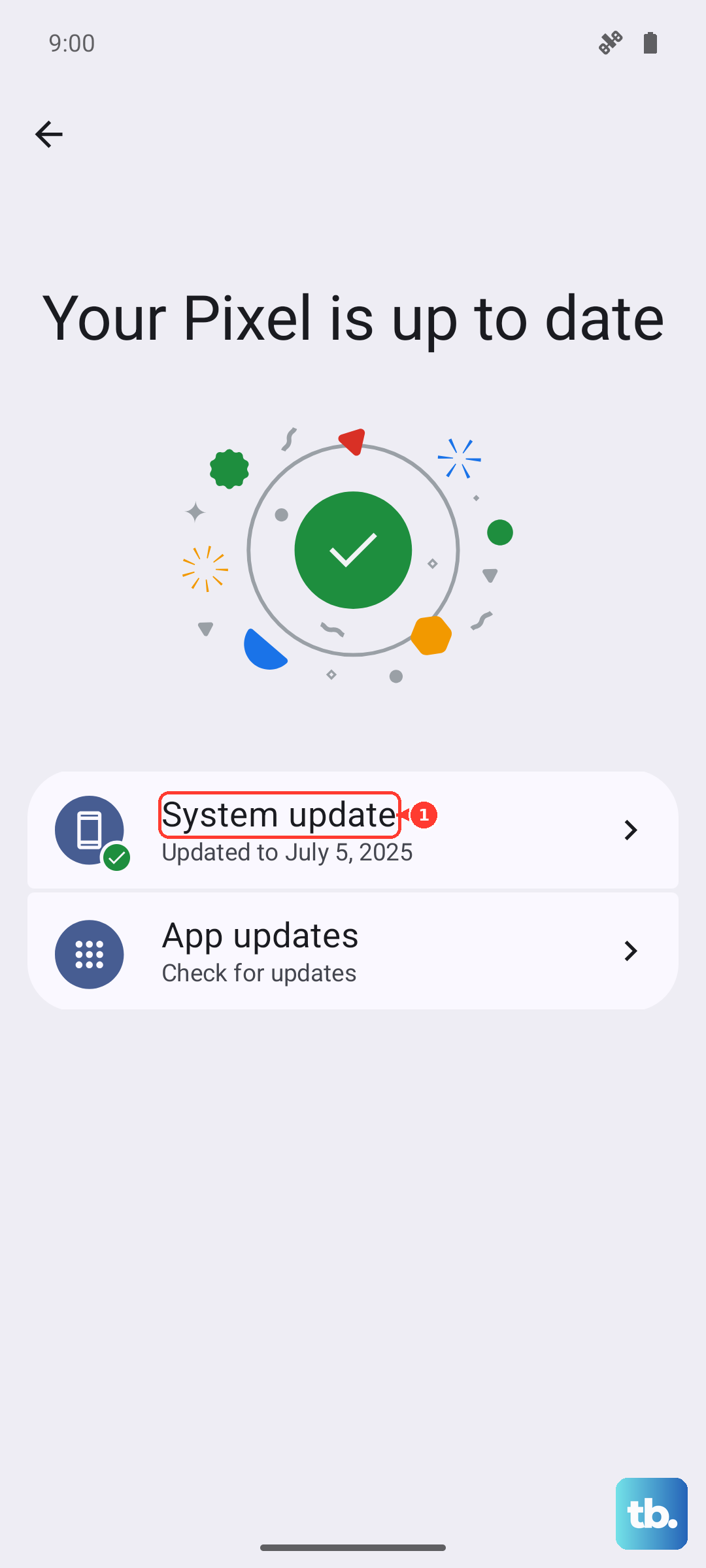
Before you start, I'd recommend plugging your phone into a charger. Motorola's 30W TurboPower charging will top it up quickly. It's also best to be on a stable Wi-Fi connection, as these update files can be quite large.
Set Up Automatic Updates
You can have your phone handle the boring part automatically. Go back to Settings > System > System updates. Look for a menu option like Advanced or the three-dot menu in the corner. Inside, you should find a toggle for Auto-download over Wi-Fi.
With this on, your Moto G Power will quietly download updates when you're connected to Wi-Fi and your battery is in good shape. You'll still get a notification to review and install it, so you're always in control of when the restart happens.
If the Update Fails or Gets Stuck
Sometimes a download can fail or the installation might hang. The first and easiest fix is to force restart your phone. Just press and hold the Power button for about 10 seconds until you feel it vibrate and the Motorola logo reappears.
If that doesn't clear it, try switching to a different Wi-Fi network. A weak or unstable connection is a common culprit for failed downloads. Also, make sure you have enough storage space. With 128GB base storage, it can fill up, but you'll need a few gigabytes free for a major OS update.
Using the SD Card for More Space
If you're getting warnings about low storage when trying to update, this is where the microSD card slot becomes really useful. You can move photos, videos, and other large files off your internal storage and onto the card to free up space. Go to Settings > Storage to see what's taking up room and manage your files.
Update Your Apps in the Play Store
System updates are crucial, but don't forget about your apps. Open the Google Play Store and tap your profile icon in the top right. Go to Manage apps & device. Under the "Updates available" section, you can tap Update all.
Keeping apps updated ensures compatibility with the latest Android version and often fixes performance issues. This is especially helpful for getting the most out of the Dimensity 6300 processor, as developers optimize their apps for newer software.
Check Your Android Version and Security Patch
It's good to know what you're currently running. Head to Settings > About phone. Here you'll see details like your Android version and the Android security update level.
This screen tells you if you're on the latest patch. Motorola typically provides bi-monthly security updates for this series, so if your patch date is more than a couple months old, checking manually is a good idea.
Don't Forget Google Play System Updates
There's another layer of updates that's important. Google can update core parts of Android directly through the Play Store for added security. To check for these, go to Settings > Security & privacy.
Tap on System & updates, then select Google Play system update. It will check and install any available updates. These are smaller, more frequent updates that help protect your phone between the larger OTAs from Motorola.
While the Moto G Power (2025) is built tough with a MIL-STD-810H rating, keeping its software protected is just as important as using a good case. Regular updates are your best defense against security threats and help keep everything running smoothly.