
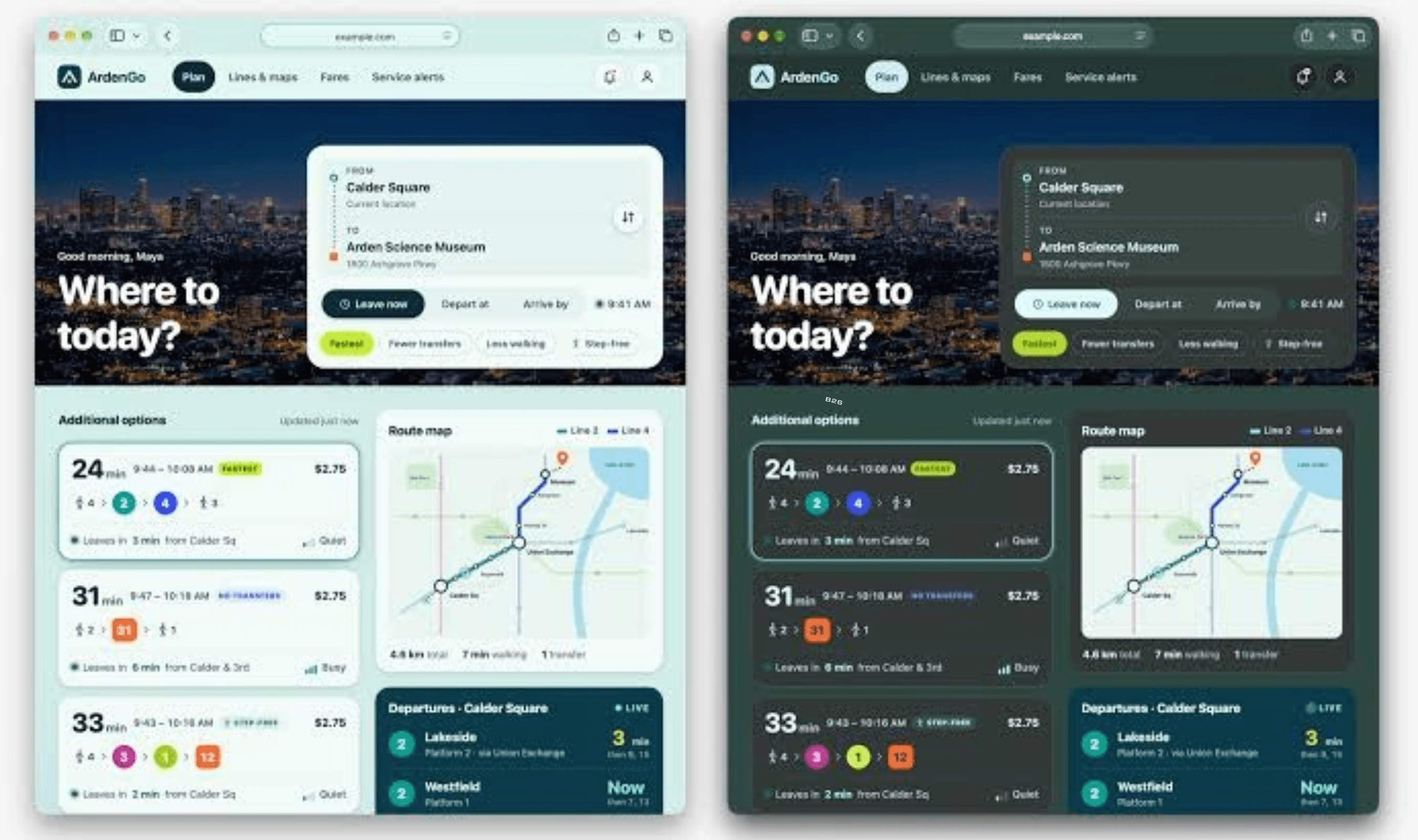
Safari 27.3 beta now lets users enable Adaptive Dark Mode to darken websites that lack their own dark appearance. Users can try it today by switching their system appearance to dark, opening a bright website and accepting Safari’s preview through the Try control. WebKit puts the share of page loads from people using dark mode at almost 40%, compared with just 10% of page loads supporting it.
Sites that declare dark mode support through HTML or CSS keep their existing appearance, without Adaptive Dark Mode intervening. For other pages, Safari assesses the colors to determine whether the overall appearance is light or dark, then transforms the light ones. Pages already displaying pale text against a dark background are left alone.
Website developers can request that pages or individual elements retain a light appearance through the light only setting, but Safari 27.3 beta 1 does not support the only keyword. That leaves the first beta without support for the setting WebKit identifies as the way to prevent these transformations. Developers can also give part of a page its own dark styling and declare support there through CSS.
The color transformation changes brightness while retaining hue, making pale backgrounds darker and dark lettering lighter. WebKit says transformed text targets the WCAG contrast threshold of 4.5:1, while pale CSS gradients also become dark. The feature also adjusts for button visibility, lettering placed over pictures and menus shown when a pointer hovers.
Most pictures retain their original colors, though Safari examines SVG artwork and adjusts it where necessary to keep icons and logos visible. For bitmap artwork, it examines pixel histograms to identify simple monochrome logos that need inversion. Content inside canvas elements stays untouched, and Safari may disable masks or mix-blend-mode effects when they would interfere with transformed colors.
WebKit says Safari blocks sites from discovering whether Adaptive Dark Mode has changed their appearance, limiting an additional signal that trackers could use for fingerprinting. Scripts requesting CSS color values receive the website’s original values, and pictures rendered into a canvas retain their original appearance. WebKit is asking users who encounter poorly adapted sites to submit reports through Feedback Assistant.