
So you're staring at a black iPhone Air that won't respond to anything. Apple says iOS 26.5.1 addressed an issue that could prevent wired charging on a small number of iPhone Air and iPhone 17 models when the battery was nearly drained.
Try a Magnetic Battery Pack
If wired charging will not start after the battery is nearly drained, try the iPhone Air MagSafe Battery or another supported magnetic charger as an alternate way to get enough power to boot.
Do not assume every magnetic battery pack is a 20W path. Apple's iPhone Air MagSafe Battery charges at up to 12W on the go, or up to 20W only when it is connected to a 30W or higher power adapter.
Perform a Force Restart
If the magnetic pack doesn't get a reaction, a force restart is your next move. The sequence on the iPhone Air is very specific, so follow it exactly.
Press and quickly release the Volume Up button, then press and quickly release the Volume Down button. Press and hold the Side button until you see the Apple logo, then release it. Apple says this can take longer than 10 seconds.
Try Another USB-C Cable and Power Adapter
Try a known-good USB-C cable with a USB-C Power Delivery adapter. For iPhone Air, Apple lists fast charging as up to 50% in 30 minutes with a 20W adapter or higher.
The 40W, 20-minute fast-charge figure applies to iPhone 17, iPhone 17 Pro, and iPhone 17 Pro Max, not iPhone Air.
Let It Charge in Peace (Deep Discharge)
Sometimes the battery management system just completely shuts the phone down to protect itself. This happens when the battery has been sitting empty for a while.
Plug the iPhone Air into a wall outlet with a proper high-speed charger and walk away for an hour. Don't press the buttons or try to turn it on during that time. Giving it an uninterrupted charge cycle is usually enough to wake it up on its own.
Check for a Software Update
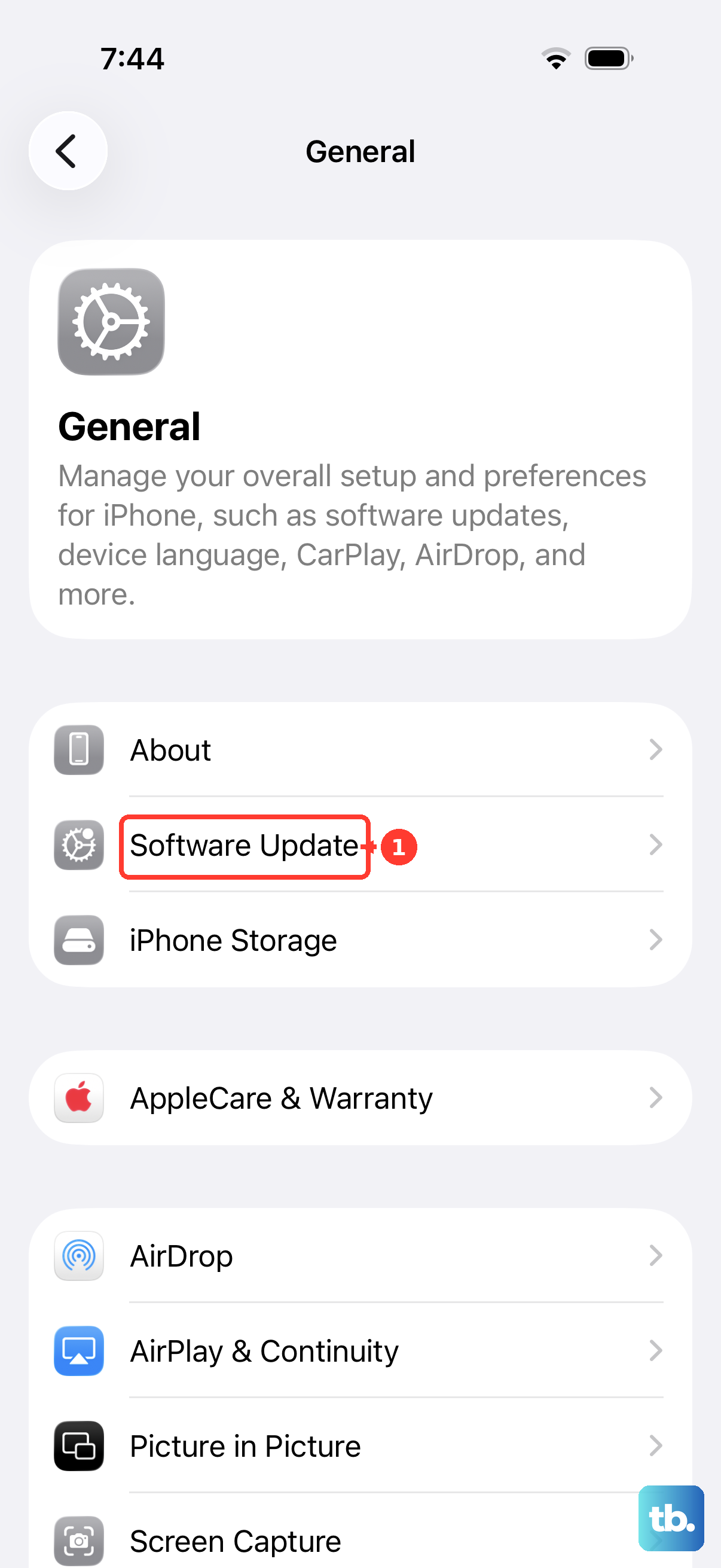
Apple's iOS 26.5.1 notes say the update addressed an issue that could prevent wired charging on a small number of iPhone Air and iPhone 17 models when the battery was nearly drained. If you can get the screen back on, install the latest available iOS update.
Go to Settings > General > Software Update and see if a newer version is available. Keeping the firmware current is the best way to stop that specific black screen loop from happening again.
Clean Out the USB-C Port
Pocket lint and debris can build up in the bottom of the USB-C port and prevent the cable from making a solid connection. Take a close look inside the port on your iPhone Air with a flashlight.
If you see gunk, gently scoop it out with a toothpick or another non-conductive object. Be careful not to scrape the sides of the port. This is a small step, but it fixes the "won't turn on" problem surprisingly often.
Let It Cool Down
The iPhone Air is very thin, and if it was left in direct sunlight or a hot car, the display might be thermally shutting down to protect the components. If the phone feels hot to the touch, don't try to force it on.
Move it to a cool, shady spot and leave it alone for 30 minutes. Once it's back to room temperature, try the force restart sequence again. Apple says overheating can dim the display, turn it black, slow or stop charging, or show a temperature warning; move the iPhone away from direct sunlight and let it cool before using it again.
Restore Using a Mac or PC (Recovery Mode)
If the iPhone turns on but cannot update or restore normally, use recovery mode from a computer. Restoring reinstalls iOS and erases your data, so try Update first if that option appears and use Restore only when needed.
Connect the iPhone Air to a computer with a USB cable. Open Finder on a Mac, or open the Apple Devices app on a PC; use iTunes only if the PC does not have Apple Devices or the Mac is running macOS Mojave or earlier. Press and quickly release Volume Up, press and quickly release Volume Down, then hold the Side button until the Connect to computer screen appears. When the computer shows Update or Restore, choose the appropriate option.