
If your iPhone Air isn't charging wirelessly, it could be a positioning problem, a case issue, or a software glitch. Since this model supports both Qi2 and MagSafe, the fix often comes down to alignment or a quick restart. Let's walk through what usually works.
Check the position, especially with MagSafe
The iPhone Air's charging coil sits in the center, just like previous models. With a MagSafe charger, you'll feel it snap into place magnetically, so proper alignment is automatic. If you're using a standard Qi2 pad, center the phone carefully and look for the charging indicator on the lock screen. Even a slight shift can stop the charge.
Remove your case
Thick cases, especially those with metal plates or built-in wallet attachments, can block the wireless signal. Pop the case off and set the phone on the charger bare. If it starts charging, the case is the culprit. Look for a slim, MagSafe-compatible case that doesn't add too much bulk.
Check the charger and power source
Make sure your wireless pad or MagSafe puck is plugged into a power adapter that can deliver enough juice. For the iPhone Air, you'll want at least a 20W USB-C adapter to get the full 20W wireless charging speed. A weak adapter will still charge but slowly, and some pads won't work at all with an underpowered source. Try a different outlet or a different USB-C cable.
Force restart your iPhone Air
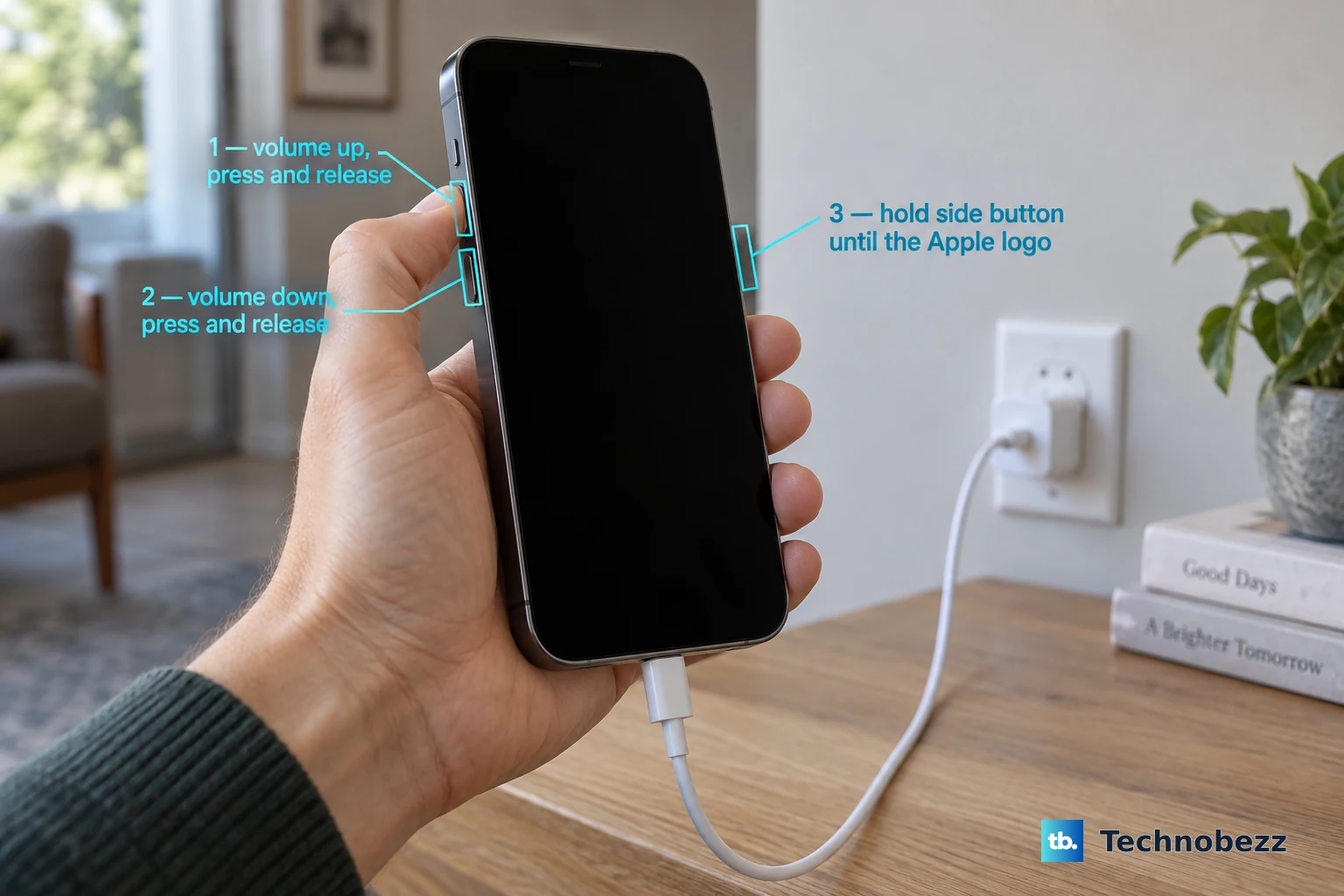
A simple restart clears minor software hiccups that can block wireless charging. If the phone isn't responding at all, a force restart is your best bet. Quickly press and release the Volume Up button, then quickly press and release the Volume Down button, then press and hold the Side button until the Apple logo appears. Let it boot up and try charging again.
Wipe the back clean
Dust, lint, or a greasy fingerprint on the back glass can interfere with the connection. Use a soft, lint-free cloth to wipe the back of your iPhone Air. Also clean the charging pad surface. A clean contact often fixes sudden charging stops.
Update iOS 26
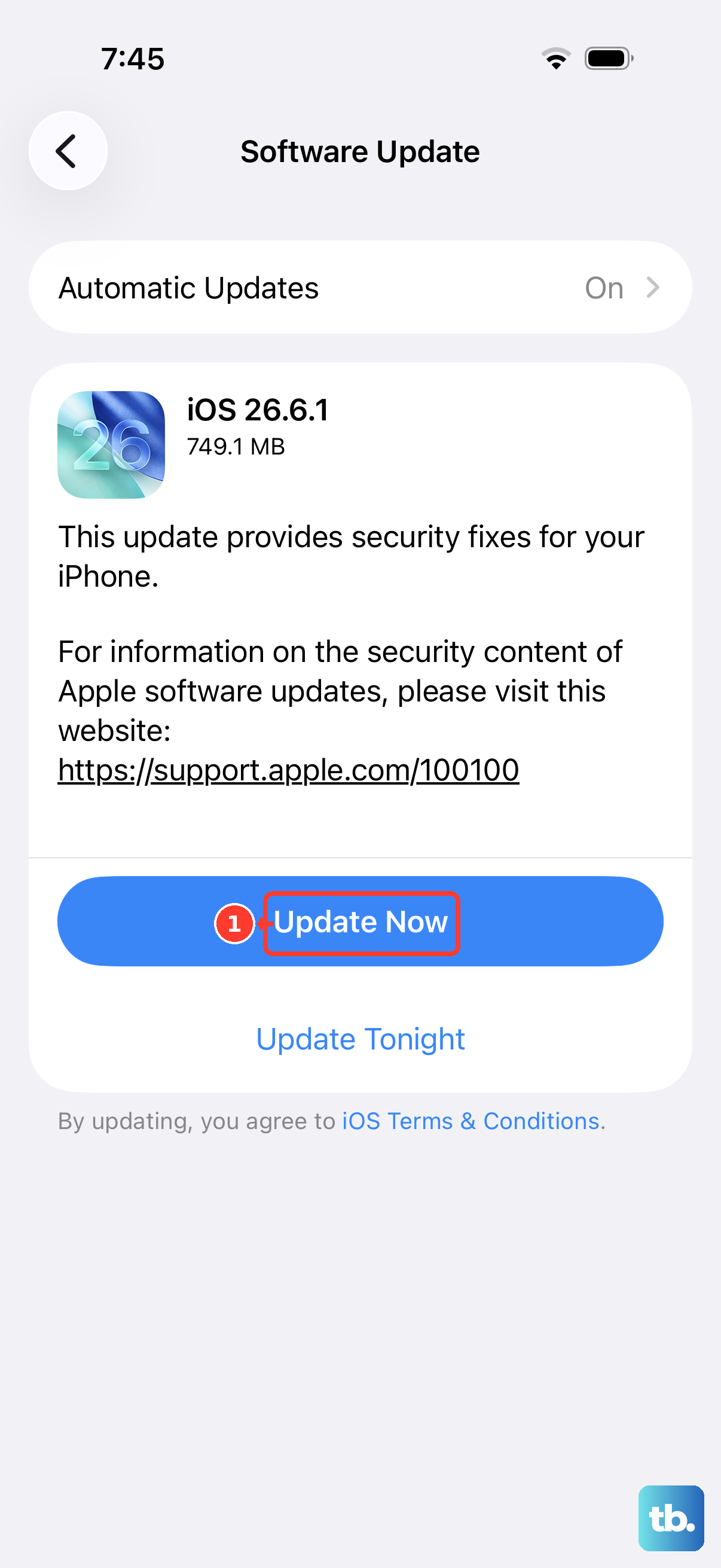
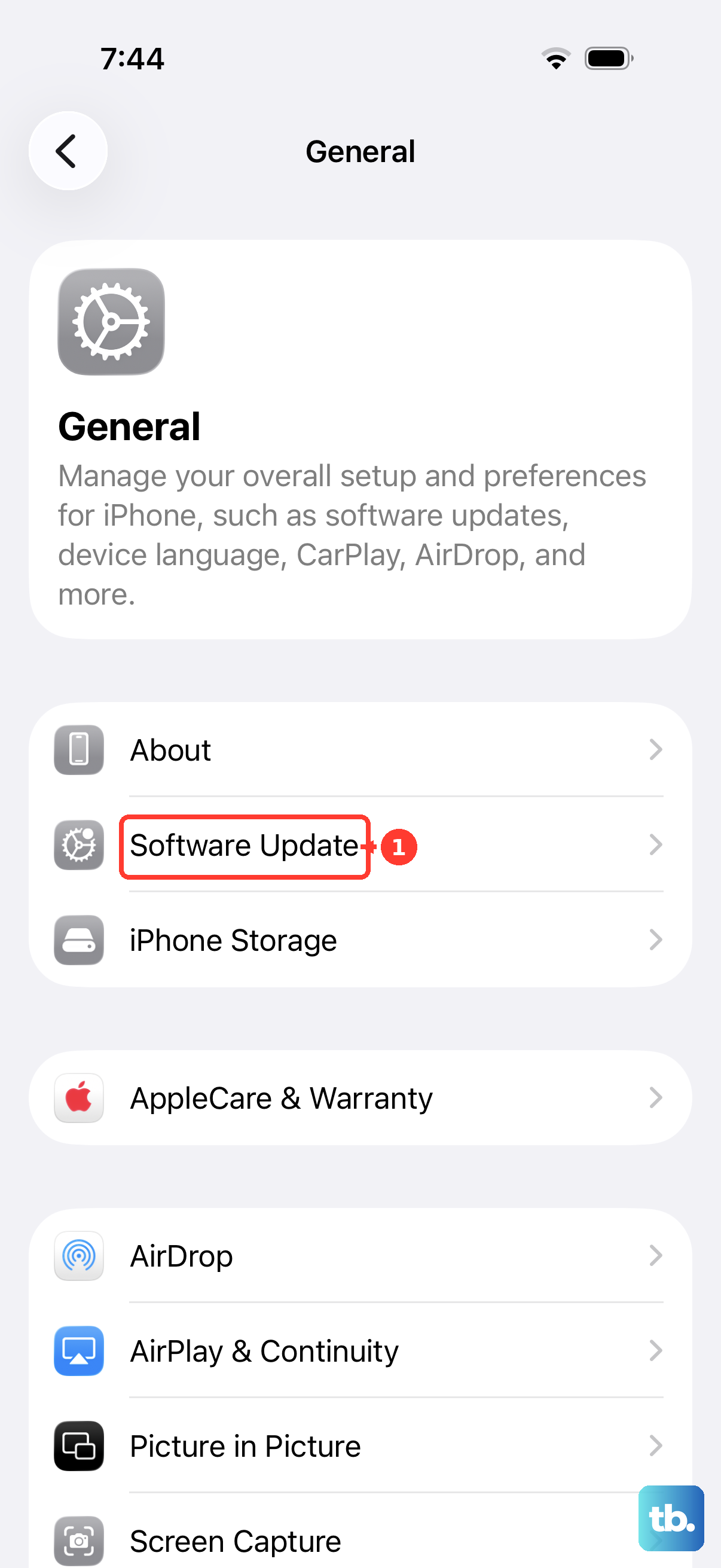
Apple has acknowledged a firmware issue in iOS 26.4.2 that can cause intermittent wireless charging failures. Go to Settings > General > Software Update and check if a newer version is available. Even if you're on 26.4.2, the fix might come in a future update, so stay current.
Watch the temperature
The iPhone Air will stop wireless charging if it gets too hot. This can happen if you're using it while charging, leaving it in direct sunlight, or using a poorly ventilated charging stand. Let both the phone and the charger cool for ten minutes before retrying.
Reset all settings
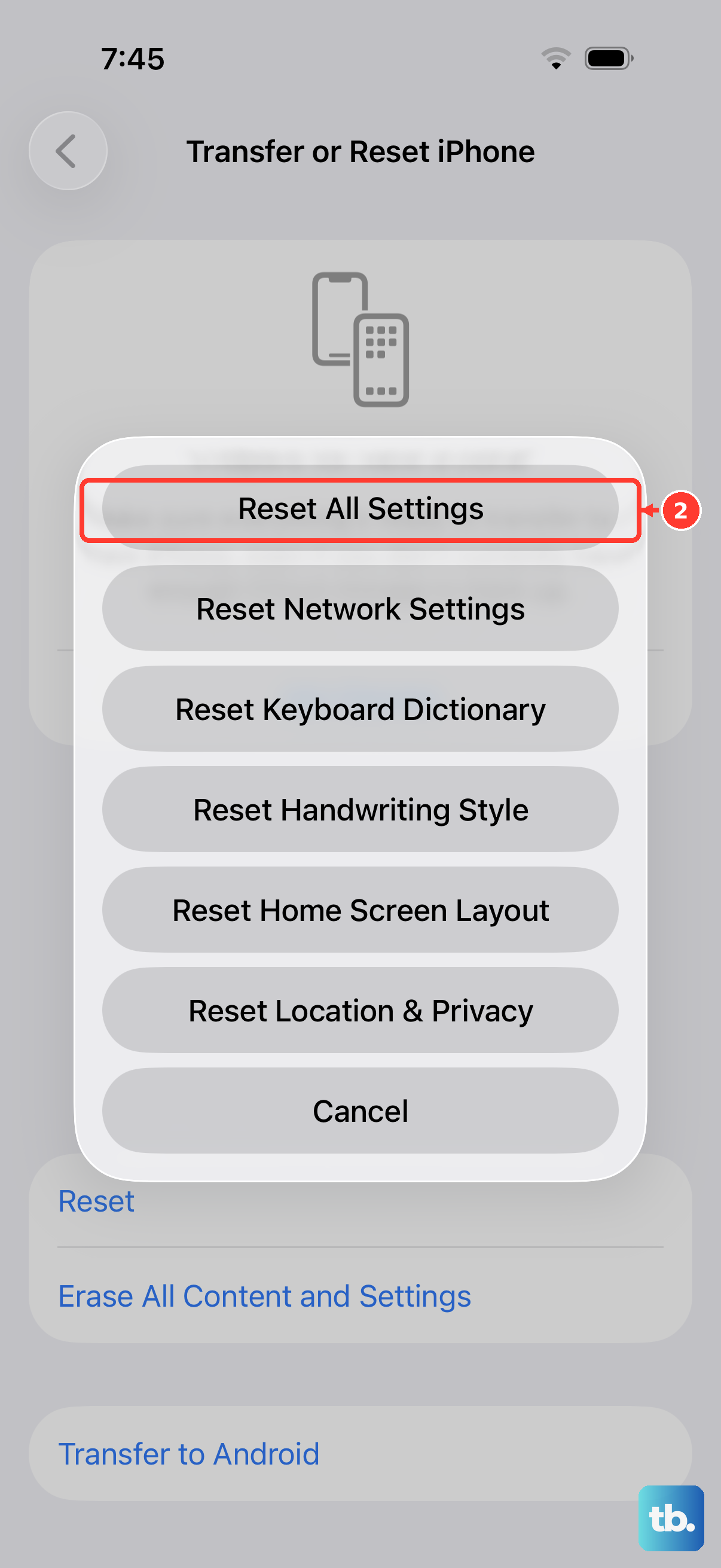
If nothing else has worked, try resetting your system settings without erasing your data. Go to Settings > General > Transfer or Reset iPhone > Reset > Reset All Settings. This clears preferences like Wi-Fi passwords and Bluetooth pairings but keeps your photos, messages, and apps. It can fix software-level charging bugs that a restart won't touch.
Try a different wireless charger
Test with another MagSafe or Qi2 pad if you have one. If the iPhone Air charges on a different pad, the original charger is faulty. If it won't charge on any pad, the problem is in the phone itself. Apple-certified chargers are the most reliable, third-party ones sometimes cut corners on coil alignment.
Handle a dead battery the right way
If your phone drained completely and won't respond to a cable, there's a known trick for the iPhone Air: stick a magnetic battery pack on the back to give it a tiny kick. This often wakes the phone up enough to start cable charging. After a minute or two, you can plug in a USB-C cable. If that still doesn't work, force restart it while connected to power.