You want a straight answer about whether your Windows PC is ready for Windows 11, or you opened PC Health Check and are not sure what to choose. PC Health Check handles Windows 11 eligibility, basic device health areas, Windows Update access, backup and sync prompts, and startup app controls; removing the app itself is a Windows job, done from Start, Settings, or Control Panel. Start with the official app, then use each area for the task in front of you.
Install PC Health Check from Microsoft
Use Microsoft’s PC Health Check download when the app is not already on your PC.
- 1.Open Microsoft’s Windows 11 specifications page at microsoft.com/en-us/windows/windows-11-specifications.
- 2.Select Check for compatibility, then select Download PC Health Check app.
- 3.Run the downloaded installer and follow the on-screen prompts to install PC Health Check.
- 4.As another current route, open Microsoft’s PC Health Check support page at support.microsoft.com, select the aka.ms/GetPCHealthCheckApp download link, and install the app.
Open the app from Windows Search
After installation, use Windows Search instead of hunting through folders. Select Search on the taskbar, type pc health check, then select PC Health Check from the results.
Keyboard users can press Windows key+S or Windows key+Q, type pc health check, and select PC Health Check.
When PC Health Check shows an in-app update prompt, use that prompt to install the latest version.
If Search does not show PC Health Check, install the app from Microsoft’s download page, then search again.
Check Windows 11 eligibility
This applies to Windows 10 PCs checking whether the device meets Windows 11 minimum system requirements. Windows 10 support ended on October 14, 2025, so use the result as a Windows 11 readiness check.
Open PC Health Check.
Select Check now.
After a hardware change, open PC Health Check again and select Check now so the app checks the updated device.
Refresh an eligibility result that will not update
A stale eligibility result after a hardware change usually means Windows has not refreshed the compatibility assessment.
Right-click Start, select Search, type task scheduler in Type here to search, then select Task Scheduler under Best match.
Go to Task Scheduler Library > Microsoft > Windows > Application Experience, right-click Microsoft Compatibility Appraiser, and select Run.
Wait until Status shows Ready. To refresh the view, select Action > Refresh.
Open Start > Settings > Update & Security > Windows Update, then select Check for updates to view the refreshed Windows 11 eligibility status.
Review device health inside PC Health Check
Below the device image in PC Health Check, you can view the PC’s age and storage amounts. Select Rename your PC to give the device a different name.
Battery capacity covers devices with one or two batteries and is available for devices older than 3 years. Select See battery saving tips for steps that can improve battery life.
Expand Storage capacity to see free space on the main drive that contains files, apps, and Windows. Select Manage storage settings to turn on Storage Sense or get cleanup recommendations.
Startup time shows the startup area for the device. Select Manage your startup programs to review and change startup apps.
Stop apps that keep starting with Windows
Most often, an app keeps opening at sign-in because it is set to start automatically when you sign in.
Open Start > Settings > Apps > Startup.
Set an app’s toggle to On to start it automatically when you sign in, or Off to prevent it from starting automatically.
Select the chevron for advanced settings when Windows shows one for that app.
For startup impact detail, right-click Start, select Task Manager, open Startup apps, select the app, then choose Enable or Disable.
Open Windows Update and the built-in health report
PC Health Check can take you straight to update status. Open PC Health Check, find Windows Update status, and select Open Windows Update.
Windows also includes a built-in health report outside PC Health Check. Open Windows Security and select Device performance & health. When Windows shows an issue with a yellow mark, select the item to review recommendations.
Organization policy settings can block access to Device performance & health.
If Open Windows Update does not take you there, open Windows Update from Settings yourself. On Windows 11, open Start > Settings > Windows Update and select Check for updates. On Windows 10, open Start > Settings > Update & Security > Windows Update and select Check for updates.
Back up and sync before a move
Open PC Health Check and go to Backup and sync.
Sign in with your Microsoft account, or create a new one, to sync preferences such as passwords, Microsoft Edge settings, favorites, reading lists, themes, and more.
Use the OneDrive prompt in the same area to back up photos and files.
Remove PC Health Check cleanly
Removal is usually confusing because Windows can show the app as PC Health Check or Windows PC Health Check, depending on where you uninstall it.
Open Start > Settings > Apps > Installed apps, find Windows PC Health Check, select More, and choose Uninstall.
From the Start menu, open Start > All apps, find PC Health Check or Windows PC Health Check, right-click or press and hold it, then select Uninstall.
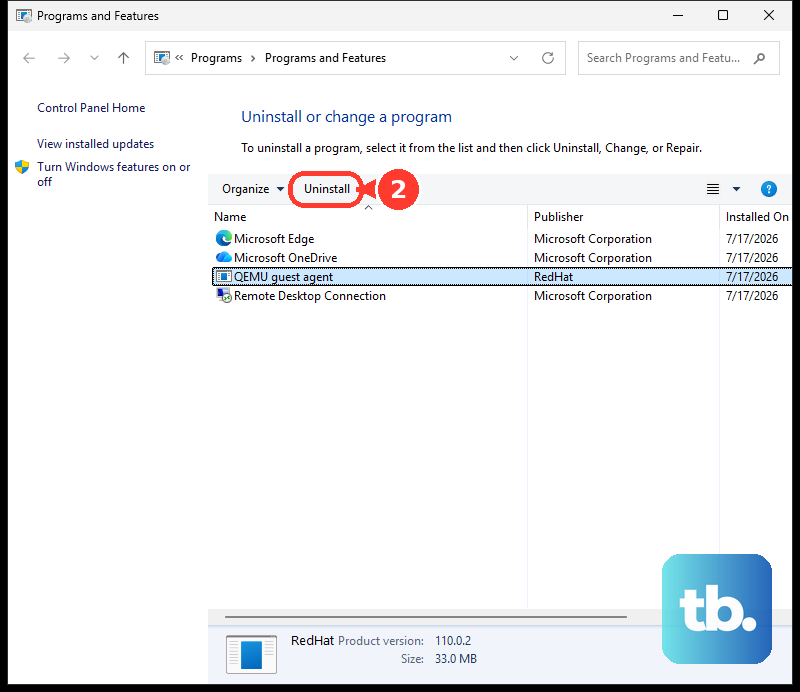
If Settings or Start does not remove it, open Control Panel > Programs > Programs and Features, right-click Windows PC Health Check, select Uninstall or Uninstall/Change, and follow the on-screen directions.
Frequently Asked Questions
Is PC Health Check the same as Windows Update?
No. PC Health Check can open Windows Update from its Windows Update status area, but Windows Update is separate and can also check Windows 11 upgrade eligibility on Windows 10 PCs.
Can PC Health Check back up my files?
PC Health Check uses a OneDrive prompt to back up photos and files. Its backup and sync area uses a Microsoft account to sync preferences such as passwords, Microsoft Edge settings, favorites, reading lists, themes, and more.
Why does battery capacity not appear in PC Health Check?
The battery capacity section applies to devices with one or two batteries, and Microsoft says it is available for devices older than 3 years.
What about managed work or school PCs?
For devices managed through Microsoft Intune, Windows 11 readiness can be handled in administrative reports rather than as a consumer self-service app. That path is separate from PC Health Check.