Need to hand the PC to someone else without closing your apps? Windows keeps the main switch-user paths close to the desktop, sign-in screen, and security screen.
Start with the method that matches what you see now, then use signing out only when you are done with the current account and your work is saved.
Use the Windows 11 account menu
Use this first on a Windows 11 PC when the other account is already on the device. It is the shortest route from the desktop.
Select Start.
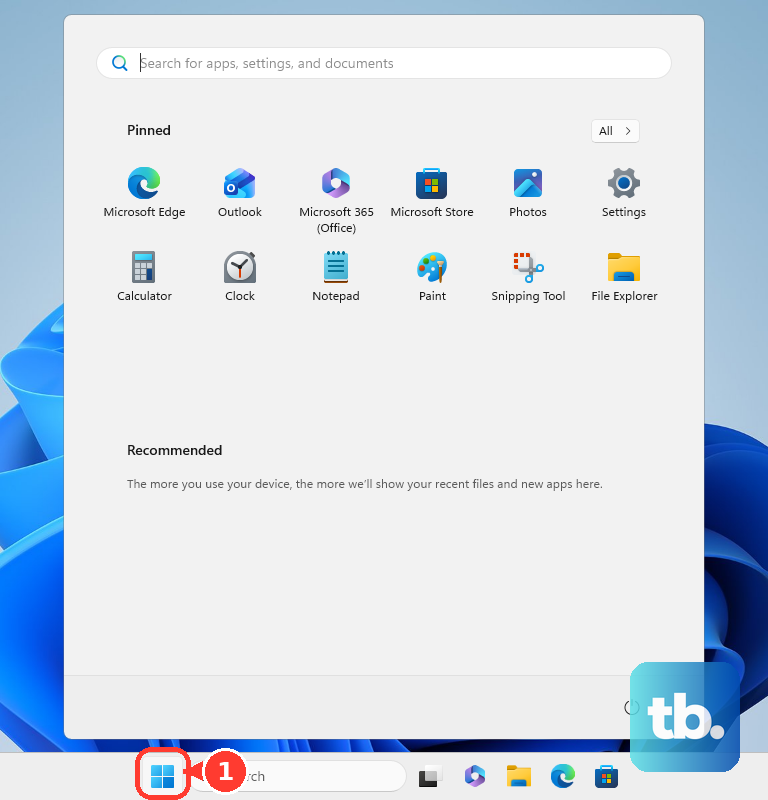
Select your user picture or the Accounts icon.
Select More (...).
Select the user account you want to switch to.
Finish signing in on that account's sign-in screen.
Go through the lock screen
The lock screen works when you want a reliable switch path without looking for a desktop menu. Press Windows key + L to lock the PC immediately.
You can also select Start > power icon > Lock from the desktop.
On the sign-in screen, select another account from the list. If it is not shown, select Other user and enter that account's credentials.
Open the Windows Security screen
Use the security screen when you want the keyboard route:
- 1.Press Ctrl + Alt + Del.
- 2.Select Switch user.
- 3.Choose the account on the sign-in screen.
- 4.Enter that account's credentials and sign in.
Switch from the desktop dialog
Use this when the desktop already has focus. Alt + F4 opens the shutdown prompt when no windows are open.
Go to the desktop.
Press Alt + F4.
In the Shut Down Windows dialog, choose Switch user.
Select OK.
Add another user first
If the other person does not have an account on the PC yet, add one before trying to switch. Open Settings > Accounts > Other user.
Under Add other user, select Add account.
For a family member, open Settings > Accounts > Family and add the family member there. After the account exists, switch to it from Start or the sign-in screen.
Handle a Remote Desktop session
Inside Remote Desktop, Ctrl + Alt + Del applies to the local computer, not the remote one. Press Ctrl + Alt + End in the remote session to open the remote Windows Security dialog box.
Select Switch user, then choose the account on the remote sign-in screen and sign in.
If this method fails, use the Start account menu or lock the remote session and choose another account from its sign-in screen.
Use Task Manager for an active account
This fixes a handoff to another account that is already signed in.
Open Task Manager.
Select Users.
Right-click the other signed-in user.
Choose Switch user account.
To disconnect the current session instead, right-click the signed-in user.
Choose Disconnect.
Confirm Disconnect user.
Sign out when switching will not do
Select Start.
Select your user picture or the Accounts icon.
Select Sign out.
At the sign-in screen, choose another account or Other user.
Enter that account's credentials.
Use Sign out only after saving your work because Windows closes open apps and unsaved work may be lost.
Frequently Asked Questions
Why don't I see Switch user in Windows?
Microsoft says Switch user is not available on every device configuration. Press Windows key + L or Ctrl + Alt + Del, then choose another account or Other user from the sign-in screen. On a managed PC these fallbacks can be gone too: with the Hide entry points for Fast User Switching policy enabled, Windows hides Fast User Switching from the sign-in screen, Start, and Task Manager and allows only one signed-in user at a time. In that case, sign out before the other person signs in, or ask an administrator to change the policy.
Does signing out do the same thing as switching users?
No. Switch user keeps the current session available, while Sign out closes open applications and can discard unsaved work.
Can I switch users from Remote Desktop?
Yes. Inside the Remote Desktop session, press Ctrl + Alt + End, select Switch user, then sign in with the other account.
Can I make a desktop shortcut to switch users?
Use the supported lock command rundll32.exe user32.dll,LockWorkStation, then choose another account at the sign-in screen. Older custom Switch user shortcut files are not a current supported consumer method.