TWC email can fail at the login screen, open the wrong mailbox, stop syncing in Mail or Outlook, or receive messages while sending gets blocked. The fastest fix is to start at Spectrum.net, confirm the mailbox works there, then repair the exact setting or error that matches what you see.
Open TWC Email From Spectrum.net
Go to https://www.spectrum.net.
Sign in with your full TWC, Roadrunner, or Spectrum-provided email address as the username.
Enter the email password for that mailbox.
Select Check Email.
Skip old bookmarks that go straight to webmail.spectrum.net because Spectrum routes that flow back through the Spectrum.net login page.
Wrong Mailbox After Sign In
The most common cause is a Spectrum account username that differs from the legacy TWC, rr.com, or roadrunner.com mailbox username.
Sign out of the current Spectrum.net session.
Sign back in using the exact legacy email address as the username, including the domain.
Use the password for that email mailbox.
Select Check Email.
Reset A Forgotten Username Or Password
When Spectrum.net rejects the login, open the Spectrum.net sign-in page and select Forgot Username or Password?. Choose a recovery option, enter the requested account information, and complete the verification prompts.
Set the new password, return to Spectrum.net, sign in again, and select Check Email.
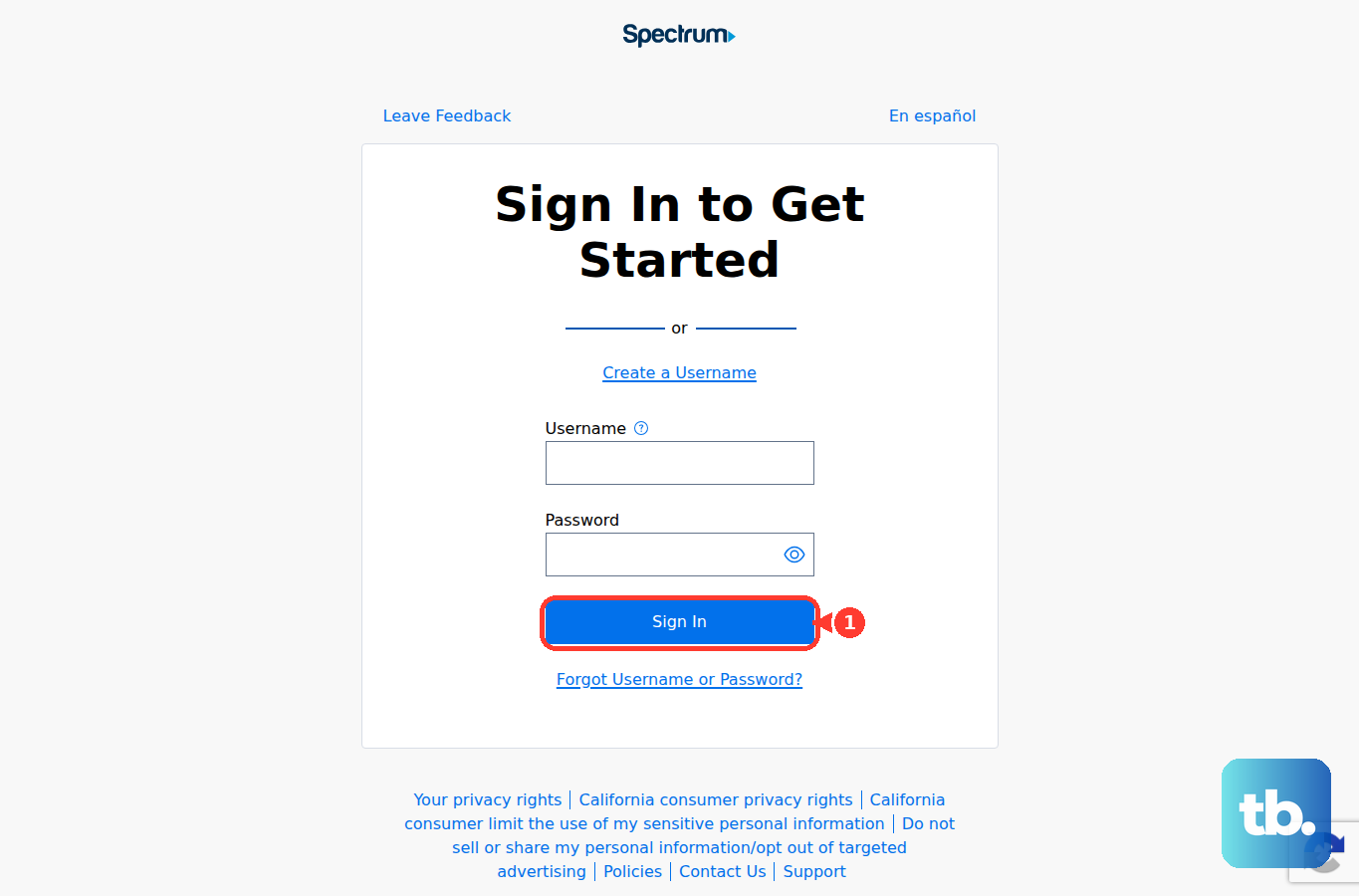
If password recovery does not recognize the account, try the exact legacy email address at Spectrum.net. If that fails, contact Spectrum support with the email domain and the error you receive.
Create The Mailbox When Spectrum Has None
This one comes with a condition: your account has to have had Spectrum Email before June 2024. Spectrum stopped offering email to new customers that month, so service started since then has no mailbox to create and this is not your fix.
Sign in to Spectrum.net with your Spectrum.net username.
Select Check Email from the menu on the left.
When prompted, select Create Mailbox.
Enter your Spectrum.net password.
Select Finish.
Select Go to Mailbox.
This creates a mailbox for that Spectrum.net username; it does not replace a separate legacy mailbox that opens with its own email login.
Refresh Missing Messages In Webmail
The most common cause is the inbox view not updating automatically.
Sign in to Spectrum Email.
Select the Email tab.
Choose Inbox on the left.
Select Get Email in the top panel.
If specific senders are missing, open the Settings tab and go to Filters & Blocked Senders. Remove mistaken blocks or adjust filters that are moving mail away from the inbox.
Open the Spam folder when legitimate messages are being filtered. Choose the message, select Mark As, then select Not Spam.
Check Settings, then Account, and review Automatic Email Forwarding. Remove a forwarding address that is quietly sending your mail somewhere else. Note that Spectrum no longer offers automatic forwarding on its current mail system: a rule that was already running keeps working, but you cannot add a new one, and once you switch a rule off it cannot be switched back on. Only remove forwarding when you are certain you no longer want it.
Use Current Server Settings For Mail Apps
For TWC.com and most rr.com addresses in Apple Mail, Outlook, the Gmail app, or Thunderbird, use IMAP with your full Spectrum-provided email address as the username and the Spectrum email password.
Set SSL to On, incoming port 993, outgoing SMTP port 587, and Requires Authentication to Yes or checked. Use mail.twc.com for both the incoming and outgoing server on TWC.com and rr.com domains not listed under Bright House.
Bright House rr.com domains use mail.brighthouse.com. Charter.net uses mobile.charter.net.
On Mac, update the account from Mail > Settings > Accounts > Server Settings and save the username, password, host name, port, authentication, and TLS/SSL values to match Spectrum's settings. In classic Outlook for Windows, use Control Panel > Mail > Email Accounts > Change > More Settings > Advanced, then run Test Account Settings.
Re-add TWC Email On iPhone Or iPad
This fixes saved credentials or server settings that have gone bad in Apple Mail.
Open Settings > Apps > Mail > Mail Accounts.
Select the TWC account.
Tap Sign Out or Delete Account.
Go back to Settings > Apps > Mail > Mail Accounts.
Choose Add Account.
Choose Add Other Account.
Choose Mail Account.
Fill in your name, email address, password, and description.
Tap Next.
Choose IMAP.
Enter the Spectrum incoming and outgoing server details.
Tap Next.
Tap Save.
Set Up Outlook Again On Windows
Open new Outlook for Windows.
Go to View > View settings, or use File > Account info > Accounts > Your accounts.
Under Email accounts, select Add Account.
Enter your TWC or Roadrunner email address.
Select Continue.
Type the password when Outlook asks for it.
Select Done.
Use the Spectrum IMAP and SMTP settings above when Outlook asks for manual setup.
If the account is already stuck in Outlook, remove it from Your accounts > Manage > Account details > Remove, then add it again.
Fix Sending Errors And Skip Old Methods
When receiving works but sending fails, read the exact Spectrum error code before changing apps again. For messages over Spectrum's maximum email size, reduce or split the attachments; for sending-limit errors, reduce recipients or message volume and retry later.
If the SMTP error mentions AUP#Out-1130, check the IP address or network you are sending from and whether it has reverse DNS. Contact Spectrum when the IP is Spectrum-provided; contact the other network provider or try another network when you are on a different ISP, VPN, or business network.
Do not use old direct webmail.spectrum.net instructions or Roadrunner Subscriber Self Care at selfcare.rr.com as fixes. Spectrum routes webmail.spectrum.net through Spectrum.net, and current legacy account recovery runs through Spectrum.net password reset or Spectrum support.
For account recovery, legacy mailbox recovery, server-side errors, or account-linking problems you cannot clear yourself, use Spectrum Support Chat with Spectrum or the contact page. Bring the exact error code, email domain, mail app, server settings, and whether Spectrum.net webmail works.
Frequently Asked Questions
Can I still use an old Roadrunner or rr.com email address?
Yes, when Spectrum still recognizes the mailbox. Sign in at Spectrum.net with the full legacy email address as the username, then choose Check Email.
What are the TWC email IMAP settings?
Use your full Spectrum-provided email address, your email password, IMAP, SSL on, incoming port 993, outgoing SMTP port 587, and authentication enabled. For TWC.com and most rr.com domains, use mail.twc.com for both incoming and outgoing servers.
Can I add TWC email to the Gmail app or Thunderbird?
Yes. In the Gmail mobile app, add another account as Other, choose Personal (IMAP), and enter the Spectrum settings. In Thunderbird, use Manual Configuration, re-test the settings, and make sure the Spectrum SMTP server is selected for the account.
Why can I receive TWC email but not send it?
Check the exact Spectrum error. Oversized messages need smaller or split attachments, sending-limit errors need lower recipient or message volume, and AUP#Out-1130 points to the sending network or reverse-DNS issue.