

Facebook codes fail when the number is wrong, the SMS gets blocked, or the login prompt is tied to a method you no longer have. Start with the Facebook screen itself, then check short codes, phone filters, and backup login options. By the end, you will know whether this is a quick confirmation fix or an account recovery problem.
Correct the number Facebook is using
The most common account-confirmation problem is a typo or old number on the Facebook confirmation screen.
Open the Facebook app or website and look at the mobile number shown on the account-confirmation screen.
If the number is wrong, enter the correct phone number and choose Add.
Request the code again from that same screen by choosing Re-send the SMS, then Send SMS Again.
Use the newest code Facebook sends.
Use email instead of SMS
When the confirmation screen shows an email option, switch to it. Choose Confirm with email instead, enter or confirm your email address, then use the code Facebook sends to that inbox.
If the email does not arrive, choose Re-send the email code, then Send Email Again. If email confirmation fails too, move to the phone and carrier checks below.
Turn Facebook texts back on
Open your phone’s Messages app.
Create a new text message to 32665, also known as FBOOK.
Send On or Fb.
Return to Facebook and request the SMS code again.
This only applies when Facebook texts were previously turned off; country, carrier, and short-code support control delivery.
Ask your carrier to check short codes
A common carrier-side cause is a block on SMS short codes, which stops Facebook codes before they reach your phone.
Contact your mobile service provider and ask them to confirm that your account receives regular SMS and Facebook short-code messages from 32665 or FBOOK.
Ask them to check short codes, premium SMS, spam blocking, roaming, and account restrictions. This matters most on prepaid plans, recently ported numbers, roaming lines, and accounts with carrier spam filtering.
If your phone or carrier adds an automatic SMS signature to outgoing texts, remove it before texting Facebook short codes again.
Fix Android message delivery
This fixes Android phones where Facebook sends the code, but the SMS app, SIM, signal, or blocked-sender settings keep it from showing up.
Update Google Messages.
Confirm the SIM is inserted properly.
Open Settings, then Apps, then Default apps, then SMS app, and choose Google Messages.
Confirm your carrier supports SMS, MMS, and RCS, then check that your plan or credit balance is active.
Check your signal and turn off Airplane mode.
Open Google Messages, tap your profile photo or icon, open More options, then Spam & blocked, select the Facebook or short-code sender, and choose Unblock.
If sending to 32665 shows Can’t reply to this short code, open Settings, then Apps, then Special apps access, then Premium SMS, and allow the app that requests access.
Check iPhone filters and blocked contacts
The most common iPhone issue is that the Facebook code lands outside your main inbox because unknown senders or message filters are active.
Open Messages, tap Filters, then open Unknown Senders. If the Facebook code is there, open it and mark it as known.
To change filtering, go to Messages, then Filters, then Manage Filtering, and turn Screen Unknown Senders on or off.
To manage code notifications, open Settings, then Apps, then Messages, then Unknown Senders, then Allow Notifications, and turn on Time Sensitive. In most countries, unknown senders already notify you by default. Only the United States, Brazil, and India let you choose which of those message types come through.
If the sender is blocked, open Settings, then Privacy & Security, then Blocked Contacts, tap Edit, tap the delete button next to the contact or number, and choose Unblock.
For spam filters, open Settings, then Apps, then Messages, then Unknown & Spam, and remove the third-party text-message spam filter. If Apple’s Text Message Filter is enabled, select None.
Check Samsung Galaxy settings
On a Samsung Galaxy phone, a Facebook code can arrive without alerting you when Do not disturb is on. Open Settings, then Notifications, then Do not disturb, and turn the switch off, or use the Do not disturb icon in the Quick settings panel.
Restart the phone from Quick settings by tapping the Power icon, then Restart, then Restart again. If SMS delivery still fails, open Settings, then General management, then Reset, then Reset mobile network settings, then Reset settings, then Reset.
Check blocked numbers in the Phone app by opening More options, then Settings, then Block numbers, and tapping the red minus icon next to the number. You can also open Contacts, select the contact, tap More, and choose Unblock contact.
For Galaxy devices running Android 12 or higher, use Google Messages. Samsung Messages is now legacy on those devices, so older Samsung Messages fixes do not apply there.
Use another Facebook login method
This applies when the missing code is part of two-factor authentication and you set up another login method before the problem started. Facebook only lets you add a new authentication app or two-factor method after you already have account access.
At the Facebook two-factor prompt, choose the recovery-code option and enter one of your saved recovery login codes.
If Facebook offers approval from a recognized device, choose that option and approve the login on a device that is already logged in.
Open the third-party authentication app already connected to Facebook, copy the six-digit Facebook code, and enter it at the two-factor prompt.
If you already added a physical security key, choose the security-key method and tap or insert the key on a compatible device. If you already created a Facebook passkey, use passkey sign-in and complete the device passkey prompt.
Recover access from a known device
Use Facebook’s recovery flow when the SMS code never arrives and no backup login method gets you in.
- 1.Use a device and browser you have used with Facebook before.
- 2.Go to facebook.com/login/identify.
- 3.Enter your email address or mobile phone number on Find your account.
- 4.Choose Continue.
- 5.Follow Facebook’s on-screen recovery instructions.

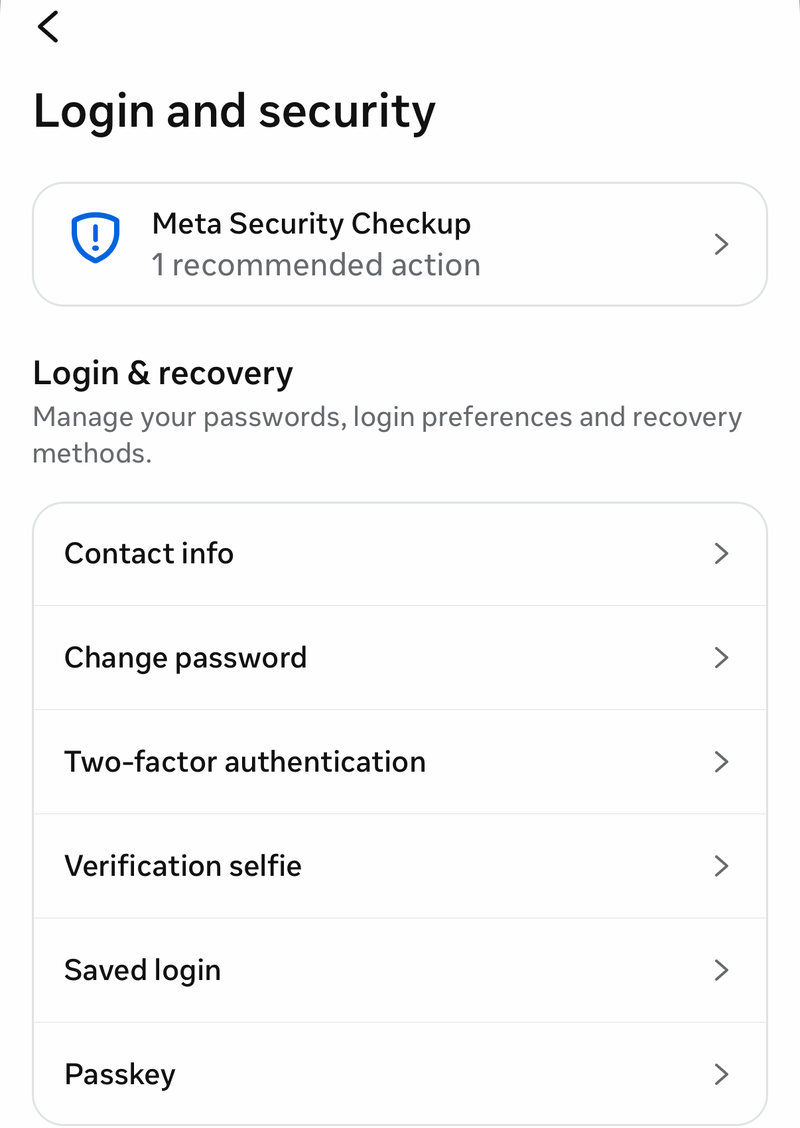
After you get back in, create recovery codes from Menu, then Settings & Privacy, then Settings, then Meta Account, then Login and security, then Two-factor authentication, then your account, then Recovery codes, then Get codes.
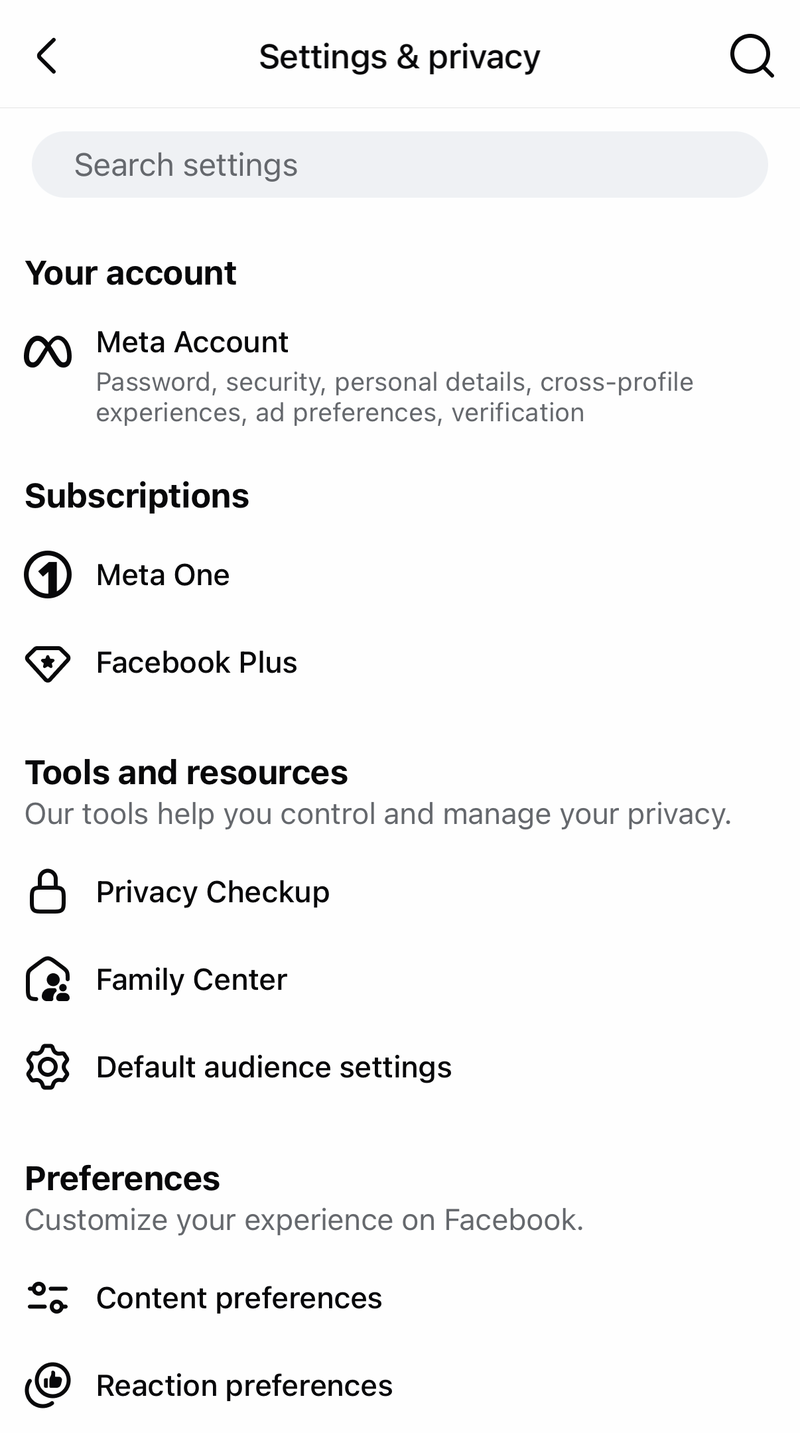
Update your two-factor phone number from Settings, then Meta Account, then Login and security, then Two-factor authentication, then your account, then Text message (SMS). Enter the new phone number, choose Next, then enter the six-digit SMS code sent to the new number.
For future sign-ins without SMS, create a passkey from Menu, then Settings & Privacy, then Settings, then Meta Account, then Login and security, then Passkey, and follow the on-screen instructions. You can also add a security key from Accounts Center, then Password and security, then Two-factor authentication, then your account, then Security keys. Insert the key, choose Register security key, and follow the on-screen instructions.
If this is a managed Meta account, go to work.meta.com/login/landing, enter your work email address, choose Continue, and complete your organization’s SSO login. If SSO is not enabled, enter your password and complete the required two-factor step.
Frequently Asked Questions
Why is Facebook not sending code to my phone?
The common causes are an incorrect number, blocked Facebook short-code messages, phone message filtering, carrier restrictions, or a two-factor setup tied to an old phone number.
What number does Facebook use for text codes?
Facebook uses the short code 32665, also known as FBOOK, for supported SMS features. Carrier and country support control whether those messages arrive.
Can I get into Facebook without the SMS code?
Yes, if you already set up recovery codes, an authentication app, a physical security key, a passkey, or approval from a recognized device before you lost SMS access.
Does reinstalling Facebook fix missing SMS codes?
Updating or reinstalling the Facebook app can fix app login or confirmation screen problems, but carrier-side short-code blocking has to be fixed through the phone, SMS app, or carrier.