
Your iPhone 17 Pro Max has a large, powerful battery, and keeping an eye on its health helps you understand its performance and plan for the future. The tools are built right into iOS 26, giving you a clear picture of how your battery is holding up. Let's walk through how to find and interpret all that information.
Check the Maximum Capacity Percentage
Open Settings and go to Battery > Battery Health & Charging. Here, you'll see the Maximum Capacity percentage. This number shows your battery's current charge capacity compared to when it was brand new. A fresh iPhone 17 Pro Max will show 100%.
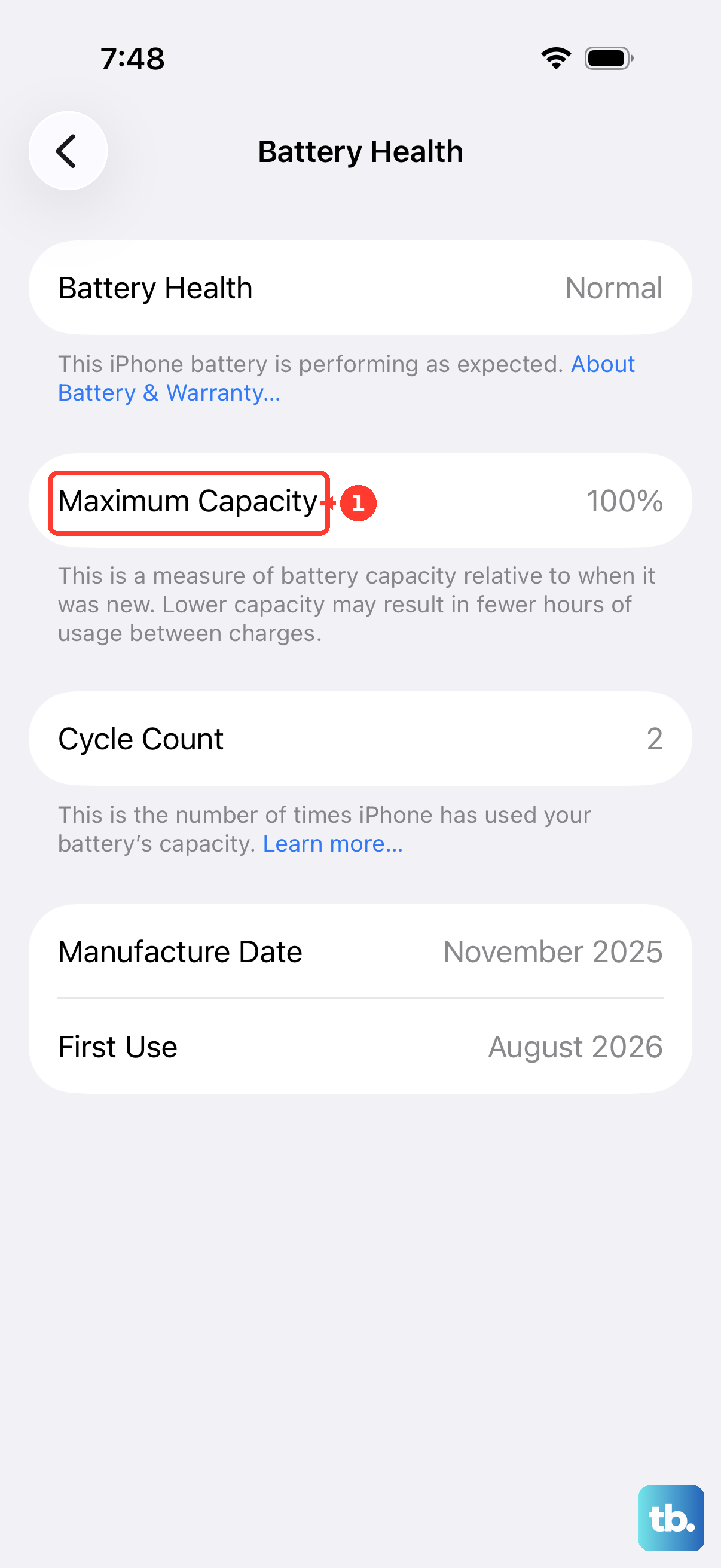
Over time, this number will naturally decrease. After a year of typical use, seeing a capacity in the high 80s or low 90s is common. Apple considers the battery significantly degraded once it falls below 80%, at which point you'll likely notice your phone needs charging more often.
Just below this, look for the Peak Performance Capability note. If your battery is healthy, it will state that normal peak performance is supported. If there's significant degradation, a message about applied performance management may appear to prevent unexpected shutdowns.
Find Your Battery Cycle Count and History
A charge cycle is counted each time you use 100% of your battery's capacity, which can happen over multiple charges. Apple rates the iPhone 17 Pro Max battery to retain up to 80% of its original capacity at 1,000 complete charge cycles.
You can see your exact count and more in Settings > General > About. Scroll down, and you'll find a new Battery section. Here, it lists the cycle count, manufacture date, and the date of first use. This gives you a complete history of your battery's life.
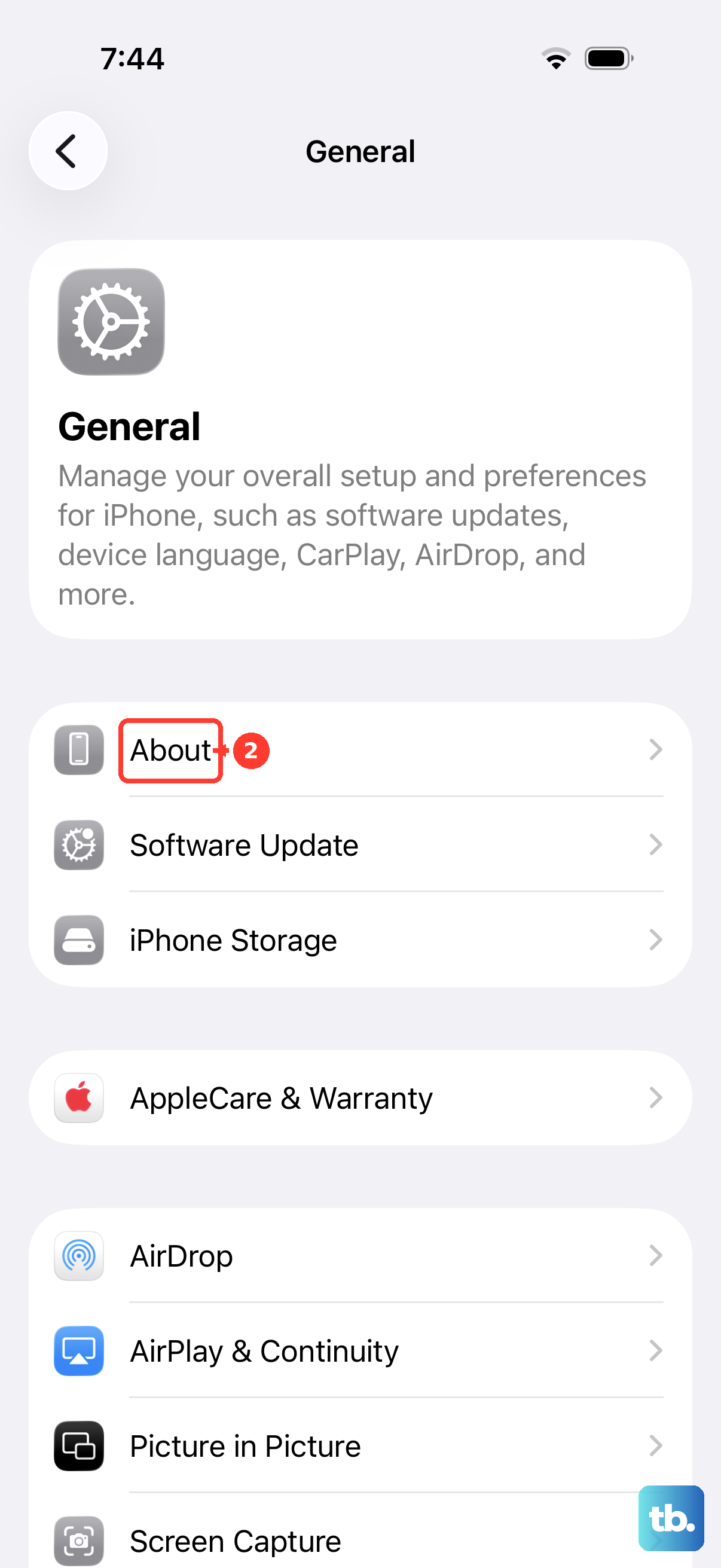
This detailed logging is specific to iPhone 15 models and newer running the latest iOS, so your 17 Pro Max has it built-in. I find this data incredibly useful for understanding long-term wear.
See Which Apps Are Using the Most Power
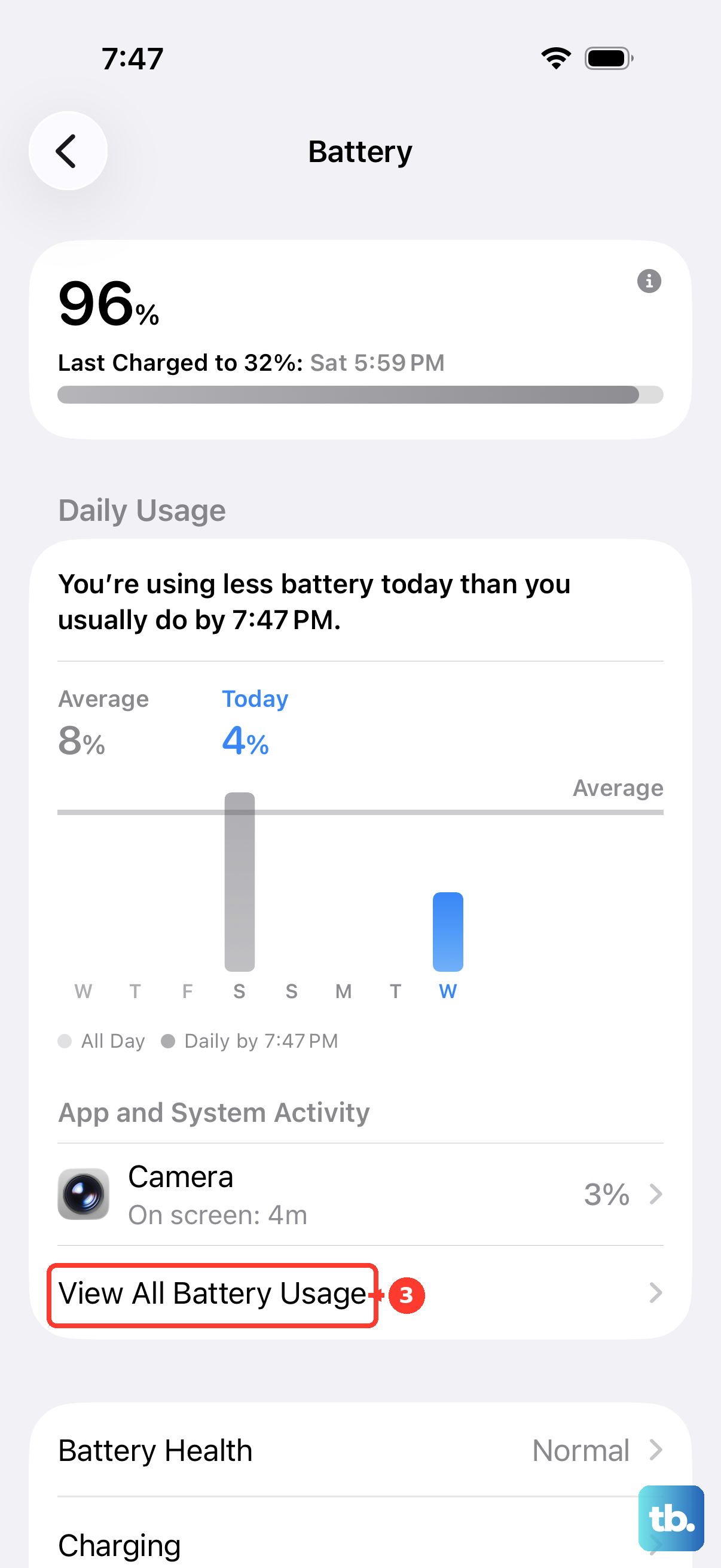
Head back to Settings > Battery. Below the battery level graph, you'll see a breakdown of battery usage by app for the last 24 hours or the last 10 days. Tap Show Activity next to an app to see how much time it spent on screen versus running in the background.
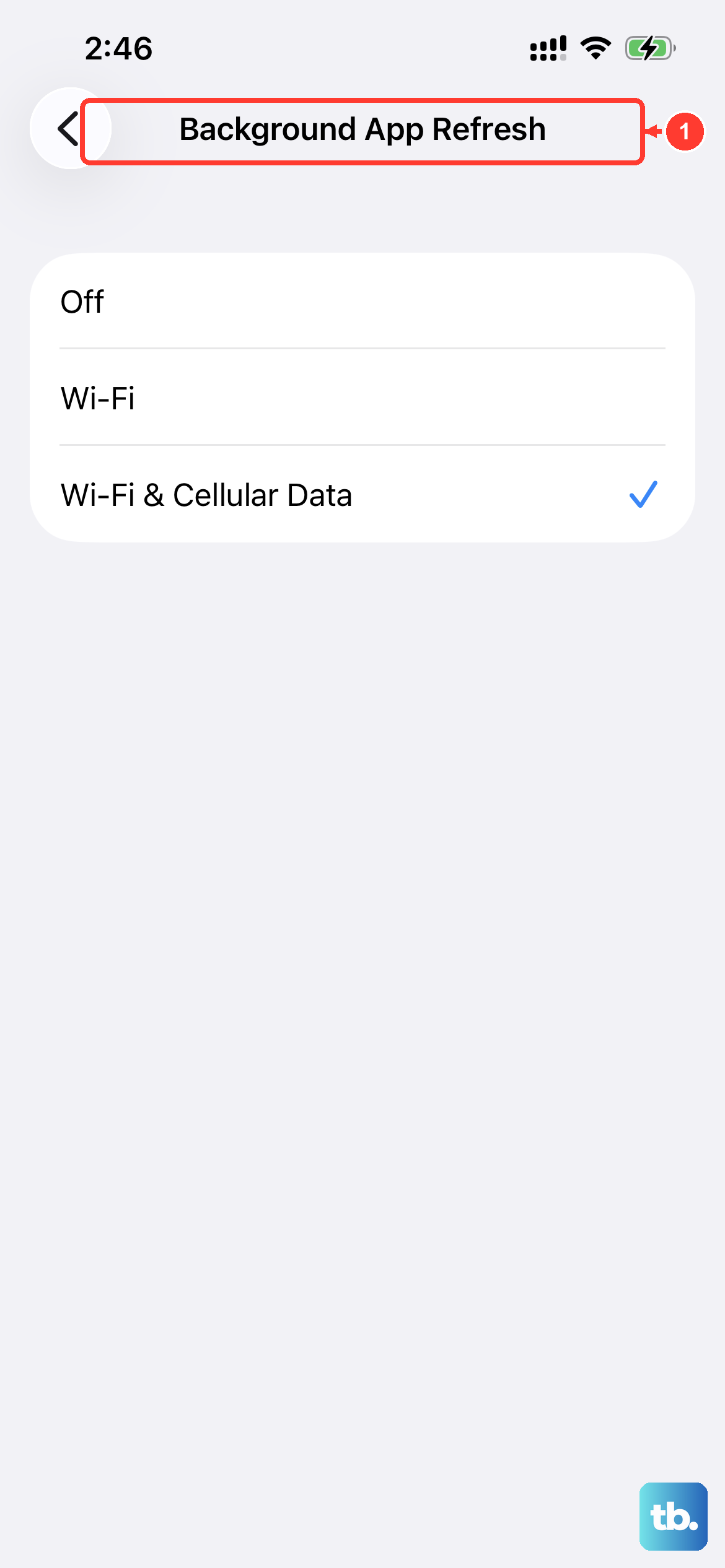
If you spot a rarely used app with surprisingly high background activity, it might be misbehaving. You can force quit the app, update it, or restrict its background refresh in Settings > General > Background App Refresh.
Use Optimized Battery Charging and 80% Limit
For the iPhone 17 Pro Max, managing charging is key to longevity. In Settings > Battery > Battery Health & Charging, ensure Optimized Battery Charging is on. This clever feature learns your routine, like when you sleep, and holds the charge at around 80% until just before you typically unplug it.
You'll also see an 80% Limit option. Turning this on stops charging at 80% at all times, which is the single best practice for maximizing your battery's lifespan over many years. With the large battery in the 17 Pro Max, an 80% charge is still more than enough for most days.
Consider Your Charging Hardware
The iPhone 17 Pro Max supports very fast charging, but you need the right gear. For the maximum 60W wired speed, you must use Apple's 40W Dynamic Power Adapter or another USB-C PD charger that supports the required profile. Many standard 20W or 30W chargers will work, but slower.
For wireless, MagSafe or Qi2 chargers can deliver up to 30W. The phone may get warm during these fast charging sessions, which is normal but something to be aware of for long-term health. Using a slower, standard Qi charger is gentler on the battery if you're charging overnight.
When a Battery Replacement Makes Sense
Once your Maximum Capacity dips below 80%, you'll get noticeably less time between charges, and performance management features will be more active. This is the standard indicator that a replacement would restore your experience.
Apple offers battery service for the iPhone 17 Pro Max. A new official battery will reset your maximum capacity to 100% and remove any performance limits. It's often the most cost-effective way to rejuvenate an older phone.
Daily Habits for Battery Longevity
Heat is a battery's biggest enemy. Try to avoid leaving your iPhone 17 Pro Max in a hot car or using intensive apps while it's in direct sunlight. I'd also recommend using certified chargers, as uncertified ones can cause uneven charging and heat.
If you can, try to keep the battery between 20% and 80% for daily use. Letting it regularly drain to zero or sit constantly at 100% puts more stress on the chemistry. The large capacity of this model actually makes this easier, as you rarely need a full charge to get through a day.