Your Netgear router needs a restart, but the wrong rear button erases the setup instead of simply rebooting it. A normal restart turns the router off and back on while keeping the saved Wi-Fi settings. Use Power On/Off, Reboot, or the power cable for a restart, and leave Reset and Restore Factory Settings alone unless you mean to erase the router.
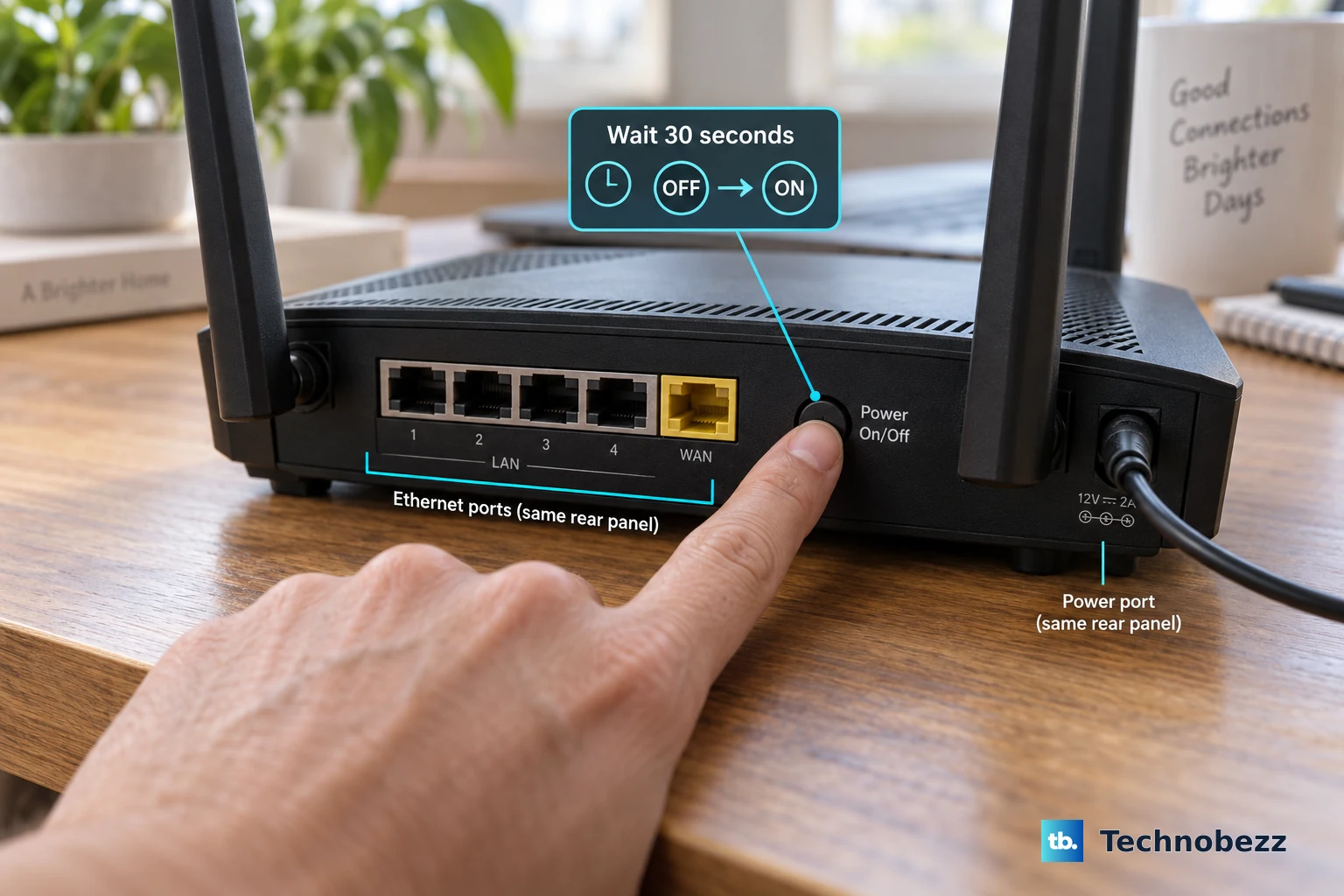
Press the router power button
Start here when you can reach a NETGEAR home router with a rear Power On/Off button. NETGEAR says Wi-Fi settings are saved during this reboot.
Press Power On/Off to power off the router.
Wait 30 seconds.
Press Power On/Off again to power it on.
Unplug models with no power button
Use this only when the router does not have a Power On/Off button.
- 1.Unplug the router.
- 2.Wait 10 seconds.
- 3.Plug the router back in.
Reboot from the NETGEAR web interface
Use a computer or mobile device that is connected to the router's network. The web interface is unreachable from anything off that network.
Open a web browser on that connected device and enter www.routerlogin.net.
Enter the router user name and password. The user name is admin, and the password is the one specified during initial setup.
Click or tap Advanced > Reboot.
Wait for the router to complete the reboot process.
On a NETGEAR Nighthawk Pro Gaming router, click or tap the three dots in the top-right corner and select Reboot.
Run the Nighthawk app remotely
Use this method for NETGEAR routers that support the Nighthawk app and remote access. The app reboot can take up to 2 minutes.
Open the Nighthawk app on your mobile device.
Tap Connect remotely.
Tap the home icon at the top left of the screen.
Tap REBOOT.
Select Reboot.
Power cycle an Orbi network
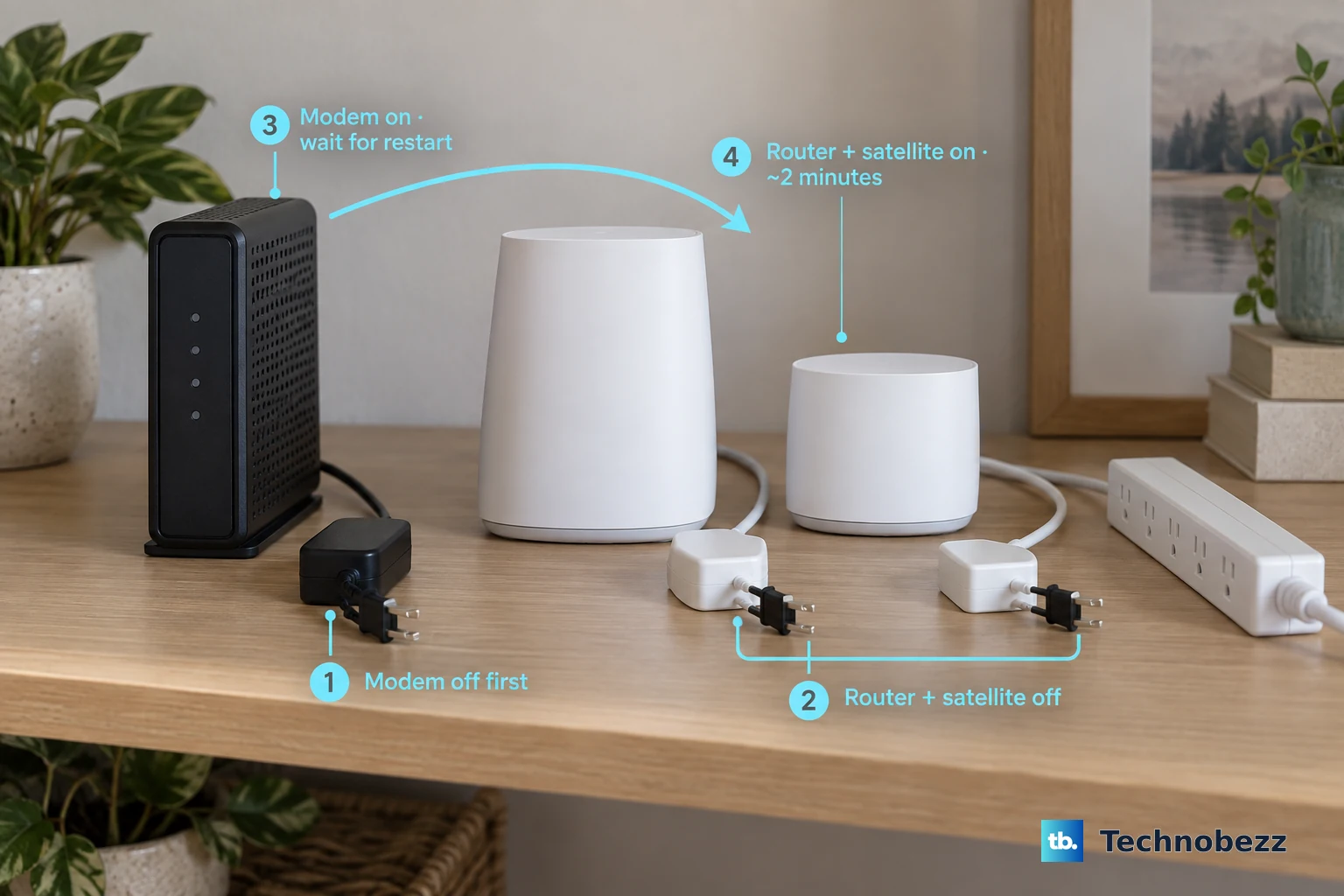
Orbi systems restart in a set order because the modem, Orbi router, and satellites are part of the same network restart. This applies to Orbi routers with satellites or wall plug satellites.
Turn off and unplug your modem.
Turn off and unplug your Orbi router and any satellite or wall plug satellite.
Plug the modem back in and turn it on.
Wait for the modem to restart.
Plug in the Orbi router and satellite or wall plug satellite. Orbi devices take 2 minutes to restart.
If this method fails, repeat the power cycle in the same modem-first order before using any factory-reset option.
Leave the reset button for factory resets
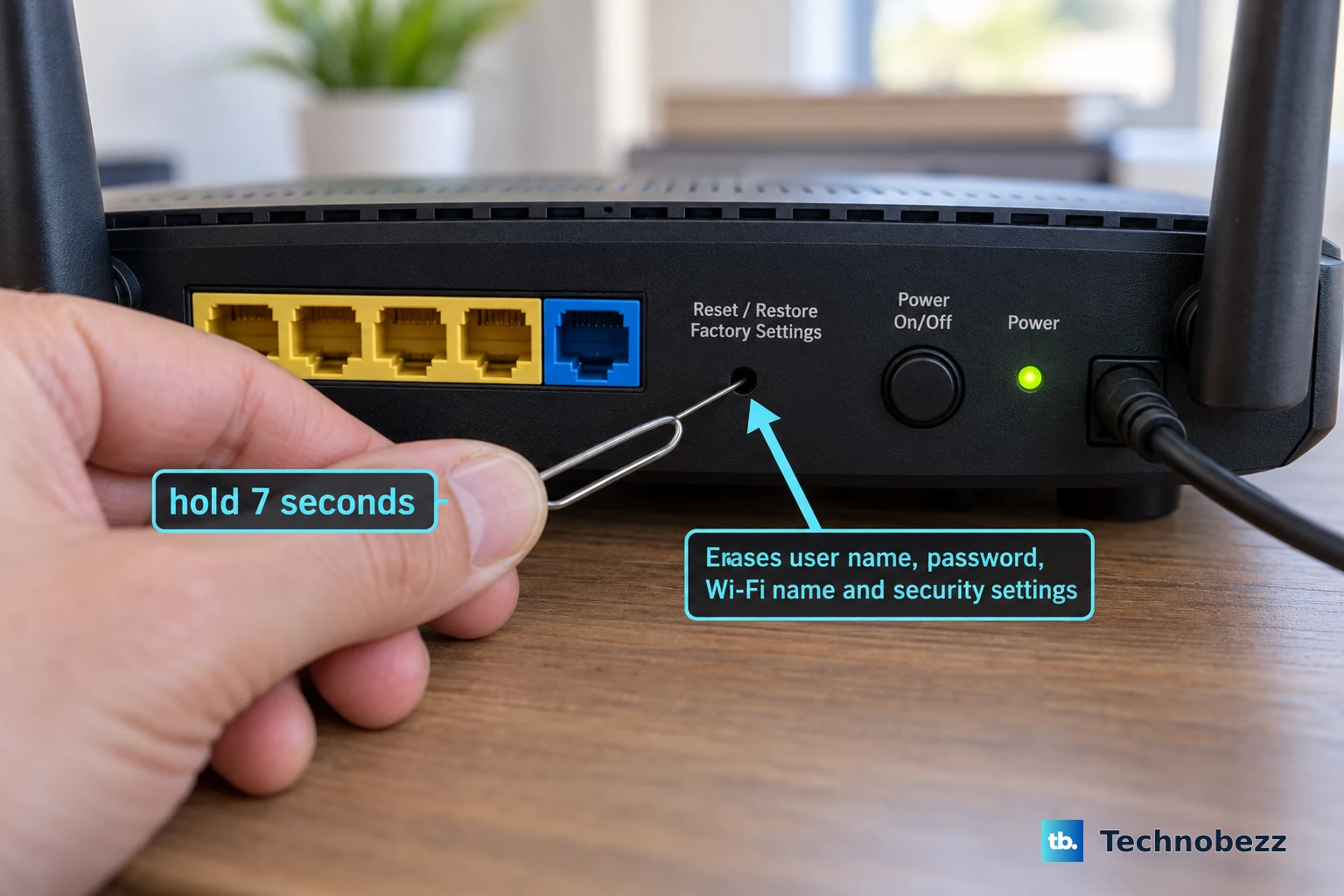
Use these steps only for an intentional factory reset, never for a normal restart.
Confirm that the router's Power light is on.
Find the rear Reset or Restore Factory Settings button.
Use a paper clip or similar object to press and hold Reset or Restore Factory Settings for seven seconds.
Release Reset or Restore Factory Settings.
Personalized settings are deleted, including the user name, password, Wi-Fi network name, and security settings.
Manage Insight restarts from the cloud
Use this for Insight-managed NETGEAR devices, including supported Insight-managed routers.
- 1.Open Devices in Insight Cloud Portal.
- 2.Select the NETGEAR device.
- 3.Click Reboot.
- 4.Confirm the reboot.
Handle PR460X business router restarts
The NETGEAR PR460X business router has two restart paths: the power cable and the local web interface.
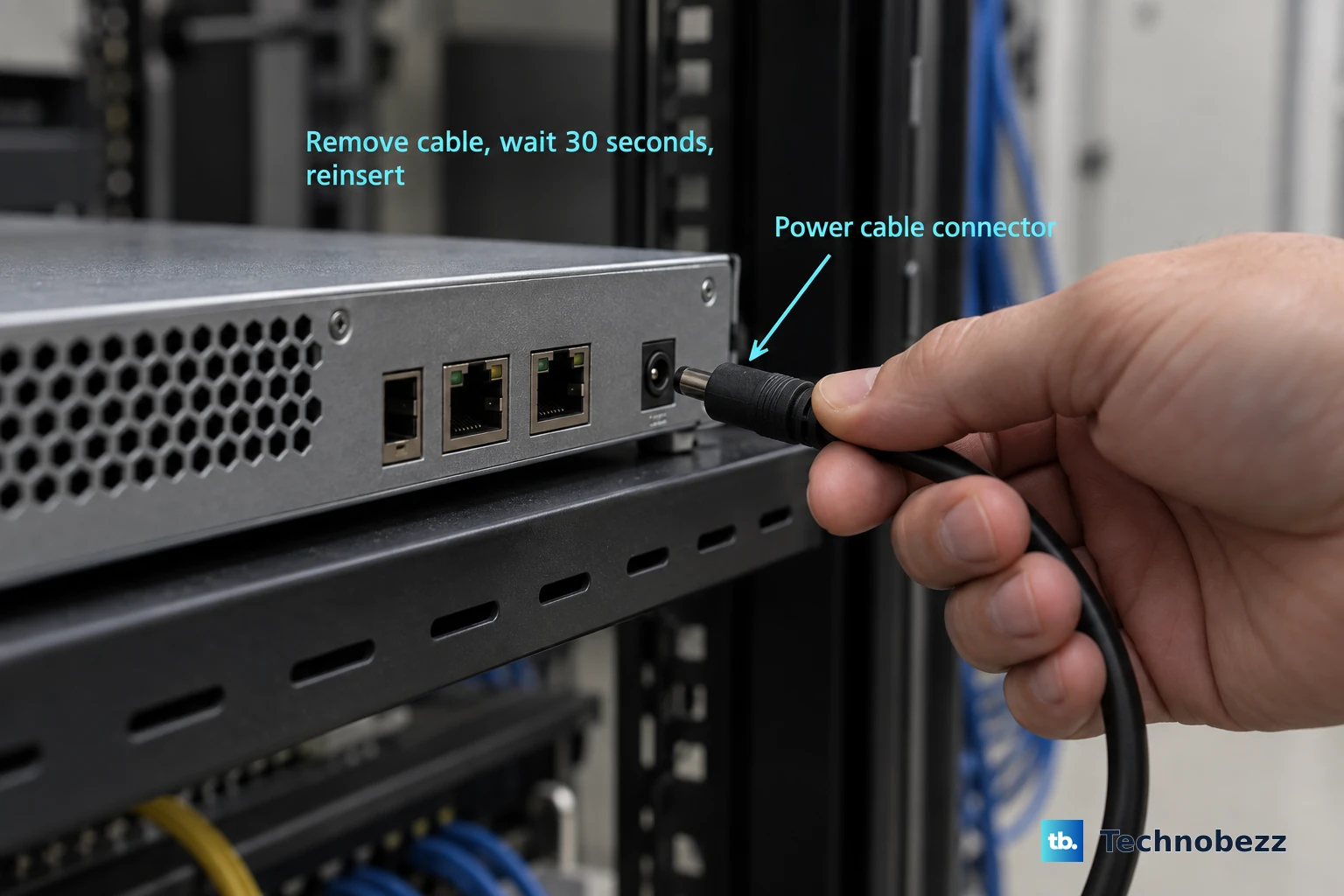
For a physical restart, remove the power cable from the back of the unit.
Wait 30 seconds.
Reinsert the power cable.
For the local web interface, open a browser from a device connected to the router's network and enter https://www.routerlogin.net.
Enter your user name and password. The user name is admin, and the password is the one specified during first login.
On the Dashboard page, click Reboot.
If the local web reboot fails, restart the PR460X with the power cable: remove it from the back of the unit, wait 30 seconds, and reinsert it.
Frequently Asked Questions
Can the Nighthawk app restart every Netgear router?
No. The Nighthawk app restart path applies to NETGEAR routers that support the Nighthawk app and remote access.
Can Insight schedule Netgear device reboots?
Yes. Insight Cloud Portal supports scheduled reboots and simultaneous multiple-device reboots for managed NETGEAR devices.
Is there a current Netgear voice command for rebooting a router?
NETGEAR does not publish a current exact voice-command restart path. Use the power button, power cable, router web interface, Nighthawk app, Orbi power cycle, PR460X interface, or Insight Cloud Portal instead.
Is Reset the same as restart on a Netgear router?
No. Reset or Restore Factory Settings returns the router to factory settings and deletes personalized settings. Restart uses Power On/Off, Reboot, or the power cable.