7-Zip is still the safest choice on Windows 11 when you need the official app for 7z files, encrypted archives, or tighter archive controls. The clean route is simple: get the current installer from 7-zip.org, install it, then use File Explorer or 7-Zip File Manager. As of July 2026, the current Windows release listed by 7-Zip is 26.02.
1. Start with the official 7-Zip download
Open the official 7-Zip download page and choose the current Windows installer that matches your PC. For most Windows 11 computers, select the latest 64-bit Windows x64 .exe download.
Use 64-bit Windows arm64 only on an ARM PC. Choose the .msi package only when you specifically need MSI packaging. The current x64 installer is named 7z2602-x64.exe.
2. Run the installer and finish setup
- 1.Open 7z2602-x64.exe, or the matching installer for your PC.
- 2.Approve the Windows permission prompt when it appears.
- 3.In the 7-Zip setup window, keep the default install location or choose a different folder.
- 4.Select Install.
- 5.When setup finishes, select Close.
That is the full install for normal home use. 7-Zip does not require an account, browser extension, or companion app.
3. Open archives from File Explorer
Right-click the archive in File Explorer, select Show more options if Windows 11 shows the shorter menu, point to 7-Zip, then select Open archive.
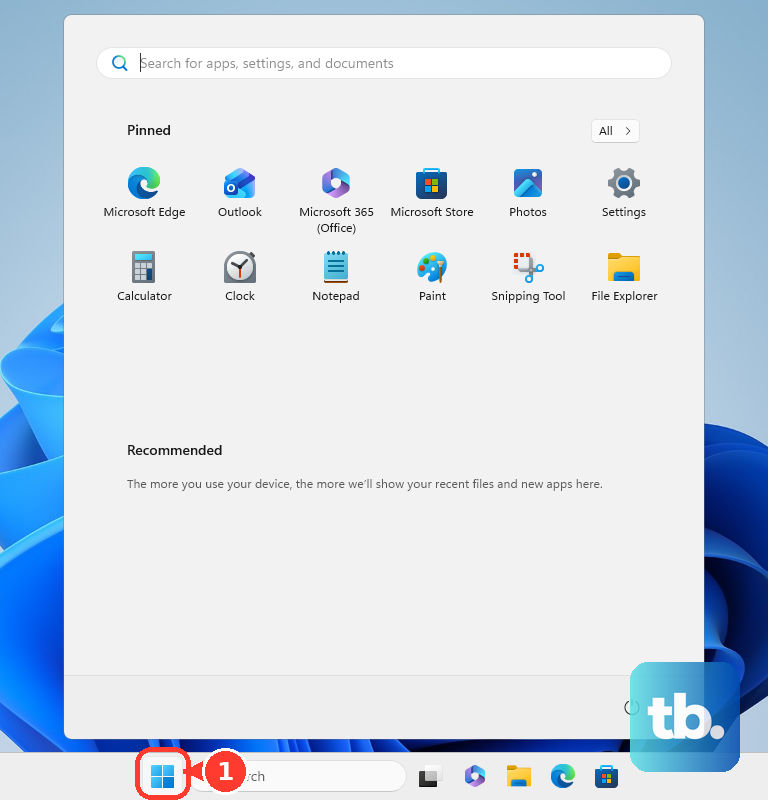
If the file type is already associated with 7-Zip, double-click the archive instead. You can also open Start, search for 7-Zip File Manager, open it, browse to the archive, select the file, and press Enter.
4. Extract files where you want them
- 1.In File Explorer, right-click the archive.
- 2.Select Show more options if the 7-Zip menu is not visible.
- 3.Point to 7-Zip.
- 4.Select Extract files....
- 5.In the Extract window, set Extract to, Path mode, and Overwrite mode.
- 6.Fill in Password when the archive is encrypted.
- 7.Confirm the extraction.
For faster extraction, use Extract Here or Extract to "<folder>\" when those 7-Zip context menu items are enabled.
5. Create a new compressed archive
Select the files or folders you want to compress, right-click the selection, choose Show more options, point to 7-Zip, then select Add to archive....
In Add to Archive, set Archive for the file name and destination, choose Archive format, and pick a Compression level. Use Split to volumes when you need smaller archive parts, and use the Encryption fields when you need password protection.
Confirm the window to create the archive.
6. Tune the right-click menu and file associations
Open 7-Zip File Manager, then select Tools > Options.... On System, use Associate 7-Zip with to connect archive extensions to 7-Zip.
For all-users associations, run 7-Zip File Manager as administrator first. Then open Tools > Options..., go to System, and set the All Users associations.
To manage File Explorer integration, open the 7-Zip tab and turn on Integrate 7-Zip to shell context menu. You can also adjust Cascaded context menu, Icons in context menu, and individual Context menu items.
7. Use WinGet when you prefer commands
Open Terminal, PowerShell, or Command Prompt. To install 7-Zip through Windows Package Manager, run winget install --id 7zip.7zip -e --source winget, then accept any source or package prompts shown.
For unattended installation, run winget install --id 7zip.7zip -e --source winget --silent --accept-package-agreements --accept-source-agreements.
To update later, run winget upgrade first to preview available updates. Then run winget upgrade --id 7zip.7zip -e --source winget to update only 7-Zip.
8. Update or remove 7-Zip cleanly
To check your installed version, open 7-Zip File Manager, then select Help > About 7-Zip.... To update manually, download the newest installer from the official 7-Zip page and run it over the existing install.
To uninstall from Windows Settings, select Start > Settings > Apps > Installed apps. Find 7-Zip, select More > Uninstall, then follow the prompts.
You can also remove it from the command line with winget uninstall --id 7zip.7zip -e --source winget. If WinGet does not find it immediately, run winget list 7-Zip first to confirm the package entry.
9. Skip the outdated 7-Zip advice
Do not install a Microsoft Store listing just because it uses the 7-Zip name. The verified vendor statement says there is no official 7-Zip app in Microsoft Store, so use the official 7-Zip download page. The WinGet package 7zip.7zip also works — it installs the genuine build from the official releases — but its manifest is community-maintained, not a vendor-official package.
Skip registry edits that claim to force 7-Zip into the first Windows 11 right-click menu. The supported setup is 7-Zip File Manager > Tools > Options... > 7-Zip, with Integrate 7-Zip to shell context menu. Windows 11 may still place classic 7-Zip commands behind Show more options.
Use Windows built-in archive tools only when they cover the job. For a basic ZIP, right-click a file or folder and select Show more options > Send to > Compressed (zipped) folder. To extract with Windows, right-click an archive and select Extract All..., or open the archive and drag files out. Windows 11 version 24H2 supports ZIP, RAR, 7z, and TAR formats, but encrypted archive operations still belong in 7-Zip.
Frequently Asked Questions
Is 7-Zip official in the Microsoft Store?
No. The verified vendor statement says there is no official 7-Zip app in Microsoft Store. Use the official 7-Zip download page or the WinGet package 7zip.7zip.
Can I install 7-Zip silently on Windows 11?
Yes. Run the official EXE with /S, such as 7z2602-x64.exe /S. To choose a folder, add /D="C:\Program Files\7-Zip" as the final parameter. MSI installs can use msiexec /i 7z2602-x64.msi /q INSTALLDIR="C:\Program Files\7-Zip".
Does 7-Zip work from Command Prompt or PowerShell?
Yes. Use "C:\Program Files\7-Zip\7z.exe" if 7-Zip is not on PATH. Common commands include 7z a archive.7z folder\ to create an archive, 7z x archive.7z -oC:\Extracted to extract with full paths, 7z l archive.7z to list contents, and 7z t archive.7z to test an archive.
Why does my work or school PC block 7-Zip?
Managed PCs can block downloaded EXEs, WinGet, or specific apps through admin policies. Contact IT if 7-Zip will not install or run on a work or school device.