Group texts on Android break in a few recognizable ways: replies show up separately, MMS will not download, RCS groups stop sending, or iPhone users disappear from the thread. Start with Google Messages, then move through data, RCS, carrier, and old iPhone settings. These fixes stick to current, official options only.
1. Put Google Messages in charge
Make Google Messages the default first, because group texting depends on the app handling SMS, MMS, and RCS.
- 1.Open Settings.
- 2.Tap Apps.
- 3.Tap Default apps (on a Samsung Galaxy, Choose default apps).
- 4.Tap SMS app.
- 5.Select Google Messages.
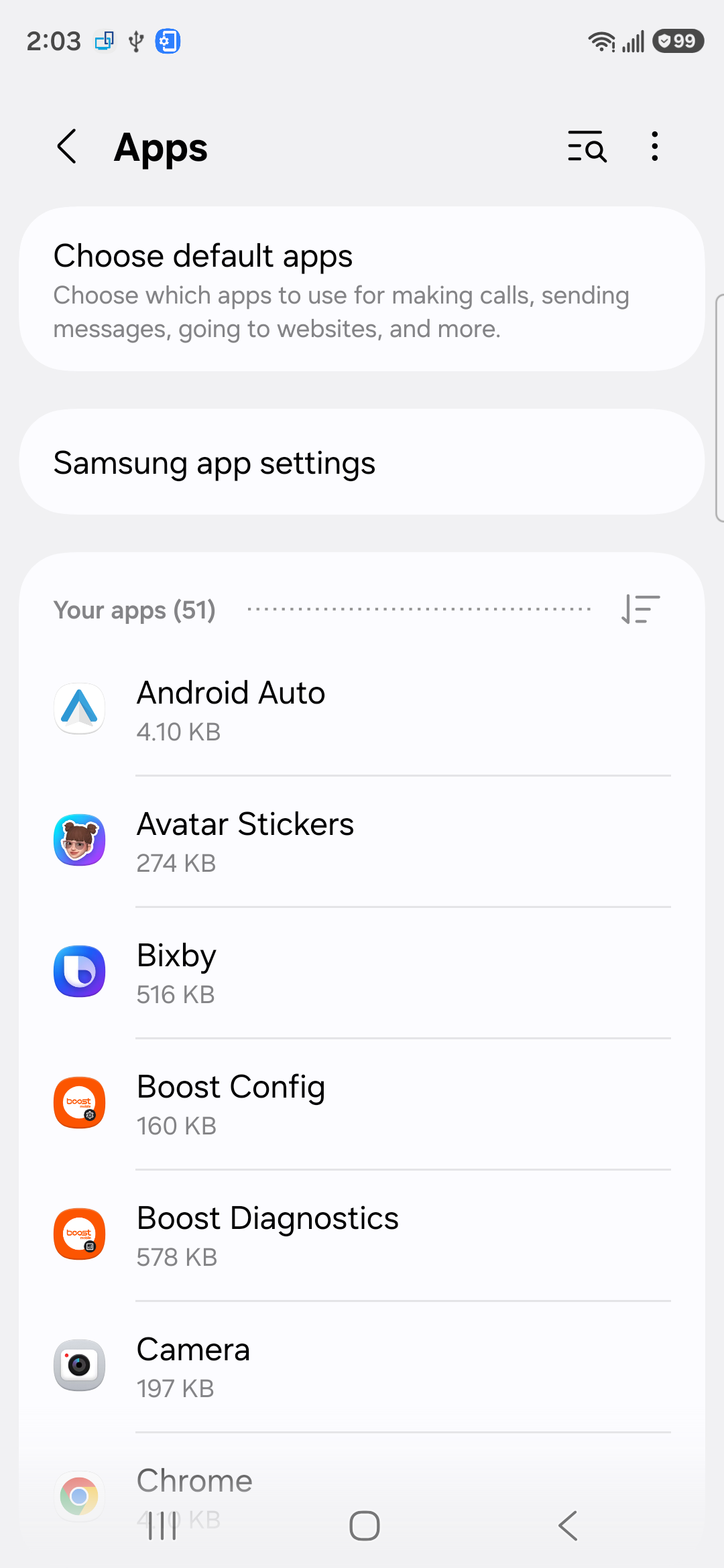
On Samsung Galaxy phones, open Google Messages. Tap Set default SMS app, choose Google Messages, then tap Set as default.
2. Switch mass texts to group MMS
Open Google Messages, then tap your profile photo or icon. Tap Messages settings, tap Advanced, and then tap Group messaging. Choose group MMS as your default.
Use this when replies from a group arrive as separate one-on-one conversations. Google Messages has a mass text mode that sends separate SMS replies; group MMS keeps the thread together.
3. Turn on mobile data and MMS downloads
MMS group texts need carrier messaging support, and they generally need mobile data or MMS provisioning. Wi-Fi working in a browser does not prove MMS is ready.
Confirm the phone has signal, then turn off Airplane mode. Confirm your plan or credit balance allows messages, and confirm your carrier supports SMS, MMS, or RCS.
Now open Google Messages, tap your profile photo or icon, go to Settings > Advanced, and turn on Auto-download MMS. While roaming, turn on Auto-download MMS when roaming.
4. Repair RCS group chat status
Open Google Messages, then tap your Profile picture or Initial. Tap Messages settings, tap RCS chats, and turn on RCS chats. Check the status on the same screen.
RCS handles newer Google Messages chats when your device, carrier, and region support it, and it works only when everyone in the conversation has RCS turned on. If any group member does not, Google Messages falls back to SMS/MMS group messaging. Android 5.0 or higher is required.
When Verify your number appears, tap Verify your number and confirm your phone number. When Trouble connecting lasts more than 30 minutes, tap Details, then Submit feedback. When the status says your carrier has disabled RCS, contact your carrier.
For failed RCS delivery, stay in RCS chats, tap Automatically resend as text (SMS/MMS), and turn it on. On some versions, this option appears under Resend messages.
5. Reset RCS after switching phones
After a phone change, app switch, lost phone, or stolen phone, a stuck RCS registration can break group messages. Reset it from the phone you have now.
Open Google Messages, then tap your avatar. Tap Settings, tap RCS chats, and turn off RCS chat. After that, turn on RCS chat.
If you still have the previous Android phone, turn off RCS chats on that phone too, since the registration can stay stuck there. When you cannot access the previous Android phone, use Google’s RCS deactivation page.
Enter your phone number, tap Send code, enter the 6-digit verification code, then tap Deactivate. Deactivating RCS suspends RCS features and removes you from RCS group chats when RCS is not re-enabled within 30 days.
6. Deregister iMessage after leaving iPhone
Former iPhone users should fix this before digging through Android menus because a number still registered with iMessage causes missing texts or group texts from iPhone users.
If you still have the iPhone, move the SIM back to it and connect to cellular data. Open Settings > Apps > Messages and turn off iMessage. Then open Settings > Apps > FaceTime and turn off FaceTime.
If you do not have the iPhone, use Apple’s deregister iMessage web page. Enter your phone number, receive the code, and submit it.
7. Refresh the app and Android
Restart the phone. On most Android phones, press the Power button for about 30 seconds or until the phone restarts. Tap Restart when prompted.
Update Google Messages from its official Google Play page by tapping Install or Update. Or open Settings > Google Messages > App details, then tap Update when it appears.
Update Android from Settings > System > Software updates and follow the on-screen instructions. Some phones use About phone or About tablet > Software update. Clear the app cache from Settings > Apps > Google Messages > Storage & cache > Clear cache.
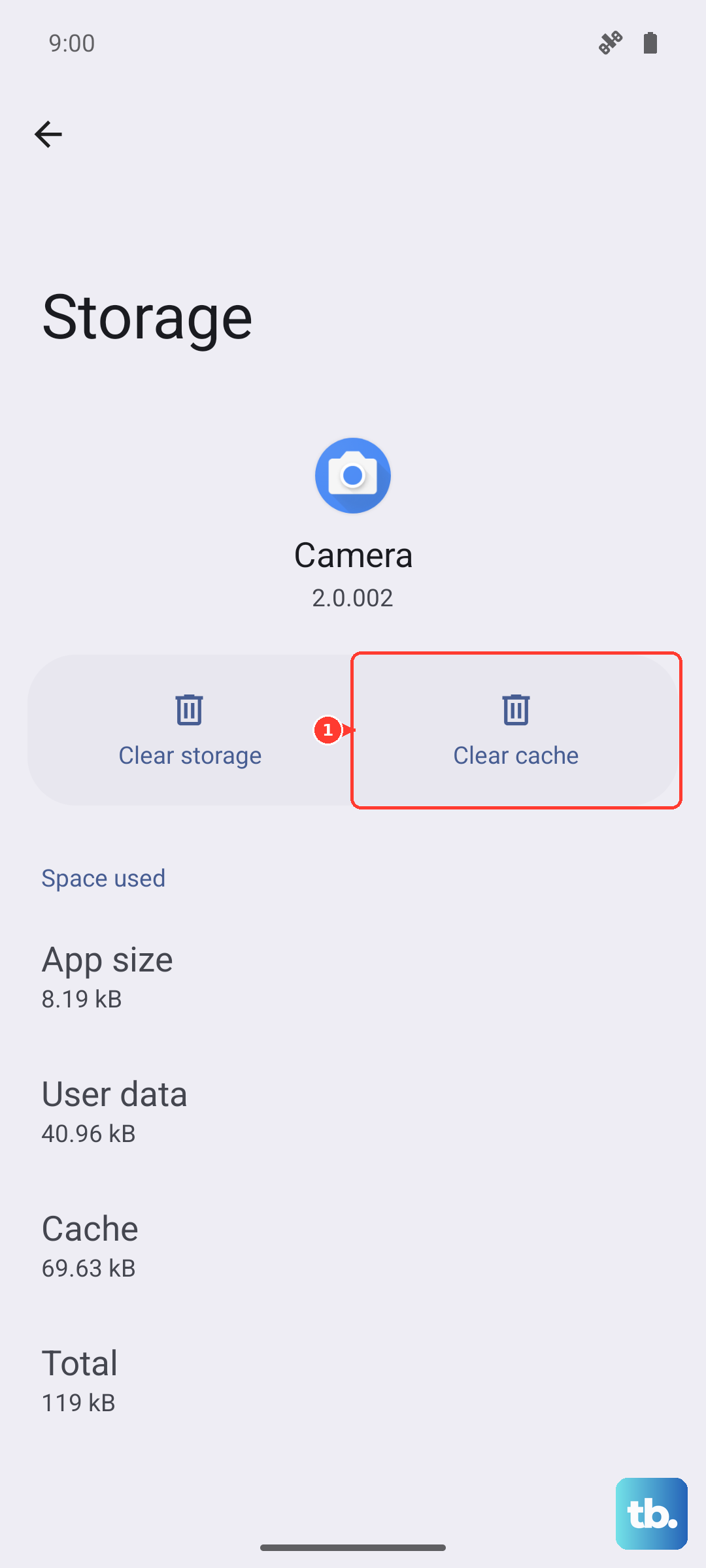
Do the basic cleanup after the messaging settings are correct. This clears app glitches and installs current Google Messages fixes.
Use Clear storage only after the other fixes fail, because app data behavior varies by messaging app and backup state.
8. Remove carrier SIM and account blocks
When Google Messages is configured correctly and group texts still fail, check the carrier side. For a physical SIM, power off the phone, remove the SIM card, then reinsert it.
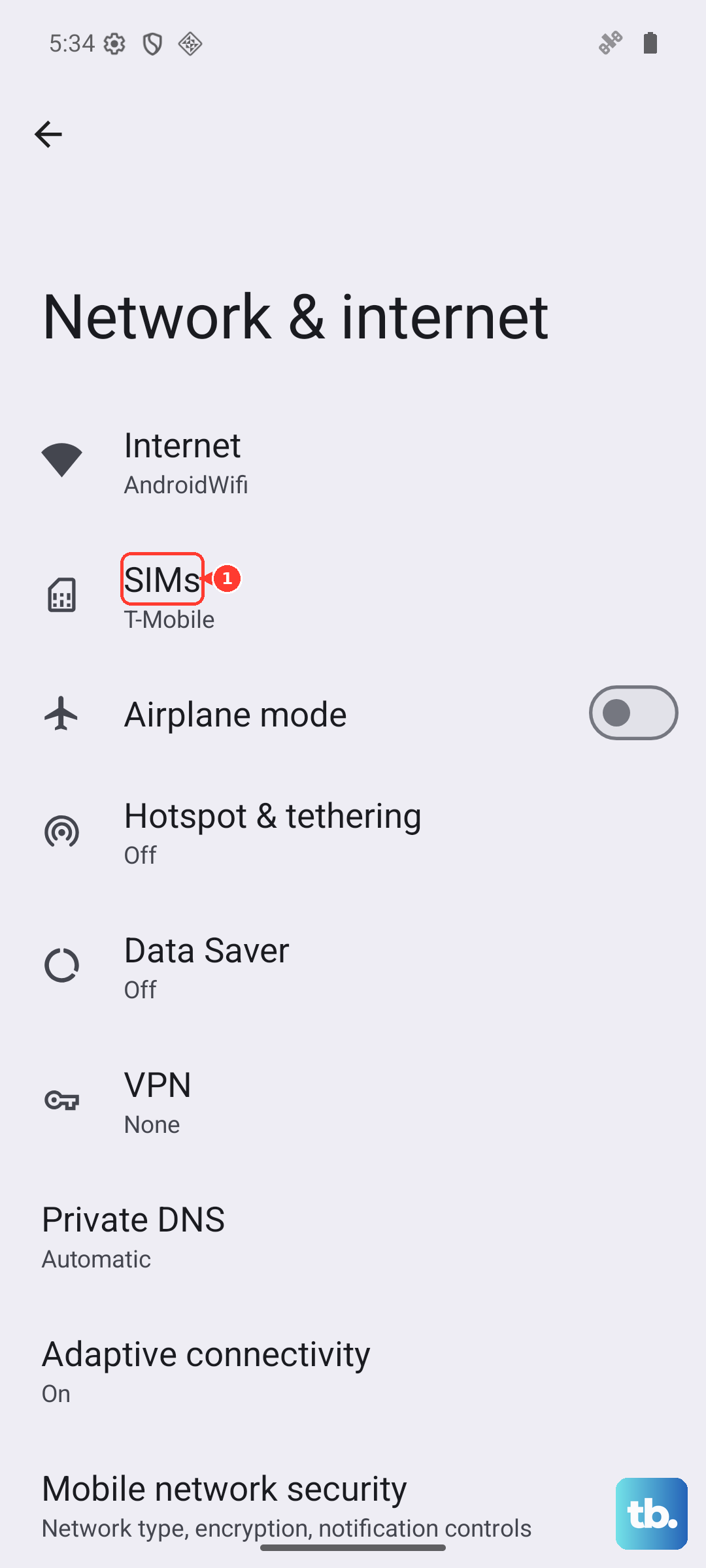
On Google Fi, open Settings > Network & internet > SIMs and make sure the Google Fi SIM is turned on. On dual-SIM phones, open Settings > Network & Internet and make sure your call SIM is configured as data. For MMS failures, reset APN settings to default or re-enter the carrier’s official APN settings in Access Point Names.
On T-Mobile, make sure Block Text and Picture Messages is not enabled. On Verizon, open My Verizon, choose the mobile number, go to Settings & Preferences > Block specific services > Messaging, and check Block Picture and Video Messaging. On AT&T, remove text or data blocks on the line because RCS will not work with those blocks enabled.
For company-owned or managed Android phones, contact your organization’s device administrator. Managed devices can enforce the default messaging app or restrict SMS outside the normal personal phone settings.
Skip old fixes that point you to Hangouts SMS, Verizon Message+, or Samsung Messages on newer Galaxy phones. Google Fi says Hangouts no longer works for SMS or MMS, Verizon discontinued Message+ in December 2024, and Samsung says Samsung Messages is discontinued in the US on Galaxy devices running Android 12 or newer starting July 6, 2026. Use Google Messages instead.
Frequently Asked Questions
Why do group text replies come in separately on Android?
Google Messages is set to mass text instead of group MMS. Open Google Messages, go to Messages settings, Advanced, Group messaging, and choose group MMS as the default.
Do Android group texts need mobile data?
MMS group texts generally require mobile data or carrier MMS provisioning. Turn off Airplane mode, confirm signal and plan access, then enable Auto-download MMS in Google Messages.
Why did group texts break after switching from iPhone to Android?
Your phone number is still registered with iMessage. Turn off iMessage and FaceTime on the old iPhone, or use Apple’s deregister iMessage web page if you no longer have it.
Should Samsung Galaxy users keep using Samsung Messages for group texts?
Galaxy users on Android 12 or newer should use Google Messages. Samsung says Samsung Messages is discontinued in the US on Galaxy devices running Android 12 or newer starting July 6, 2026.
What should I do when only one person in a group text fails?
Check that person's number, confirm they are not blocked, delete and add the contact again, and add a country code such as +1 for US numbers when needed.