Comcast email can refuse to connect when Xfinity blocks third-party access, an app uses the wrong server settings, or the mailbox has already moved to Yahoo Mail. Start by identifying which Comcast.net system your account is on, then use the matching setup path below. The steps stay with current Xfinity, Yahoo, Apple, Google, Samsung, Microsoft, and Mozilla guidance.
1. Allow Comcast Email In Mail Apps
Before you add the account anywhere, turn on third-party app access in Xfinity Email. Sign in with your Xfinity ID and password, open Gear icon > Settings > Security, then check the box under Third Party Access Security. To shut app access back off later, return to the same screen and uncheck that box.
2. Enter The Comcast IMAP Settings
This fixes manual setup for Comcast.net accounts still on Xfinity mail servers. Choose IMAP in the app's manual setup screen, then set Incoming Mail Server Name to imap.comcast.net. Set Incoming Mail Server Port Number to 993, and turn SSL on for incoming mail.
If the app asks for an authentication method, choose STARTTLS. Set Outgoing Mail Server Name to smtp.comcast.net, then set Outgoing Mail Server Port Number to 587. Use 465 only when the app needs an alternate outgoing port.
Choose TLS for outgoing encryption, or choose SSL when TLS is not shown. Use your full Comcast.net email address for Authentication.
3. Add Comcast Email On iPhone Or iPad Mail
On iPhone or iPad, add the account from Apple's Mail account screen. Open Settings > Apps > Mail > Mail Accounts > Add Account > Add Other Account > Mail Account, then enter your Comcast.net email address. Continue, and if automatic setup stops, enter the Comcast IMAP and SMTP settings from section 2.
4. Put Comcast Email On Android Or Samsung Email
On Android, open Settings > Passwords & accounts, or the equivalent account menu on your phone. Tap Add account, choose Personal (IMAP), then enter your Comcast.net email address and follow the on-screen instructions. Enter the Comcast IMAP and SMTP settings when Android asks for server details.
On Samsung Galaxy devices, open Settings > Accounts and backup > Manage accounts > Add account. Select your email provider, then enter your Comcast account credentials. Open Samsung Email after installing it from Galaxy Store or Play Store when Samsung asks you to add the account inside the app.
Use the same Comcast IMAP and SMTP values when Samsung Email asks for manual settings. Android may label the same account area as Users & accounts, Passwords, passkeys & autofill, Password, passkeys & accounts, or Manage accounts.
5. Connect Comcast Email In Gmail Outlook Apple Mail Or Thunderbird
This fixes setup when you want Comcast email inside a specific mail app. In the Gmail app on Android, tap your Profile, choose Add another account, then tap Other. Enter your full Comcast.net address, tap Next, choose Personal (IMAP), enter your password, and tap Next. Enter the Comcast IMAP settings, then finish the on-screen steps.
In the Gmail app on iPhone or iPad, tap your Profile, choose Add another account, then tap Other (IMAP). Enter your full Comcast.net address, tap Next, enter the Comcast IMAP settings, and finish the on-screen steps.
In Apple Mail on Mac, open Mail > Add Account. Enter your email address, click Continue, and follow the prompts. Use imap.comcast.net on port 993 with SSL plus smtp.comcast.net on port 587 with TLS when manual settings are needed.
In new Outlook for Windows, open View > View settings or File > Account info > Accounts > Your accounts > Email accounts > Add Account. Enter your Comcast.net email address, select Continue, enter your password when prompted, and select Done.
In classic Outlook for Windows, open File > Add Account. Enter your Comcast.net email address, select Connect, enter your password when prompted, select OK, and select Finish.
For advanced Outlook setup, open File > Add Account. Enter your email address, open Advanced options, check Let me set up my account manually, and select Connect. Choose IMAP, enter the Comcast incoming and outgoing server settings, select Next, enter your password, and select Connect.
In Thunderbird, open ≡ > New Account > Existing Email. Enter your name, Comcast.net email address, and password, then select Continue. Choose IMAP, configure manually with Comcast IMAP and SMTP settings when Thunderbird cannot find the provider profile, and select Done.
6. Switch To Yahoo After Your Comcast Mailbox Moves
Comcast.net accounts invited to move to Yahoo Mail need the Yahoo setup path after the move. Wait for the invite from [email protected], sign in at connect.xfinity.com, and accept the Yahoo Terms of Service. Sign in at login.yahoo.com at least once before connecting apps.
For the official mobile app route, use the Yahoo Mail app for iOS or Android from mobile.yahoo.com/mail. Sign in with your full Comcast.net email address and password.
7. Add A Migrated Comcast Account To Mail Apps
For Outlook after migration, open Outlook. Choose Add Account, enter your full Comcast.net address, select Continue, enter your password, and choose Select provider > Yahoo. Select Continue, enter your Comcast.net password again, select Next, choose Agree, and select Done.
For Apple Mail on Mac after migration, open Mail > Add Account > Yahoo. Select Continue, enter your full Comcast.net address, select Next, enter your Comcast.net password, and select Next. Complete verification when asked, choose the Contacts and Calendars checkboxes, select Done, and open All Inboxes > Yahoo.
For iOS Mail after migration, open Settings > Apps > Mail > Mail Accounts > Add Account > Yahoo. Close the Yahoo Mail app offer with X, enter your full Comcast.net address, tap Next, enter your Comcast.net password, and tap Next. Choose the Contacts and Calendars toggles, then tap Save.
For Gmail on Android after migration, open the Gmail app. Tap your account avatar, choose Add another account > Yahoo, tap Maybe later when prompted to get Yahoo Mail, enter your full Comcast.net address, and tap Next. Enter your Comcast.net password, tap Next, choose Agree, set Sync frequency and account option checkboxes, and tap Next. Enter your sender display name, then tap Next.
For another mail client after migration, set Username to your full Comcast.net email address. Set Incoming Mail (IMAP) Server to imap.mail.yahoo.com, set Port to 993, and set SSL/TLS on. Set Outgoing Mail (SMTP) Server to smtp.mail.yahoo.com, use port 465 or 587, and turn on Requires authentication.
When a Yahoo-connected mail app needs an app password, open Yahoo Account Security > External connections > App passwords > Create app password. Enter an app name, choose Generate password, copy the password, and use it in the app's password field. After migration, replace the old Xfinity server settings with Yahoo provider sign-in or Yahoo mail servers.
8. Remove And Reconnect A Comcast Account
This fixes stuck sync, repeated password prompts, and accounts added with the wrong setup type. On Mac, open Mail > Settings > Accounts, select the account, and deselect Enable this account to disable it without deleting it. To remove the account from Mac Mail, open Mail > Settings > Accounts, select the account, and click the Remove button.
When macOS says the account is used by other apps, open Apple menu > System Settings > Internet Accounts. Select the account, then turn Mail off. On Android, open Settings > Passwords & accounts, select the Comcast account, tap Remove account, and confirm with Remove account or Delete.
In the Gmail app, tap your Profile. Open Manage accounts on this device, then select the Comcast account on Android and tap Remove. Or tap Remove from this device > Remove on iPhone or iPad.
In new Outlook for Windows, open View > View settings or File > Account info > Accounts > Your accounts. Choose Manage next to the account, select Remove, and choose whether to remove it from this device or all devices. In classic Outlook, open File > Account Settings > Account Settings, select the account, choose Remove, and confirm with Yes.
9. Skip Outdated Comcast Email Fixes
Skip POP for normal setup. Xfinity recommends IMAP because POP can remove mail from the server and sync poorly across devices, and port 110 is no longer supported.
If your iPhone still has an older POP Comcast profile, add a new IMAP account through Settings > Apps > Mail > Mail Accounts > Add Account > Add Other Account > Mail Account. Enter the Comcast account details, tap Next, enable Mail and Notes on the IMAP screen, and tap Save. Move locally stored POP messages into the new IMAP folders, then delete the old POP profile after confirming the messages are present.
Skip the old Xfinity Connect email app. Comcast discontinued that email app, so use native mail apps, third-party mail apps, or webmail at connect.xfinity.com. Skip the Windows Mail app. Microsoft support now points users to Outlook for Windows, so add Comcast email in new Outlook instead.
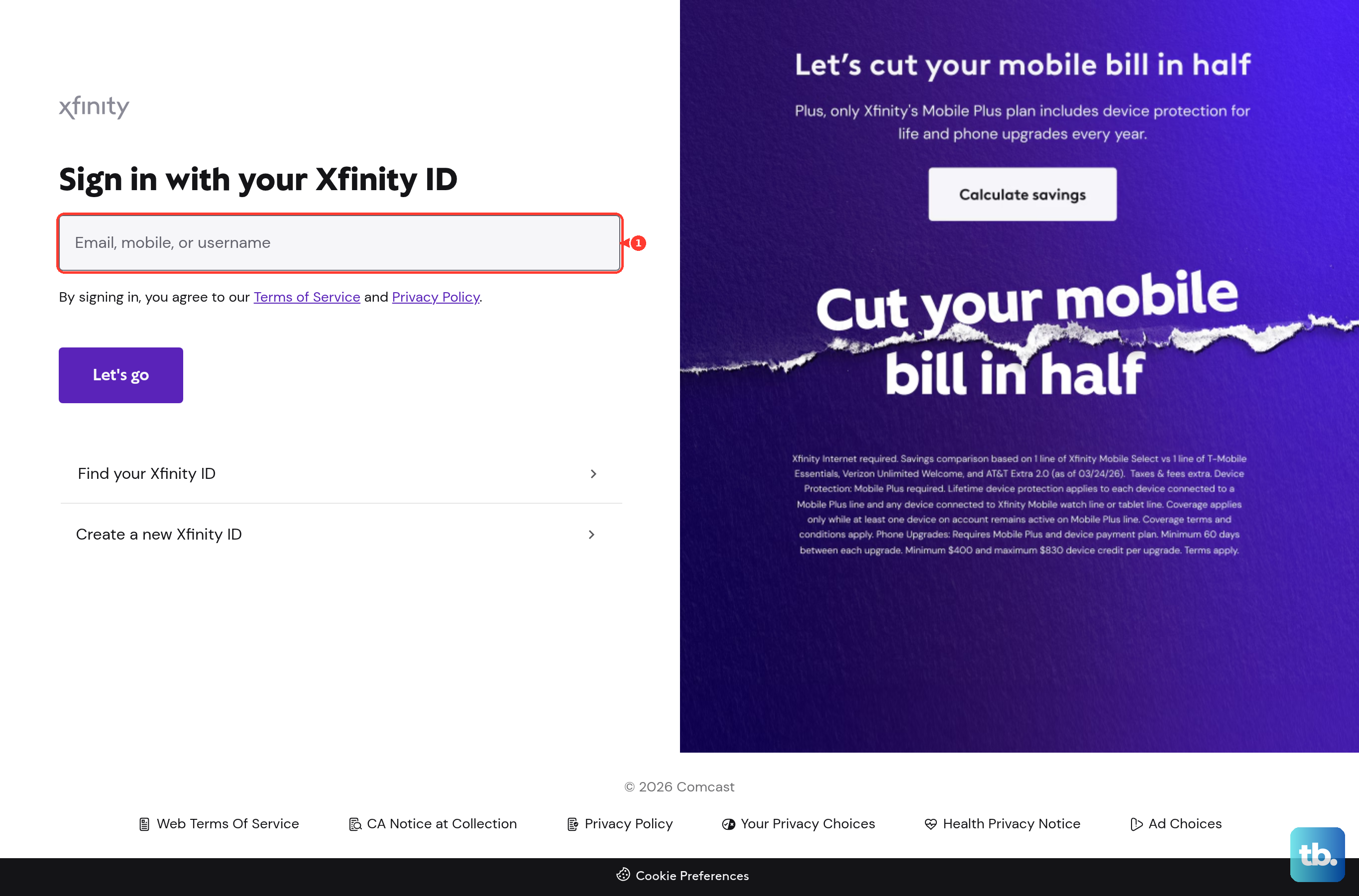
For webmail access without connecting an app, go to connect.xfinity.com. Enter your Xfinity ID, select Let's go, enter your password, and select Sign In. Approve the sign-in attempt with the verification method shown.
Frequently Asked Questions
Do I need to turn on third-party access for Comcast email?
Yes. For Comcast.net accounts still on Xfinity mail servers, enable Third Party Access Security in Xfinity Email before adding the account to a mail app.
What server should I use for Comcast email before the Yahoo move?
Use IMAP server imap.comcast.net on port 993 with SSL and SMTP server smtp.comcast.net on port 587 with TLS.
What server should I use after Comcast email moves to Yahoo?
Use Yahoo provider sign-in when the app offers it. For manual setup, use imap.mail.yahoo.com on port 993 and smtp.mail.yahoo.com on port 465 or 587.
Can I use Comcast email without adding it to an app?
Yes. Sign in at connect.xfinity.com with your Xfinity ID and password, then approve the sign-in verification step.