
Your Samsung Galaxy S25 FE's battery is its lifeline, and keeping an eye on its health is key to avoiding sudden shutdowns or all-day tethering to an outlet. While Samsung doesn't provide a single, simple percentage like some brands, there are several built-in tools in Android 15 and One UI 8 that give you a clear picture of your battery's condition and how to extend its life.
Start with the Battery and Device Care Menu
Head straight to Settings > Battery and device care > Battery. This is your central hub for all things battery-related. On the S25 FE, you'll find a wealth of information here, from your current charge level to detailed usage stats.
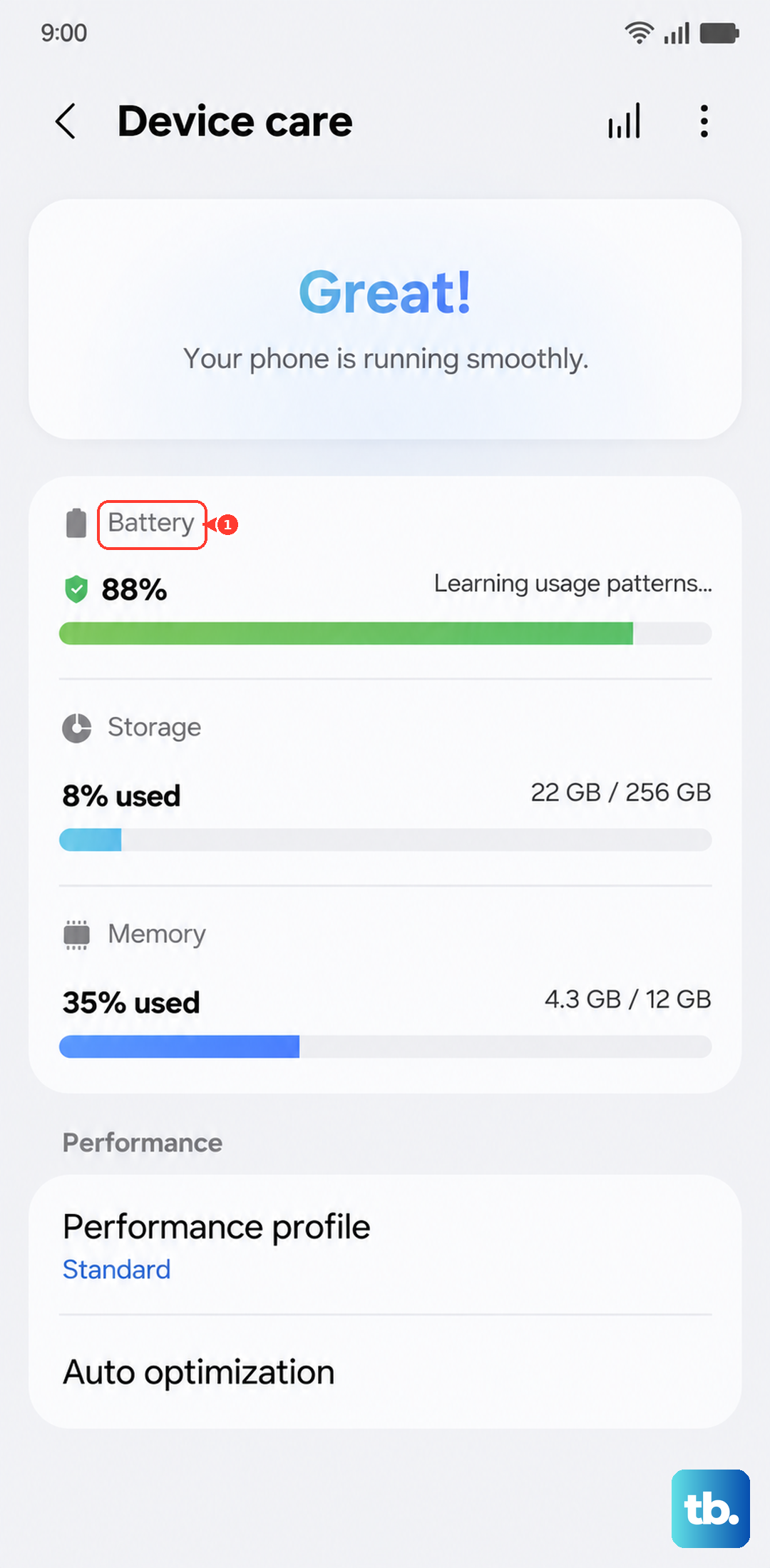
Look for any status messages about your battery's health. Samsung typically indicates if the battery is operating normally or if there's an issue. While you won't see a precise "maximum capacity" figure, warnings here are a direct signal from the system.
Run a Diagnostic with Samsung Members
For a more proactive check, open the pre-installed Samsung Members app. Tap on Get help and then select Interactive checks or Tests.
Choose the Battery test from the list. The app will run a quick diagnostic and provide feedback on your battery's status. I've found this to be one of the most straightforward ways to get a health assessment directly from Samsung's own diagnostics.
See Exactly What's Draining Your Power
Back in Settings > Battery and device care > Battery, tap on Battery usage. This screen breaks down exactly which apps and services have consumed power since your last full charge.
Pay close attention to apps with high background usage. If a social media app or game is running constantly even when you're not using it, that's a major drain. Tapping on any app gives you the option to put it to sleep or restrict its background activity, which can make a huge difference on the S25 FE.
Configure Battery Protection for Long-Term Health
One of the best features for preserving your battery is Samsung's protection settings. Go to Settings > Battery and device care > Battery > More battery settings.
Here, tap Battery protection. You'll have options like Basic, Adaptive, and Maximum. Setting it to Maximum will cap your charge at 85%, which significantly reduces wear on the battery cells over time. Adaptive mode learns your routine and only completes the charge to 100% right before you typically wake up.
Leverage Adaptive Battery and Power Saving
While still in the Battery settings, ensure Adaptive battery is turned on. This is a core Android feature that learns your usage patterns over a few weeks and automatically restricts power for apps you rarely open.
For times when you need to stretch every percent, you can quickly enable a power saving mode from the same menu or your quick settings panel. The S25 FE's Exynos 2400 chip is powerful, but it can run warm during long gaming sessions, so managing background activity is crucial.
Use the Right Charger and Mind the Heat
Since the S25 FE doesn't come with a charger in the box, it's important to use a compatible one. To get the full 45W wired charging speed, you need a Samsung 45W Super Fast Charging 2.0 adapter (like the EP-T4510) and a 5A USB-C cable.
For wireless charging, any standard Qi pad will work, but a Samsung-approved 15W pad will give you the fastest wireless speeds. Be aware that optimized charging will intentionally slow down if the phone gets too warm, which is a protective feature, not a fault.
Recognizing When a Replacement is Needed
Over time, all batteries degrade. Signs it might be time for a new one include the phone shutting down unexpectedly at 20% or 30% charge, or not lasting through a typical day without a top-up when it used to.
If you notice the back of the phone is bulging or the screen is lifting, stop using it immediately as this indicates a swollen battery. For the S25 FE, an official battery replacement through a Samsung authorized service center is the safest route to ensure water resistance and overall phone integrity are maintained.
Simple habits go a long way. Try to avoid leaving the phone in direct sunlight or a hot car. Turning off 5G when you don't need the speed can also conserve a surprising amount of power. Using the built-in battery protection features is the single most effective thing you can do to prolong the health of your Galaxy S25 FE's battery for years to come.