
Your Pixel 10 Pro XL supports 45W wired charging and 25W wireless, but it's easy to end up charging at a fraction of that speed. The phone needs specific hardware and conditions to hit those top speeds, and a few common factors can slow it down significantly.
Use a 30W+ USB-C PPS Charger
The Pixel 10 Pro XL needs a USB-C charger that supports USB-PD PPS (Programmable Power Supply). Standard USB-C PD chargers work, but they top out around 18W-27W. For the full 45W, you need a PPS-compatible charger rated at 30W or higher. Google's own 45W charger works, as do quality third-party options from Anker, Spigen, or Belkin that explicitly list PPS support. Check the small print on your charger, if it doesn't mention PPS, you're leaving speed on the table.
Your Cable Matters More Than You Think
Not all USB-C cables can handle 45W. A cheap cable that only supports 60W USB 2.0 charging will limit your speed. You want a cable rated for at least 60W Power Delivery, ideally a USB-IF certified one. The cable that came in the box works perfectly, but if you've swapped it for a longer or cheaper replacement, that might be your bottleneck.
Center the Phone on the Wireless Pad
Wireless charging at 25W requires precise alignment. The Qi2 pad uses magnets to help you get it right, but even a few millimeters off can drop the charging speed to 10W or less. Make sure the phone is centered on the pad and that the magnetic alignment clicks into place. If your case is thick or has a magnetic ring on the back, it can interfere. Remove the case before setting the phone down for the fastest wireless charging.
If the Phone Overheats While Charging
This is a known issue on the Pixel 10 Pro XL. The phone will aggressively throttle charging speed when the internal temperature climbs. Charging on a soft surface like a bed or couch traps heat, as does direct sunlight or a warm room. Move the phone to a hard, flat surface like a desk or table. And seriously, take the case off, it makes a bigger difference than most people realize. If the phone has already shut down from overheating, let it cool for 15 minutes before plugging it back in.
Don't Use It While It's Plugged In
Using the phone for gaming, video streaming, or navigation while charging generates extra heat that slows everything down. The Pixel's thermal management prioritizes battery safety over speed. If you need a quick top-up, put the phone down and let it charge undisturbed. Airplane Mode also helps by cutting background activity.
Clean the Charging Port
Some Pixel 10 Pro XL units have shipped with debris in the USB-C port, and pocket lint builds up over time. A dirty port can prevent the full electrical handshake needed for 45W charging. Use a wooden toothpick or a soft antistatic brush to gently fish out any gunk. Don't use anything metal, you'll damage the pins. Compressed air works well too. Make sure the port is completely dry before you plug in.
Give It a Restart
A software glitch can sometimes confuse the charging controller. Press and hold the Volume up and Power buttons simultaneously for 10 seconds, then release when the device restarts. This force restart clears any temporary issues without affecting your data. Once the phone boots back up, plug it in and see if the charging speed improves.
Check for the Latest Software
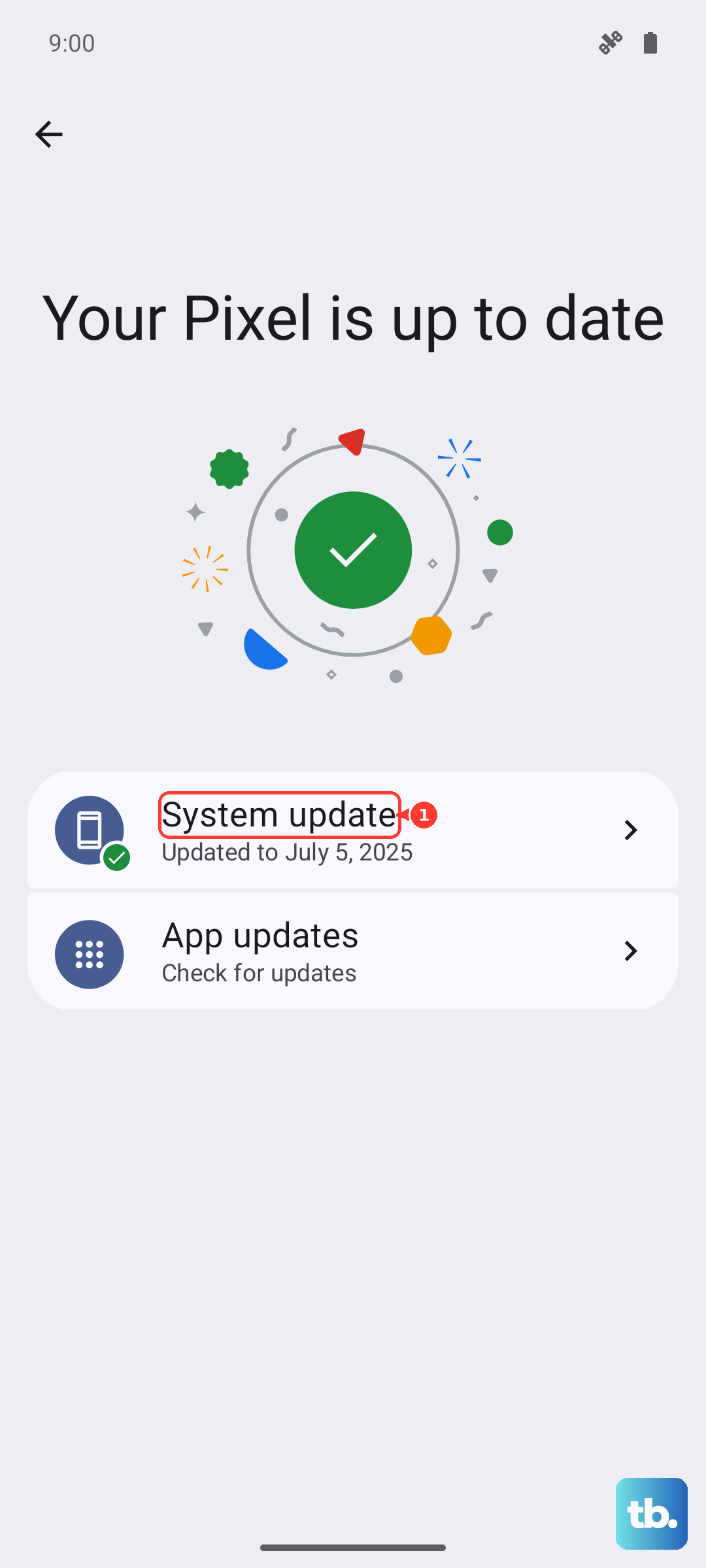
Go to Settings > System > System update. Google addresses charging behavior through software updates, including thermal management tweaks and PPS optimization. Running Android 16 is a good start, but the monthly security patches often include behind-the-scenes charging fixes. Make sure you're on the latest build.
Swap the Cable and Adapter
Cables degrade at the connector ends, especially if you travel with them or bend them frequently. If fast charging is inconsistent, try a different 30W+ PPS charger and a known-good USB-C cable. If one specific cable always works, the other one was the problem. Frayed, loose, or damaged cables can't maintain the power delivery handshake needed for 45W.