A gaming motherboard sets the platform for your CPU, memory, storage, networking, and future upgrades. The best gaming motherboard is the one that fits your processor, case, SSD plans, and I/O needs.
Technobezz is supported by its audience. We may get a commission from retail offers.
9 Best Gaming Motherboards for 2026
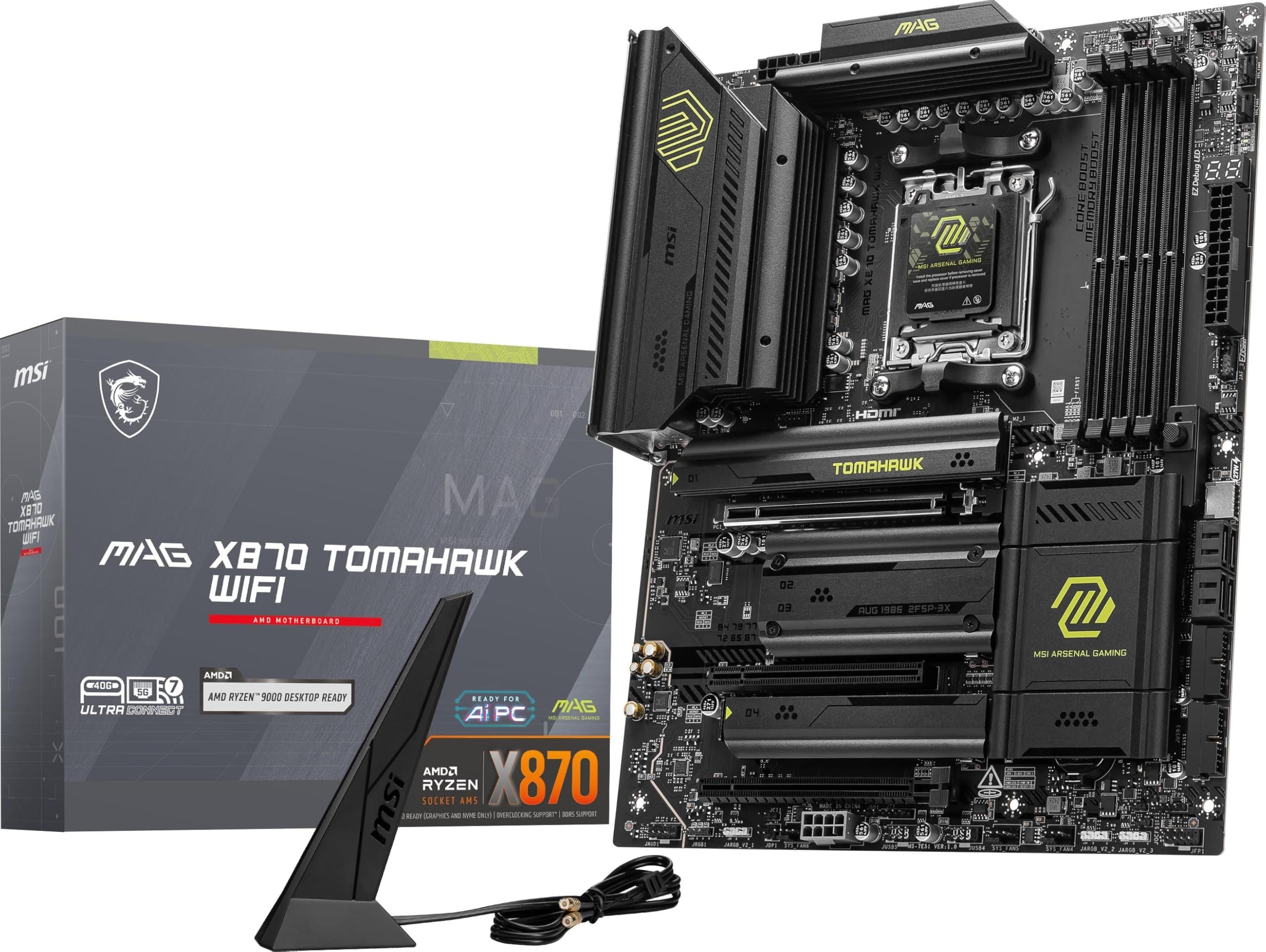
MSI MAG X870 Tomahawk WiFi ATX is the top pick for Ryzen builds with Gen5 storage, Wi-Fi 7, 5G LAN, and USB 40Gbps.
T
Technobezz
Editorial Team
Updated August 6, 2026Aug 6, 2026
•15 min read

Get Deals Like These in Your Inbox
The best prices, checked by our editors.
Our top pick is the MSI MAG X870 Tomahawk WiFi ATX because it gives Ryzen gaming builds a strong mix of AM5 support, PCIe 5.0, dual USB 40Gbps Type-C, Wi-Fi 7, and 5G LAN. It keeps the feature set focused on what most high-performance gaming PCs actually use.
This list covers AM5 and Intel LGA1851 options across ATX, Micro-ATX, and Mini-ITX builds, with picks chosen for practical gaming value, modern connectivity, storage expansion, and platform fit.
At a Glance
| Category | Product | Why We Picked It |
|---|---|---|
| Best overall | MSI MAG X870 Tomahawk WiFi ATX | The strongest all-around AM5 mix of Gen5 storage, Wi-Fi 7, 5G LAN, and USB 40Gbps |
| Best budget | ASRock B850 Steel Legend WiFi ATX | A value-focused AM5 board with PCIe 5.0 graphics, Gen5 M.2, DDR5, and Wi-Fi 7 |
| Best premium AM5 | ASUS ROG Strix X870E-E Gaming WiFi ATX | A high-end AM5 board for Ryzen builds with multiple Gen5 SSDs and USB4 devices |
| Best balanced X870E | GIGABYTE X870E AORUS PRO ICE ATX | A well-equipped X870E board with USB4, Wi-Fi 7, and builder-friendly quick-release hardware |
| Best mainstream AM5 | ASUS TUF Gaming B850-Plus WiFi ATX | A practical ATX AM5 board with PCIe 5.0 graphics, Wi-Fi 7, and plenty of rear USB |
| Best compact AM5 | ASUS ROG Strix B850-I Gaming WiFi Mini-ITX | A true Mini-ITX AM5 board with PCIe 5.0 graphics, Wi-Fi 7, and dual M.2 storage |
| Best high-end Intel | ASUS ROG Maximus Z890 Hero ATX | A premium Z890 board for Core Ultra builds with Thunderbolt 4 and heavy NVMe storage |
| Best Intel midrange | MSI MAG Z890 Tomahawk WiFi ATX | A midrange Intel board with Thunderbolt 4, 5GbE, Wi-Fi 7, and a practical ATX layout |
| Best micro-ATX Intel | ASRock B860M Steel Legend WiFi Micro-ATX | A compact Intel board with Gen5 graphics, Gen5 storage, and Thunderbolt 4/USB4 Type-C |
How we chose
We chose gaming motherboards by matching platform support, chipset features, expansion layout, storage capacity, networking, USB or Thunderbolt connectivity, diagnostics, and form factor to real gaming build needs. The strongest picks give buyers useful upgrade room without wasting budget on features that do little for gaming. Priority went to boards with current CPU support, DDR5 memory, PCIe 5.0 where it matters, enough M.2 storage for a modern library, reliable wired and wireless networking, and clear fit for a specific type of build.
The best gaming motherboards right now
MSI MAG X870 Tomahawk WiFi ATX - Best overall
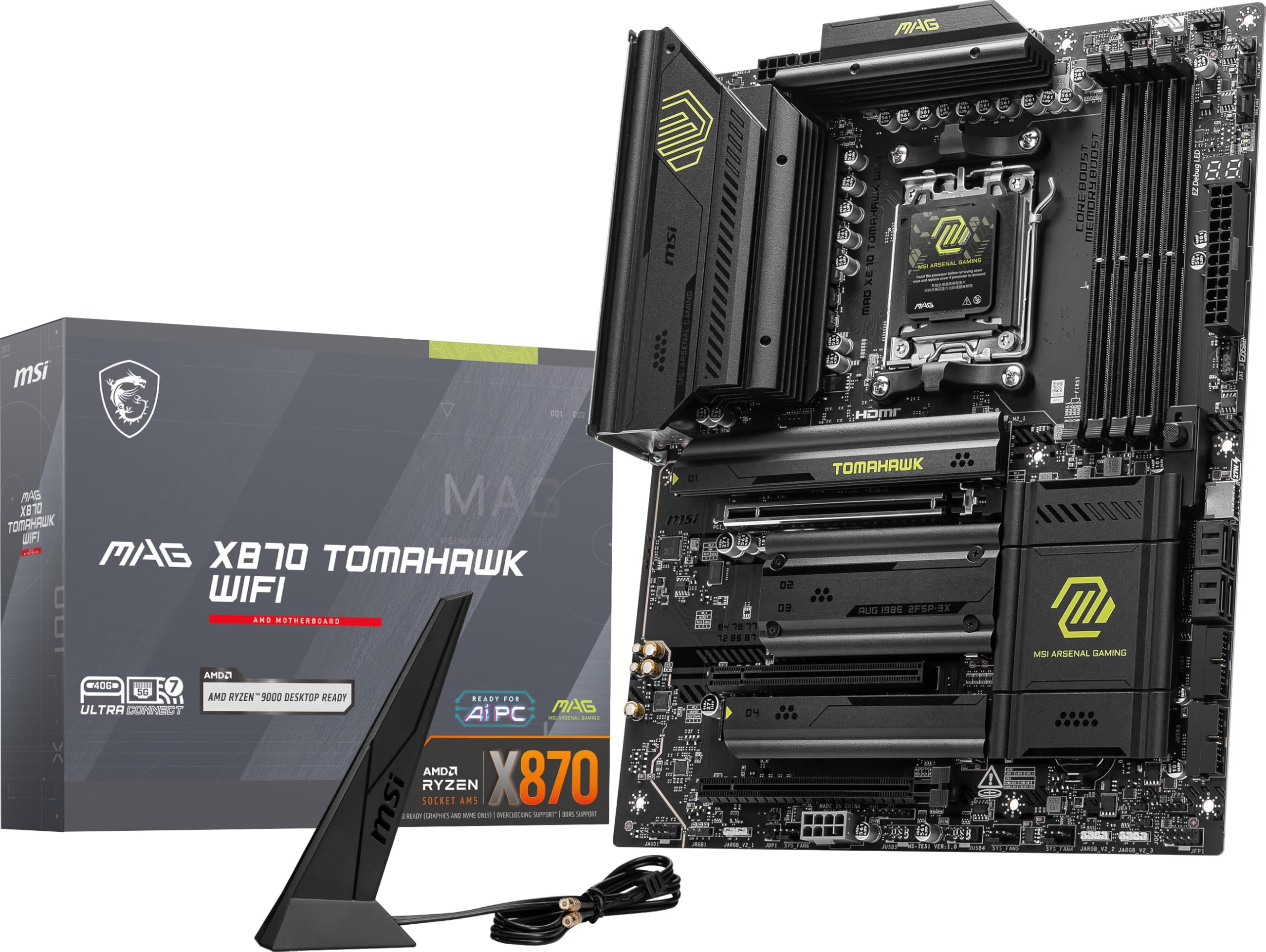
The MSI MAG X870 Tomahawk WiFi ATX is the most complete pick here for a modern Ryzen gaming build. It supports AMD AM5 with the X870 chipset and works with Ryzen 9000, 8000, and 7000 desktop processors.
Its feature set is broad without drifting into excess. You get a PCIe 5.0 x16 primary slot with Ryzen 9000 and 7000 CPUs, four M.2 slots, two CPU-connected PCIe 5.0 x4 M.2 slots, 5G LAN, Wi-Fi 7, Bluetooth 5.4, and rear dual USB 40Gbps Type-C.
Debug LEDs and a debug code display give the board a practical edge when a new CPU, memory kit, or storage setup needs troubleshooting.
Key highlights
- AMD AM5 socket with AMD X870 chipset
- Supports Ryzen 9000/8000/7000 desktop processors
- 4x DDR5 UDIMM, up to 256GB
- DDR5 8400+ MT/s OC listed
- 4x M.2 including two CPU-connected PCIe 5.0 x4 slots
- Realtek 5G LAN, Wi-Fi 7, and Bluetooth 5.4
Pros
- Excellent AM5 feature balance for Ryzen 7 9800X3D and Ryzen 9 builds
- Two PCIe 5.0 M.2 slots without moving to pricier X870E boards
- 5G wired LAN and Wi-Fi 7 are stronger than many midrange boards
- Debug LEDs plus debug code display help troubleshooting
Cons
- USB4 and the second Gen5 M.2 slot share bandwidth in some configurations
- ATX size is not for small-form-factor cases
Who it's for
Ideal for builders who want a modern Ryzen gaming board with premium connectivity but not flagship pricing.
Skip if
Choose another board for small-form-factor cases or builds that cannot accommodate an ATX board.
ASRock B850 Steel Legend WiFi ATX - Best budget
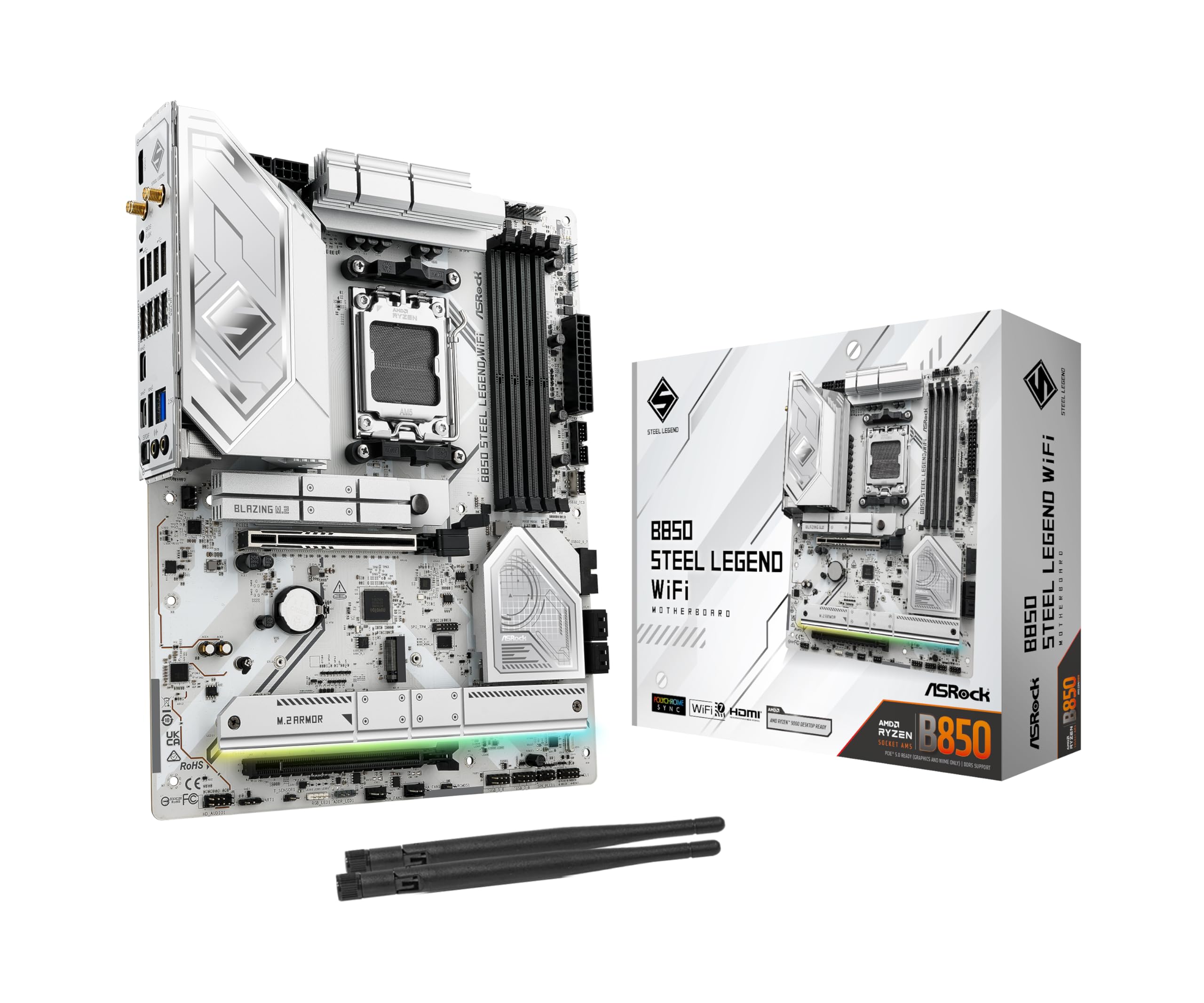
ASRock B850 Steel Legend WiFi ATX brings the key AM5 gaming features into a lower tier. It pairs a 14+2+1 phase power design with DDR5 support, PCIe 5.0 graphics, and a Gen5 M.2 slot.
Storage is strong for the class, with one PCIe Gen5 x4 M.2 slot, three PCIe Gen4 x4 M.2 slots, and four SATA3 ports. Networking is also current, thanks to Realtek 2.5G LAN and 802.11be Wi-Fi 7 with Bluetooth.
The tradeoff is clear. USB4 is not listed, and the white styling will be build-dependent.
Key highlights
- 14+2+1 phase power design with 80A Dr.MOS for VCore+SOC
- 4x DDR5 DIMMs, up to 256GB
- DDR5 8000+ OC with XMP and EXPO support
- 1x PCIe 5.0 x16 and 1x PCIe 4.0 x16
- 1x PCIe Gen5 x4 M.2, 3x PCIe Gen4 x4 M.2, and 4x SATA3
- Realtek 2.5G LAN and 802.11be Wi-Fi 7 plus Bluetooth
Pros
- Very strong specs for an AM5 gaming board at a lower price tier
- Includes PCIe 5.0 GPU slot and Gen5 M.2
- Wi-Fi 7 is unusual value at this class
Cons
- No USB4 listed
- 2.5GbE only
- White styling may not suit every build
Who it's for
A smart fit for a Ryzen gaming PC where value, Wi-Fi 7, and enough expansion matter more than USB4.
Skip if
Look elsewhere for built-in USB4 or 5GbE wired networking.
ASUS ROG Strix X870E-E Gaming WiFi ATX - Best premium AM5
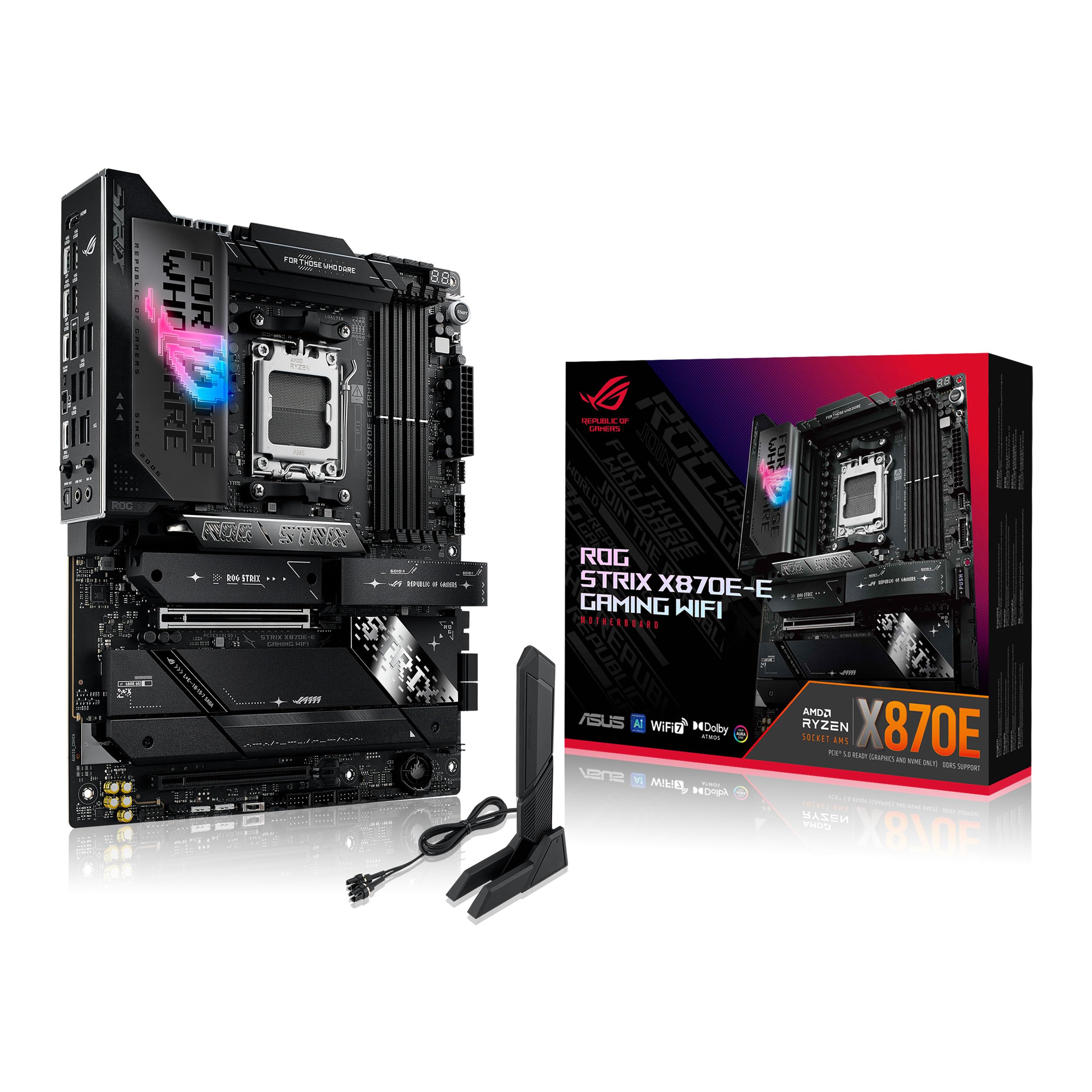
For storage-heavy Ryzen builds, the ASUS ROG Strix X870E-E Gaming WiFi ATX is the premium AM5 pick. It uses the AMD X870E chipset and supports Ryzen 9000, 8000, and 7000 desktop processors.
The standout is its dense M.2 layout. You get five M.2 slots total, including three PCIe 5.0 x4 slots with Ryzen 9000 and 7000 CPUs, plus a PCIe 5.0 x16 primary slot.
Built-in USB4 rounds out the high-end I/O package. It fits builders who want enthusiast tuning features, multiple fast SSDs, and a flagship GPU in the same system.
Key highlights
- AMD AM5 socket with AMD X870E chipset
- Supports Ryzen 9000/8000/7000 desktop processors
- 4x DDR5 DIMM, up to 256GB
- Up to DDR5 8000+ MT/s OC with Ryzen 9000/7000
- 5x M.2 total including three PCIe 5.0 x4 slots with Ryzen 9000/7000 CPUs
- Two USB4 40Gbps Type-C ports supporting display output
Pros
- Dense PCIe 5.0 M.2 layout for high-end storage builds
- Strong ASUS firmware and enthusiast tuning feature set
- USB4 is built in, not add-in-card dependent
- Good fit for Ryzen 9/X3D builds with multiple SSDs
Cons
- Premium price is overkill for most gaming-only PCs
- Some M.2 population choices can affect lane allocation
- ROG software stack may be more than minimalist builders want
Who it's for
Built for a high-end Ryzen system with multiple Gen5 SSDs, USB4 devices, and a flagship GPU.
Skip if
Choose a leaner board when core gaming performance matters more than storage lanes and enthusiast extras.
GIGABYTE X870E AORUS PRO ICE ATX - Best balanced X870E
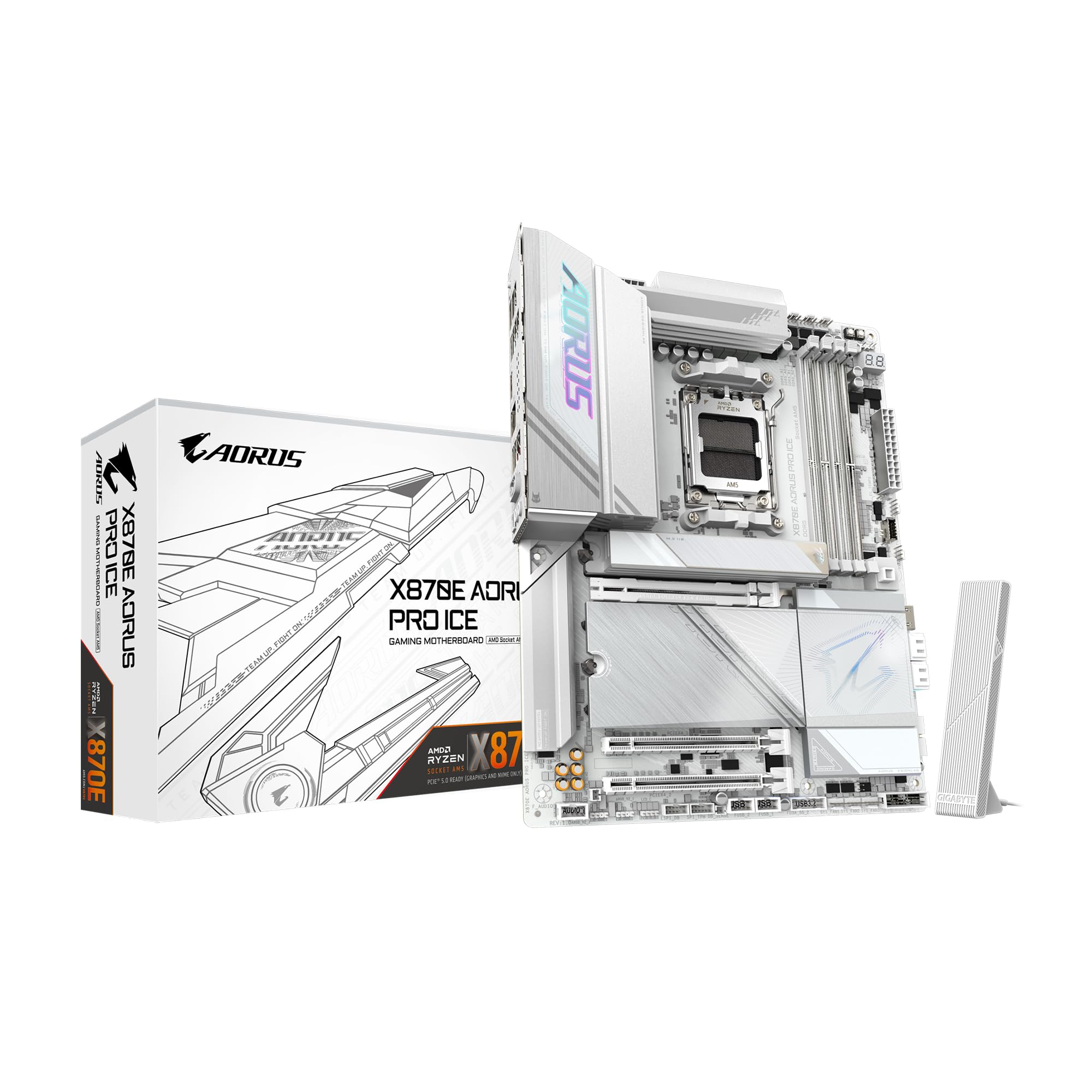
GIGABYTE X870E AORUS PRO ICE ATX targets builders who want X870E features without stepping into the most extreme tier. It supports AMD AM5 Ryzen 9000, 8000, and 7000 processors and uses a digital twin 16+2+2 phases VRM solution.
EZ-Latch Plus is a major part of the appeal. The quick-release and screwless design helps with PCIe and M.2 installation, especially during GPU swaps and SSD upgrades.
The spec mix is balanced for a clean AM5 gaming PC: ATX, DDR5, four M.2 slots, PCIe 5.0, USB4, Wi-Fi 7, and 2.5GbE LAN.
Key highlights
- AMD AM5 socket with AMD X870E chipset
- Supports Ryzen 9000/8000/7000 processors
- Digital twin 16+2+2 phases VRM solution
- 4x DDR5 DIMMs with AMD EXPO support
- EZ-Latch Plus for PCIe and M.2 quick-release/screwless design
- ATX, DDR5, 4x M.2, PCIe 5.0, USB4, Wi-Fi 7, and 2.5GbE LAN listed
Pros
- Strong X870E feature set without going to ultra-luxury pricing
- Good tool-free build touches for SSD and GPU installation
- Attractive choice for clean white/silver AM5 builds
- USB4 and Wi-Fi 7 keep it current
Cons
- 2.5GbE instead of 5GbE
- Less review depth than the longest-running B650/X670 favorites
Who it's for
A strong choice for builders who want X870E features and GIGABYTE builder-friendly hardware without paying for a halo board.
Skip if
Pick a different board when 5GbE LAN or the absolute most M.2 slots are priorities.
ASUS TUF Gaming B850-Plus WiFi ATX - Best mainstream AM5
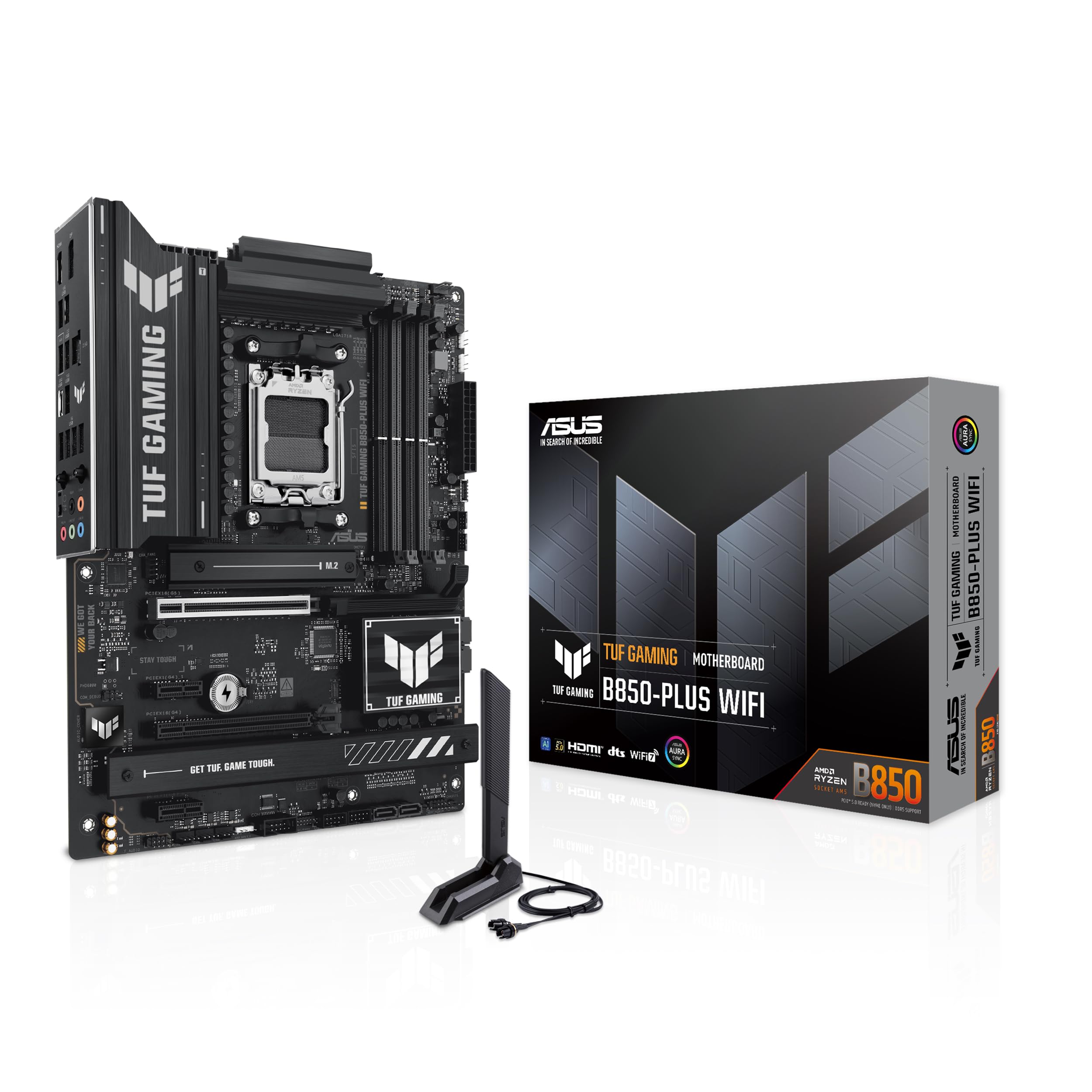
ASUS TUF Gaming B850-Plus WiFi ATX keeps the focus on a straightforward AM5 gaming build. It supports DDR5, a PCIe 5.0 x16 primary slot with Ryzen 9000 and 7000 CPUs, and a practical ATX layout.
The rear I/O works well for a mainstream gaming desk. ASUS lists 10 rear USB ports, including one USB 20Gbps Type-C, plus Realtek 2.5Gb Ethernet and Wi-Fi 7 with Bluetooth 5.4.
Storage is more modest than on the higher-end AM5 picks. Three M.2 slots and four SATA 6Gb/s ports are enough for many gaming PCs, but multi-drive builds should step up.
Key highlights
- 4x DDR5 DIMM, up to 256GB
- Up to DDR5 8000+ MT/s OC
- PCIe 5.0 x16 primary slot with Ryzen 9000/7000 CPUs
- 3x M.2 slots and 4x SATA 6Gb/s ports
- Realtek 2.5Gb Ethernet, Wi-Fi 7, and Bluetooth 5.4
- 10 rear USB ports including one USB 20Gbps Type-C
Pros
- Sensible AM5 board for a Ryzen 5, Ryzen 7, or X3D gaming build
- ASUS Q-Design features simplify assembly
- Plenty of rear USB for a mainstream setup
Cons
- Only three M.2 slots
- No USB4 listed
- 2.5GbE instead of 5GbE
Who it's for
Ideal for users who want a straightforward ATX AM5 board for a gaming PC without chasing flagship extras.
Skip if
Choose a higher-end board for many NVMe drives or Thunderbolt/USB4 peripherals.
ASUS ROG Strix B850-I Gaming WiFi Mini-ITX - Best compact AM5
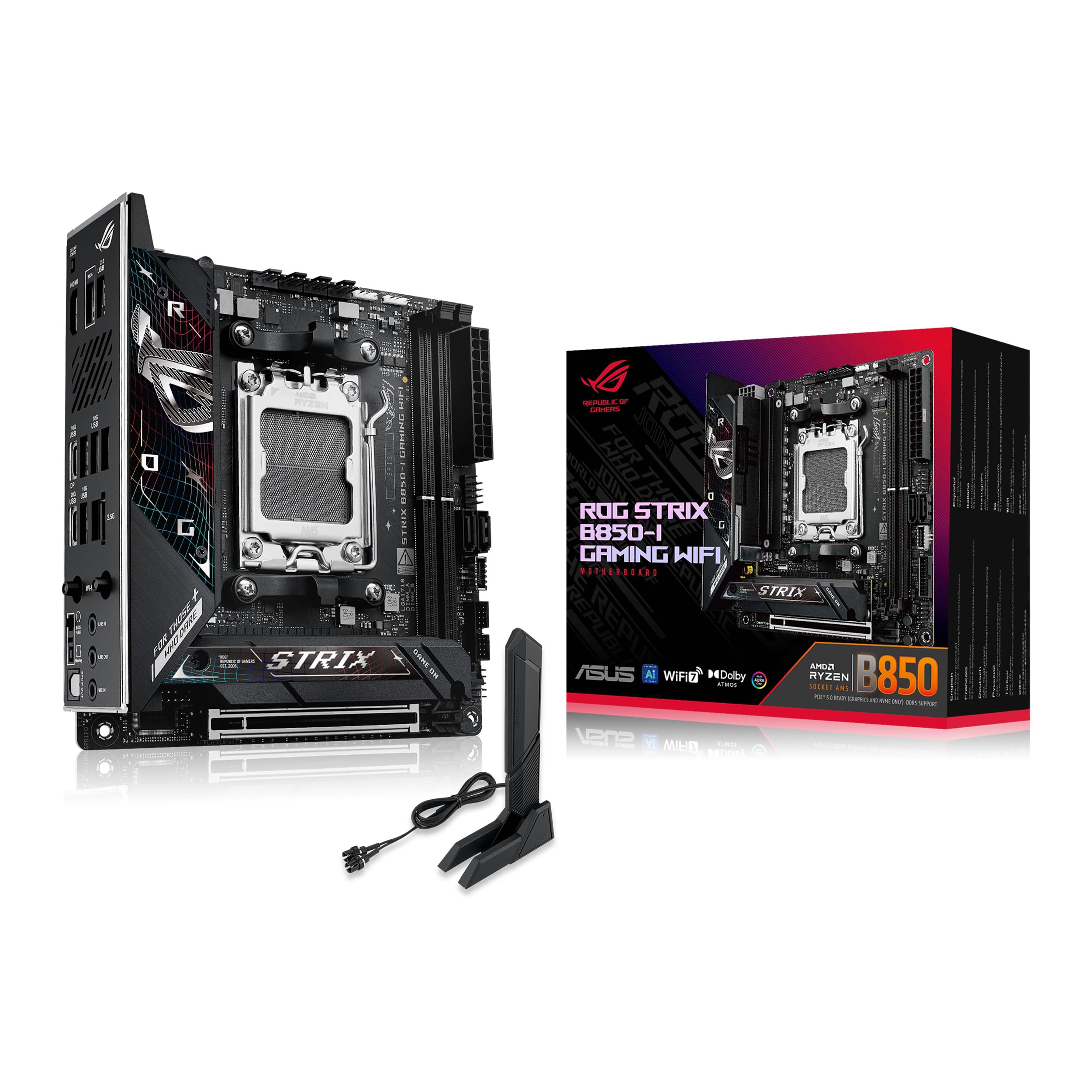
Small-form-factor Ryzen PCs need the right board from the start, and ASUS ROG Strix B850-I Gaming WiFi Mini-ITX gives them a current AM5 base. Its 6.7 x 6.7 inch layout fits Mini-ITX cases while retaining a PCIe 5.0 x16 slot with Q-Release Slim for Ryzen 9000 and 7000 CPUs.
Memory support reaches two DDR5 DIMMs up to 128GB, with up to DDR5 8200+ MT/s OC listed with Ryzen 9000. Storage is appropriately compact, with two M.2 slots and two SATA 6Gb/s ports.
Networking is strong for a small board. Intel 2.5Gb Ethernet, Wi-Fi 7 up to 2.9Gbps, and Bluetooth 5.4 make it a capable foundation for a high-end compact gaming build.
Key highlights
- Mini-ITX form factor, 6.7 x 6.7 inches
- 2x DDR5 DIMM, up to 128GB
- Up to DDR5 8200+ MT/s OC with Ryzen 9000
- PCIe 5.0 x16 slot with Q-Release Slim for Ryzen 9000/7000 CPUs
- 2x M.2 slots and 2x SATA 6Gb/s ports
- Intel 2.5Gb Ethernet, Wi-Fi 7 up to 2.9Gbps, and Bluetooth 5.4
Pros
- Modern AM5 features in a true Mini-ITX footprint
- PCIe 5.0 GPU slot and dual Gen5-capable M.2 layout for Ryzen 9000/7000
- Good rear USB density for a small board
- ASUS Q-Release is helpful in cramped cases
Cons
- Only two DIMM slots and two M.2 slots
- Mini-ITX carries a price premium
- Small-board cable routing and cooler clearance still need planning
Who it's for
Made for compact Ryzen 9000 or 9800X3D gaming builds in SFF cases.
Skip if
Use an ATX board when the case has room and more slots matter.
ASUS ROG Maximus Z890 Hero ATX - Best high-end Intel
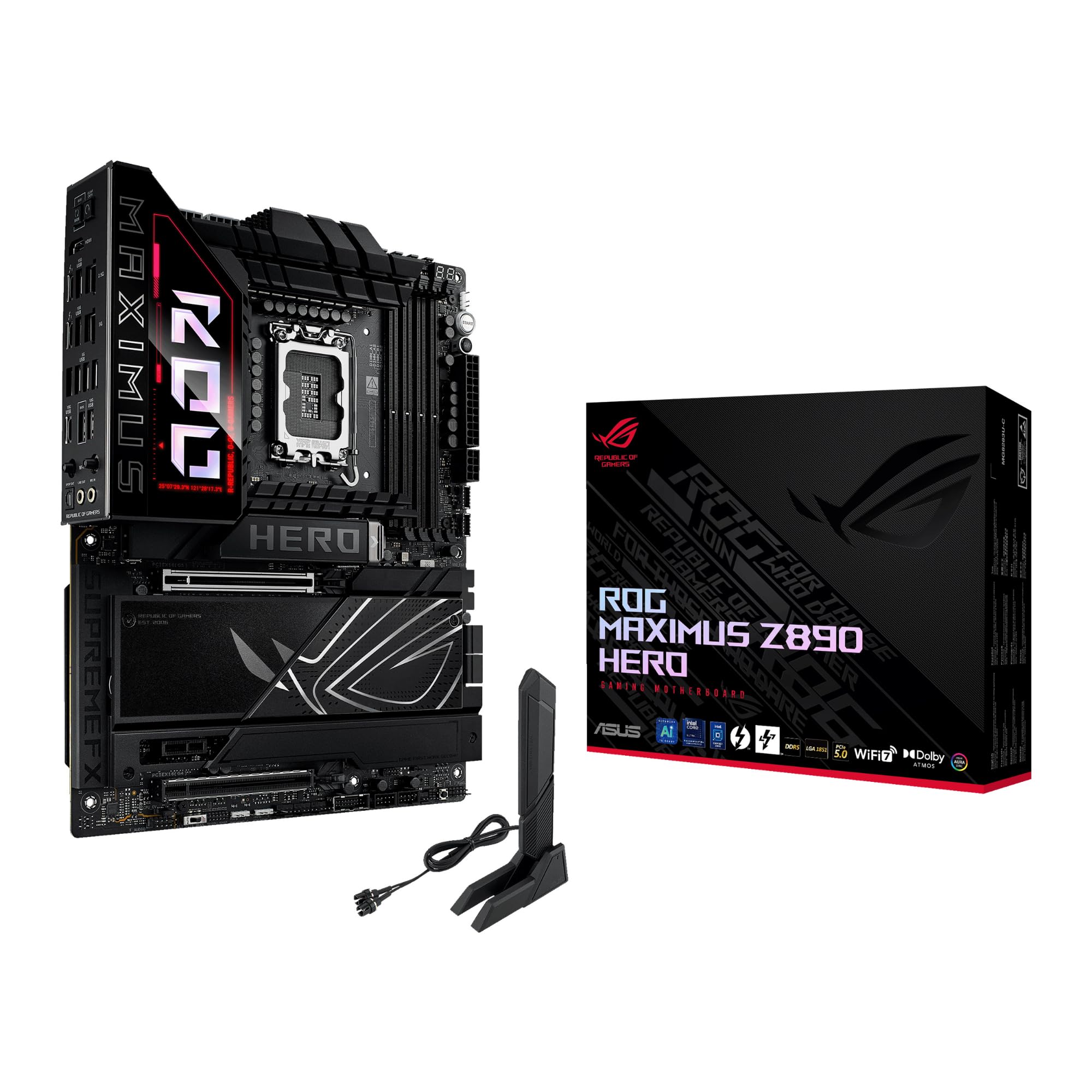
ASUS ROG Maximus Z890 Hero ATX is the high-end Intel option for Core Ultra Series 2 builds. It uses the Intel LGA1851 socket and Z890 chipset, with DDR5 support up to 256GB and up to DDR5 9200+ MT/s OC.
Expansion and storage are the main reasons to choose it. ASUS lists a PCIe 5.0 x16 primary slot, up to six M.2 slots, four SATA 6Gb/s ports, and multiple PCIe 5.0 M.2 slots.
Two Thunderbolt 4 Type-C ports and HDMI 2.1 output give this board the premium I/O expected from a flagship Intel gaming platform. Keep the lane-sharing note in mind, since some Gen5 M.2 configurations reduce GPU link width.
Key highlights
- Intel LGA1851 socket with Intel Z890 chipset
- Supports Intel Core Ultra Series 2 processors
- 4x DDR5 DIMM, up to 256GB
- Up to DDR5 9200+ MT/s OC with XMP support
- Up to 6x M.2 slots plus 4x SATA 6Gb/s
- 2x Thunderbolt 4 Type-C ports plus HDMI 2.1 output
Pros
- Excellent Intel Z890 feature set for storage-heavy enthusiast builds
- Thunderbolt 4 built in
- High-end ASUS BIOS, tuning, and diagnostics
- Good match for Core Ultra 7/9 buyers who want premium I/O
Cons
- Expensive and unnecessary for most pure gaming systems
- LGA1851 limits CPU choice to Intel Core Ultra platform
- Using certain M.2 slots reduces GPU link width
Who it's for
Best suited to a premium Intel Core Ultra build with Thunderbolt gear and several NVMe drives.
Skip if
Choose a simpler board for a GPU-bound gaming build that does not need the extra I/O.
MSI MAG Z890 Tomahawk WiFi ATX - Best Intel midrange
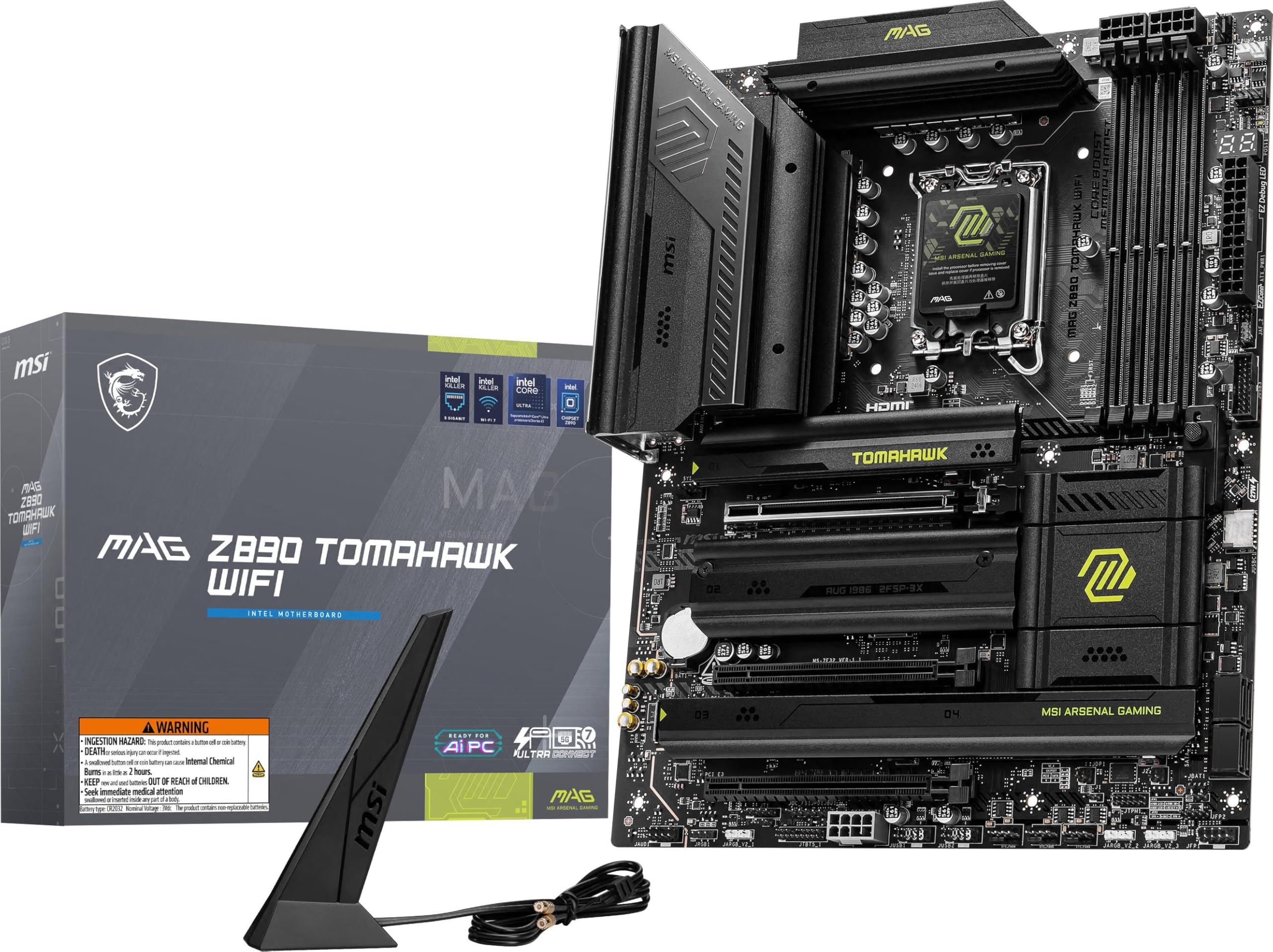
MSI MAG Z890 Tomahawk WiFi ATX is the Intel midrange pick for builders set on Core Ultra Series 2. It uses the LGA1851 socket and Z890 chipset, with DDR5 9200+ MT/s OC listed.
Connectivity is the board's strongest point. MSI includes two rear Thunderbolt 4 ports, a USB 20Gbps front Type-C header, Intel Killer E5000 5Gbps LAN, and Intel Killer BE1750x Wi-Fi 7 with Bluetooth 5.4.
The storage setup is sensible for a gaming PC. Four M.2 slots include one CPU-connected PCIe 5.0 x4 slot, backed by four SATA 6G ports.
Key highlights
- Intel LGA1851 socket with Intel Z890 chipset
- Supports Intel Core Ultra Series 2 processors
- 4x DDR5 UDIMM, up to 256GB
- DDR5 9200+ MT/s OC listed
- 4x M.2 including one PCIe 5.0 x4 CPU-connected slot
- 2x rear Thunderbolt 4 ports, 5Gbps LAN, Wi-Fi 7, and Bluetooth 5.4
Pros
- Strong I/O for the price: Thunderbolt 4, 5GbE, and Wi-Fi 7
- Good storage count for a midrange Intel gaming build
- High DDR5 OC ceiling on the verified spec page
- Practical ATX layout and diagnostic LEDs
Cons
- LGA1851 platform is less compelling for many gaming buyers than AM5/X3D
- Only one Gen5 M.2 slot
Who it's for
A practical fit for buyers set on Intel Core Ultra who want strong connectivity without Maximus pricing.
Skip if
Choose AM5 X3D when maximum gaming value is the priority and the CPU is not decided yet.
ASRock B860M Steel Legend WiFi Micro-ATX - Best micro-ATX Intel
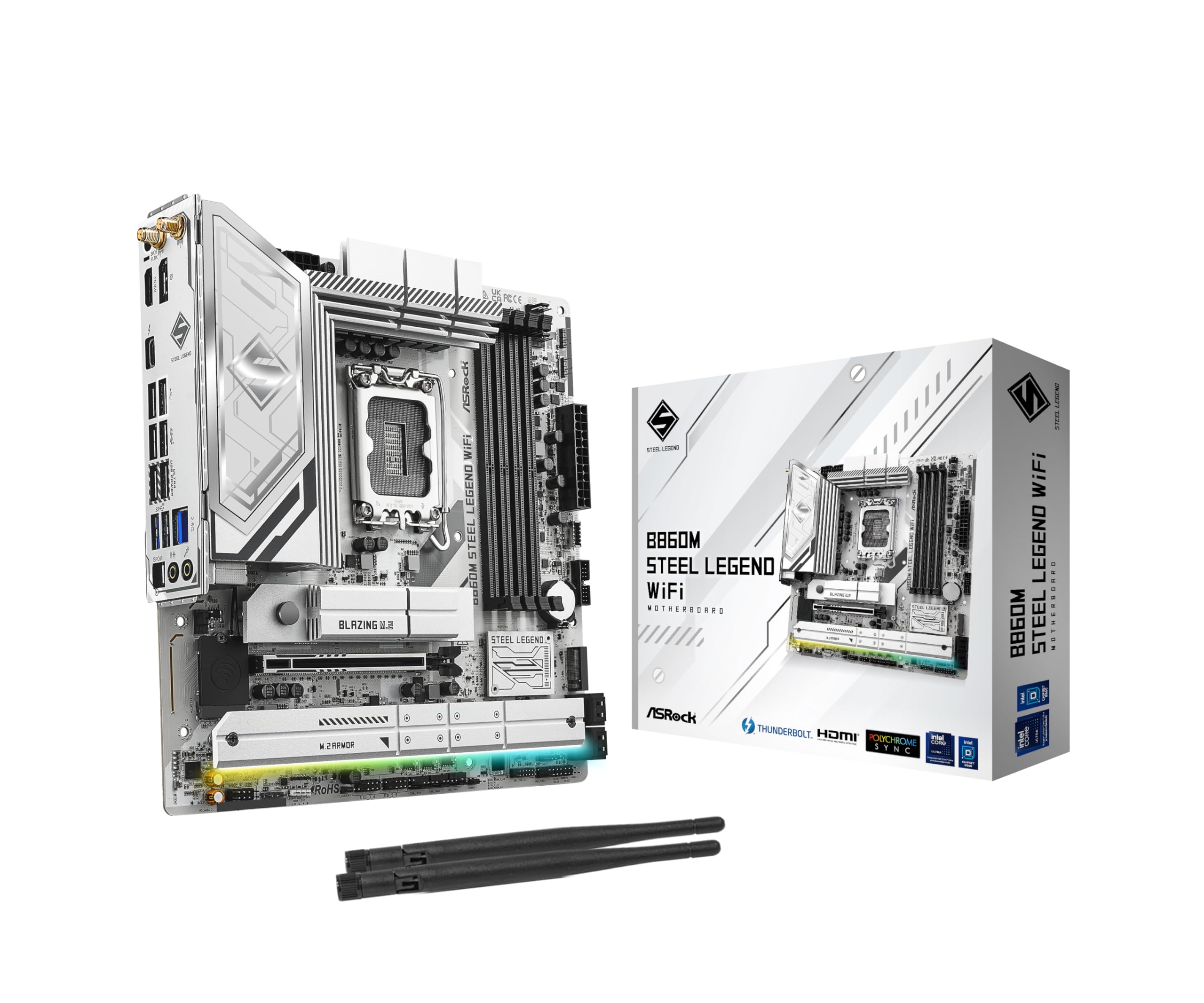
ASRock B860M Steel Legend WiFi Micro-ATX gives Core Ultra Series 2 builders a compact Intel foundation. It uses the LGA1851 socket with the Intel B860 chipset and fits smaller Micro-ATX cases.
Despite the compact form factor, storage support is unusually complete. You get one PCIe Gen5 x4 M.2 slot, three PCIe Gen4 x4 M.2 slots, and four SATA3 ports.
The chipset positioning brings limits for overclocking-focused buyers. Still, rear Thunderbolt 4/USB4 Type-C, 2.5G LAN, Wi-Fi 6E, and Bluetooth make it a capable compact gaming foundation.
Key highlights
- Intel LGA1851 socket with Intel B860 chipset
- Supports Intel Core Ultra Series 2 processors
- 12+1+1+1+1 power phase with 80A SPS for VCore+GT+SA
- 4x DDR5 DIMMs, up to DDR5 8666+ OC
- 1x PCIe 5.0 x16
- 1x PCIe Gen5 x4 M.2, 3x PCIe Gen4 x4 M.2, 4x SATA3
Pros
- Compact Micro-ATX board with unusually complete storage support
- Includes Thunderbolt 4/USB4 Type-C despite B860 positioning
- Good value for locked or lightly tuned Intel Core Ultra gaming builds
Cons
- Wi-Fi 6E, not Wi-Fi 7
- B860 is not the right chipset for CPU overclocking-focused buyers
- Micro-ATX has fewer expansion slots than ATX
Who it's for
A compact choice for Intel Core Ultra builds that need Gen5 graphics, Gen5 storage, and Thunderbolt/USB4.
Skip if
Move up to Z890 for Wi-Fi 7 or broader tuning flexibility.
How to Choose
- Start with the CPU socket. AMD Ryzen 7000/8000/9000 chips use AM5; Intel Core Ultra Series 2 uses LGA1851. The motherboard must match the CPU first, and switching platforms also changes cooler, memory, and BIOS considerations.
- Choose chipset by I/O, not FPS. Spend more for extra M.2 slots, USB4 or Thunderbolt, better networking, diagnostics, and overclocking controls, not for a large frame-rate jump.
- Check PCIe and M.2 lane sharing. Many modern boards reduce GPU lane width or disable ports when certain M.2 slots are populated. This matters if you plan to install several NVMe SSDs or capture cards.
- Match networking to your home setup. Wi-Fi 7 is fully useful with a Wi-Fi 7 router and supported Windows version. 2.5GbE is enough for most homes, while 5GbE makes sense for NAS transfers or multi-gig internet.
- Do not overbuy VRM for gaming. Pay for stronger VRMs when you use Ryzen 9 or Core Ultra 9, sustained productivity loads, or aggressive tuning.
- Confirm case size and headers. ATX offers the easiest build and most slots, Micro-ATX saves case space, and Mini-ITX costs more while limiting RAM and storage. Also verify front USB-C speed, fan headers, and RGB headers for your case.
Should most gamers buy AM5 or Intel LGA1851 right now?
For a new gaming-first build, AM5 is usually the safer default because Ryzen X3D CPUs are widely favored for gaming and AM5 has broad Ryzen 7000/8000/9000 support. Choose LGA1851 if you specifically want Intel Core Ultra Series 2 features or pricing.
Do I need PCIe 5.0 for a graphics card?
No current mainstream gaming GPU needs PCIe 5.0 x16 for good performance. A PCIe 5.0 slot is still useful for future headroom and is common on current boards.
Is Wi-Fi 7 worth paying for?
Wi-Fi 7 is worth having when the board already includes it, but you need a Wi-Fi 7 router and supported OS features to get the full benefit. Wi-Fi 6E remains fine for gaming.
How many M.2 slots should a gaming motherboard have?
Two is enough for many builds, three is comfortable, and four or more is best for a boot SSD, a large game library SSD, and separate drives for capture or work files.
Do gaming motherboards improve frame rates?
Choose a motherboard for CPU compatibility, I/O, storage, networking, diagnostics, and tuning controls, not for a large frame-rate jump. The CPU and GPU have a much larger role in gaming performance.
Share this article
More in News
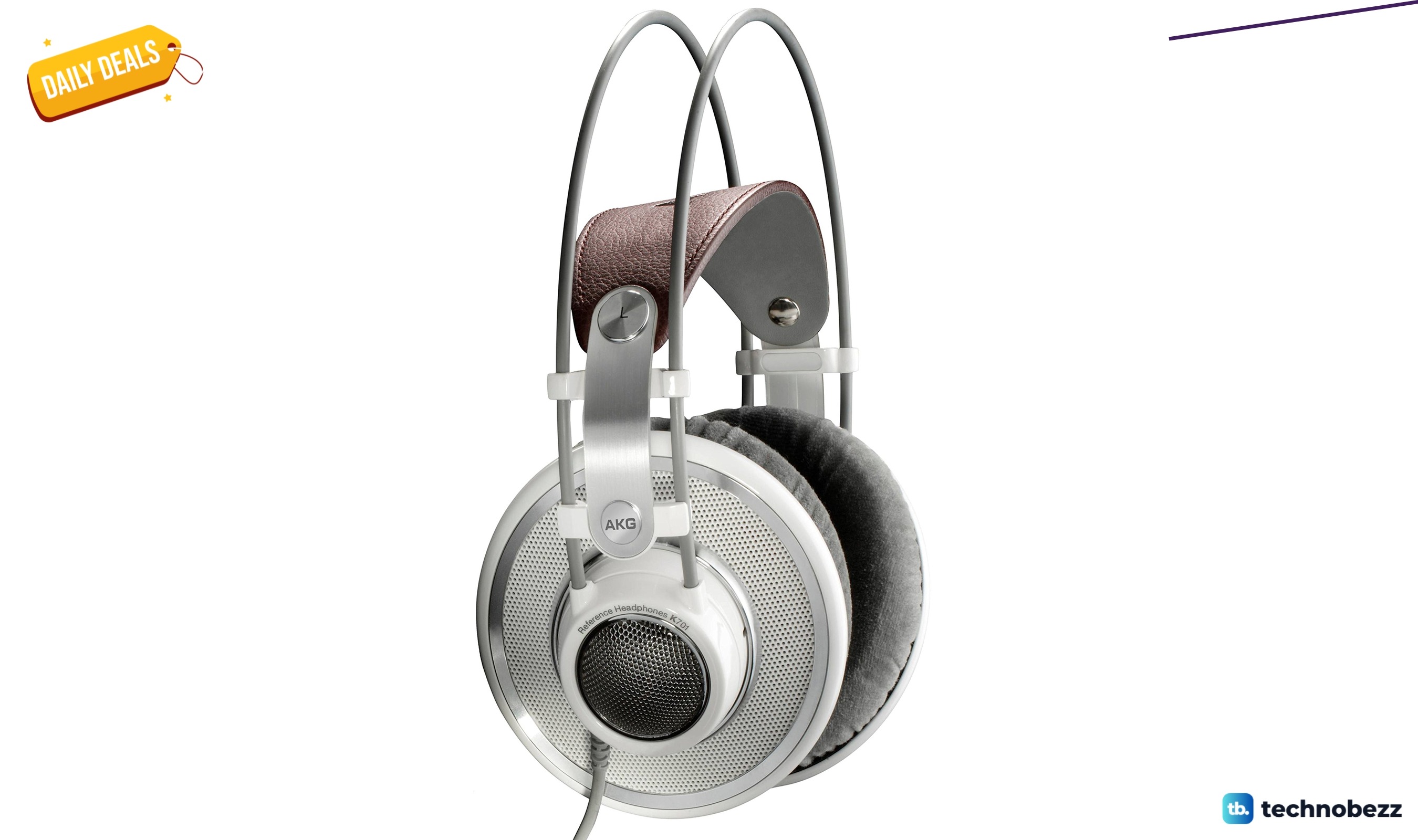
AKG K 701 Ultra Reference Class Stereo discounted to $247.37
AKG K 701 headphones drop to $247.37 on Amazon, a 47% discount that sits below recent 30, 90, and 180-day average prices.
5 min read
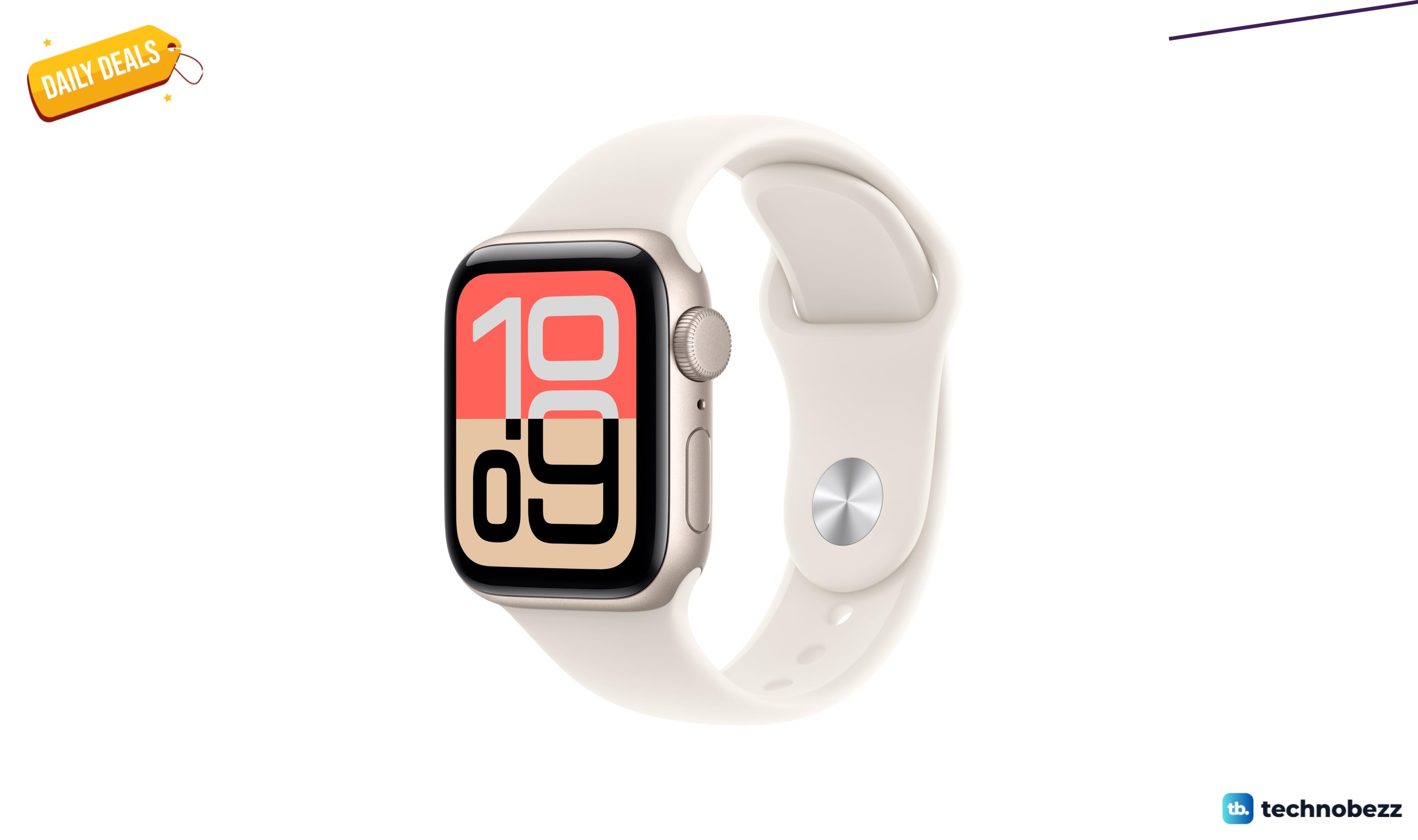
Apple Watch SE 3 GPS 40mm Smartwatch discounted to $189.97
Save $59.03 on the Apple Watch SE 3 GPS 40mm at Amazon, matching its lowest recorded price with health and sleep tracking.
5 min read
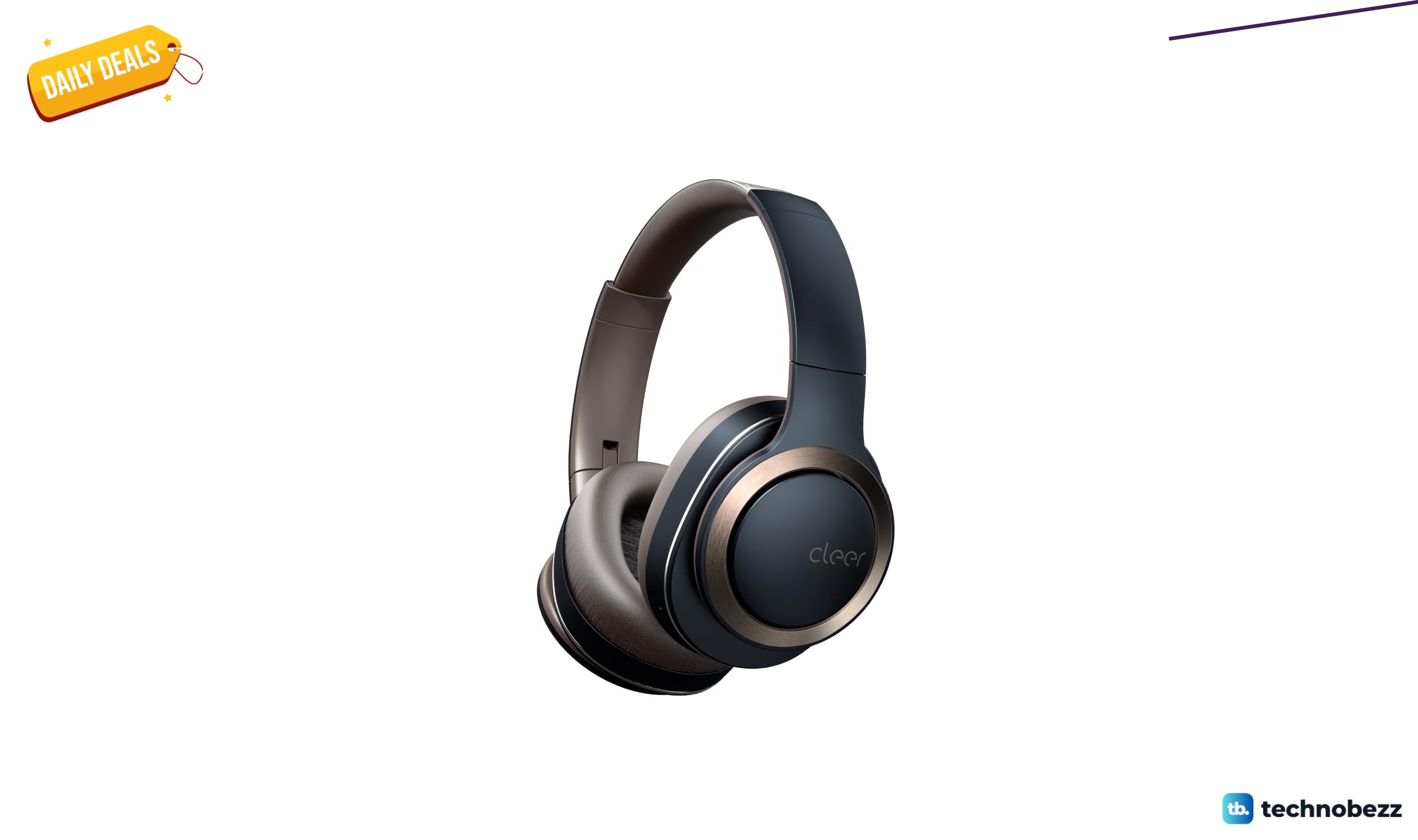
Cleer Audio Enduro ANC Noise Canceling Headphones price drops to $94.99
Save 47% on Cleer Audio Enduro ANC headphones at $94.99, with 60-hour battery, active noise cancellation, and multipoint Bluetooth.
3 min read
Lenovo coupon codes and deals
Browse 5 current Lenovo offers, including 3 coupon codes and 2 online deals.
5 min read

Woot coupon codes and deals
3 min read
Samsung coupon codes and deals
5 min read

Best tech coupon codes and online deals
4 min read
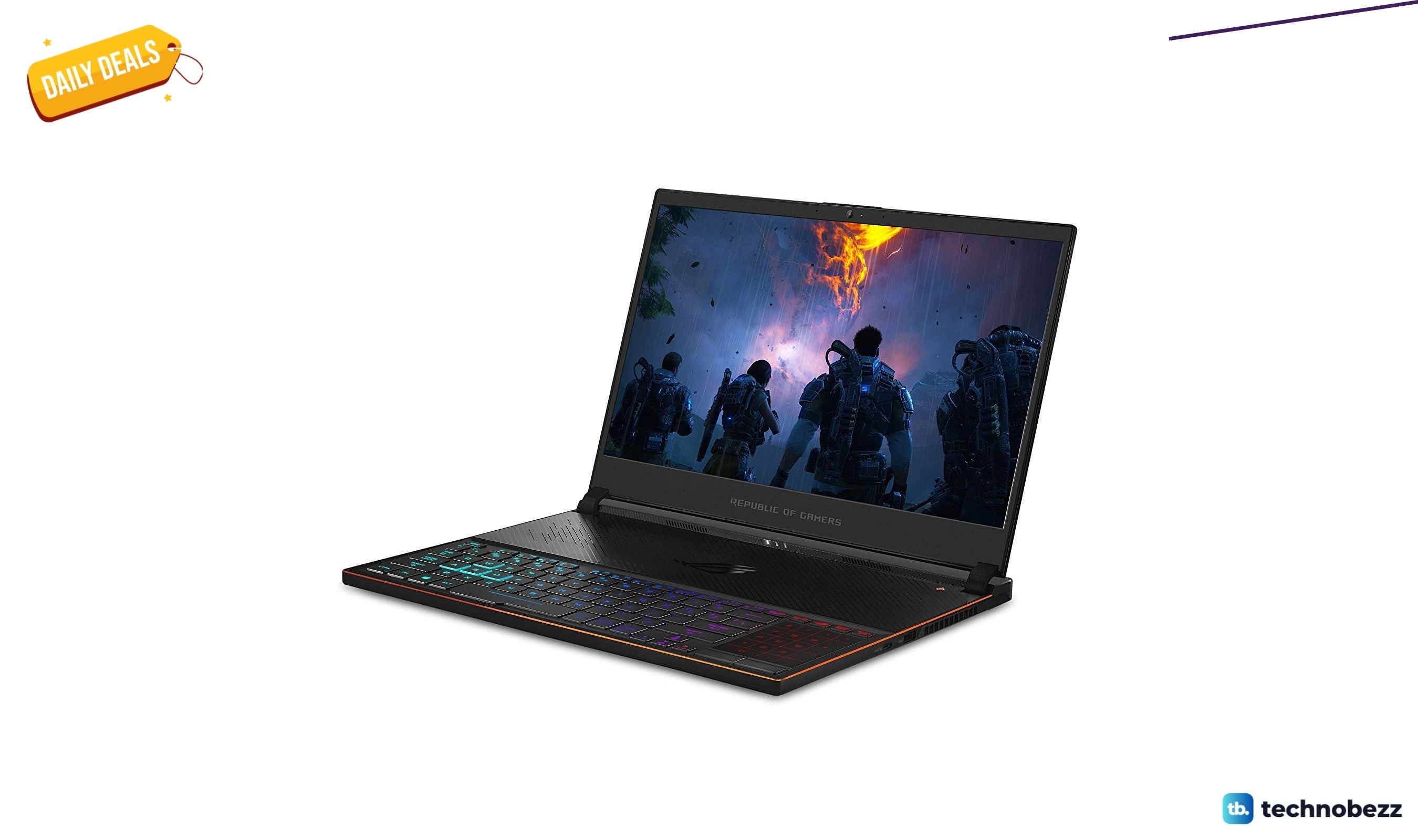
ASUS ROG Zephyrus S Ultra Slim Gaming gets a $660.95 price cut to $1338.05
5 min read
Samsung Galaxy Z Fold8 Unlocked Android Smartphone on sale for $1649.99
3 min read
We found 2 smartwatch deals from $219.99 that are actually worth it
5 min read
Sony WH-CH720 Noise Canceling Wireless Bluetooth Headphones now $87.94, down from $119.99
3 min read
TCL 75-inch F7D QLED 4K TV leads 2 TV deals from $499.99
5 min read