The "Insert SIM Card To Access Network Services" message means your phone cannot read the SIM or register it with your carrier, so calls, texts, and mobile data stop working. It often shows up even when the card looks perfectly seated in the tray.
The cause is usually a loose or dirty SIM, a small software glitch, or a registration problem on the carrier's side. The steps below move from the quickest checks to deeper fixes, and they cover both physical SIM cards and eSIM lines on modern Android phones.
Quick Checks Before Anything Else
A surprising number of cases clear up in under a minute. Start here before opening the SIM tray or changing settings.
- Confirm your plan is active: An unpaid bill or a suspended line will trigger this error even with a healthy SIM.
- Toggle Airplane mode: Turn it on for about 15 seconds, then off. This forces the phone to search for and re-register on the network.
- Move to better coverage: A weak signal indoors or in a basement can stop registration. Step outside or near a window and watch the signal bars.
- Restart the phone: A reboot clears the temporary radio and software glitches behind most one-off errors.
On many Samsung Galaxy phones, you can force a clean restart by pressing and holding the Volume down and Power buttons together for more than 7 seconds, which makes the phone shut down and reboot on its own.
Reseat and Clean a Physical SIM
If you use a removable SIM, a card that has shifted, collected dust, or built up corrosion is the most common cause. Reseating it fixes a large share of these errors.
Power the phone off completely, then use the ejector pin to open the tray. Inspect the card for scratches, bent edges, or stains, and gently wipe the gold contacts with a clean, dry cloth. Avoid liquids or anything abrasive on the contacts.
Place the SIM back in the tray so it sits flat and aligned, slide the tray fully home, and power the phone on. If the error returns immediately, move on to the SIM swap test below.
Test the SIM in Another Phone
This single test tells you whether the problem is the SIM card or the phone, which decides every step after it.
Put your SIM into a different working phone and see if it connects. If the other phone registers normally, your card is fine and the fault is in your device, so focus on the software fixes below. If the other phone shows the same error, the SIM itself is likely damaged or deactivated, and your carrier should replace it.
Fix an eSIM Line
Many 2026 phones use an eSIM instead of, or alongside, a plastic card, and an eSIM cannot be cleaned or reseated. The fix is to refresh the carrier profile instead.
First make sure the eSIM is set as your active line and that mobile data and roaming, if you need it, are turned on for that line. Then refresh the carrier profile. On Android this usually lives under your mobile network settings as an option to update the profile or carrier settings, and the exact label varies by phone.
If refreshing does not help, you can delete the eSIM and re-add it from your carrier over a strong Wi-Fi connection. An eSIM QR code is often single use, so ask your carrier to re-provision the line and send a fresh code if the old one no longer installs.
Install the Latest Software Update
System and carrier updates frequently include fixes for SIM detection and network registration, so an out-of-date phone can hold onto this error long after the bug is patched.
On most Android phones, check for updates here:
> Settings > Software update > Download and install
Let the update finish and the phone restart, then check whether the message is gone. If your menu differs, look for a System update or About phone section instead.
Reset Network Settings
Resetting the network configuration clears corrupted Wi-Fi, Bluetooth, and mobile settings without touching your photos, messages, or apps. It is one of the most reliable software fixes for this error.
On Samsung Galaxy phones, follow this path:
> Settings > General management > Reset > Reset mobile network settings
On a Google Pixel or other stock Android phone, the option lives here instead:
> Settings > System > Reset options > Reset Mobile Network Settings
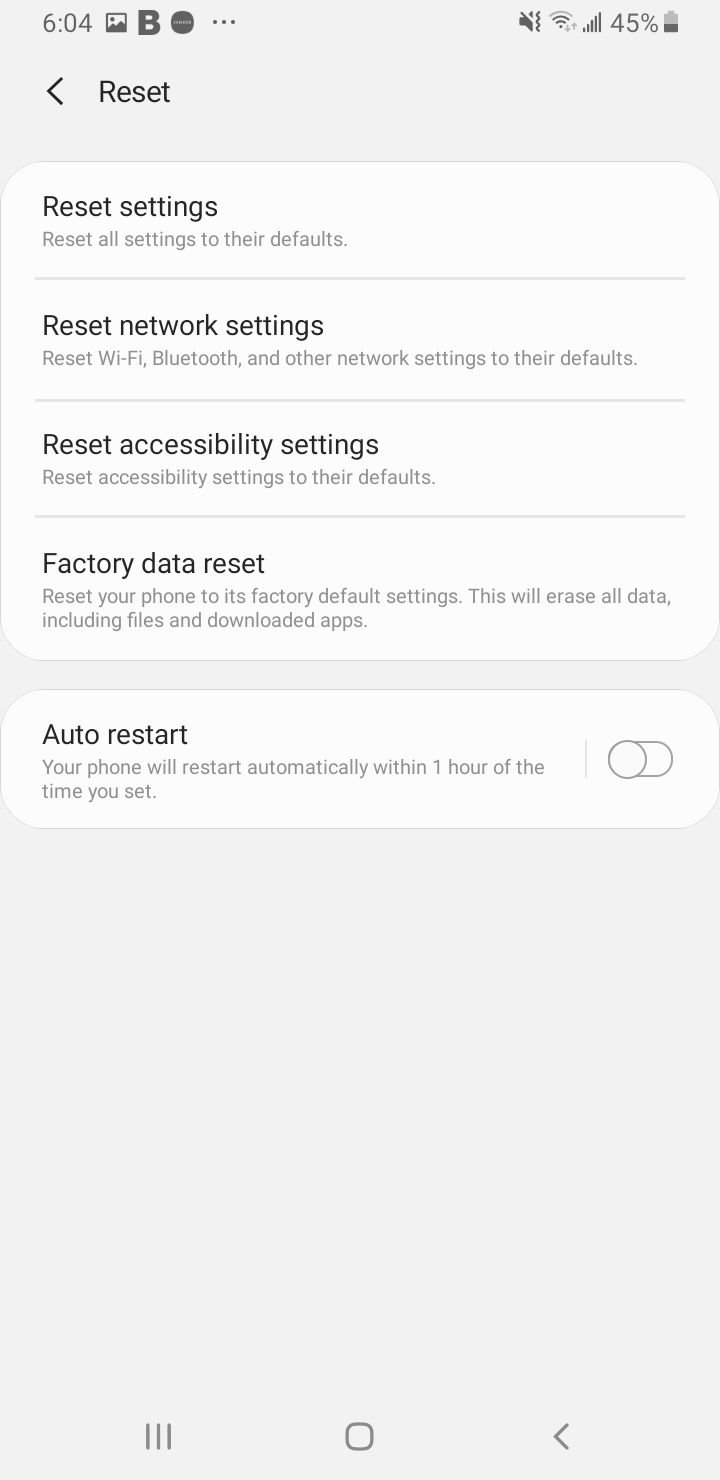
After the reset, your saved Wi-Fi passwords and paired Bluetooth devices are cleared, so you will need to reconnect them. Restart the phone and check for service.
Reset Your APN Settings
The Access Point Name tells your phone how to reach your carrier's data network, and a wrong or broken APN can block registration. Resetting it to default usually restores the correct values automatically.
On Samsung phones, open your access point list here:
> Settings > Connections > Mobile networks > Access Point Names
Tap the three-dot menu in the top corner, choose Reset to default, then restart the phone. If your carrier needs custom values, you can enter them afterward from the same screen, but most networks configure automatically.
Check Your IMEI Number
The IMEI is the unique 15-digit ID that identifies your phone to the network. If it is missing, the network cannot register your device and this error becomes permanent.
Open the dialer and enter *#06#. A valid IMEI is a long number, while "Null," "Unknown," or a string of zeros points to a corrupted or wiped baseband partition, something that often happens after flashing custom firmware.
A null IMEI is not a setting you can toggle back on, and editing it can be illegal in many regions. If your IMEI is missing, take the phone to your carrier or an authorized service center.
A Note on the Hidden Service Menu
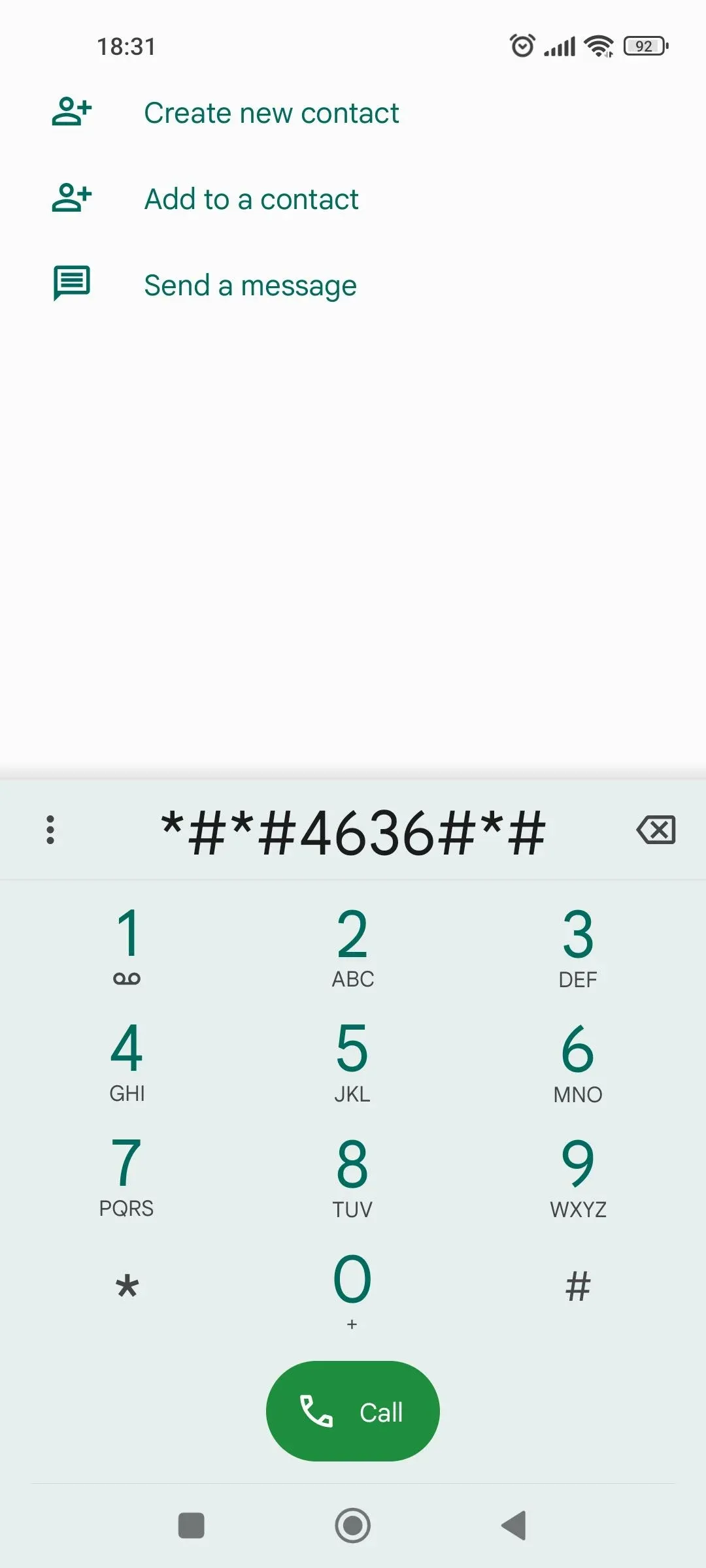
Older guides tell you to dial *#*#4636#*#* to open a testing menu and switch the radio back on. This advice is now unreliable.
Samsung has disabled many older service codes in recent One UI builds, and the code works inconsistently on other phones, so it is no longer a dependable fix. The reset and update steps above achieve the same goal more safely, so reach for those first.
When to Contact Your Carrier or a Repair Shop
If you have worked through every step and the error stays, the cause is likely outside your control. At that point the right move is to get help rather than keep guessing.
Call your carrier to confirm the line is active and the SIM is provisioned correctly, and ask them to re-register the device on their end or issue a fresh SIM or eSIM. If they confirm the account is fine, a missing IMEI, a damaged SIM reader, or other hardware faults point to an authorized service center for diagnostics and repair.
Frequently Asked Questions
Why does my phone say insert SIM card when the SIM is already in
The phone cannot communicate with the card, usually because it has shifted in the tray, the contacts are dirty, or a software glitch is blocking registration. Reseating and cleaning the SIM, then restarting, resolves most of these cases.
Does resetting network settings delete my photos or apps
No. It only clears connection data such as saved Wi-Fi networks, Bluetooth pairings, and mobile settings. Your photos, messages, apps, and accounts stay in place, though you will need to reconnect to Wi-Fi and Bluetooth afterward.
How do I fix this error on an eSIM that has no physical card
Confirm the eSIM is your active line, then update or refresh the carrier profile in your mobile network settings. If that fails, delete and re-download the eSIM from your carrier over Wi-Fi, or ask them to re-provision the line.
What does a null IMEI mean
It means your phone's identity number is missing or corrupted, often after firmware flashing, which leaves the network unable to register the device. This usually needs a carrier or an authorized service center to resolve.
Can a damaged SIM cause this error
Yes. Scratched contacts, bent edges, or general wear can stop the phone from reading the card. If the same SIM also fails in another working phone, it is likely damaged and your carrier should replace it.
Will a software update fix the insert SIM error
It can. System and carrier updates often patch SIM detection and registration bugs, so installing the latest update is worth trying before deeper steps like a network reset.
First published October 15, 2025. Last updated June 4, 2026.