
If your Google Pixel 10 is getting uncomfortably warm, you're not imagining it. Modern smartphones pack a lot of power into a slim body, and sometimes that heat needs to be managed. A little warmth during heavy use or fast charging is normal, but if it's getting hot during simple tasks or to the point of being uncomfortable, there are a few things you can do to cool it down.
Close Background Apps and Reduce Screen Brightness
Start by swiping up from the bottom of your screen and holding to see your recent apps. Swipe away any apps you aren't actively using. Background apps, especially social media, navigation, or camera apps, can keep the processor working and generating heat.
Next, pull down the Quick Settings panel from the top of your screen and lower the brightness slider. The display is one of the biggest power draws on your phone. Reducing its brightness, even a little, can have an immediate impact on temperature.
Check for Problematic Apps
Sometimes, a single misbehaving app is the culprit. Go to Settings > Battery and look at the battery usage chart. If an app is using a surprisingly high percentage of battery, it's likely also working the processor hard.
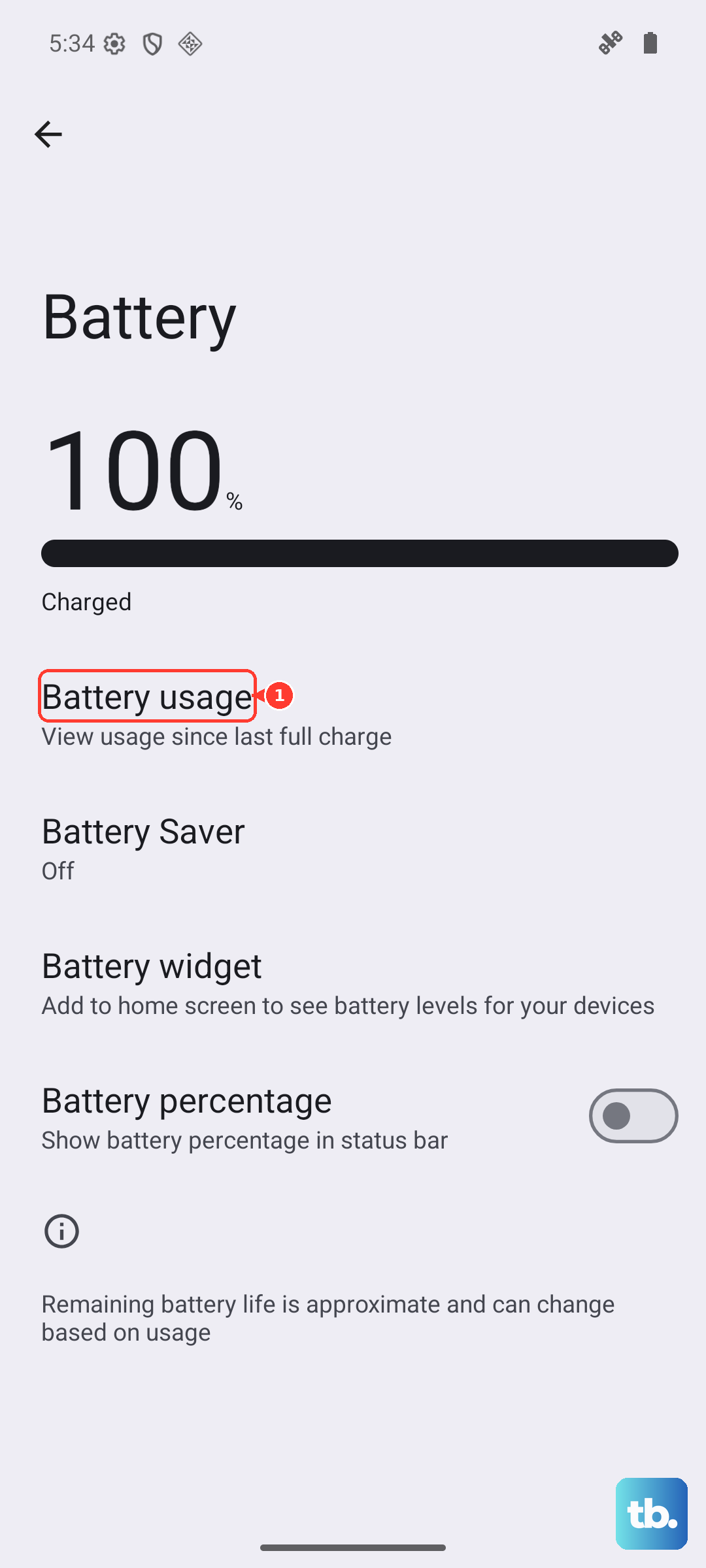
Tap on that app for more details. You can try force stopping it from this menu. If the problem keeps happening, check the Play Store for an update for that specific app, as developers often fix performance bugs. As a last resort, you can uninstall and reinstall it.
Manage Your Charging Setup
Fast charging generates heat. It's a trade-off for getting power back quickly. If your Pixel 10 is getting very hot while charging, try using a standard 10W or 15W charger instead of the maximum 30W speed. I've found this often keeps things much cooler.
Always use an official Google 30W USB-C charger or a certified high-quality alternative. Cheap, uncertified cables and chargers can cause inefficient power transfer, which creates excess heat. For wireless charging, ensure your charger supports the Qi2 standard for the best and most efficient performance with your Pixel.
Also, take the case off while charging. A thick case can act like a blanket, trapping the heat the phone naturally produces during charging against the body of the device.
Update Your Software and Perform a Restart
Outdated software can sometimes have bugs that cause poor thermal management. Go to Settings > System > System update to check for the latest version of Android 16. Installing updates can include important fixes from Google.

If the phone feels hot and sluggish, a simple restart can work wonders. Hold the Power button and tap Restart. This clears out any temporary software glitches and stops all background processes, giving the phone a fresh, cool start.
Adjust Connectivity Settings
Your radios work hard to maintain a signal. If you're in an area with poor cellular reception, your phone will boost its antenna power to try and find a signal, which generates heat. Try switching to Airplane mode for a little while to see if the phone cools down.
Similarly, turn off Bluetooth and Wi-Fi if you aren't using them. You can do this quickly from the Quick Settings panel. While features like 5G are great, they can also use more power. If you don't need the absolute fastest speeds, switching your preferred network type to 4G/LTE in your mobile network settings can help.
What to Do If Your Pixel 10 is Overheating and Unresponsive
If the phone gets so hot that the screen freezes or becomes unresponsive, you'll need to force a restart. Don't just hold the Power button. Instead, press and hold the Power button and the Volume Up button together for about 10 seconds.
Keep holding them until you see the Google logo appear on the screen, then release. This forces the phone to shut down and reboot, which should stop any runaway process causing the heat. Try this force restart combination before considering any repair options.
Be Mindful of Your Environment and Usage
Never leave your phone in direct sunlight, like on a car dashboard or a beach towel. The sun can heat the dark glass and metal far beyond what the internal cooling can handle. Avoid using intensive apps like mobile games or video recording for long periods while the phone is charging.
If you're navigating in the car, try to mount the phone in a spot with air conditioning vented toward it, rather than in a closed cup holder. Giving the phone a break from the most demanding tasks and letting it sit in a cool place for a few minutes is often the simplest fix.