Finding the right ultrabook means balancing power, portability, and price. The MacBook Air M5 delivers the best overall package with exceptional battery life and performance, but Windows users have excellent alternatives like the Lenovo Yoga 9i for 2-in-1 flexibility or the HP Pavilion 15.6-inch touchscreen model for everyday tasks. This list is for anyone who needs a reliable, lightweight laptop that can handle work, creativity, and everyday tasks without weighing them down.
Technobezz is supported by its audience. We may get a commission from retail offers.
5 Best Ultrabooks to Buy in 2026
The best ultrabooks of 2026, tested for battery life, performance, and value, led by the new MacBook Air M5, the Asus Zenbook S 16, and the Lenovo Yoga 9i.
T
Technobezz
Editorial Team
Updated September 28, 2026Sep 28, 2026
•5 min read

Get Deals Like These in Your Inbox
The best prices, reviewed weekly.
At a Glance
| Category | Product | Why We Picked It |
|---|---|---|
| Best overall | MacBook Air M5 | Exceptional battery life and performance |
| Best value | HP Pavilion 15.6" HD Touchscreen Laptop | 16GB RAM and a 1TB SSD with a touchscreen |
| Best 2-in-1 | Lenovo Yoga 9i | Versatile convertible with excellent build quality |
| Also recommended | Dell XPS 15 | Great larger screen in a portable frame |
| Also recommended | Razer Blade 14 | Portable gaming power, but shorter battery |
How we chose
We evaluated ultrabooks based on real-world performance, battery life, build quality, and value. Each pick represents a balance of these factors for different user needs, from budget-conscious students to creative professionals. We considered how these laptops perform in daily use rather than just benchmark numbers.
The best ultrabooks right now
MacBook Air M5 - Best overall
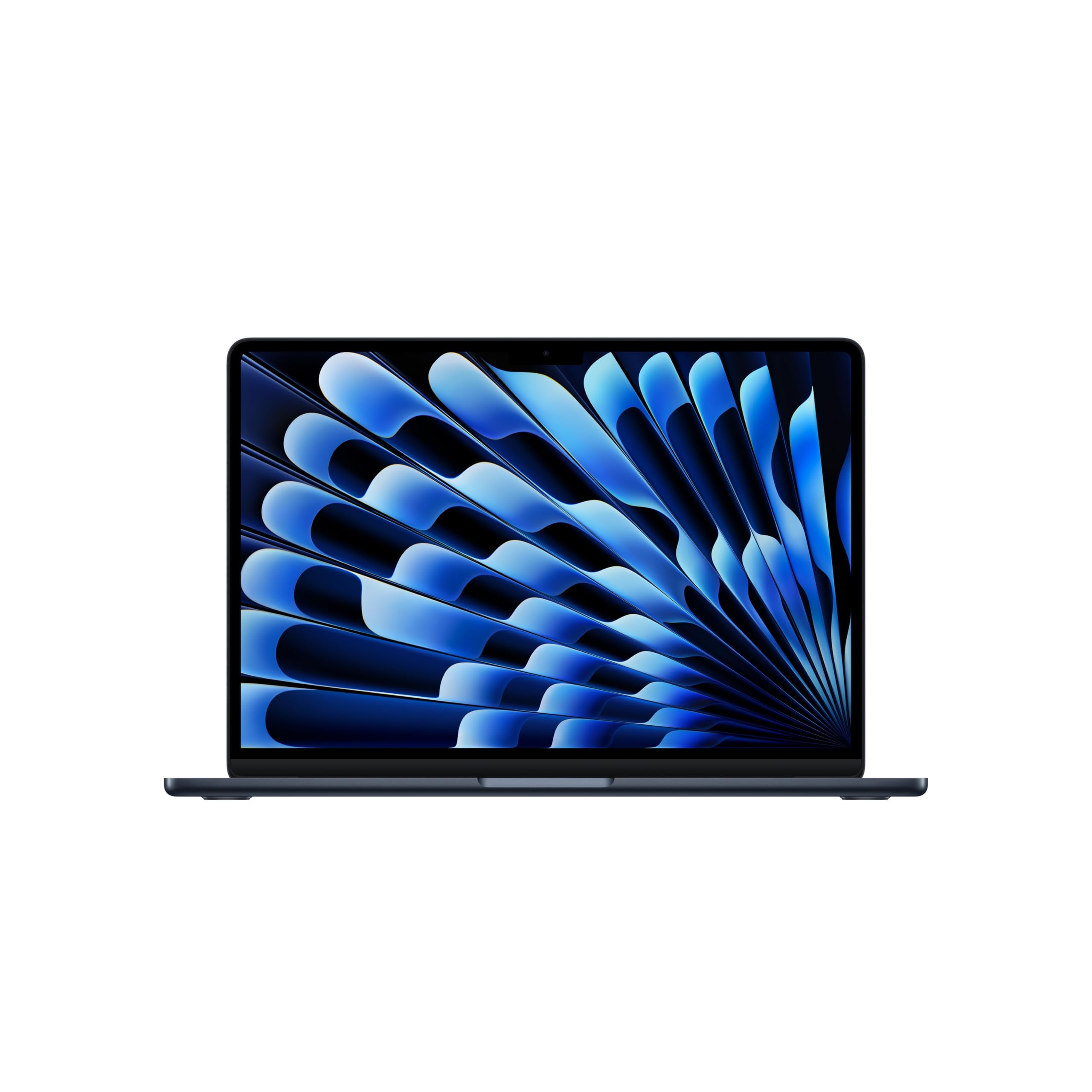
Apple's latest ultrabook sets the standard with all-day battery life and enough power for most professional work, all in a fanless design that stays completely silent.
Key highlights
- M5 chip delivers performance in a fanless design
- Apple rates battery life at up to 18 hours; actual runtime varies
- 16GB unified memory and 512GB SSD in the linked configuration
- Lightweight aluminum construction at just 2.7 pounds
- Bright, color-accurate Liquid Retina display
Pros
- Exceptional battery life that lasts through a full workday
- Fanless design means zero noise during operation
- macOS offers excellent optimization for creative apps
- Strong build quality with premium materials
- Competitive pricing for Apple's ecosystem
Cons
- Limited to two USB-C ports
- Non-upgradeable memory and storage
- macOS may not suit Windows-centric workflows
Who it is for: Anyone who values battery life, quiet operation, and seamless integration with Apple's ecosystem.
Skip if
You need Windows-specific software or extensive port connectivity.
HP Pavilion 15.6" HD Touchscreen Laptop - Best value
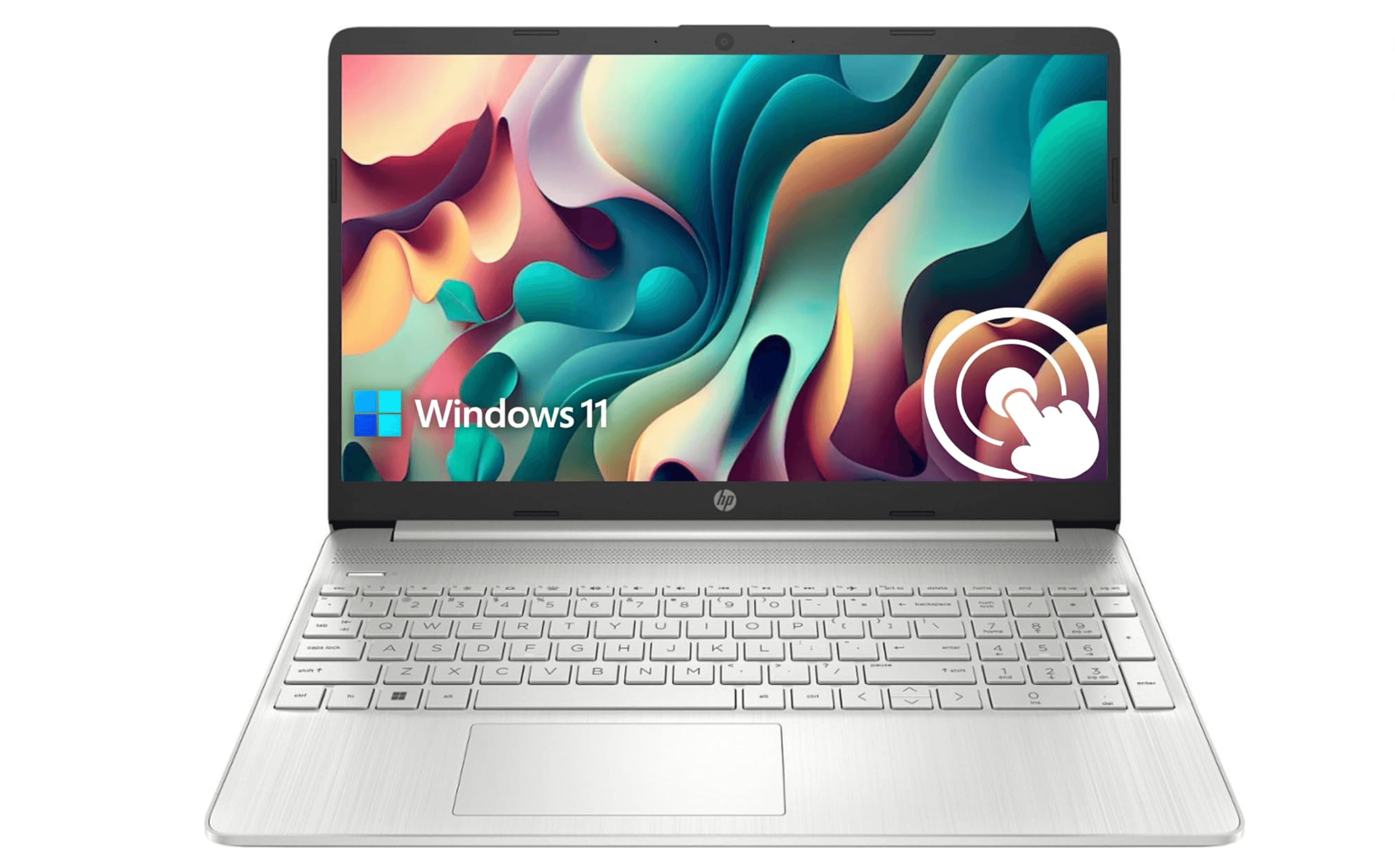
This configuration combines a 15.6-inch touchscreen with 16GB of RAM and a 1TB SSD for everyday Windows tasks.
Key highlights
- Intel Core i3-1115G4 processor with 16GB of high-bandwidth RAM
- 15.6-inch HD touchscreen display
- 1TB PCIe NVMe SSD for local storage
- Modern port selection including USB-C
- Windows 11 Home included
Pros
- Exceptional value for the specifications offered
- Lightweight design makes it easy to carry everywhere
- Good performance for everyday productivity tasks
- Solid build quality despite the lower price point
- Includes modern connectivity options
Cons
- Display brightness could be better for outdoor use
- Keyboard and trackpad feel less premium than higher-priced options
- Limited configuration options at the base price
Who it is for: Students, budget-conscious professionals, and anyone who needs reliable performance without breaking the bank.
Skip if
You need maximum display brightness or premium build materials.
Lenovo Yoga 9i - Best 2-in-1
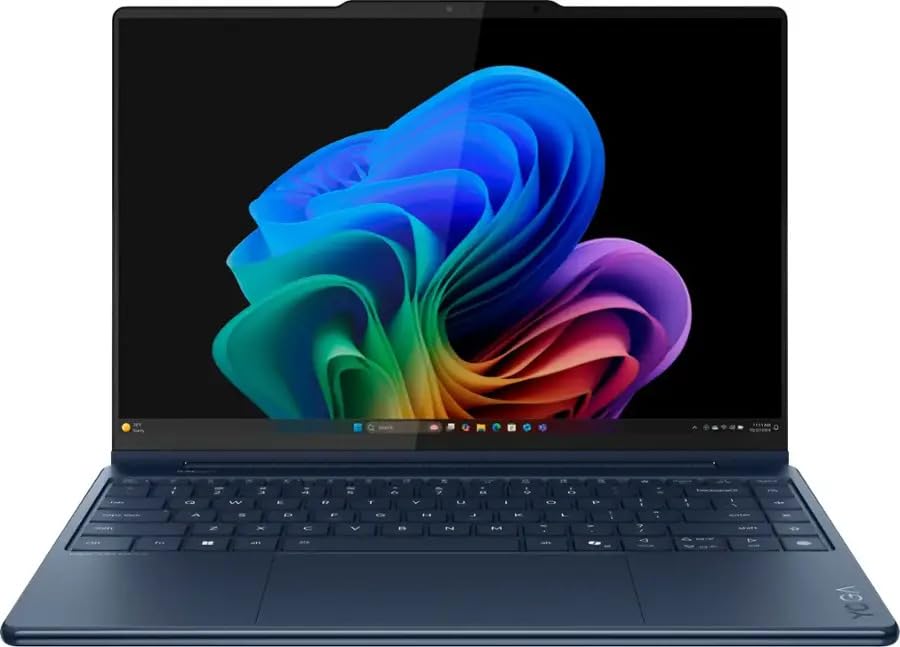
This versatile convertible offers excellent build quality, a beautiful OLED display, and the flexibility to work as both laptop and tablet.
Key highlights
- 360-degree hinge enables multiple usage modes
- 14-inch 4K OLED touchscreen with 100% DCI-P3 coverage
- Premium aluminum construction with attention to detail
- Included stylus for note-taking and creative work
- Good battery life for a convertible design
Pros
- Versatile form factor adapts to different work scenarios
- Excellent build quality typical of Lenovo's premium line
- Included 4K OLED touchscreen suits media viewing
- Included stylus adds value for note-takers
- Good keyboard and trackpad for productivity
Cons
- Heavier than traditional clamshell ultrabooks
- Battery life suffers when using tablet mode extensively
- Premium pricing for fully configured models
Who it is for: Users who want the flexibility of a tablet and laptop in one device.
Skip if
You never plan to use tablet mode and prefer maximum portability.
Also Good
- Dell XPS 15 - great larger screen in a portable frame.
- Razer Blade 14 - portable gaming power, but shorter battery.
How to Choose
Consider these factors when selecting your ultrabook:
Battery life vs. performance: Ultrabooks with Apple Silicon or Qualcomm chips typically offer better battery life, while x86 processors from Intel and AMD deliver maximum performance. Choose based on whether you need all-day endurance or peak processing power.
Display quality: OLED displays offer better contrast and color accuracy but can suffer from burn-in over time. IPS panels provide good all-around performance with better brightness for outdoor use. Consider your primary use case, creative work benefits from OLED, while general productivity works fine with IPS.
Portability needs: Weight differences of just half a pound matter when carrying a laptop all day. Consider whether you need maximum thinness or can tolerate slightly more weight for better cooling or additional ports.
Upgradeability: Check memory and storage separately before buying. Some thin laptops have onboard memory but an SSD in an M.2 slot, so their upgrade options differ.
Ecosystem compatibility: Your choice of operating system affects software availability and peripheral compatibility. macOS works seamlessly with other Apple devices, while Windows offers broader software support and hardware options.
FAQ
What makes an ultrabook different from a regular laptop?
Ultrabooks are defined by their thin, lightweight design, premium build materials, and focus on portability without sacrificing too much performance. They typically weigh under 3 pounds and measure less than 0.8 inches thick.
How long should an ultrabook battery last?
A good ultrabook should last at least 8-10 hours of real-world use, with the best models reaching 14-18 hours. Battery life varies based on usage patterns, display brightness, and processor efficiency.
Are ultrabooks good for gaming?
Most ultrabooks use integrated graphics, which are fine for casual gaming but struggle with demanding AAA titles. Some models like the Razer Blade 14 include discrete graphics for better gaming performance, though this comes with trade-offs in battery life and heat.
Can I upgrade an ultrabook later?
Upgrade options depend on the model. Check whether its memory is onboard and whether its SSD is replaceable, then choose enough memory for your expected needs.
Is an ultrabook worth the premium over budget laptops?
Yes, if you value portability, build quality, and battery life. Ultrabooks use premium materials like aluminum and magnesium, offer better displays and keyboards, and are designed for daily carry. Budget laptops save money but often compromise on these quality-of-life features.
Published February 15, 2026 Last updated September 29, 2026
Share this article
More in News
9 Best Laptops for Developers in 2026
Discover the 6 best laptops for 2026, including our top pick, the MSI Prestige 16 AI Evo. Find the perfect developer laptop for your needs and budget.
5 min read
The 9 Best Laptops for Architects of 2026
Discover the best laptops for architects in 2026. Our top pick is the ASUS ProArt P16, plus great options for every budget and workflow.
3 min read
8 Best Laptops for Home Use in 2026
Discover the best laptops for home use in 2026. Our top pick is the Dell 14 Plus for its balanced performance and excellent battery life.
4 min read
8 Best Monitors for MacBook in 2026
Dell UltraSharp U2723QE leads our 2026 picks for MacBook monitors. Get 4K clarity, USB-C charging, and seamless macOS integration from budget to premium displays.
4 min read
8 Best Budget Gaming Laptops for 2026
5 min read
The 7 Best Laptops for High School Students of 2026
5 min read
4 Best Camcorders for Family Videos and Travel
5 min read
9 Best Desktops Under $1500 for 2026
3 min read
Best Earbuds for Running in 2026
4 min read
Best Soundbars Under $300 for 2026
3 min read
Amazon Kindle Paperwhite Kids Larger glare-free display discounted to $169.99
4 min read

Amazon Kindle Colorsoft Kids 16 GB Lightweight now $209.99, down from $299.99
3 min read