Choosing the right laptop for programming isn't about finding the most expensive machine. It's about matching hardware to your actual workflow. The Apple MacBook Pro 14 with M4 chip leads our list for its raw power and efficiency, but Windows users have excellent alternatives that won't break the bank. This guide is for developers, software engineers, and anyone who writes code regularly.
Product
Technobezz is supported by its audience. We may get a commission from retail offers.
8 Best Laptops for Programming (2026)
Discover the best laptops for programming in 2026. Our top pick is the Apple MacBook Pro 14 (M4), plus great Windows alternatives for every budget.
T
Technobezz
Senior Editor
Updated June 15, 2026Jun 15, 2026
•7 min read

Get Deals Like These in Your Inbox
The best prices, reviewed weekly.
At a Glance
| Category | Product | Why We Picked It |
|---|---|---|
| Best overall | Apple MacBook Pro 14 (M4 | 2024), unmatched performance and battery life |
| Best value | MSI Prestige 16 AI Evo | Powerful specs with gorgeous 4K OLED display |
| Best for reliability | Lenovo ThinkPad T16 | The workhorse that won't let you down |
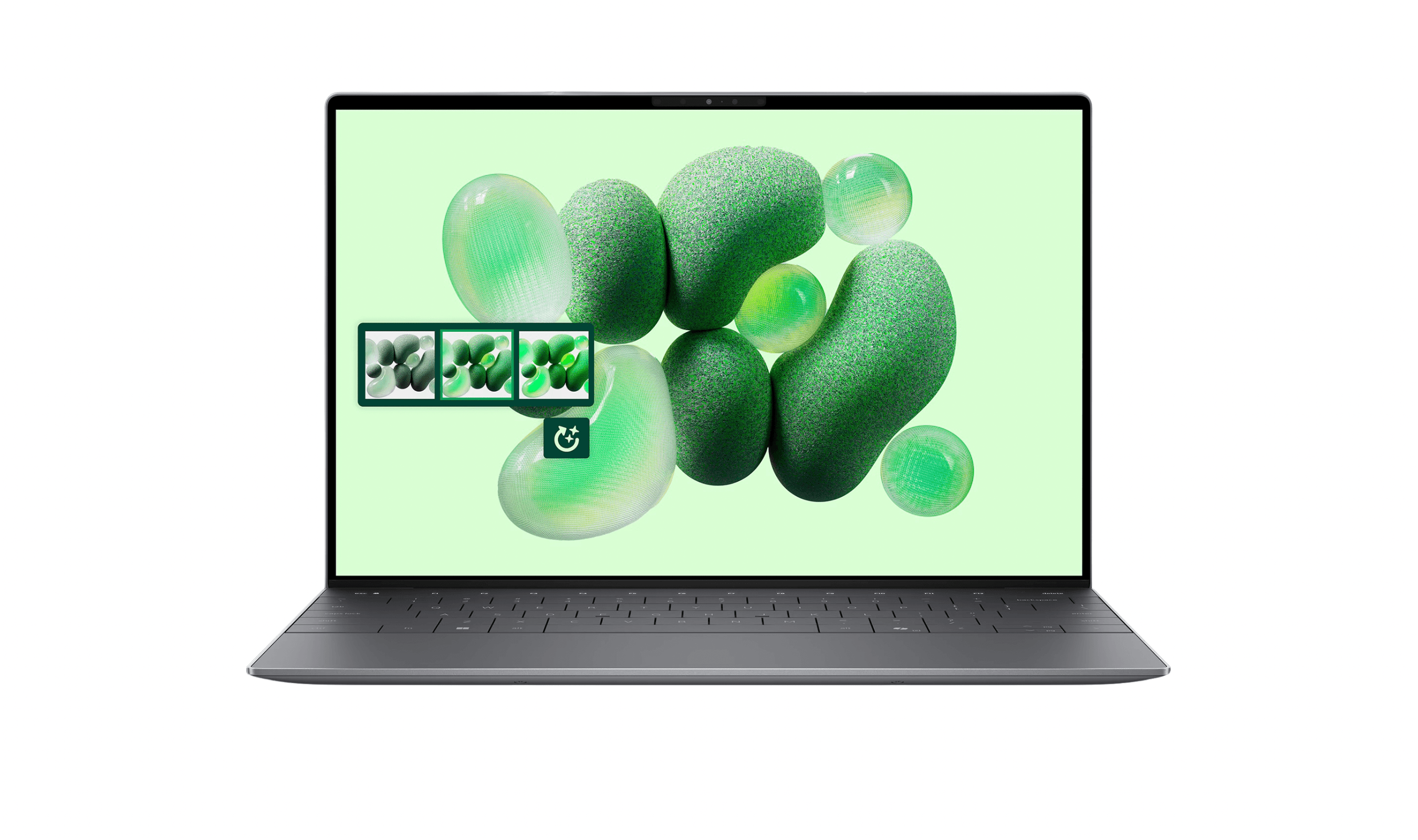
| Best Windows premium | Dell XPS 13 | Sleek design with serious processing power |
| Best for portability | Microsoft Surface Laptop | All-day battery in a compact package |
| Also recommended | Dell Pro 16 | Business-ready with strong enterprise management |
| Also recommended | Lenovo IdeaPad Slim 3 | A solid budget pick for learning to code |
| Also recommended | Apple MacBook Air M5 | Lighter, more portable for everyday development |
How we chose and tested
We evaluated laptops for programming based on compile and build performance, memory headroom, keyboard efficiency, and development environment flexibility.
Our assessment considered multitasking with IDEs, containers, and local databases, along with terminal responsiveness, thermal consistency, and battery life away from a desk.
We prioritized systems that keep coding workflows smooth across web, mobile, and backend development tasks.
The best laptops for programming right now
Apple MacBook Pro 14 (M4, 2024) - Best overall
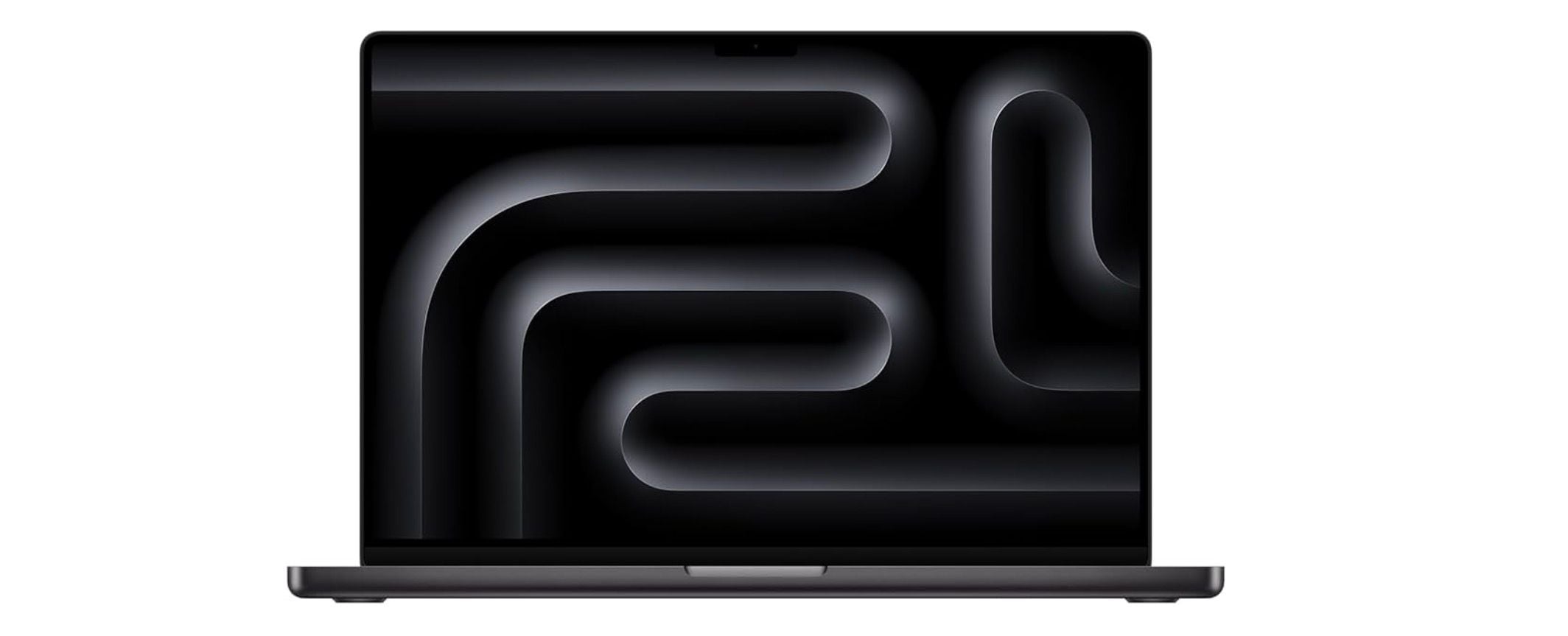
This machine delivers ridiculous processing power in a portable package, making it the top choice for serious developers who need uncompromising performance. The M4 Pro or M4 Max chip handles complex compilations and virtual machines without breaking a sweat.
Key highlights
- Apple M4 Pro or M4 Max processor with exceptional performance per watt
- Excellent battery life for all-day coding sessions
- Bright, color-accurate Liquid Retina XDR display
- macOS optimization for development tools
- Quiet operation even under heavy loads
Pros
- Industry-leading performance for compilation and virtualization
- Outstanding battery life that lasts through full workdays
- Excellent build quality and premium materials
- macOS offers Unix-based environment out of the box
Cons
- Higher price point than Windows alternatives
- Limited upgrade options after purchase
- Some development tools work better on Linux/Windows
Who it is for: Professional developers, iOS/macOS developers, and anyone who needs maximum performance for complex projects.
Skip if
You're on a tight budget, need specific Windows-only development tools, or prefer extensive hardware customization.
MSI Prestige 16 AI Evo - Best value
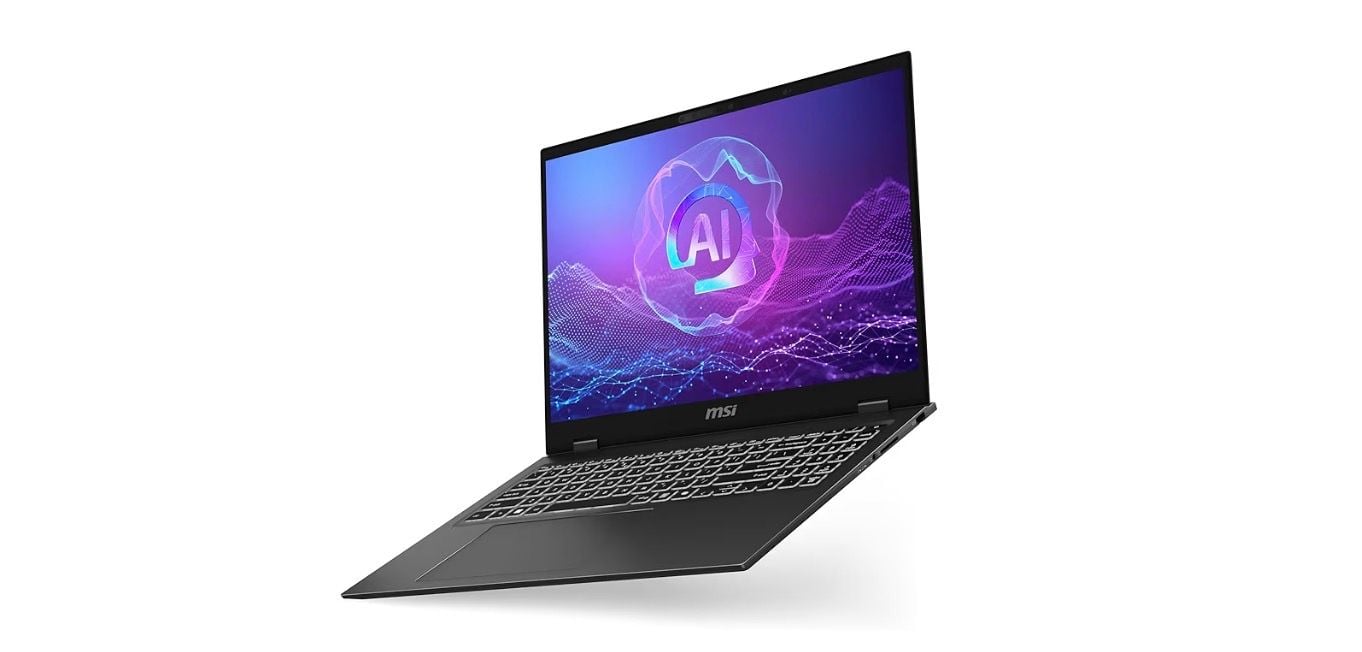
Striking the perfect balance between power and affordability, this Windows laptop delivers premium features without the premium price tag. The UHD+ OLED display (3840x2400) is particularly impressive for code readability during long sessions.
Key highlights
- UHD+ OLED display (3840x2400) with excellent color accuracy
- Latest Intel or AMD processors with strong multi-core performance
- Good port selection including Thunderbolt 4
- Solid build quality with professional aesthetics
- Competitive pricing for the specifications
Pros
- Excellent display quality for code readability
- Strong performance for the price
- Good thermal management keeps noise levels reasonable
- Professional design suitable for office environments
Cons
- Battery life doesn't match Apple Silicon MacBooks
- Can get warm under sustained heavy loads
- OLED display may have burn-in concerns for static UI elements
Who it is for: Windows developers who want premium features without Apple prices, and anyone who values display quality for coding.
Skip if
You need all-day battery life away from outlets or work exclusively with macOS/iOS toolchains.
Lenovo ThinkPad T16 - Best for reliability
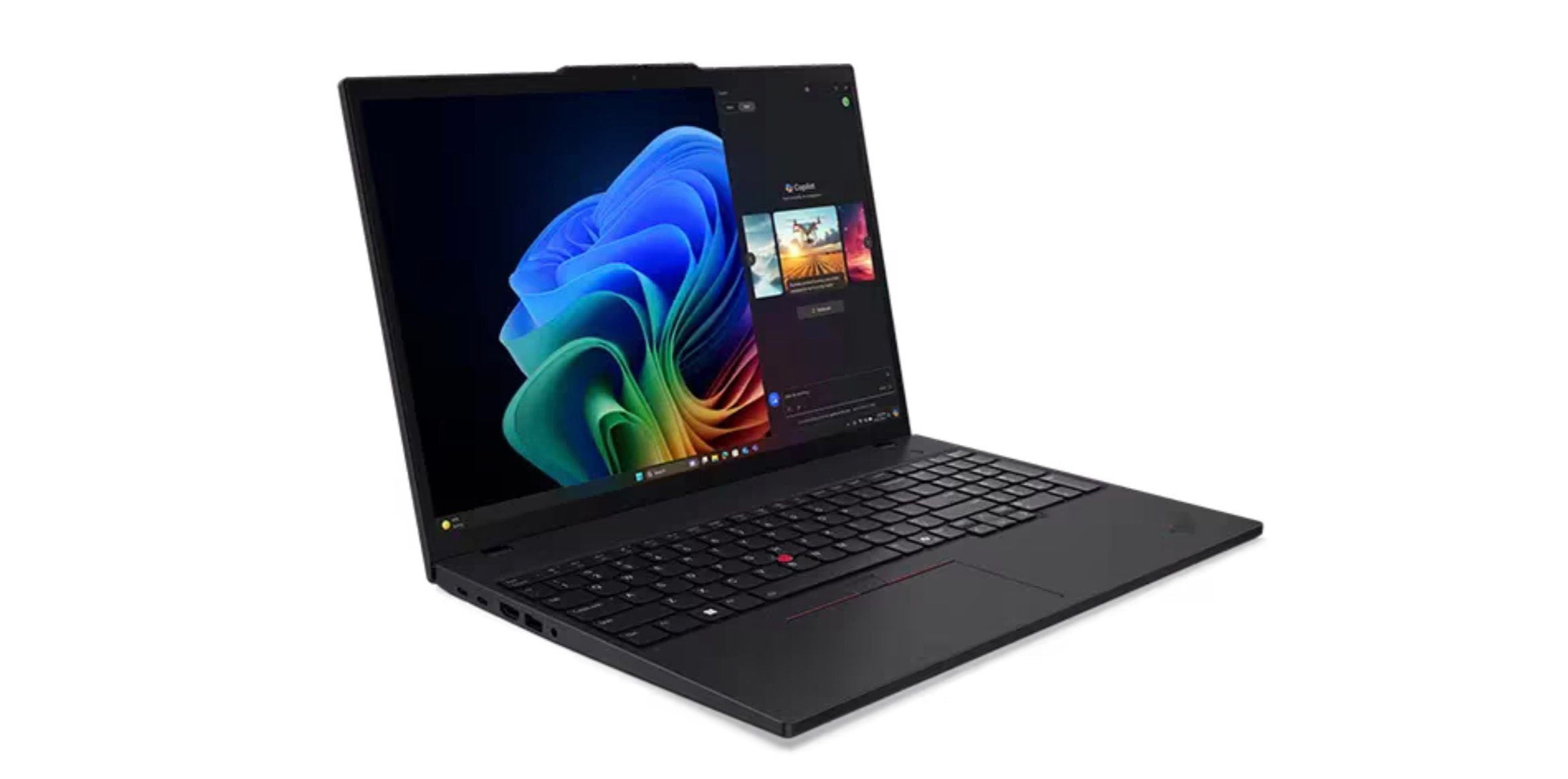
The ThinkPad line has earned its reputation among developers for good reason. This model continues the tradition with robust construction, excellent keyboards, and proven reliability that developers can count on day after day.
Key highlights
- Legendary ThinkPad keyboard with excellent travel
- Military-grade durability testing
- Comprehensive port selection including Ethernet
- Easy serviceability and upgrade options
- Consistent performance under sustained loads
Pros
- Best-in-class keyboard for long typing sessions
- Proven reliability and durability
- Good thermal design for consistent performance
- Excellent Linux compatibility
Cons
- Design is functional rather than stylish
- Display options may not match premium competitors
- Can be heavier than some alternatives
Who it is for: Developers who prioritize keyboard quality, reliability, and Linux compatibility above all else.
Skip if
You want the thinnest, lightest machine or prioritize display quality over keyboard feel.
Dell XPS 13 - Best Windows premium
When you want Windows development in a sleek, premium package, the XPS delivers. It combines powerful hardware with excellent build quality and a minimalist design that works anywhere.
Key highlights
- Premium aluminum and carbon fiber construction
- Bright, high-resolution displays with thin bezels
- Snapdragon X Plus processor
- Good balance of performance and portability
- Windows Hello facial recognition
Pros
- Excellent build quality and premium materials
- Great display options for coding
- Good performance in a relatively thin chassis
- Professional appearance suitable for any setting
Cons
- Can run warm under heavy sustained loads
- Limited port selection may require dongles
- Premium pricing for higher configurations
Who it is for: Windows developers who want premium design and build quality, and those who work in client-facing or design-focused roles.
Skip if
You need extensive port connectivity without adapters or work with extremely demanding computational workloads.
Microsoft Surface Laptop - Best for portability
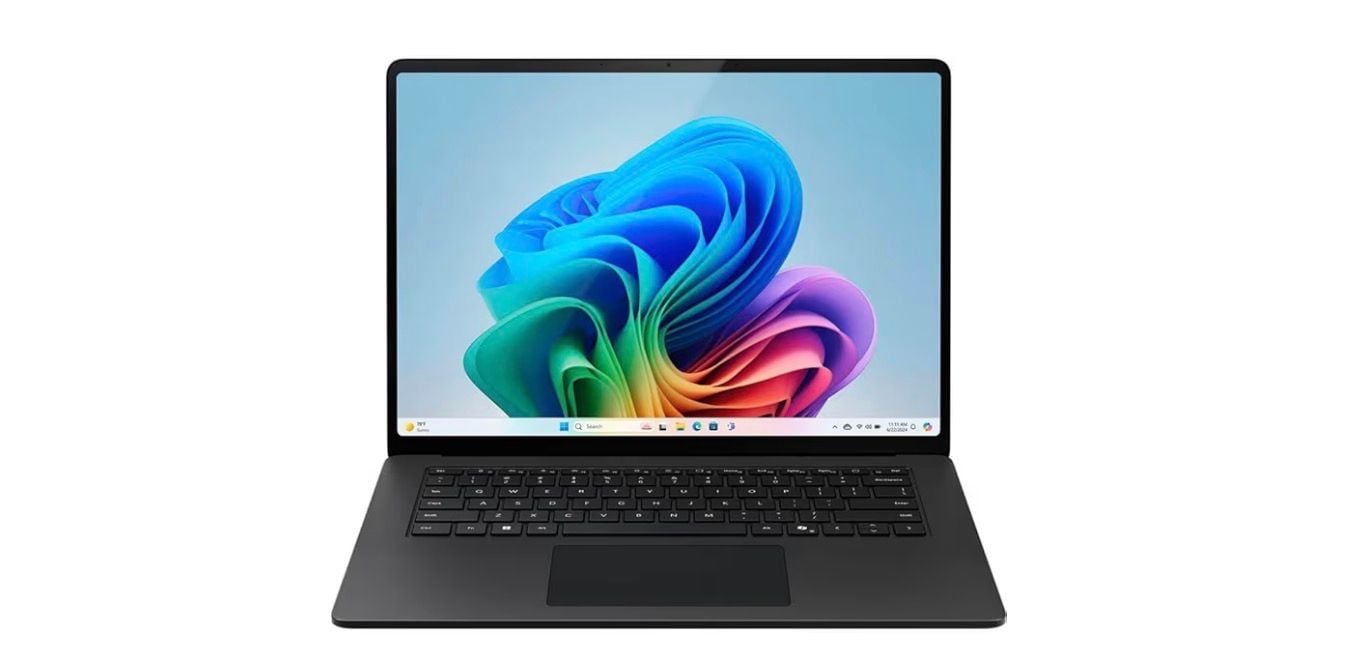
Microsoft's flagship laptop offers impressive battery life in a compact package, making it ideal for developers who work on the go or in hybrid office environments.
Key highlights
- Excellent battery life for all-day use
- Premium build with aluminum construction
- High-resolution PixelSense touch display
- Quiet, fanless operation in some configurations
- Windows 11 optimization
Pros
- Outstanding battery life for mobile development
- Premium build quality and materials
- Good display for coding sessions
- Quiet operation even under moderate loads
Cons
- Limited upgrade options
- Performance may not match dedicated workstations
- Higher configurations get expensive quickly
Who it is for: Mobile developers, students, and anyone who needs reliable all-day battery life in a portable package.
Skip if
You need maximum processing power for heavy compilation or virtualization workloads.
Also Good
- Dell Pro 16 - business-ready with strong enterprise management. Check Price on Dell
- Lenovo IdeaPad Slim 3 - a solid budget pick for learning to code. Check Price on Lenovo
- Apple MacBook Air M5 - lighter, more portable for everyday development.
How to Choose
Consider these factors when selecting your programming laptop:
- 1.Processor performance: Look for strong multi-core performance for compilation and virtualization. Apple Silicon offers excellent performance per watt, while recent Intel and AMD chips provide strong Windows/Linux options.
- 2.RAM capacity: 16GB is the practical minimum for modern development, with 32GB recommended for virtualization, containers, or large projects. More RAM prevents swapping and keeps your workflow smooth.
- 3.Display quality: Consider resolution, brightness, and color accuracy. Higher resolution helps with code readability, while good brightness matters for varied lighting conditions.
- 4.Battery life: If you work away from outlets regularly, prioritize efficiency. Apple Silicon currently leads here, but some Windows laptops offer respectable battery life.
- 5.Keyboard and build quality: You'll spend hours typing, so a good keyboard matters. Build quality affects durability and long-term satisfaction.
- 6.Operating system: Choose based on your toolchain. macOS works well for Unix-based development and iOS/macOS apps, while Windows offers broader hardware compatibility and Linux provides maximum control.
FAQ
What's the minimum RAM for programming in 2026?
16GB is the practical minimum for comfortable development work. 8GB can work for basic learning or web development, but you'll quickly hit limits with modern IDEs, browsers, and development tools running simultaneously.
Is Apple Silicon good for programming?
Yes, Apple's M-series chips offer excellent performance for most development tasks. They handle compilation, virtualization, and containerization well. The main consideration is whether your specific toolchain supports ARM architecture.
Do I need a dedicated GPU for programming?
Most programming doesn't require a dedicated GPU. Integrated graphics work fine for IDEs, terminals, and web development. Consider a GPU only if you work with machine learning, game development, or graphics programming.
How important is battery life for programming?
Very important if you work away from outlets regularly. Good battery life means fewer interruptions and more flexibility in where you work. Apple Silicon currently leads in this area, but some Windows laptops offer 8+ hours of real use.
Should I choose Windows, macOS, or Linux?
This depends on your specific needs. macOS offers a Unix environment with commercial polish, Windows has the broadest software compatibility, and Linux provides maximum control and customization. Consider what tools and frameworks you use most.
Published February 3, 2026 Last updated June 15, 2026
Share this article
More in News
The Best FlexiSpot Standing Desks and Chairs for 2026
FlexiSpot's Amazon lineup ranked, from the RGB CyberX gaming desk and solid wood Woodix to the 551 lb ErgoX-PRO office chair and the reclining Sentinel-Pro gaming chair.
4 min read
The 9 Best Laptops for High School Students of 2026
Discover the best laptops for high school in 2026. Our top pick, the Apple MacBook Air M4, leads for power, battery, and durability.
5 min read
8 Best Chromebooks for Students in 2026
The best Chromebooks for students in 2026, from the Samsung Galaxy Chromebook Plus to budget picks under $200 and rugged, all-day classroom models.
3 min read
8 Best Laptops for Bloggers in 2026
Discover the best laptops for bloggers in 2026. Our top pick is the Apple MacBook Air M3 for its perfect balance of performance and portability.
4 min read
Best Laptops for Medical Students in 2026
5 min read
Best Chromebooks Under $300 for 2026
3 min read
OPN Sound OS3000BU Swym bone-conduction neckband drops to $61.45 on Amazon
4 min read
2 Mini LED TV deals starting at $997.99, including Samsung and TCL
3 min read
Xbox Game Drive Storage Capacity LED Light falls to $258.82
3 min read
Acer Nitro WQHD 3440x1440 Curved 200Hz Gaming Monitor Drops to $199.99
3 min read
Fostex TH1100RPmk2 Planar Headphones now selling for $1465.50
5 min read
Sony Noise Cancelling Bluetooth Headphone Grey Beige price drops to $295.07
4 min read