
When your Redmi Note 13 Pro's keyboard starts suggesting bizarre words or stops predicting altogether, it can slow you down to a crawl. This is usually a software hiccup with the Gboard app or MIUI's own system, and it's almost always fixable without any drastic measures. Let's get your predictions back on track.
Restart Your Phone First
It sounds simple, but a quick reboot clears out temporary glitches that can mess with the keyboard's learning. Just press and hold the power button until the menu appears, then tap "Restart." If the phone is completely frozen, a force restart works too. Hold the power button for about 15 seconds until you feel it vibrate and the screen goes black, then release it to let it boot up normally.
Clear the Gboard App Cache
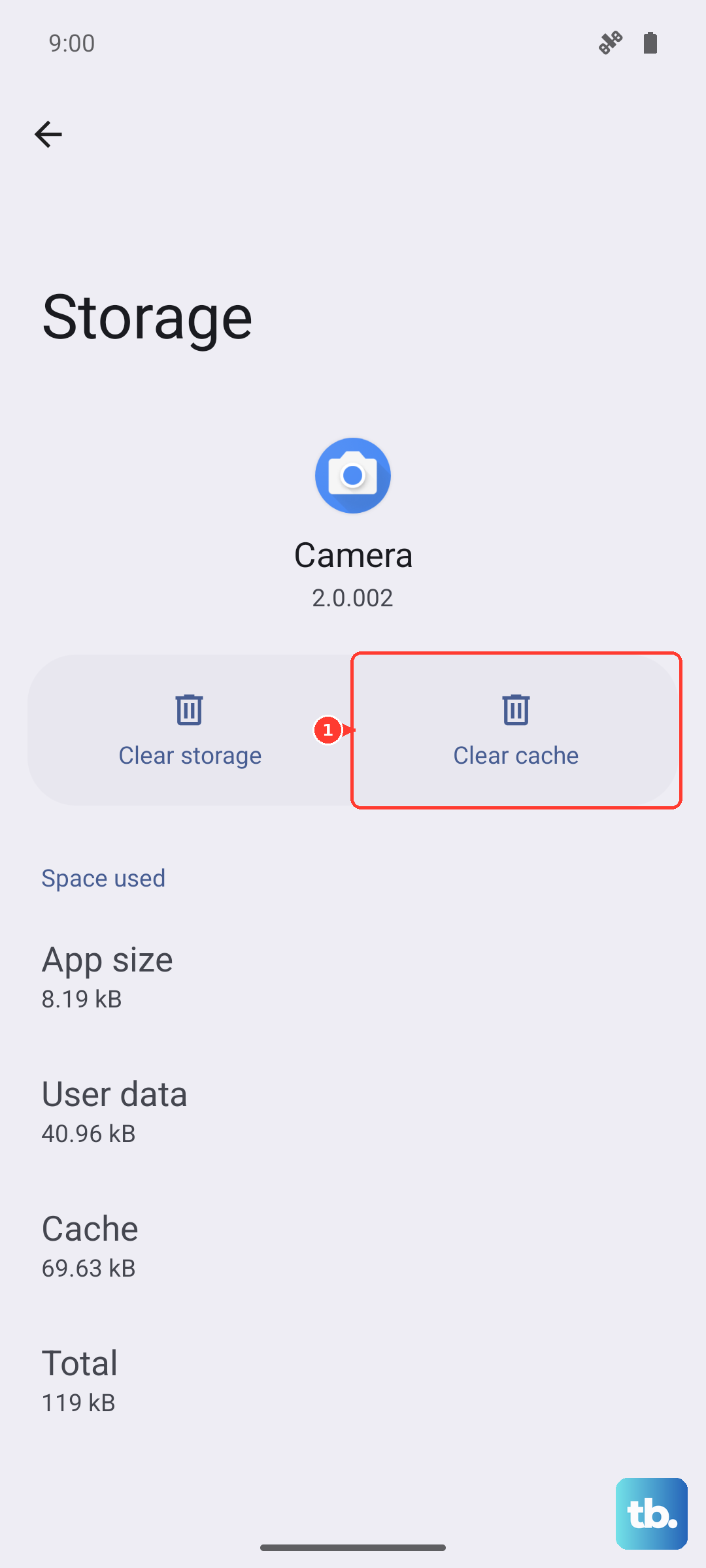
If a restart didn't do the trick, the next step is to clear the keyboard app's cache. This gets rid of temporary junk files without touching your personal dictionary or settings. Open your Settings app and go to Apps > Manage apps. Find "Gboard" in the list and tap on it.
Inside the Gboard app info, tap on Storage usage. Here, you'll see the option to Clear cache. Give that a tap. This process takes just a second and often resolves prediction lag or weird suggestions immediately.
Check Your Gboard Language and Settings
Sometimes the predictions go wrong because the app is confused about which language you're using, or a specific setting got flipped. Open any app that uses the keyboard and long-press the comma or globe key to bring up the Gboard menu, then tap the gear icon for settings.
First, go to Languages and make sure the correct language (like English US) is added and selected. Then, head to Text correction. In here, ensure "Show suggestion strip" and "Next-word suggestions" are toggled on. You can also try toggling them off and back on to refresh the feature.
Update Gboard from the Play Store
An outdated version of the keyboard app can have bugs that newer updates fix. Open the Google Play Store, tap your profile picture in the top right, and go to Manage apps & device. Under "Updates available," look for Gboard. If you see it, tap the update button next to it.
If you don't see it in the updates list, search for "Gboard" manually. The app page will show you if an update is pending. I've seen prediction accuracy improve noticeably after an update, especially on newer phones like the Note 13 Pro running Android 14.
Reset Gboard's Learning (Clear Storage)
If predictions are still wildly off, the app's learned data might be corrupted. This is a more thorough step than clearing the cache. Go back to Settings > Apps > Manage apps > Gboard > Storage usage.
This time, tap Clear data or Clear storage. A warning will pop up. This will erase your personal dictionary, any custom words you've added, and reset all Gboard settings back to default. Your typed history in other apps is safe, but you'll have to re-add frequent slang or names.
Try a Different Keyboard Temporarily
If Gboard is still acting up, the issue might be a deeper conflict with MIUI. Installing a lightweight alternative keyboard like Microsoft SwiftKey or OpenBoard from the Play Store can help diagnose it. After installing a new keyboard, you'll need to enable it in Settings > Additional settings > Languages & input > Current keyboard.
Switch to the new keyboard and see if predictions work normally. If they do, the problem is isolated to Gboard. You can then try uninstalling Gboard updates via its Play Store page and reinstalling them, or simply stick with the new keyboard if you prefer it.