Unlock your iPhone 17e from carrier restrictions and use any network provider you want.
What You Need to Know First
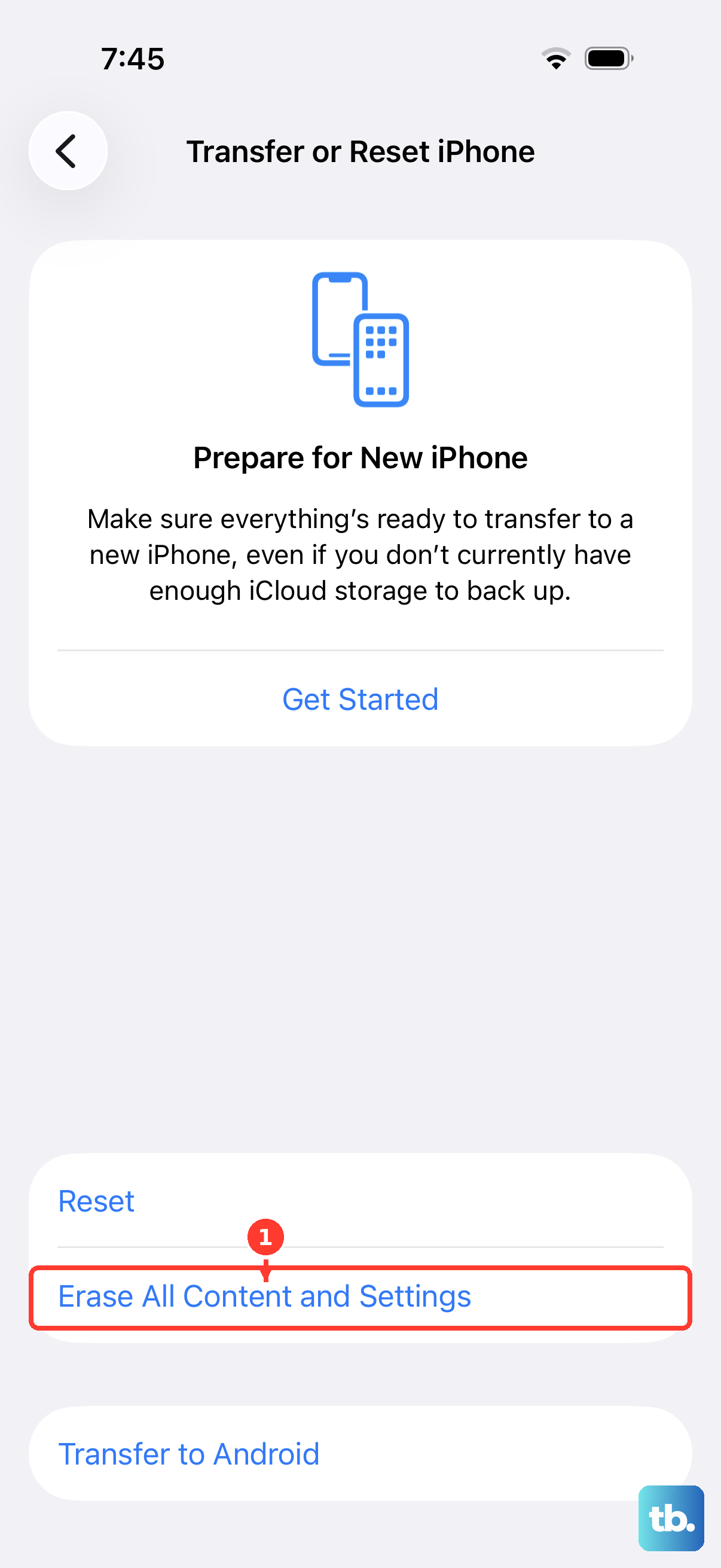
Getting your iPhone 17e unlocked is a straightforward process, but there are a few key things to understand. The unlock code is tied to your phone's unique IMEI number, not your SIM card. You'll need this 15-digit number, which you can find by going to Settings > General > About or by dialing *#06#.
Your current carrier is almost always the best place to start. If your device is paid off and you've met their service requirements, they are obligated to provide the unlock code for free. I'd start with them before looking anywhere else.
Unlike some Android phones, iPhones aren't unlocked by typing a code into the device, so there's no incorrect-attempt lockout to worry about. Your carrier simply applies the unlock to your iPhone's IMEI in Apple's activation database once you qualify.
How to Get Your Unlock Code from Your Carrier
Contacting your carrier is the official and usually free method. The process is largely the same whether you're with AT&T, T-Mobile, Verizon, or another provider, but their specific eligibility rules can vary.
First, make sure you qualify. Generally, your iPhone 17e must be fully paid off (no remaining installment plan balance). It cannot be reported as lost or stolen, and you should have completed any required service contract period. Your account also needs to be in good standing.
Next, get in touch with customer support. You can usually do this through your carrier's website, their dedicated app, or by calling. When you reach them, specifically request a "carrier unlock" or "SIM unlock" for your iPhone 17e. They will ask for your IMEI number to generate the unique code.
After submitting the request, there's a waiting period. It can take anywhere from a few hours to several business days for them to process it and send you the code via email or text message. Save this message securely, as you'll need it for the final step.
Unlocking Your iPhone 17e with the Code
Once you have the code from your carrier, the actual unlock process is simple. Make sure you have a SIM card from a different carrier that you want to switch to. It doesn't need to be active; it just needs to be from a network other than your current one.
Turn off your iPhone 17e completely. Remove your old SIM card from the tray and insert the new SIM card from the other carrier. Now, power the phone back on.
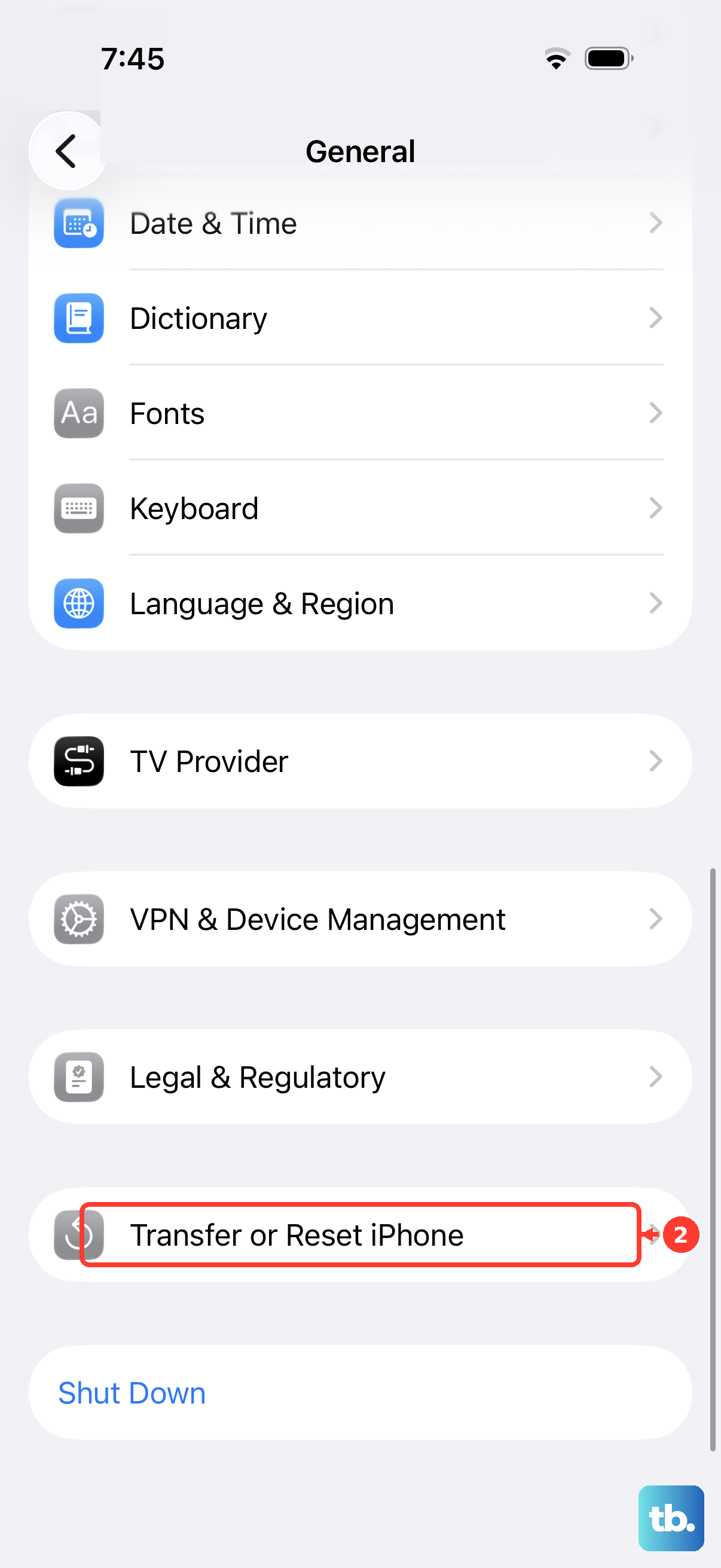
iPhones don't use a typed unlock code. Once your carrier approves the request, they apply the unlock to your device in Apple's activation database, so there's no PIN or code to enter on the phone. To finish, back up your iPhone, then insert the new SIM card (or erase and reactivate the device). The unlock applies automatically, and you can confirm it under Settings > General > About, where Carrier Lock should read "No SIM restrictions."
Your iPhone 17e is now carrier-unlocked. You can pop your original SIM back in or continue using the new one. The unlock is permanent and will survive future iOS 26 updates or factory resets.
Using a Third-Party Unlocking Service
Sometimes a carrier can't or won't provide an unlock code. Maybe the phone is from a carrier that has gone out of business, or you bought it second-hand and the original owner can't help. In these cases, third-party unlocking services are an option.
Choose a service carefully. Look for companies with strong, verifiable reviews and clear guarantees. Be wary of any service promising "instant" or "free" unlocks, as these are often scams. A reputable service will ask for your iPhone 17e's IMEI number and your current carrier name.
You'll pay a fee, typically based on your carrier and device model. After payment, they'll process the IMEI and send you the unlock code, usually within 24 to 72 hours. You then use this code exactly as you would a carrier-provided one by inserting a different SIM card.
It's worth noting that the iPhone 17e's new C1X cellular modem doesn't change the unlocking process. The method is the same as for older iPhones, so services familiar with Apple devices will have no issue with it.
If You Run Into Problems
The most common issue is entering the code incorrectly. If you get an error, double-check the numbers. The code is often long and case-sensitive. If it fails again, do not keep guessing.
Stop and contact whoever gave you the code, your carrier or the third-party service, to verify it's correct. Entering too many incorrect codes can trigger a permanent lock on the iPhone 17e.
If you see a message like "SIM Not Supported" even after entering a code, try a full restart. Turn the phone off, remove and re-insert the new SIM card, and power it back on. Sometimes the unlock just needs a reboot to take effect.
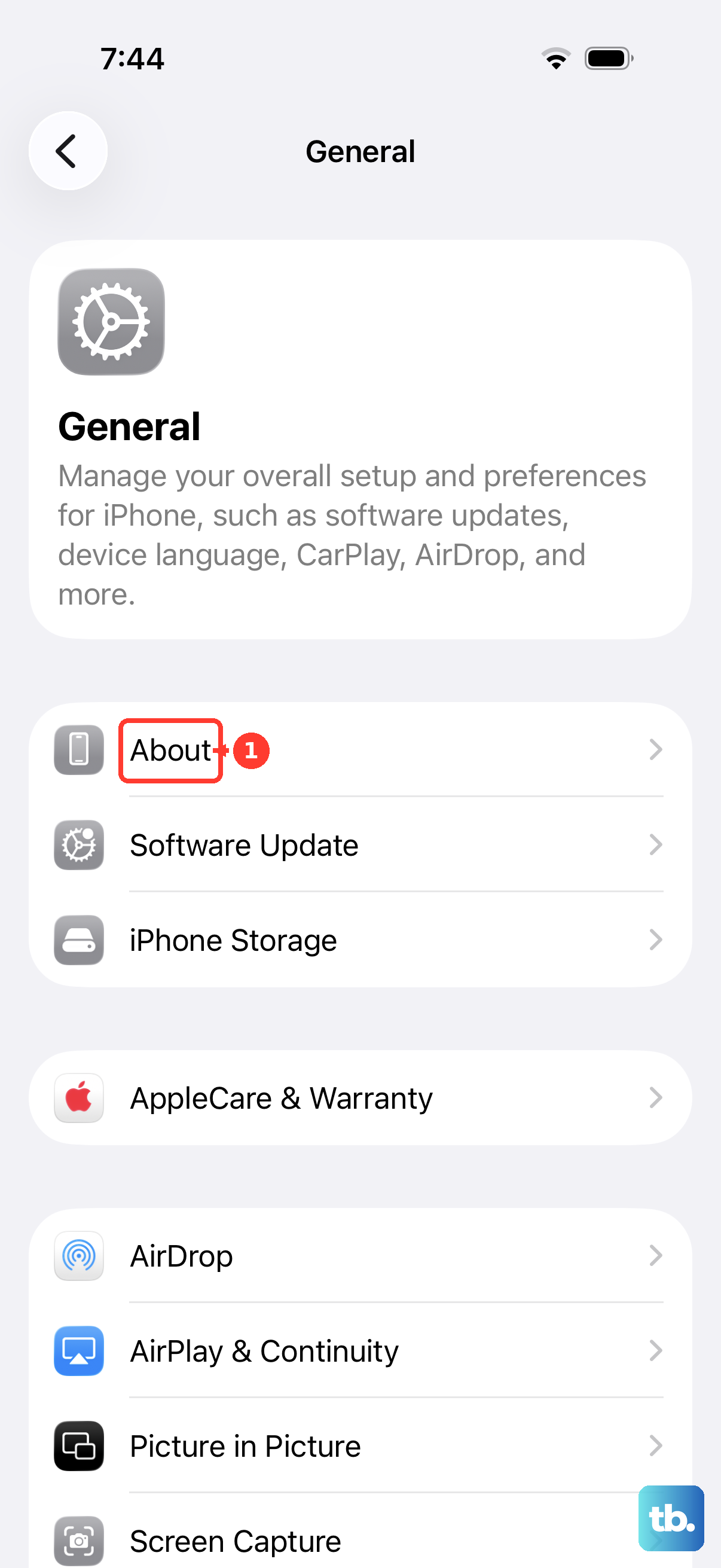
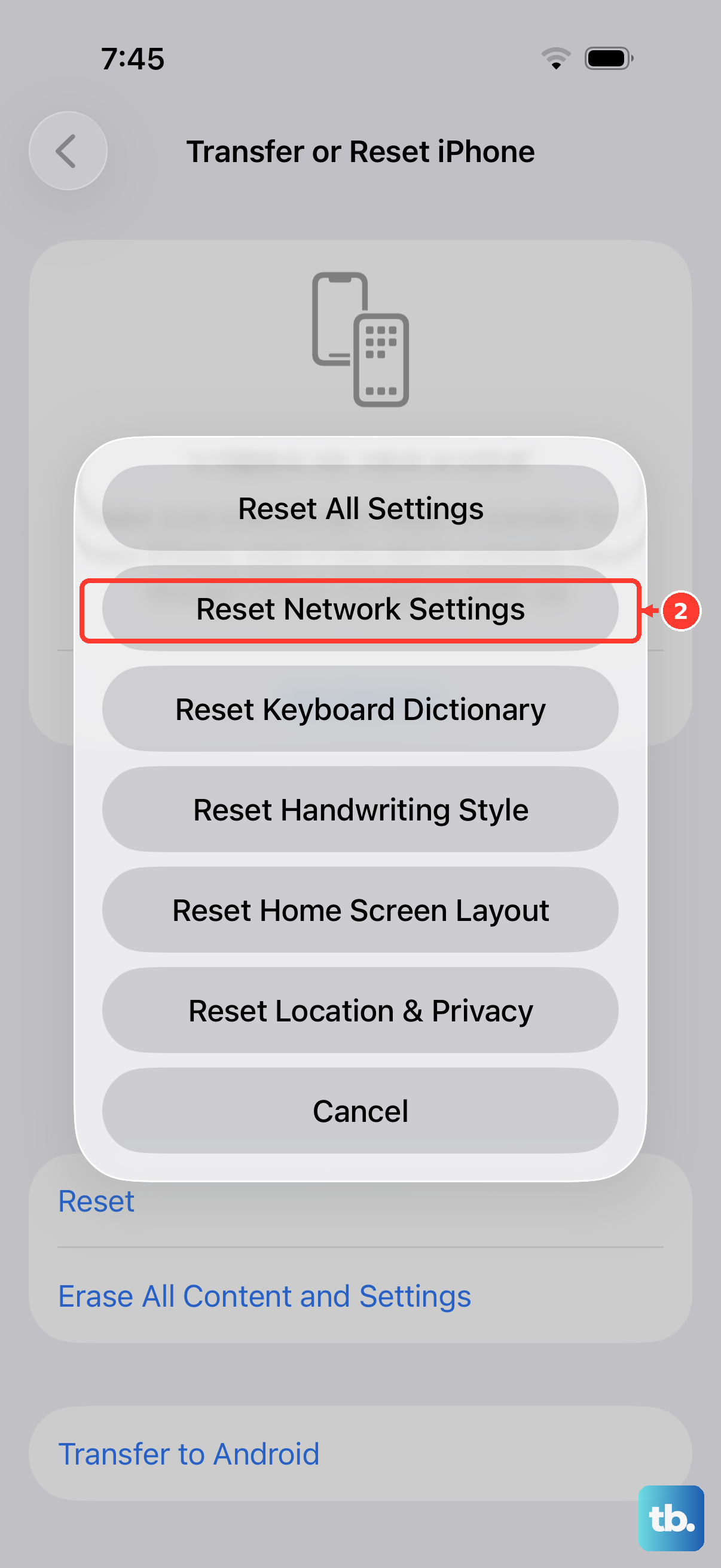
For persistent issues, a network settings reset can help. Go to Settings > General > Transfer or Reset iPhone > Reset > Reset Network Settings. This will clear all Wi-Fi passwords and cellular settings, so be prepared to re-enter them, but it can clear up software glitches blocking the unlock.