An APN, or Access Point Name, is the gateway that tells your phone how to reach Verizon's network for mobile data and picture messaging. When it is set correctly your phone connects automatically, so most people never touch it.
You usually only need to enter these settings manually if mobile data stops working, picture messages fail to send or receive, or you moved a SIM into an unlocked phone that did not configure itself. This guide lists the current Verizon values and shows the exact steps to add, edit, or reset the APN on both Android and iPhone.
When You Actually Need to Change the APN
On most Verizon lines the APN is provisioned automatically when you insert a Verizon SIM or activate an eSIM, so manual setup is rarely required. If your data and MMS already work, leave the settings alone.
Manual changes make sense in a few situations. These include moving a Verizon SIM into an unlocked or imported phone, switching from another carrier, or troubleshooting a phone that has signal bars but no working data or picture messaging.
Before editing anything, confirm the basics first. Turn Airplane mode on and off, make sure mobile data is enabled, and restart the phone, since these clear most issues without touching the APN at all.
Verizon APN Settings
Use these values exactly as written, including lowercase letters and the full MMSC web address. A single typo or extra space is the most common reason a new APN does not work.
- Name: Verizon
- APN: vzwinternet
- MMSC: http://mms.vtext.com/servlets/mms
- MMS port: 80
- MCC: 310
- MNC: 12 (enter 012 if your phone requires three digits)
- APN type: default,supl,mms (some phones label this internet+mms)
- APN protocol: IPv4/IPv6
Leave the remaining fields blank or set to Not set. These are Proxy, Port, Username, Password, Server, MMS proxy, Authentication type, and Bearer.
Add the APN on Android
The wording differs slightly by brand, but the destination is the same. On a Samsung Galaxy go to:
> Settings > Connections > Mobile networks > Access Point Names
On a Google Pixel or most stock Android phones the path is:
> Settings > Network & internet > SIMs > Access Point Names
Tap the plus icon to create a new APN, then enter the Verizon values from the section above. Save it using the three-dot menu, return to the list, and select the new APN so the dot next to it is filled in.
Restart the phone to apply the change. If picture messaging still fails, double check the MMSC address and MMS port, since those control MMS separately from data.
Add the APN on iPhone
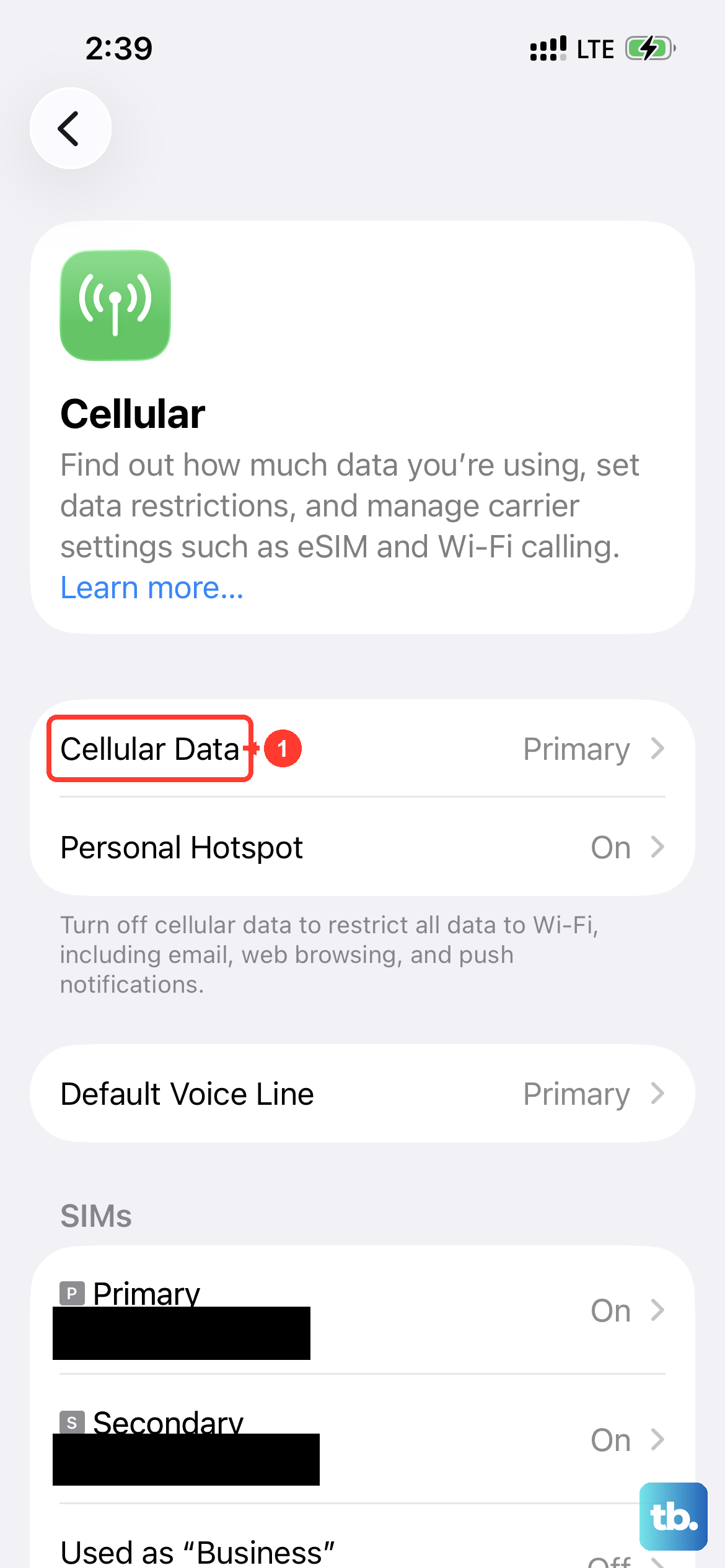
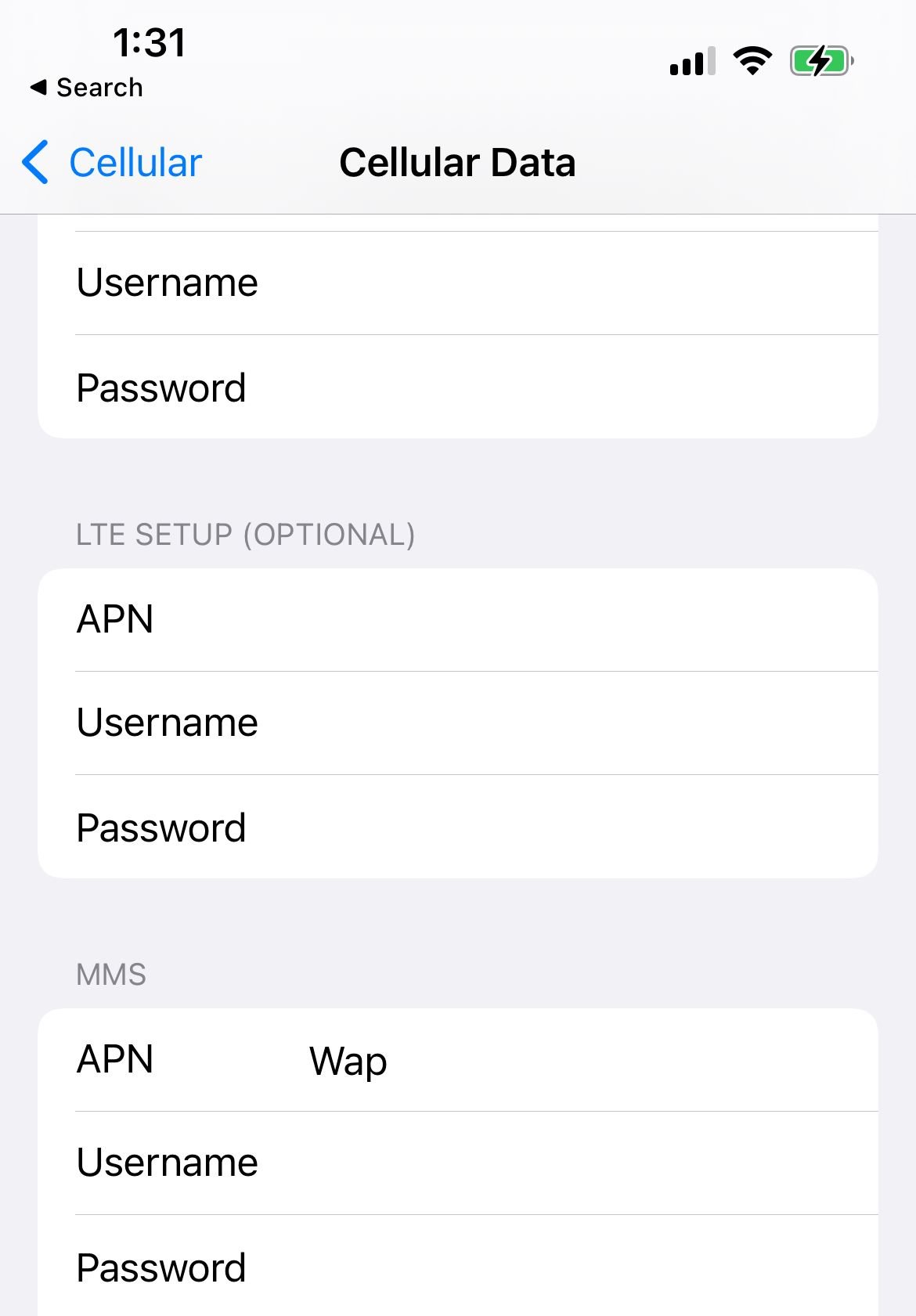
On iPhone you cannot always edit the APN, because Apple only shows the screen when the carrier allows it. To check, open:
> Settings > Cellular > Cellular Data Network
On some iOS versions the path is Settings > Mobile Data > Mobile Data Options > Mobile Data Network instead. If you see the Cellular Data Network option, enter vzwinternet under both Cellular Data and MMS, add the MMSC address and MMS port under the MMS section, and leave username and password blank.
Turn cellular data off and back on, or restart the iPhone, to apply the new values. On many Verizon lines these fields populate automatically through a carrier profile, so the screen may already be filled in correctly or hidden entirely.
What to Do if the APN Screen Is Missing or Grayed Out
A missing or locked Access Point Names screen almost always means the carrier is controlling the APN, not that your phone is broken. This is common on carrier-locked iPhones and on some prepaid lines, where the settings are intentionally hidden.
If the fields are grayed out, the line is likely provisioning the APN automatically and there is nothing to change. Confirm data works before assuming a problem exists.
If you genuinely need to edit a locked APN, contact Verizon and ask whether the line supports manual APN editing or a carrier profile. Do not attempt to bypass a carrier lock through unofficial tools.
Reset the APN to Defaults
If you changed the APN and now nothing works, resetting it is the fastest recovery. On iPhone open Settings > Cellular > Cellular Data Network and tap Reset Settings at the bottom.
On Android, open the Access Point Names screen, tap the three-dot menu, and choose Reset to default. This deletes any custom APN you created and restores Verizon's standard entry.
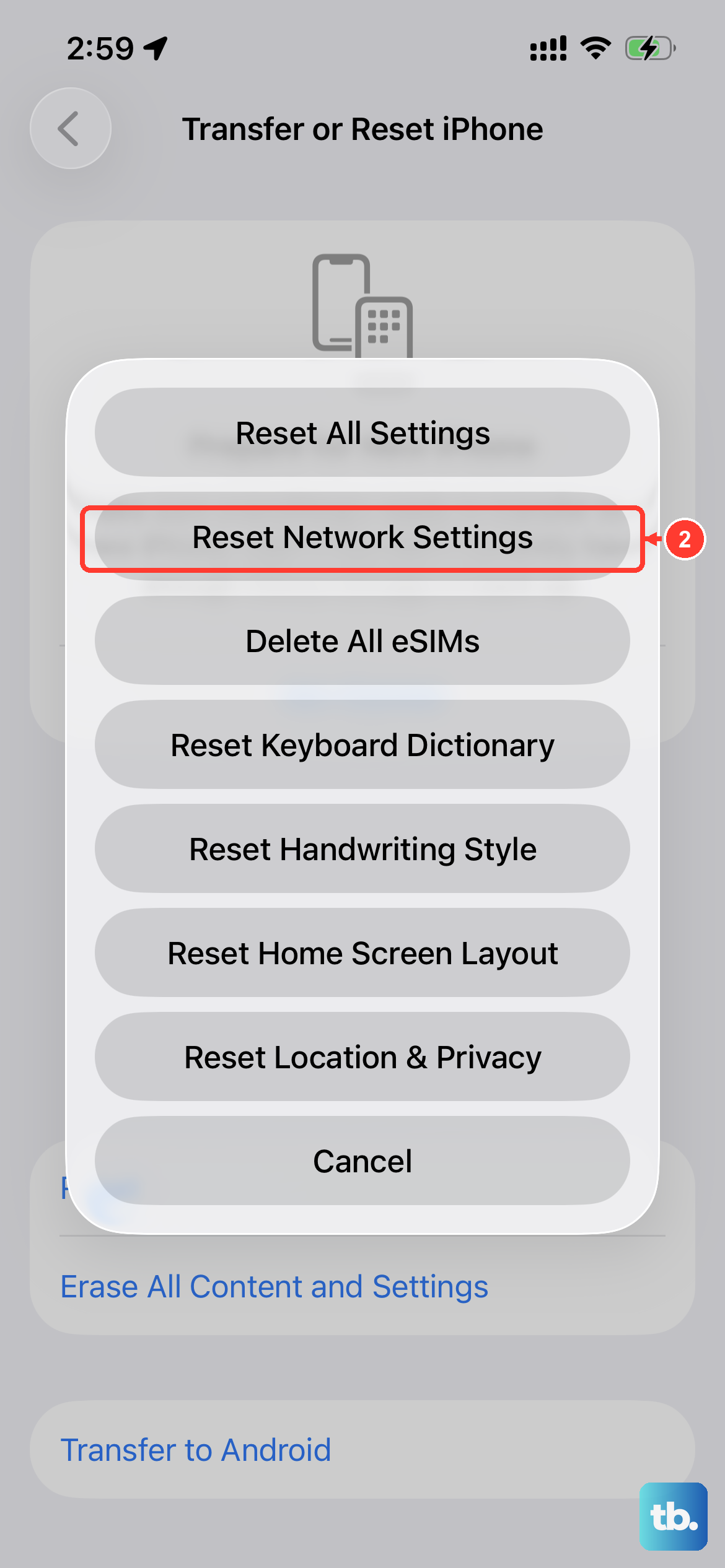
You can also clear broader connectivity problems with a full network reset. On a Samsung Galaxy this lives under Settings > General management > Reset > Reset network settings, which also clears saved Wi-Fi and Bluetooth pairings. Stock Android phones keep the same option under Settings > System > Reset options.
Keep the APN Working After Updates
On iPhone, a system update can wipe a custom APN and restore Verizon's defaults unless you are using a configuration profile, so you may need to re-enter your values after a major iOS upgrade. If the line provisions automatically, this is not a concern.
These settings apply to both 4G LTE and 5G service on Verizon, since the data APN is the same across both networks. If you switch phones often, write your working values down so you can re-enter them quickly.
For other carriers, see Updated AT&T APN Settings for All Devices or the combined guide on APN settings for AT&T, Verizon, T-Mobile and other US carriers.
Frequently Asked Questions
What is the Verizon APN name
The main Verizon APN is vzwinternet. It handles general internet access, and the same APN is used for both 4G LTE and 5G connections.
Why is my Verizon APN grayed out on iPhone
Apple only lets you edit the APN when the carrier permits it, and many Verizon iPhones are locked from manual editing. If the line provisions automatically, there is nothing to change and data should still work.
Do I need to set an APN if my Verizon data already works
No. If mobile data and picture messaging are working, your APN is already correct and you should leave it alone. Manual setup is only for connectivity problems or unlocked imported phones.
Why are my picture messages not sending on Verizon
MMS uses the MMSC address and MMS port, which are separate from your data APN. Confirm the MMSC reads http://mms.vtext.com/servlets/mms and the MMS port is 80, then restart the phone.
How do I reset my Verizon APN to default
On iPhone go to Settings > Cellular > Cellular Data Network and tap Reset Settings. On Android, open Access Point Names, tap the three-dot menu, and choose Reset to default.
Are Verizon APN settings the same for 5G and 4G LTE
Yes. The data APN vzwinternet is identical for 4G LTE and 5G, so you do not need a separate configuration when your phone connects to 5G.
First published October 15, 2025. Last updated June 4, 2026.