
Unlock your iPhone 16 Pro from carrier restrictions and use any network provider you choose.
What to Know
- Contact your carrier first – they are legally required to provide the unlock for free if you meet their requirements.
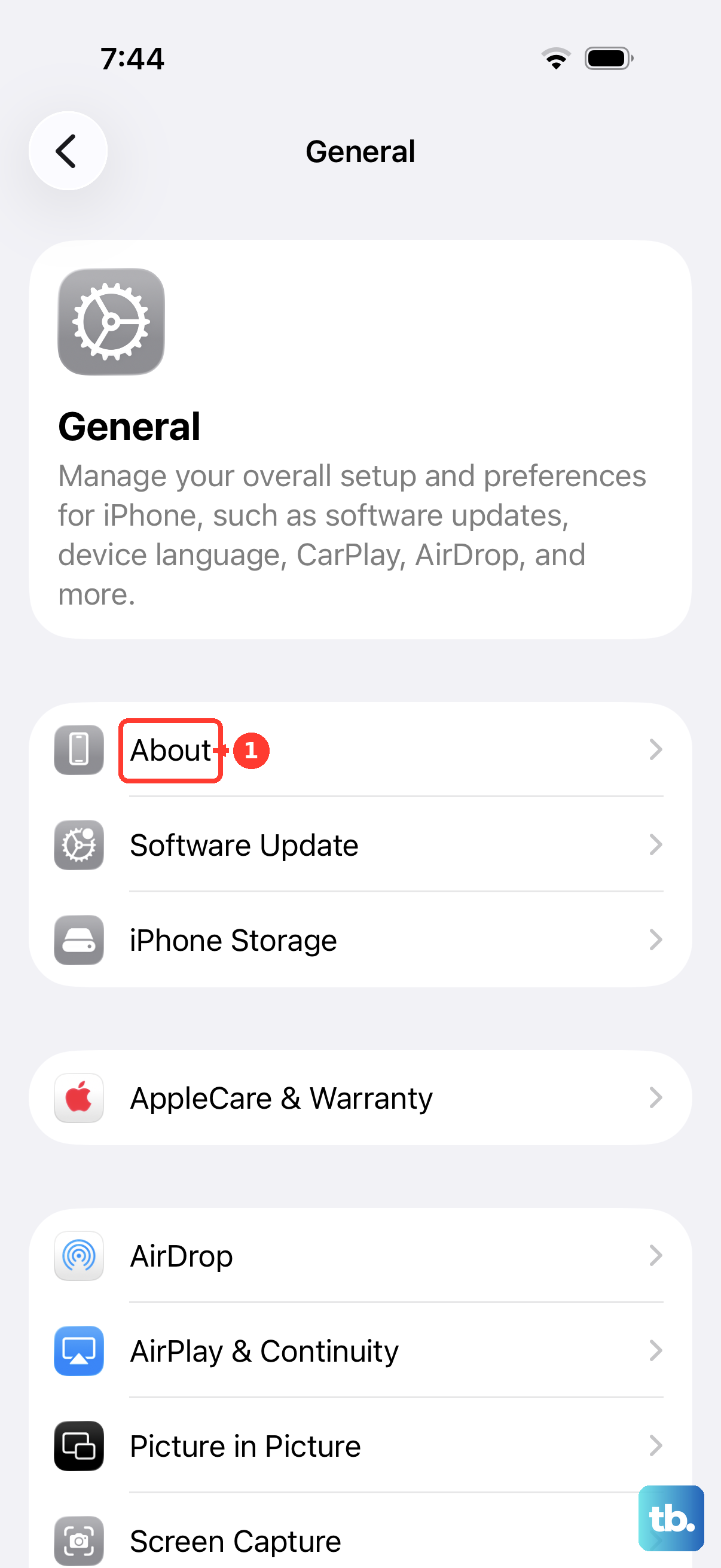
- Your IMEI is key – you'll need this unique number, which you can find in Settings > General > About.
- The process is software-based – Apple handles carrier locks remotely; you rarely enter a code manually on newer iPhones.
- Back up your iPhone – it's a good practice before any major process, though unlocking typically doesn't affect your data.
If your iPhone 16 Pro is carrier-locked, it means it's programmed to only work with SIM cards from that specific company. This is common when you buy a phone on an installment plan or with a carrier discount. Once unlocked, you can pop in a SIM from any compatible carrier, which is perfect for international travel or switching to a better plan.
Request the Unlock from Your Carrier
This is always the first and best step. Major US carriers have specific policies, but they all must unlock your device if you've fulfilled your contract or paid off your installment plan. The process is mostly done online now.
You'll need to log into your carrier account online or use their app. Navigate to the device unlock section, it's often under account management or support. They will ask for your iPhone 16 Pro's IMEI number to submit the request.
You can find your IMEI quickly by going to Settings > General > About and scrolling down. Once submitted, approval can be instant or take a few business days. You'll receive a confirmation email when it's done.
Complete the Unlock on Your iPhone 16 Pro
After your carrier approves the unlock, you need to finalize it on the device itself. The method depends on your current situation.
If you have the original carrier SIM inside, the unlock often happens automatically. Try restarting your iPhone 16 Pro. You can force restart it by pressing and quickly releasing the Volume Up button, then the Volume Down button, then pressing and holding the Side button until you see the Apple logo.
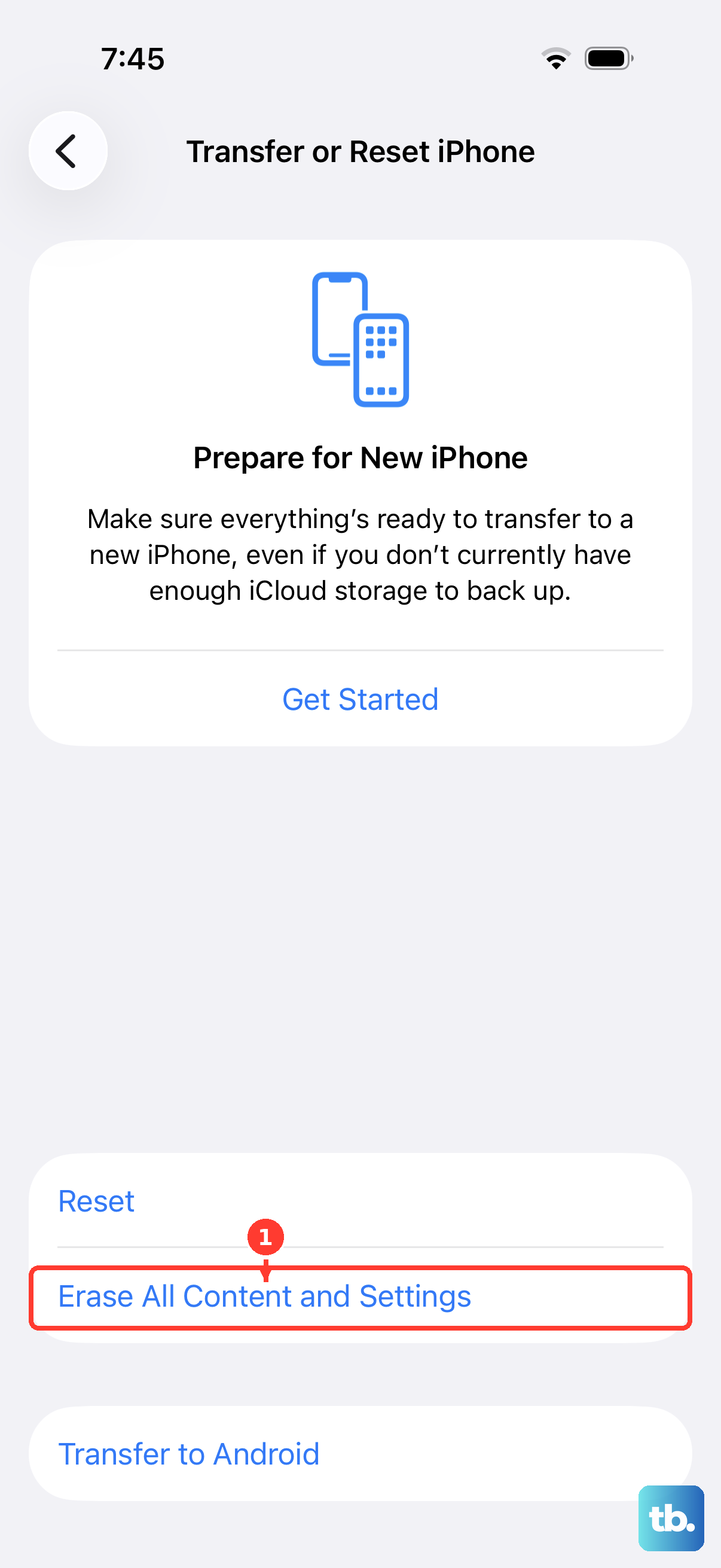
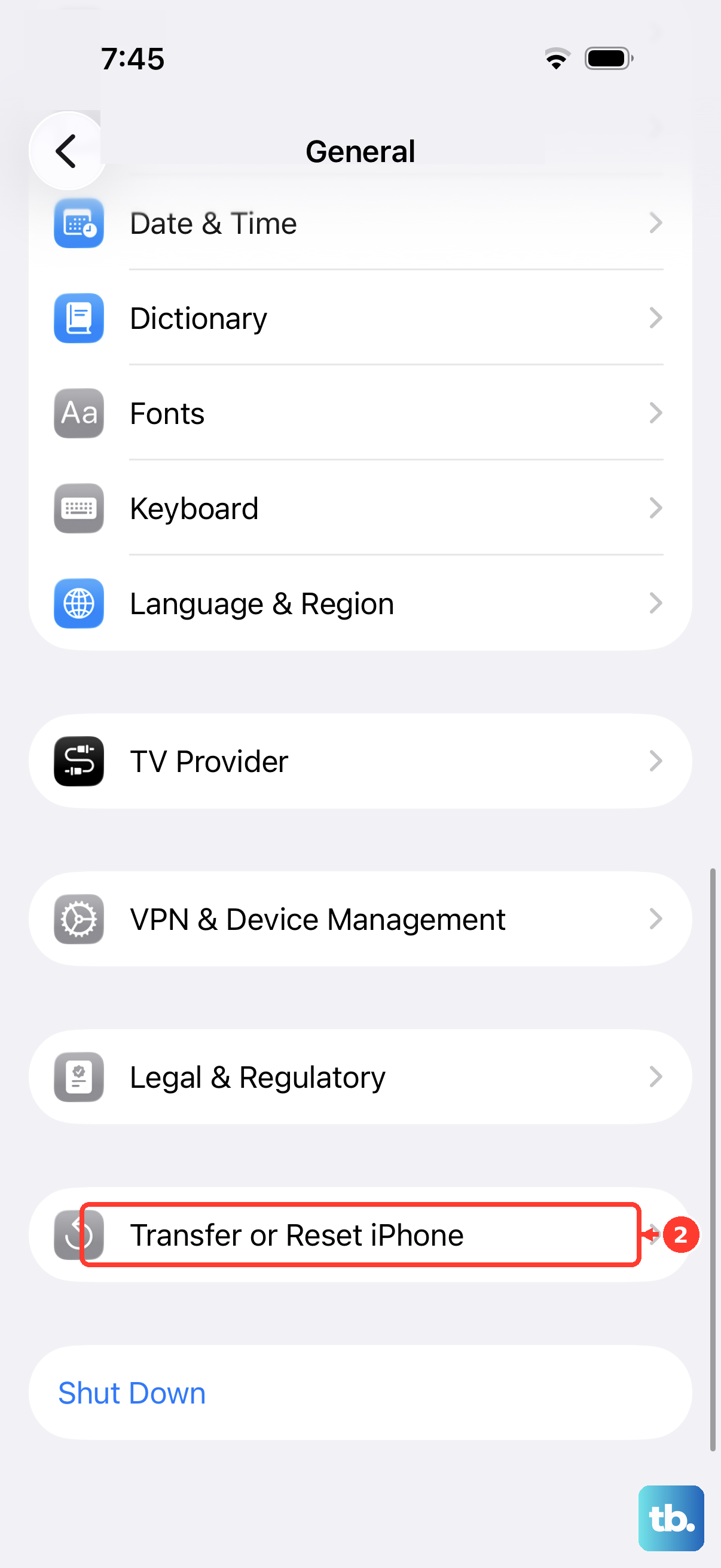
If you're already using a different carrier's SIM, you may need to connect to Wi-Fi and iTunes or a computer. Sometimes, a prompt will appear on screen telling you the unlock was successful. The most reliable method is to back up your iPhone, perform a factory reset via Settings > General > Transfer or Reset iPhone, and then restore from your backup.
Check if Your iPhone 16 Pro is Unlocked
There's a simple way to verify the unlock status without needing another SIM card. Go to Settings > General > About. Scroll down and look for the "Carrier Lock" field.
If it says "No SIM restrictions," congratulations, your iPhone 16 Pro is unlocked. If it still says "SIM locked," the carrier's process may not be complete, or you may need to restart or reset the device as mentioned earlier. I'd wait a day after the carrier's confirmation before worrying.
Using Third-Party Unlocking Services
If your carrier refuses to unlock your iPhone 16 Pro, perhaps because it's still under contract you can't fulfill, third-party services are an option. These services use various methods, often involving your IMEI number, to request an unlock from carrier databases.
It's crucial to choose a reputable service. Look for clear guarantees, customer reviews, and a professional website. Be wary of any service promising "instant" unlocks for suspiciously low prices; legitimate unlocks can take from a few hours to several days.
You'll provide your iPhone 16 Pro's IMEI and pay a fee. Once they process it, they'll notify you, and you'll complete the unlock on your phone, usually by inserting a non-carrier SIM or following their specific instructions. Remember, your phone must not be reported lost or stolen for this to work.
Troubleshooting Unlock Problems
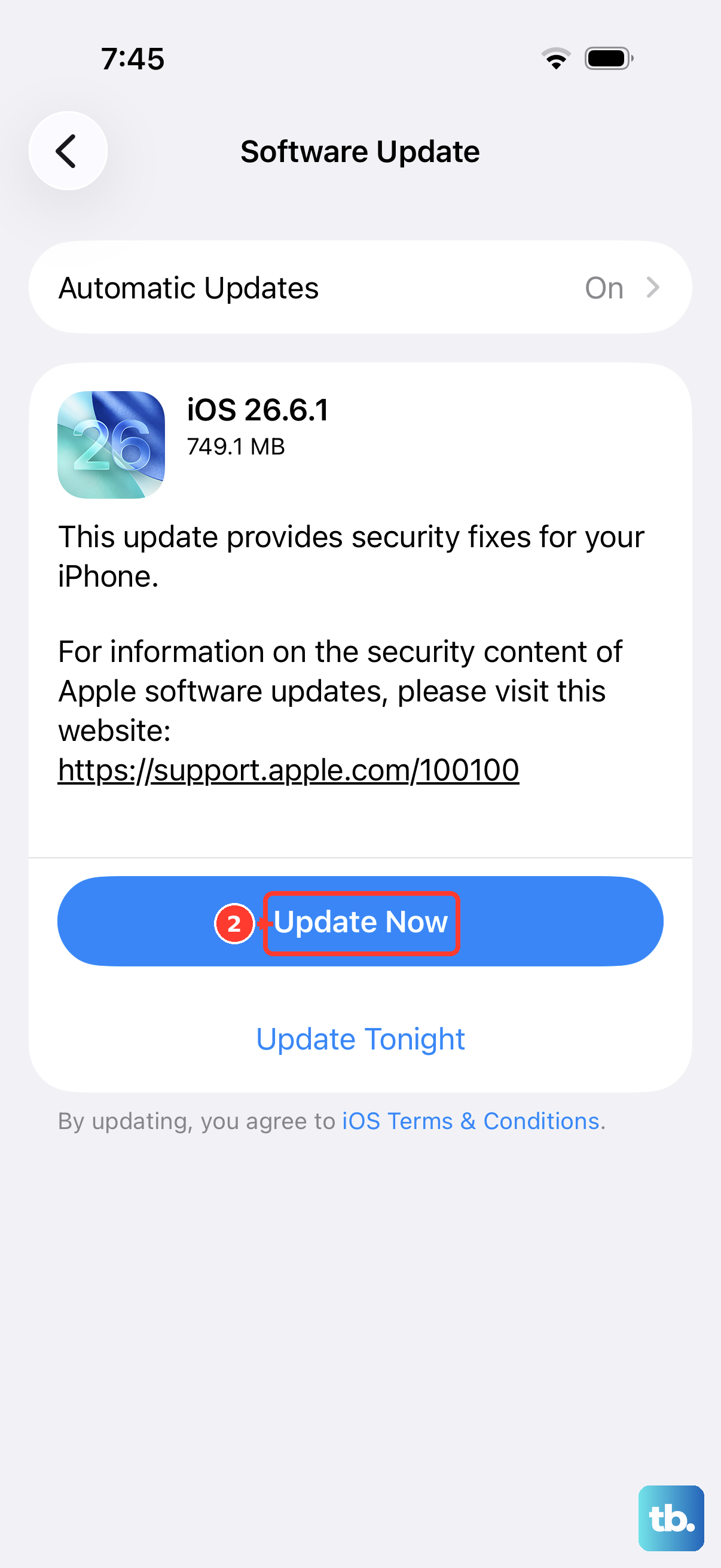
Sometimes, even after carrier confirmation, the unlock doesn't seem to stick. First, ensure your iPhone 16 Pro is updated to the latest version of iOS 26. Go to Settings > General > Software Update. Carrier updates are often included in these.
If you see an error or the status won't change, contact your carrier again with the confirmation number from your unlock request. They can resubmit the unlock to Apple's servers. As a last resort, erasing all content and settings (after a backup) and setting up the phone as new can clear any lingering software flags.
Avoid websites or tools that claim to generate unlock codes for free; these are scams or malware. The unlock is tied to your specific IMEI in Apple's and the carrier's systems, not generated by a simple program.











