
When your iPhone 14 apps keep closing unexpectedly, it pulls you right out of whatever you were doing. It's a common hiccup that usually stems from a software glitch, a memory issue, or a conflict with the app itself. The good news is you can almost always fix it yourself without needing a trip to the Apple Store.
Force Restart Your iPhone 14
This is the quickest fix and solves a surprising number of random app crashes. It clears the phone's working memory without deleting any of your data. On the iPhone 14, you force restart by pressing and quickly releasing the Volume Up button, then pressing and quickly releasing the Volume Down button, and finally pressing and holding the Side button until you see the Apple logo appear.
Wait for your phone to boot back up, then try opening the problematic app again. I'd start with this one, as it's often all you need.
Update the Problem App
Developers are constantly pushing out updates to squash bugs that cause crashes. Open the App Store and tap your profile icon in the top right corner. Scroll down to see if there are any pending updates.
If the app that's crashing is listed, tap "Update" next to it. If you see "Open" instead, the app is already on the latest version. Sometimes, if an update just came out, the bug might be in that new version. In that case, the next step can help.
Check for an iOS Software Update
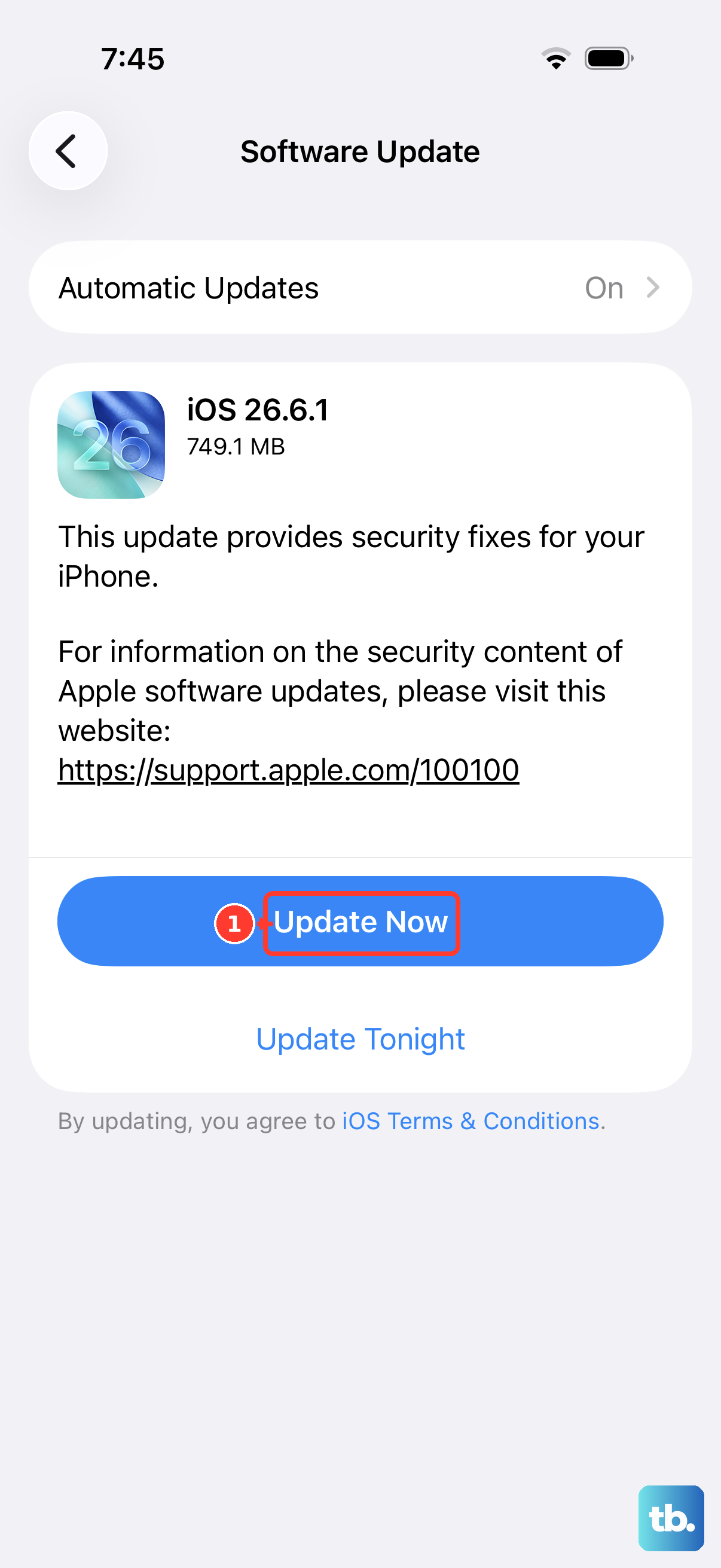
Your iPhone 14's system software, iOS, needs to be in sync with your apps. A mismatch can cause instability. Go to Settings > General > Software Update.
If an update is available, I recommend installing it while your phone is connected to power and on Wi-Fi. Major iOS updates, like moving to a new version, have been known to introduce temporary bugs that are often patched quickly with subsequent point releases.
Offload and Reinstall the App
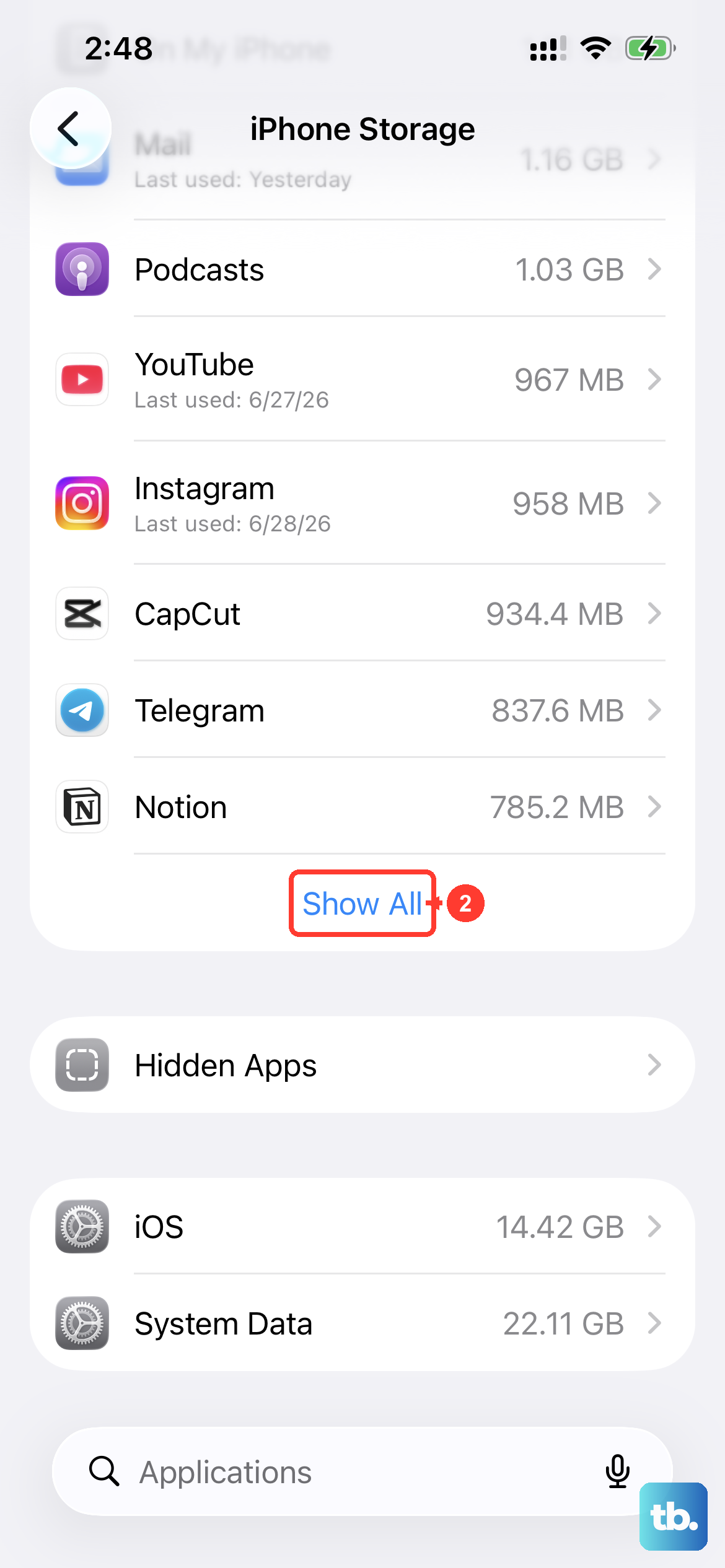
This is more thorough than just deleting and reinstalling. Offloading removes the app but keeps its documents and data on your phone. When you reinstall, your login info and saved files should still be there.
Go to Settings > General > iPhone Storage. Find the app that's crashing in the list and tap on it. Select "Offload App," then confirm. After it's offloaded, the button will change to "Reinstall App." Tap that to get a fresh copy from the App Store.
Free Up iPhone Storage Space
When your iPhone 14 gets too full, apps struggle to create the temporary files they need to run smoothly. Head back to Settings > General > iPhone Storage to see a breakdown of what's using space.
The system will often give you recommendations, like reviewing large attachments in Messages or enabling iCloud Photos. Pay attention to apps taking up several gigabytes. Offloading unused apps (as mentioned above) is a great way to reclaim space without losing their data.
Check Your Network Connection
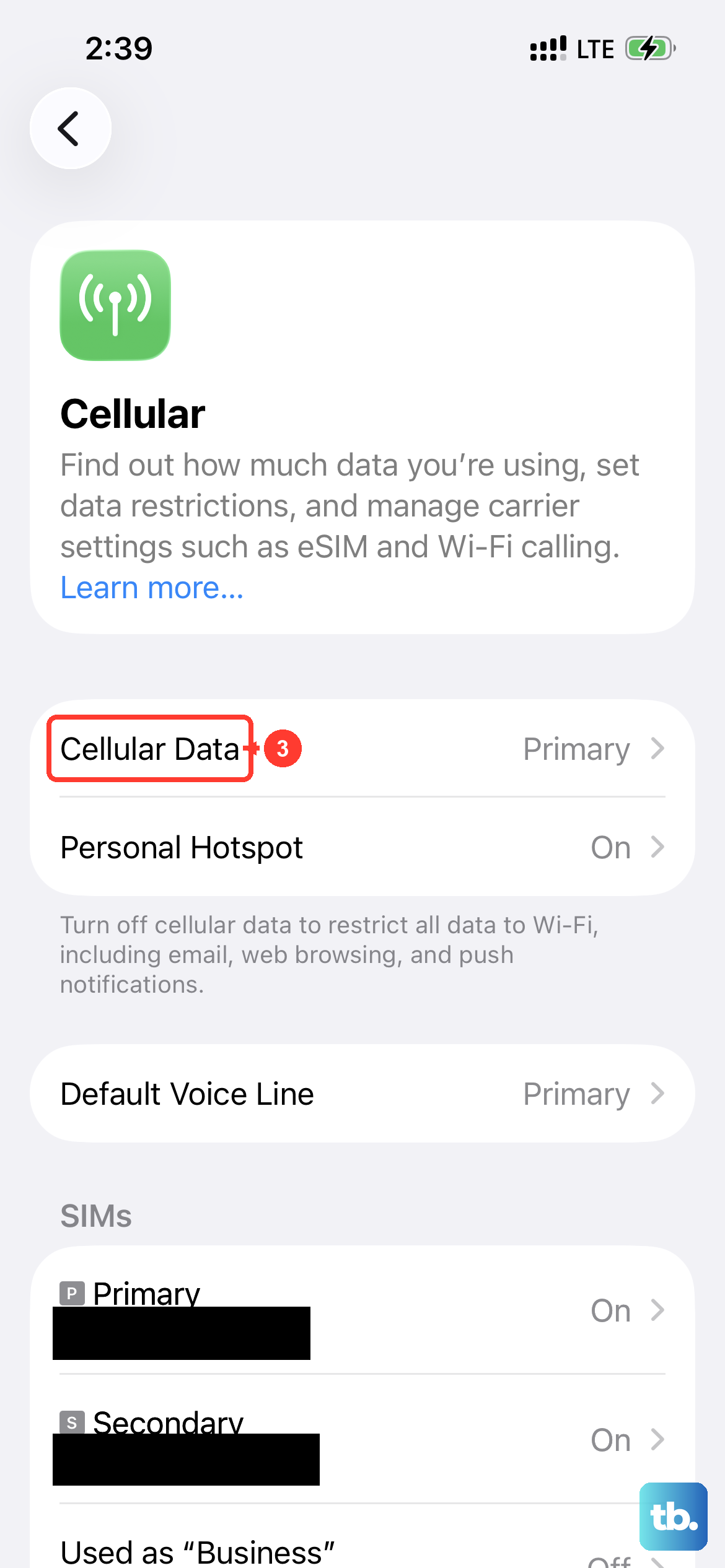
Apps that rely heavily on a live internet connection, like social media or streaming services, can freeze or close if the connection is spotty. Try toggling Airplane Mode on and off from the Control Center to reset your cellular and Wi-Fi radios.
If you're on Wi-Fi, try switching to cellular data for a moment to see if the app stabilizes. Conversely, if you're on cellular, try connecting to a known good Wi-Fi network. A weak or fluctuating signal is a common culprit for app instability.
Reset All Settings
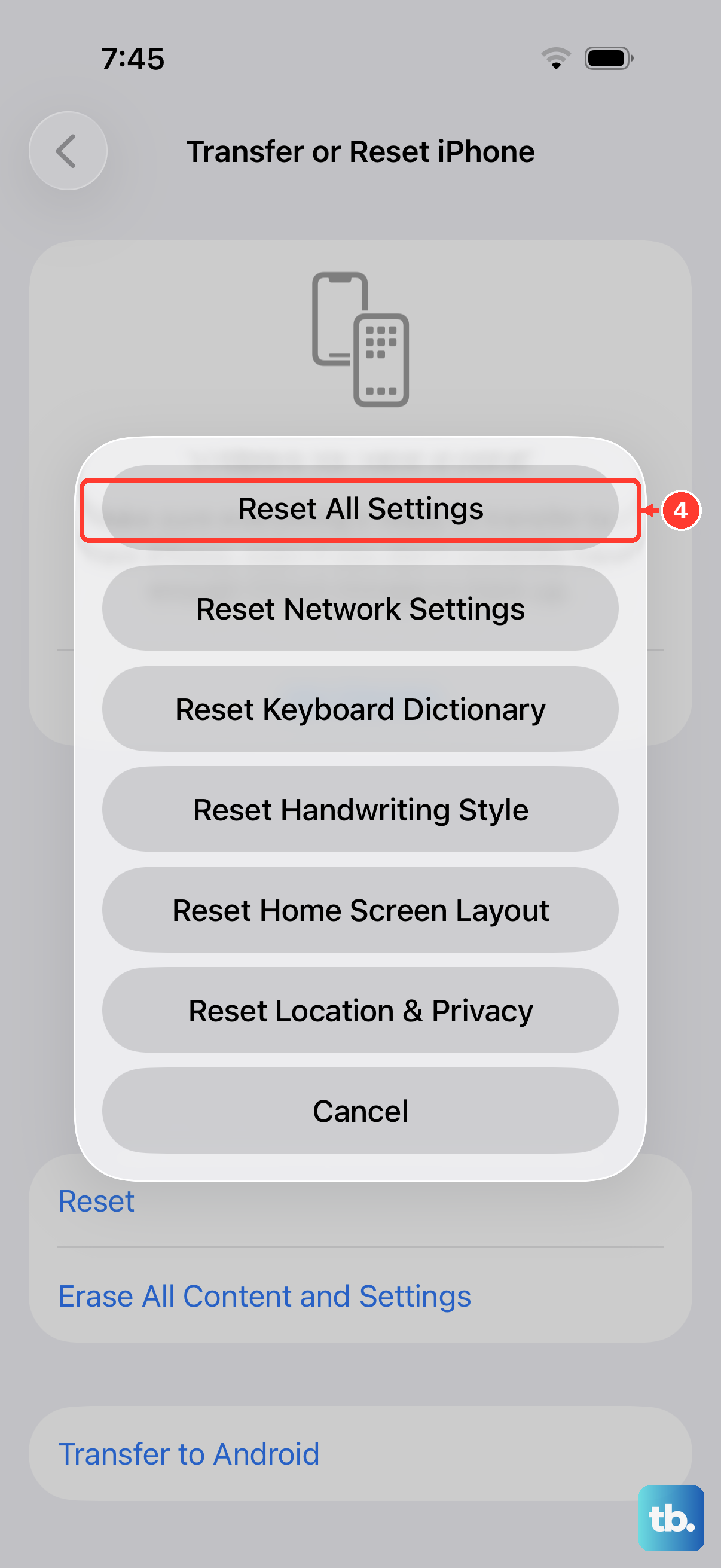
This is a stronger reset that won't erase your personal data like photos or messages, but it will revert all your system settings back to factory defaults. You'll need to re-enter Wi-Fi passwords and reconfigure things like notifications and privacy permissions.
Go to Settings > General > Transfer or Reset iPhone > Reset. Then, choose "Reset All Settings." This can resolve deeper software conflicts that might be causing apps to crash across the board.