
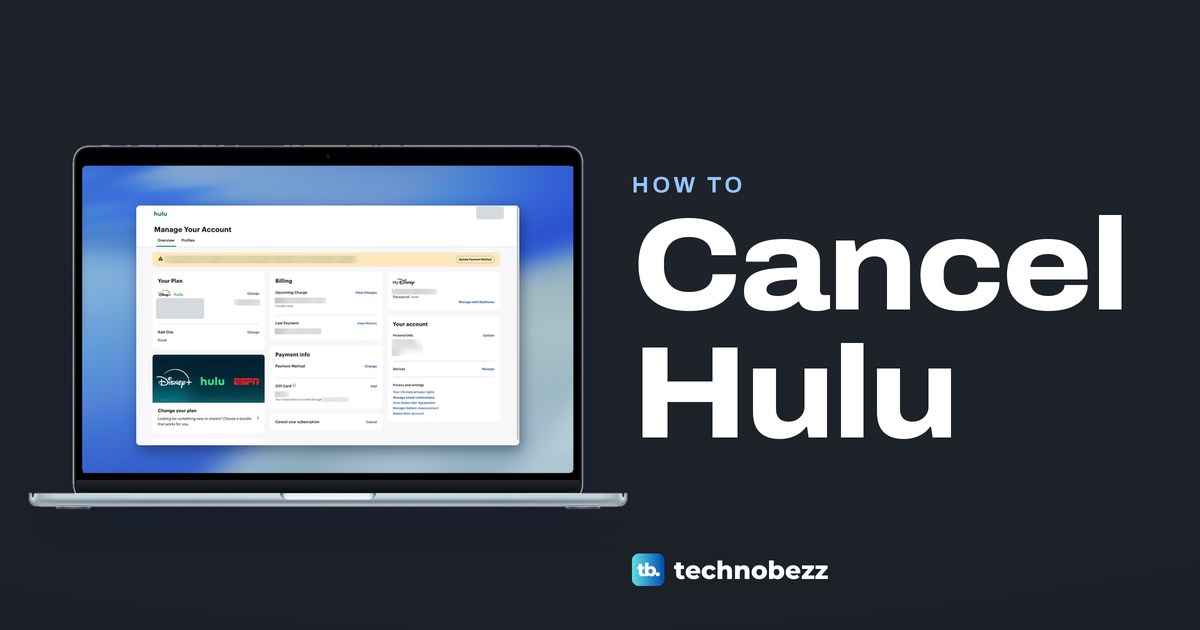
To cancel Hulu, sign in at hulu.com/account in a web browser, select Cancel in the Cancel your subscription box, then press Cancel Subscription on the next page and finish any step that follows. That route is for plans Hulu bills, including a bundle bought from Hulu. If Disney+, Apple, Google Play, Amazon or a phone or cable company bills you, cancel through that company instead. If Roku bills you, contact Hulu, and if Hulu came with a former Sprint plan, use Hulu's Account page.
The first Cancel does not end anything. When we clicked it on the web in Chrome, Hulu opened a page of show recommendations with Keep Subscription and Cancel Subscription buttons, and nothing changes until you press the second one. Also note that a Hulu + Live TV free trial ends the moment you cancel, and that ending a Disney-billed bundle can leave an older Hulu plan billing.
The short version
- Find your biller: check the Payment info card on hulu.com/account, which Hulu's help calls Payment Information.
- Billed by Hulu: select Account, then Cancel, then Cancel Subscription on the next page, and finish any step that follows.
- Billed by someone else: cancel with Disney+, Apple, Google Play or the partner. Roku and former Sprint plans are the exceptions, and both go through Hulu.
- Free trials: most keep running to the end of the trial, but a Hulu + Live TV trial ends at once.
- Proof: your Account page should read Your subscription will be canceled, and Hulu emails a confirmation.
Hulu cancel routes at a glance
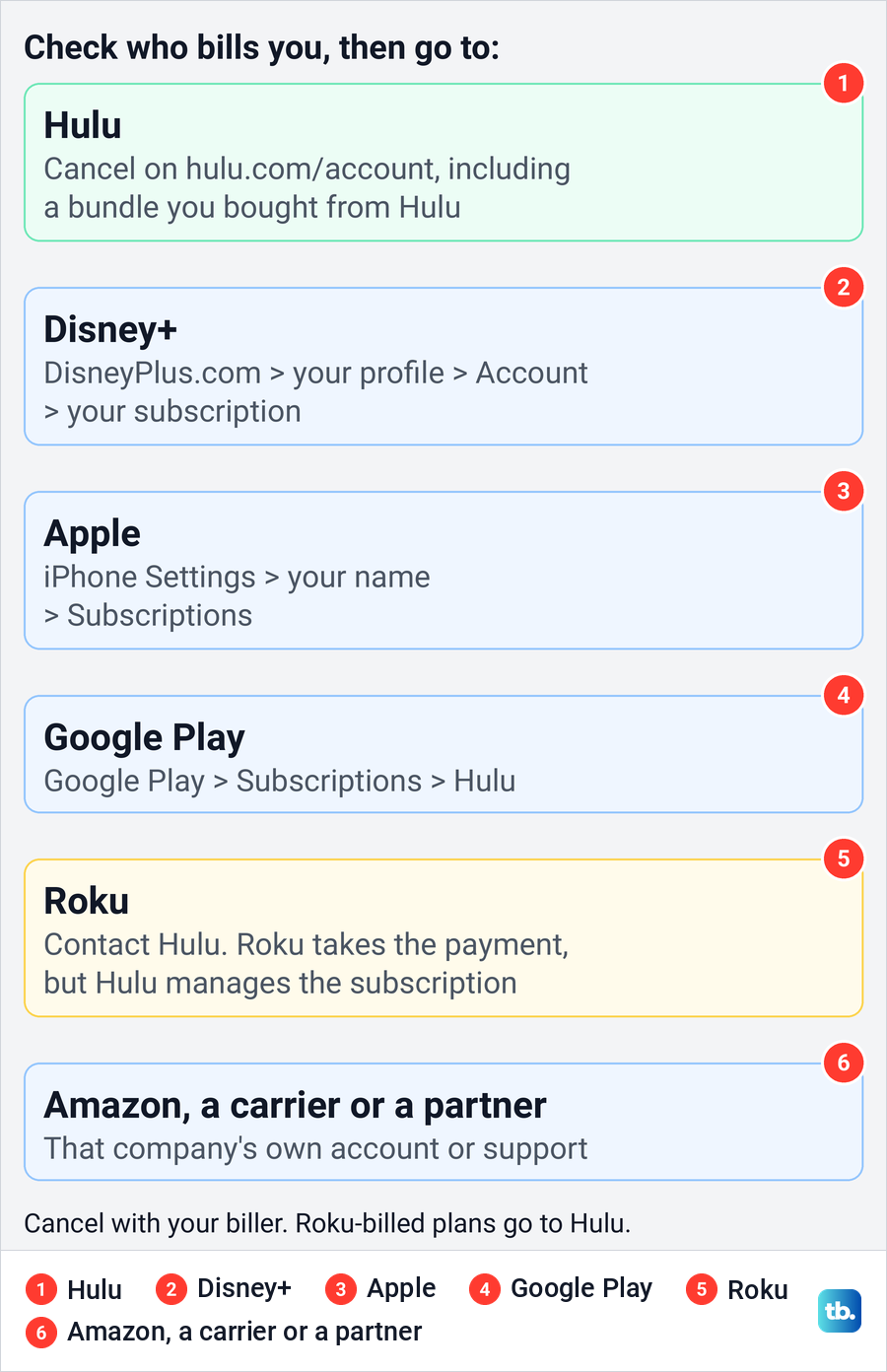
| Who bills you | Where to cancel | What to check after |
|---|---|---|
| Hulu, including a bundle bought from Hulu | hulu.com/account > Cancel your subscription > Cancel > Cancel Subscription | Your subscription will be canceled, and Hulu's email |
| Disney+ | DisneyPlus.com > your profile > Account > your subscription > Cancel Subscription | The end date, and any older Hulu plan |
| Apple | iPhone Settings > your name > Subscriptions > Hulu > Cancel Subscription | An expiration message, or no Cancel button |
| Google Play | Google Play subscriptions > Hulu > Cancel subscription | The status in the Google account that paid |
| Roku | Contact Hulu, with the billing ID from your Roku invoice if asked | Hulu's confirmation and your Roku charges |
| Amazon | The Amazon account named on the receipt, or Amazon's support | Amazon's subscription status |
| Verizon perk | My Verizon > Products & plan perks > the perk's tile > Remove or Unsubscribe | The perk is gone, and any earlier plan that resumes |
| Xfinity | X1 or Flex box: Settings > Apps & Subscriptions > Unsubscribe. Xumo box: My Subscriptions on the home screen > Unsubscribe | Xfinity's confirmation |
| T-Mobile Home Internet offer | T-Life > Account > My plans > Manage add-ons | T-Mobile's confirmation |
| Former Sprint plan with Hulu | hulu.com/account, as for a Hulu-billed plan | Your subscription will be canceled |
| HBO Max | HBOMax.com/subscription > Cancel Your Subscription | HBO Max's status and any separate Hulu plan |
| Spotify, Kroger, Optimum or another partner | That company's own account or support | Its confirmation and any separate Hulu plan |
The Hulu row is the route we walked on the web, on a bundle that Hulu bills. The other rows follow Hulu's help pages and, for Disney+, Apple, Google Play, Roku, Verizon, Xfinity, T-Mobile, HBO Max and Spotify, those companies' own support pages.
Find out who bills your Hulu plan
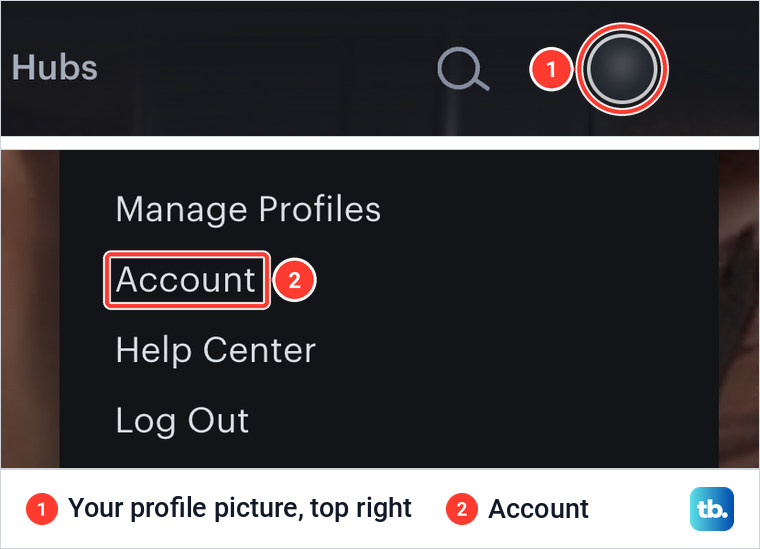
Everything starts at hulu.com/account. From Hulu's home screen in a browser, select your profile picture at the top right and choose Account. On the account we used, that menu listed the profiles first, then Manage Profiles, Account, Help Center and Log Out.
Hulu's help says the Payment Information section of the Account page shows who bills you. On the page we saw, that card was titled Payment info and sat in the middle column, just above the Cancel your subscription card. If it names another company, use that company's route below.
Hulu's billing partners include Amazon, Apple, Comcast Xfinity, Disney, Google, Kroger, HBO Max, Optimum, Roku, Spotify, T-Mobile and Verizon. If the account page leaves you unsure, the charge on your statement names the company that took the money, and our guide shows how to find recurring subscriptions on your bank statement.
On the account we used, the sign-in email and password sat in a MyDisney card on the same page. If someone else has changed that login or the billing details, recover a Hulu account someone else accessed before you look at the subscription.
Cancel Hulu on the web when Hulu bills you
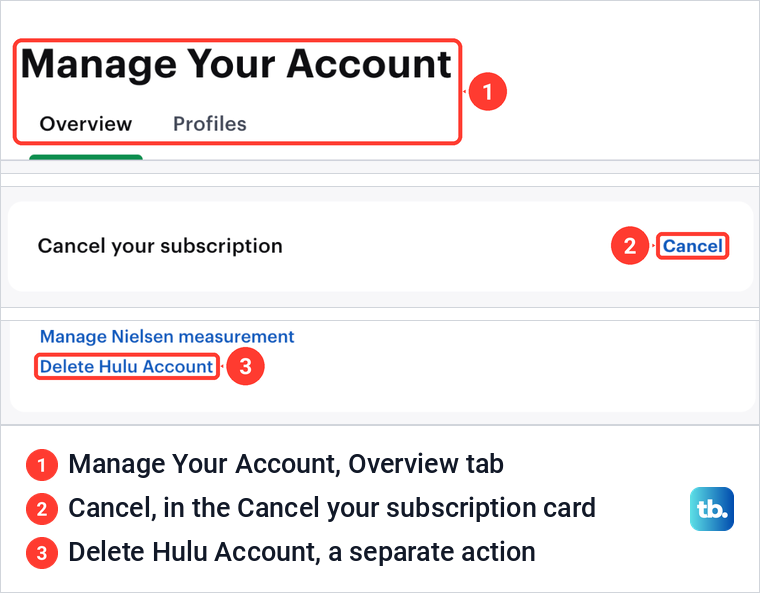
Open hulu.com/account in a browser. The page is titled Manage Your Account and opens on the Overview tab. Hulu's help still says to select Cancel under Your Subscription, but the page we saw had no section with that name.
Instead, Cancel sits in a one-row card of its own, Cancel your subscription, below Payment info in the middle column. Select the blue Cancel link at its right end. The Your account card beside it has a Delete Hulu Account link, which is a different action.
When we selected Cancel, Hulu did not cancel anything yet. It opened a page headed Don't miss these recommendations, with the line Before you go, we have a growing selection of Hulu movies and shows, above a grid of titles. No pause offer and no reason survey appeared before it.
Two buttons sit in a bar at the bottom right. Keep Subscription backs out, and Cancel Subscription is the step that ends the plan. The browser tab read Cancel Your Account | Hulu, but Hulu's help says canceling the subscription does not delete your account.
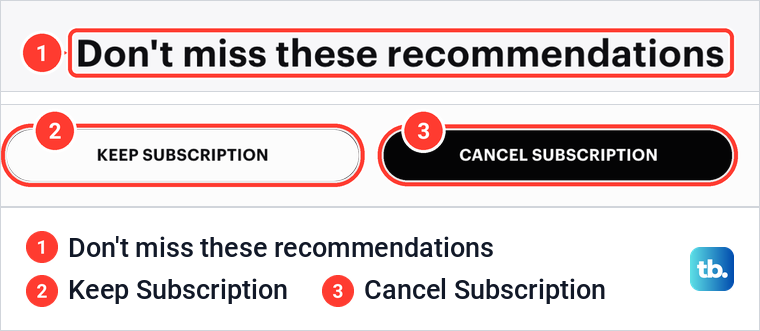
Press Cancel Subscription to cancel. Hulu's help says you may be offered a pause before the cancellation goes through. If that offer appears, choose the option to keep canceling, not the pause.
Hulu then confirms the cancellation on your Account page and by email. The section on checking the cancellation, near the end, shows what to look for.
Opening the flow just to look is safe. When we pressed Keep Subscription, Hulu took us back to Manage Your Account with the plan, the billing rows and the Cancel link unchanged.
If Cancel loops back to the account page, or Cancel Subscription does nothing, try another browser first. If that fails too, here is how to finish a Hulu cancellation when the button fails.
Cancel Hulu on your phone
Hulu's steps for a plan it bills use a browser, on a computer or a phone, rather than the Hulu app. On a phone, open hulu.com/account in your browser and follow the same Cancel and Cancel Subscription steps.
If you subscribed through the App Store or Google Play, cancel in the phone's subscription settings instead, as explained below. Google notes that uninstalling an app does not cancel its subscription, so deleting the Hulu app will not stop billing.
Cancel Hulu in a Disney Plus bundle
With a bundle, what matters is who sold it, not which app you watch in. The account we used had the Disney+, Hulu Bundle, billed by Hulu, and its Your Plan card listed Disney+ and Hulu under the bundle's name. The Cancel link was on Hulu's own Account page.
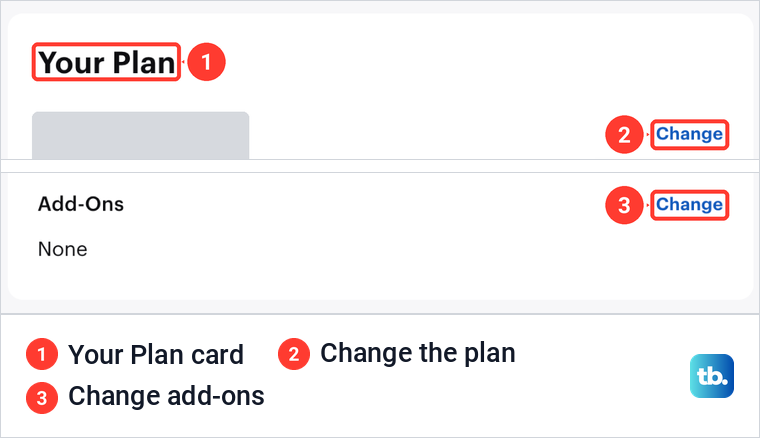
A bundle Hulu bills is canceled on Hulu's page exactly as described above, since Hulu's help covers Hulu and bundle subscriptions with the same steps. Canceling ends the bundle subscription, not only the Hulu part, so read the next section first if you want to keep Disney+.
If Disney+ bills the bundle, Disney's instructions are to sign in at DisneyPlus.com in a computer or phone browser, select your profile, then Account, and select your Disney+ subscription under Subscription. Select Cancel Subscription, answer the optional survey if you like, and complete the cancellation. Our guide to cancel a Disney Plus subscription covers the Disney+ side.
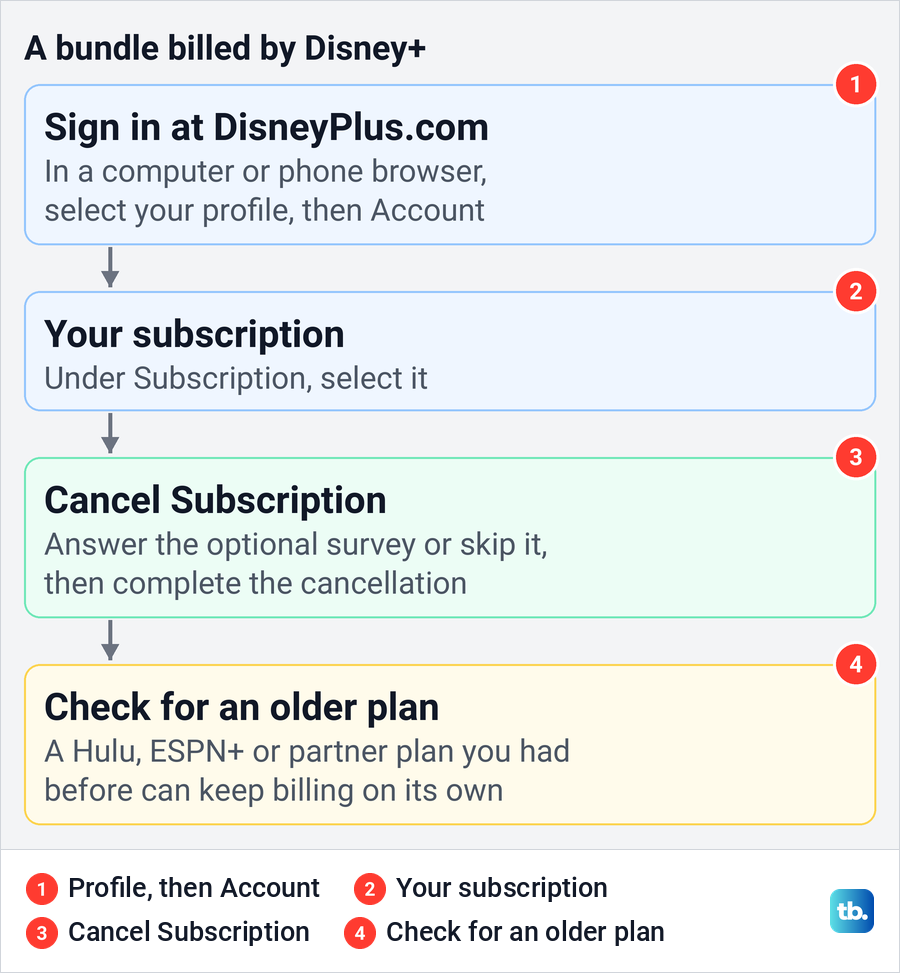
One trap is easy to miss. Hulu's help says that when you cancel a Disney+, Hulu and ESPN+ bundle, an original Hulu or ESPN+ plan, or one billed by another company, continues at its then-current price unless you cancel it separately. If you paid for Hulu before you took the bundle, check that older plan as well.
Bundles bought from HBO Max work the same way. Go to HBOMax.com/subscription, read who bills the subscription at the top, and if it is HBO Max, use our walk-through to cancel an HBO Max subscription.
Keep Disney Plus and drop Hulu
If Hulu bills your bundle, select Change next to the plan in the Your Plan card before you cancel anything. On the account we used, it opened Change your plan, with Bundle & save cards, the current plan marked with a Current Plan badge, and Live TV plans further down.
A bar at the bottom held a Review changes button, grey while nothing was selected. Hulu's help says that button confirms a plan change.
What the page offers depends on the account, so look for a plan without Hulu before you assume there is none. If none is listed, cancel the bundle and sign up for Disney+ on its own once the bundle's access ends, so you do not pay for Disney+ twice.
If Disney+ bills the bundle, Disney's instructions are to open the subscription under Your Plans & Billing, select Change next to its name, choose the plan you want and select Continue. Disney says a move to a lower-tier plan takes effect on your next billing date, and that changing plans ends any current promotion or price hold.
If Hulu stops loading after a bundle change while the billing looks right, fix Hulu access in the Disney bundle before you contact support. Billing and access are separate problems.
Cancel Hulu billed by Apple or Google Play
If Apple bills you, Hulu cannot end the plan. On an iPhone or iPad, Apple's steps are to open Settings, tap your name, tap Subscriptions, tap Hulu and tap Cancel Subscription. Apple says that if there is no Cancel button, or an expiration message shows in red, the subscription is already canceled.
On a Mac, Apple's route is the App Store, then your name at the bottom of the sidebar, your name again, and Subscriptions. Without an Apple device, go to account.apple.com, sign in and follow the onscreen instructions. For every screen of the iPhone route, see how to cancel a subscription billed through your iPhone.
If Google Play bills you, Google's steps on a computer are to open your subscriptions in Google Play, select Manage next to Hulu, then Cancel subscription, pick a reason and select Continue. On Android, open subscriptions in the Play Store, select Hulu and tap Cancel subscription. Google says you keep the subscription for the time you have already paid.
If Hulu is missing from the list, you may be signed in to a different Google account, so switch accounts from your profile picture. If you cannot get into the account that paid, recover the Google account that holds the subscription first.
Cancel Hulu billed by Roku or Amazon
Roku is the exception to canceling with your biller. Roku's help says that to manage or cancel Hulu, even when Roku bills you, you contact Hulu directly, because Roku processes the charge but Hulu manages the subscription. If Hulu asks for your Customer Identifier for Billing, Roku says it is on your Roku invoice.
Roku's Star button and my.roku.com routes are for other subscriptions billed through Roku. For Hulu, Roku's help lists Hulu's support number, 877-824-4858.
Hulu's help says customers billed by a partner manage the subscription through that partner. On amazon.com, the Account & Lists menu has a Memberships & Subscriptions page, which showed one card per subscription on the account we used. Look for Hulu there while signed in to the Amazon account named on the receipt, open its entry and use the cancel option Amazon shows. If Hulu is not listed, or no cancel option appears, contact Amazon.
Locked out of that Amazon account? First recover your Amazon account when sign-in fails, then check Memberships & Subscriptions again.
Cancel Hulu billed by a phone, cable or other partner
For Verizon's current Disney+, Hulu, ESPN+ perk, Verizon's steps are My Verizon, Products & plan perks, the perk's tile and Remove, while its older promotional bundle uses Unsubscribe. Verizon says a Disney-billed plan you had before the perk resumes when you cancel it, and one billed through a third party such as Apple keeps billing alongside the perk.
If Xfinity bills you, select Settings with your remote on an X1 TV Box or Flex streaming TV Box and go to Apps & Subscriptions. On a Xumo Stream Box, Xfinity says to scroll down to My Subscriptions on the home screen instead. Then move down to Unsubscribe, press OK and choose Unsubscribe again. Xfinity says customers without one of those boxes can contact it to cancel.
T-Mobile has two offers. For Hulu ON US with Home Internet, its T-Life steps are Account, My plans, Manage add-ons, deselect Hulu ON US for INT, Continue, then Agree & submit. Former Sprint customers whose wireless plan includes Hulu cancel on Hulu's own Account page, T-Mobile says.
Spotify bills Hulu for Premium Student, and its help documents canceling Premium itself. Spotify also says anyone on the older non-student Premium with Hulu loses Hulu if they cancel or switch plans. Our guide shows how to cancel Spotify Premium and stop payments.
Kroger and Optimum also appear on Hulu's list of partners. For those, start with the receipt and the company's own account or support.
Pause Hulu instead of canceling
Hulu says Hulu-billed subscribers may have the option to pause for up to 12 weeks. It is an offer some accounts get, and none appeared on the account we used. Hulu's cancel steps are where the offer appears, so if you want a pause, choose it there instead of continuing to cancel.
A pause is not a cancellation. Hulu's subscriber agreement says billing resumes automatically at the end of the pause unless you cancel before then, so note the end date if you choose it.
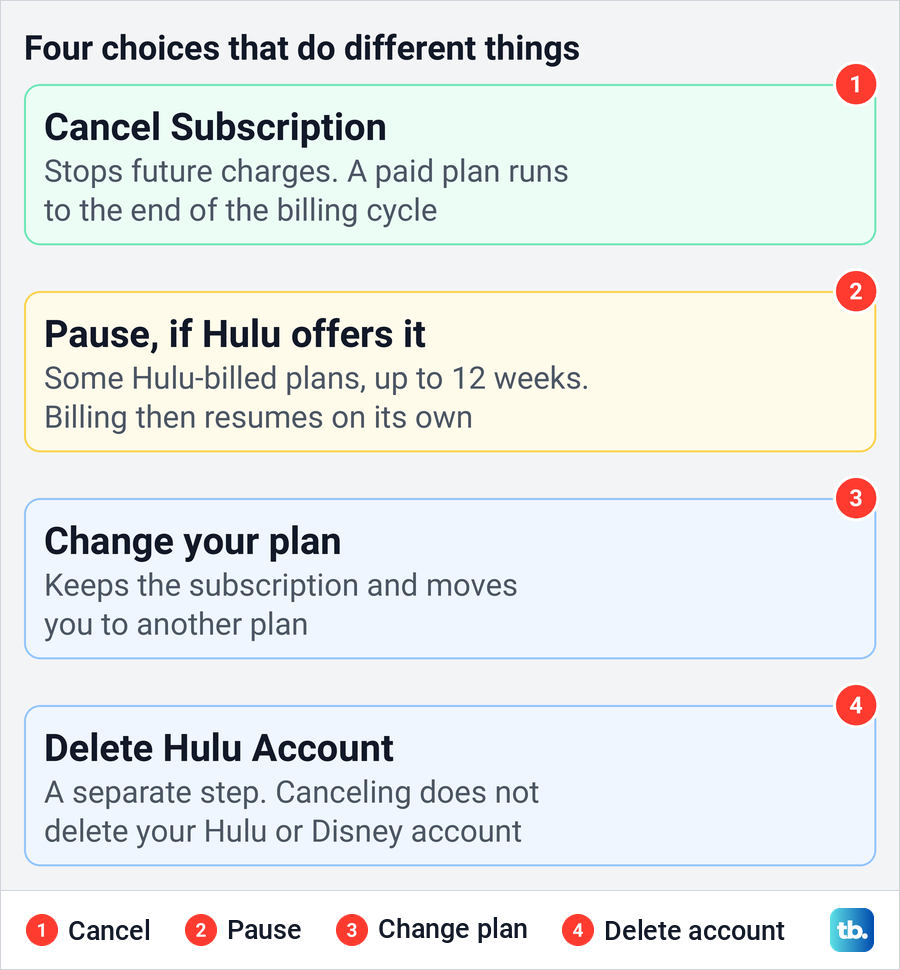
Deleting the account is a different step again. Hulu's help says canceling does not delete your Hulu account or the Disney account you use for other products, and the Delete Hulu Account link sits apart from Cancel.
When your access ends and whether you get a refund
Hulu says a paid plan stays available until the end of the current billing cycle, with no further charge. Its subscriber agreement sets the deadline, which is 11:59 p.m. Eastern Time on the day before your subscription term ends. Leave a day or two of margin.
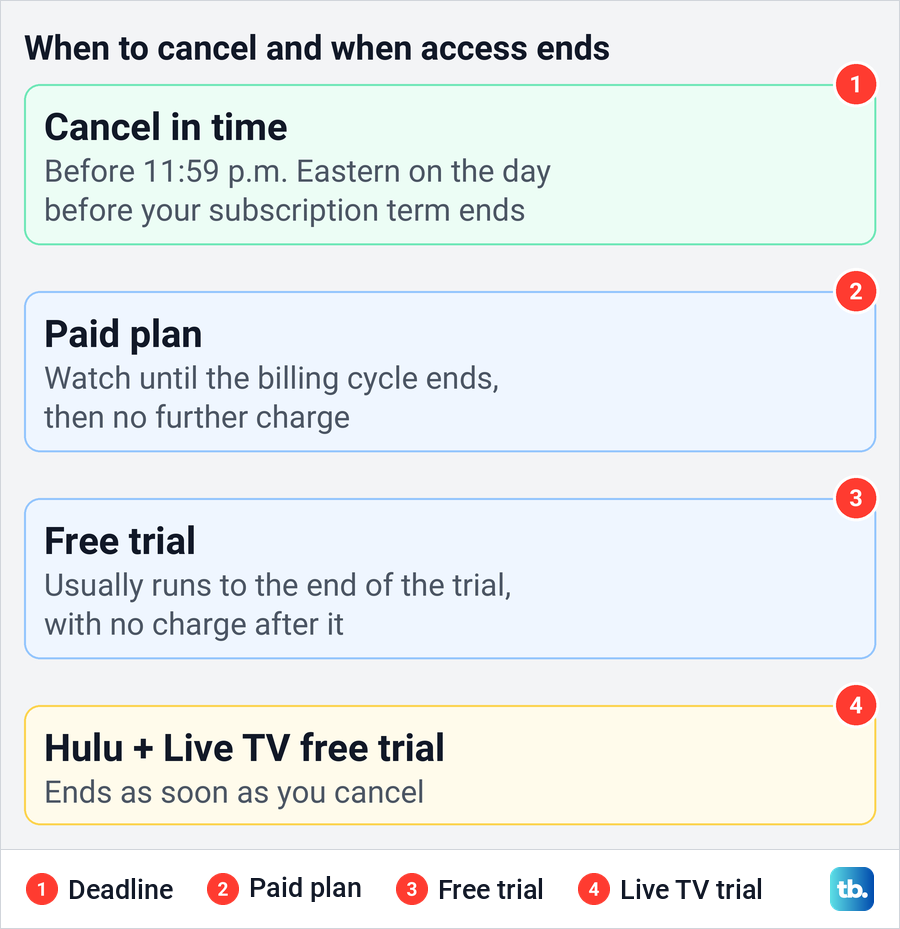
A free trial usually keeps running to its end after you cancel, with no charge when it finishes. The exception is Hulu + Live TV, where Hulu says a free trial ends immediately on cancellation. The agreement also warns that canceling during a trial, promotion or credit may take effect right away, so check the date Hulu shows.
Refunds are rare. Hulu's agreement says it does not refund partly used subscription terms or billing periods, except where the law requires it, though it may do so case by case. Apple takes refund requests at reportaproblem.apple.com, and Google says it does not refund most Play purchases, though one made in the last 48 hours may qualify.
Check that the cancellation went through
Go back to hulu.com/account after you finish. Hulu says the status should read Your subscription will be canceled, and that it emails a confirmation. If you do not see that status or a confirmation email, check the account again and contact Hulu if the cancellation is unclear.
Fake cancellation emails exist too. Before you click a link in one you did not expect, check whether a cancellation email is genuine, or type hulu.com/account into the browser yourself.
Still charged after canceling? An older Hulu plan, a bundle from a partner or a second account can each bill separately, so cancel each one where it lives. While the statement is open, stop other unwanted recurring charges too.
Canceling because people outside your home still use your login? The Devices row on the Account page opens Manage Devices, which has a log out of all devices link, and our guide shows how to sign out of Hulu on all your devices.
How we tested this guide
We tested this on a live Hulu account on the web in Chrome, going through each screen up to the Cancel Subscription button, then backed out with Keep Subscription to confirm nothing changed.
Frequently Asked Questions
Can I cancel Hulu in the Hulu app?
Hulu's steps for a plan it bills use a browser, so open hulu.com/account in your phone's browser. If you subscribed through the App Store or Google Play, cancel in your iPhone's Settings or in Google Play's subscriptions.
Why can't I find Cancel under Your Subscription?
On the account page we saw, there was no Your Subscription section. Cancel sat in its own Cancel your subscription card. If that card is missing, check the Payment info card (Hulu's help calls it Payment Information), because another company may bill you.
Will Hulu stop working as soon as I cancel?
No. A paid plan keeps working until the billing cycle ends, and most free trials run to their end. A Hulu + Live TV free trial ends immediately when you cancel.
How do I cancel a Hulu free trial without being charged?
Use the same steps before the trial ends, then check that the Account page reads Your subscription will be canceled. If Apple bills the trial, Apple asks you to cancel at least 24 hours before it ends.
Does canceling Hulu cancel my Disney+ bundle too?
If Hulu bills the bundle, Cancel on Hulu's Account page cancels that bundle subscription, which covers Disney+ as well. If Disney+ bills it, cancel on DisneyPlus.com. An older Hulu or ESPN+ plan can keep billing until you cancel it separately.
Will Hulu refund the rest of my month?
Usually not. Hulu's agreement rules out refunds for partly used billing periods unless the law requires them, though Hulu may make exceptions case by case.
Is pausing Hulu the same as canceling?
No. Some Hulu-billed subscribers are offered a pause of up to 12 weeks, and billing restarts automatically when it ends unless you cancel first.
Does canceling Hulu delete my account?
No. Hulu says canceling does not delete your Hulu account or your Disney account. Deleting it is a separate link, Delete Hulu Account.