
Your Google Pixel 10a is a great Android 16 phone, but a SIM lock turns it into a pricey paperweight if you want to switch carriers. A SIM Network Unlock PIN removes that restriction and lets you use any compatible provider. Here's how to get one and what to do if things go wrong.
What a Network Lock Actually Does
Carriers lock Pixel devices to ensure you stick around for the contract term. Once the phone is paid off, you're legally entitled to an unlock in most cases.
The unlock code is unique to your Pixel 10a's IMEI number. Don't confuse this with a SIM PIN, which locks the SIM card itself. A network lock is tied to the phone's hardware and the carrier's database.
You can find your IMEI by dialing *#06#. Write it down, you'll need it for every unlock request.
Start With Your Carrier
Your carrier is the best place to start, and the code is usually free if you meet their requirements. In the US, Verizon unlocks postpaid phones once they're paid off or bought at full price, and prepaid phones after 365 days of active service, while AT&T and T-Mobile require a formal request.
You'll need your account details and the phone's IMEI. The device must be fully paid off, not reported stolen, and active on the network for a minimum period. If you're eligible, most carriers email the code within 2 7 business days. T-Mobile can sometimes provide it instantly through their online portal.
If you bought your Pixel 10a through Google Fi, the process is similar. Contact Fi support or check the Fi app for the unlock option.
Get the Official Unlock Code
Once you receive the code, power off your Pixel 10a completely. Remove the old SIM and insert the new one from your new carrier.
Turn the phone back on. You should see a prompt asking for the SIM Network Unlock PIN. Enter the code exactly as provided, these codes are case-sensitive and easy to mistype.
You usually get around 10 attempts before the phone permanently locks itself. Take your time and double-check each digit. If you run out of attempts, you'll need a Master Control Key from the carrier to reset the counter.
Use a Third-Party Service
If your carrier won't provide the code or you're not eligible yet, third-party services are a common fallback. You pay a fee (usually $10 $30), provide your IMEI, and they generate the code for you.
I've used services like UnlockBase and CellUnlocker for older phones with good results. Just stick with reputable sites that have a money-back guarantee and positive reviews on Trustpilot. Avoid any service claiming "instant" or "free" unlocks, those are almost always scams.
If You Get a "PIN Blocked" Error
Seeing a "SIM Network PIN Blocked" message means you've entered the wrong code too many times. Don't panic, this is fixable.
Contact your previous carrier and ask for the Master Control Key (also called an unfreeze code). Enter that when prompted, and it will reset the counter. After that, you can enter the original SIM Network Unlock PIN again.
If the code still isn't working, double-check that you're using the right SIM from a different carrier. A bad or incompatible SIM can also trigger this prompt.
Try a Force Restart or Factory Reset
Sometimes a software glitch on the Pixel 10a can interfere with the unlock process. A simple force restart clears those bugs in seconds.
Press and hold the Power button for 30 seconds, or press and hold the Power + Volume Up buttons for a few seconds, then tap Restart. This won't erase any data and is safe to try anytime.
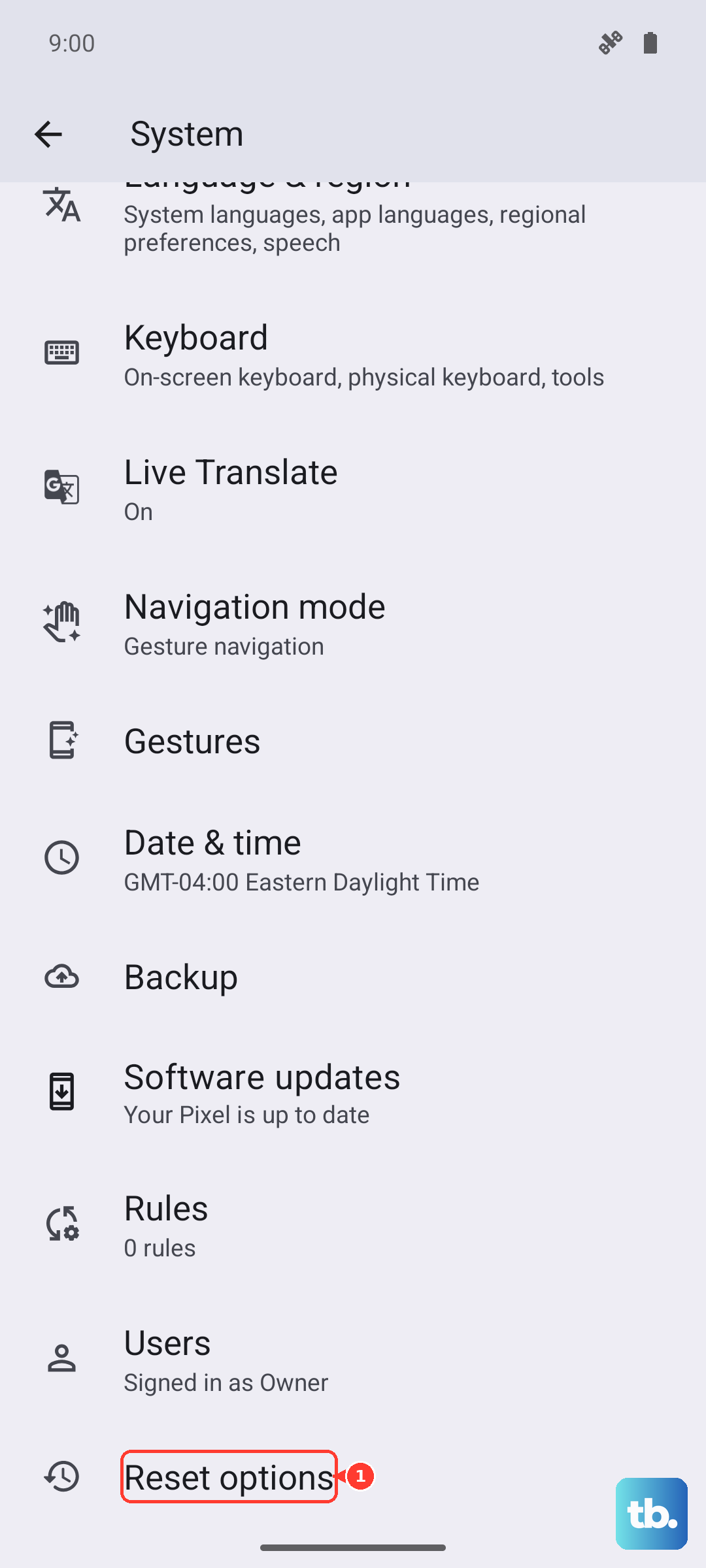
If that doesn't help, a factory reset can clear deeper software issues. Go to Settings > System > Reset Options > Erase all data (factory reset). This wipes everything, so back up your photos and files first. The SIM lock itself won't be removed by a reset, but it can fix detection problems that mimic a lock.
I'd also recommend checking the SIM tray for dust or debris. A clogged tray is a known issue on the Pixel 10a and can cause "No SIM" errors that get mistaken for a network lock. Use a wooden toothpick or compressed air to gently clean it out. If wired charging also acts up, try a Qi wireless charger as a backup to rule out a faulty charging port.