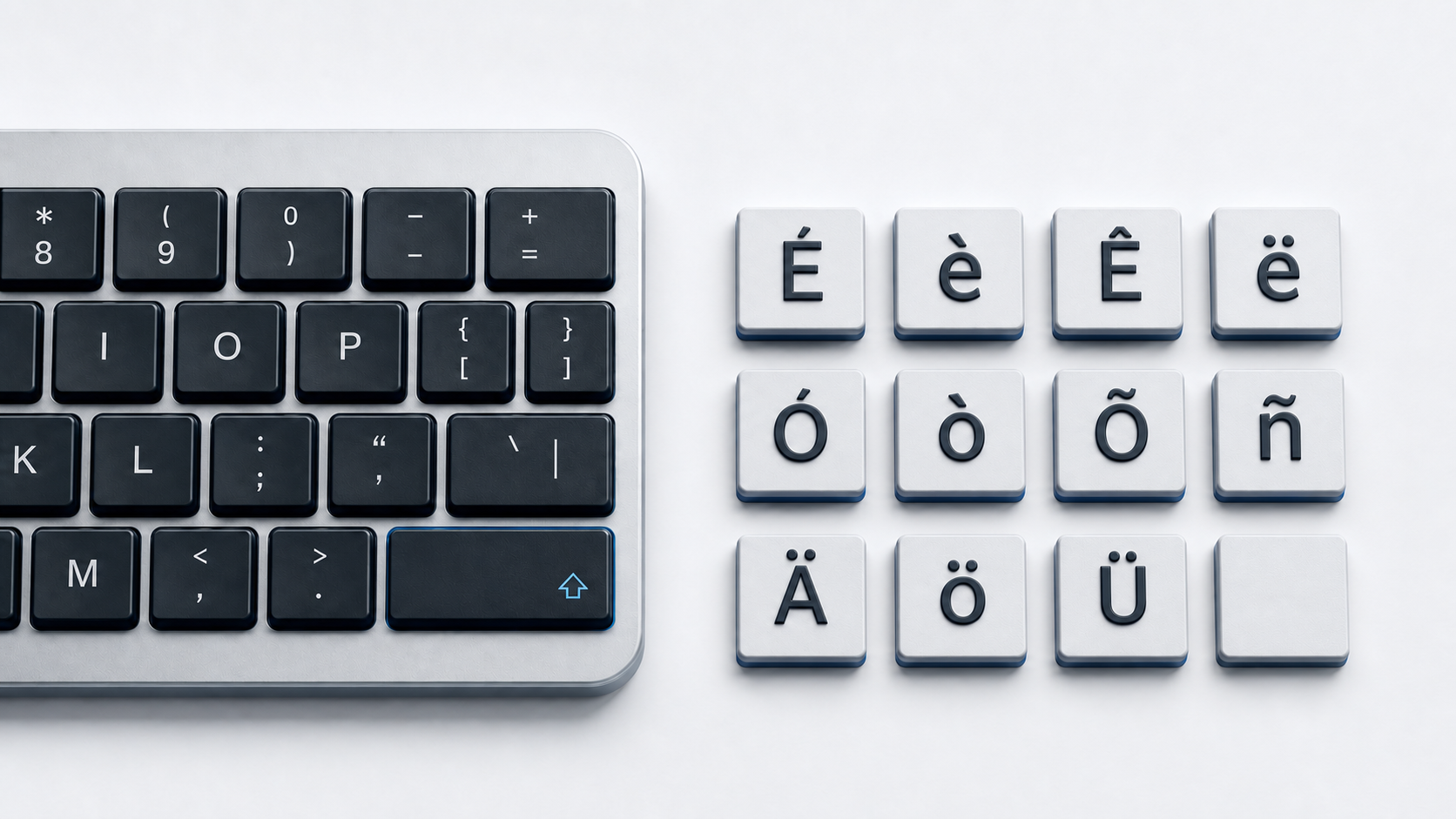
Copy Ä, Ö, Ü, ä, ö, or ü from the panel above. For a supported Word or Outlook field on Windows, press Ctrl-Shift-:, release the keys, and type A, O, or U in the case you need.
Identify the six umlaut letters
The copy panel contains six precomposed Unicode characters: uppercase and lowercase A, O, and U with diaeresis. Unicode uses the formal name diaeresis in these character names, while German orthography describes Ä, Ö, and Ü as Umlaut letters.
Each precomposed character also has a canonical decomposition made from a base letter followed by U+0308 COMBINING DIAERESIS. The sequences can look alike, but their code-point data is different until software applies Unicode normalization. Copying the precomposed character is the simplest default for ordinary text fields.
Type umlauts in Word and Outlook on Windows
Microsoft documents a diaeresis or umlaut sequence for Word and Outlook. Press Ctrl-Shift-:, release the keys, and then type a, o, or u. Type the final letter in uppercase for Ä, Ö, or Ü. This is an application shortcut, not a universal Windows shortcut.
Microsoft Word also supports hexadecimal Unicode conversion. Type the code without U+, such as 00FC, and press Alt-X. Use 00C4/00E4 for Ä/ä, 00D6/00F6 for Ö/ö, and 00DC/00FC for Ü/ü.
Use Windows Character Map
Character Map provides a copy-and-paste route when the destination app does not support Word's shortcuts. Open Character Map, select the required precomposed letter, choose Copy, and paste it into the destination. If keys produce unexpected characters, confirm the active keyboard layout rather than assuming the hardware key has failed.
Type an umlaut on Mac
Apple documents the accent menu for supported Mac apps. Press and hold A, O, or U, then select the umlaut variant from the menu by clicking it, pressing its displayed number, or using the arrow keys and Space. Apple notes that accent marks are not available in every app.
For input-source-specific key sequences, open Keyboard Viewer and hold modifier keys to reveal available dead keys. Dead-key combinations belong to a specific input source rather than to macOS as a whole.
Type an umlaut on iPhone or iPad
On Apple's onscreen keyboard, touch and hold A, O, or U, slide to the required accented character, and release. The alternatives shown depend on the active keyboard, so switch to a suitable language keyboard if the desired umlaut is absent.
Type an umlaut on Chromebook
Google documents two scoped routes. With the English (US) with International keyboard selected, press Shift-apostrophe and then the letter. Google separately documents AltGr-Q for ä, AltGr-P for ö, and AltGr-Y for ü on the US International keyboard. These combinations depend on the selected input method, and AltGr is the right Alt key on the documented keyboard.
Use umlaut letters in HTML
A UTF-8 HTML document can contain each letter directly. WHATWG also defines the named references Ä, Ö, Ü, ä, ö, and ü. Decimal references use the Unicode scalar values, including Ä for Ä and ü for ü.
Umlaut letters and German special letters
Use this guide for the full typing methods for Ä Ö Ü ä ö ü. The German special letters reference adds uppercase and lowercase sharp S, German keyboard-layout orientation, and the official all-caps rule. For broader accent-entry methods, use the accented letters guide.
Fix missing or incorrect umlauts
- 1.Confirm that a Word or Outlook shortcut is being used inside a supported Microsoft app.
- 2.On Mac, remember that Apple says the press-and-hold accent menu is not available in every app.
- 3.On Chromebook, verify that the English (US) with International keyboard is selected for dead keys, or the US International keyboard for the documented AltGr mappings.
- 4.Use Character Map, the Mac accent menu, or direct copy when the current app intercepts a key sequence.
- 5.Compare code points if visually identical text fails a search or data comparison.
If Windows is producing the wrong symbols, see Technobezz's Windows keyboard layout guide. If several keys behave unexpectedly, follow the keyboard testing guide before treating the issue as hardware damage.
Common questions
Why does Unicode call the mark a diaeresis?
Unicode names these precomposed characters LATIN LETTER ... WITH DIAERESIS. The same two-dot mark is called an umlaut in German spelling, where Ä, Ö, and Ü are Umlaut letters.
Is ä the same code-point sequence as a plus a combining diaeresis?
No. Precomposed ä is U+00E4. The decomposed representation is U+0061 followed by U+0308. Unicode defines canonical equivalence and normalization behavior for these representations.
Do HTML pages require named references?
No. UTF-8 HTML can contain the characters directly. Named and numeric references are alternative source representations.
Official references
- Unicode Latin-1 Supplement chart
- Unicode Combining Diacritical Marks chart
- Unicode Normalization Forms
- Microsoft accent shortcuts for Word and Outlook
- Microsoft Unicode character entry and Character Map
- Apple guide to accent marks on Mac
- Apple guide to Keyboard Viewer
- Apple guide to onscreen keyboard accents on iPhone
- Apple guide to onscreen keyboard accents on iPad
- Google Chromebook keyboard languages and special characters
- WHATWG named character references