
If your Samsung Galaxy S25 FE feels unusually warm, especially during gaming or charging, you're not alone. The powerful Exynos 2400 chip inside can generate significant heat, and sometimes the phone's thermal management needs a little help. I've found that a few quick adjustments in your settings and habits can usually cool things down fast.
Let's start with the most effective fix. Go to Settings > Battery and device care > Battery. Here, tap on More battery settings and turn on Adaptive battery. This feature learns your usage patterns and limits power to apps you don't use often, which directly reduces background heat.
While you're there, also enable Power saving mode from the quick settings panel or the Battery menu. This instantly throttles the CPU speed and limits background activity, which is a great way to cool the phone down quickly if it's already hot.
Check for Rogue Apps and Updates
Sometimes, a single misbehaving app is the culprit. Head to Settings > Battery and device care > Battery again and look at the battery usage graph. If you see an app using a disproportionate amount of power, that's likely generating heat.
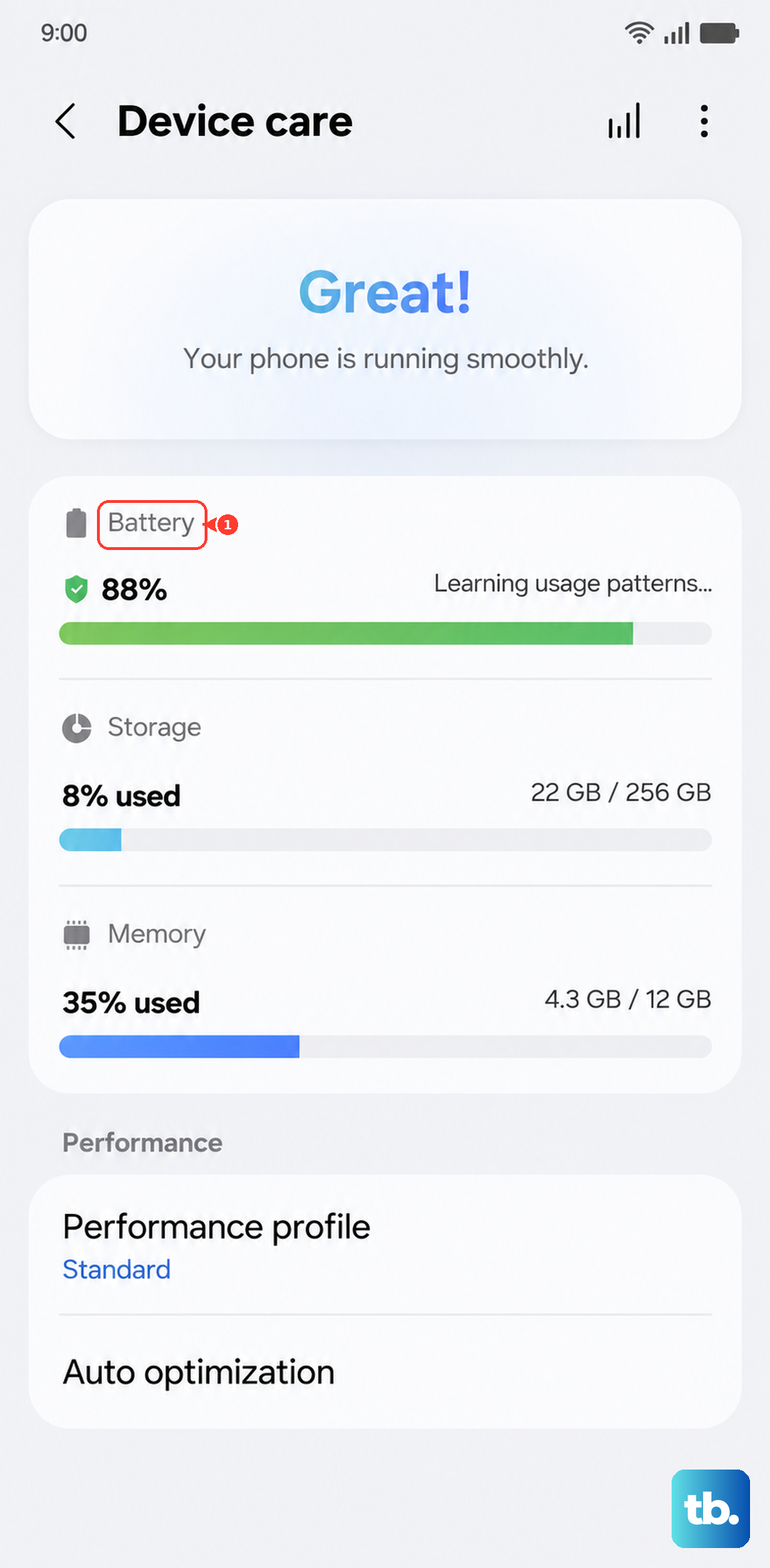
You can force stop that app by going to Settings > Apps, selecting it, and tapping Force stop. For a more permanent fix, check the Play Store for an update, as developers often release patches for bugs that cause excessive CPU usage.
Don't forget your system software. A pending update might include crucial thermal management improvements. Check by going to Settings > Software update > Download and install.
Adjust Your Connectivity Settings
Your radios are a major source of heat. If you're in an area with a weak 5G signal, your phone works much harder to maintain a connection, which heats it up. When you don't need the maximum speed, try switching to 4G LTE.
You can do this by going to Settings > Connections > Mobile networks > Network mode. Select an option like "LTE/3G/2G (auto connect)". Turning off Wi-Fi and Bluetooth scanning in the background helps too. Find these under Location > Location services.
Optimize Your Charging Habits
Charging, especially fast charging, naturally creates heat. The S25 FE supports 45W wired and 15W wireless charging. If your phone is overheating while plugged in, first make sure you're using a compatible Samsung 45W adapter and a high-quality USB-C cable.
Take the case off while charging, as some thick cases can trap heat. Avoid using the phone for intensive tasks like gaming or video calls while it's charging, as this combines two heat-generating activities. If the room is warm, charging speeds may be automatically reduced by the phone's Optimized charging feature to protect the battery, which is normal.
Manage Your Display and Performance
The bright, smooth display is another heat contributor. Consider reducing the screen refresh rate. Go to Settings > Display > Motion smoothness and switch from "Adaptive" to "Standard" (60Hz).
The S25 FE's screen is fixed at FHD+ (1080p) with no higher resolution to step down, so instead lower the display brightness or leave auto-brightness on in the same Display settings menu to cut heat. For gaming, launch the Game Booster app from your settings or game launcher. In its settings, you can select a "Low power saving" or "Focus on power saving" profile to limit frame rates and graphics for cooler gameplay.
Give It a Fresh Start and Monitor
If the phone feels hot and sluggish, a simple restart can clear out stuck processes. For a more thorough reset, perform a force restart by pressing and holding the Volume Down button and the Side key together for about 10 seconds until the Samsung logo appears.
For ongoing monitoring, you can enable a setting that shows your CPU temperature. You'll need to activate Developer Options first by tapping "Build number" in Settings > About phone seven times. Then, in Developer Options, look for "Show CPU temperature" or similar.
Consider Your Physical Environment
Finally, think about where you're using the phone. Never leave it in direct sunlight, like on a car dashboard. When gaming for long periods, try to do so in a cooler, air-conditioned room rather than a warm one.
If you're outdoors, keep it out of your pocket where body heat adds to the problem. Placing it on a cool, hard surface can help dissipate heat better than holding it in your hand or leaving it on a blanket.