
If your Samsung Galaxy S25 FE keeps dropping its Bluetooth connection to your earbuds, car, or smartwatch, it can be incredibly annoying. The good news is that this is almost always a software glitch you can fix yourself. I've found that starting with the simplest solutions usually gets things working again.
First, let's check the basics. Make sure both your S25 FE and the Bluetooth device have decent battery life, ideally above 20%. Keep them within about 30 feet of each other without major obstructions. Also, confirm the other device is actually in pairing mode if you're trying to connect for the first time.
Toggle Bluetooth and Restart
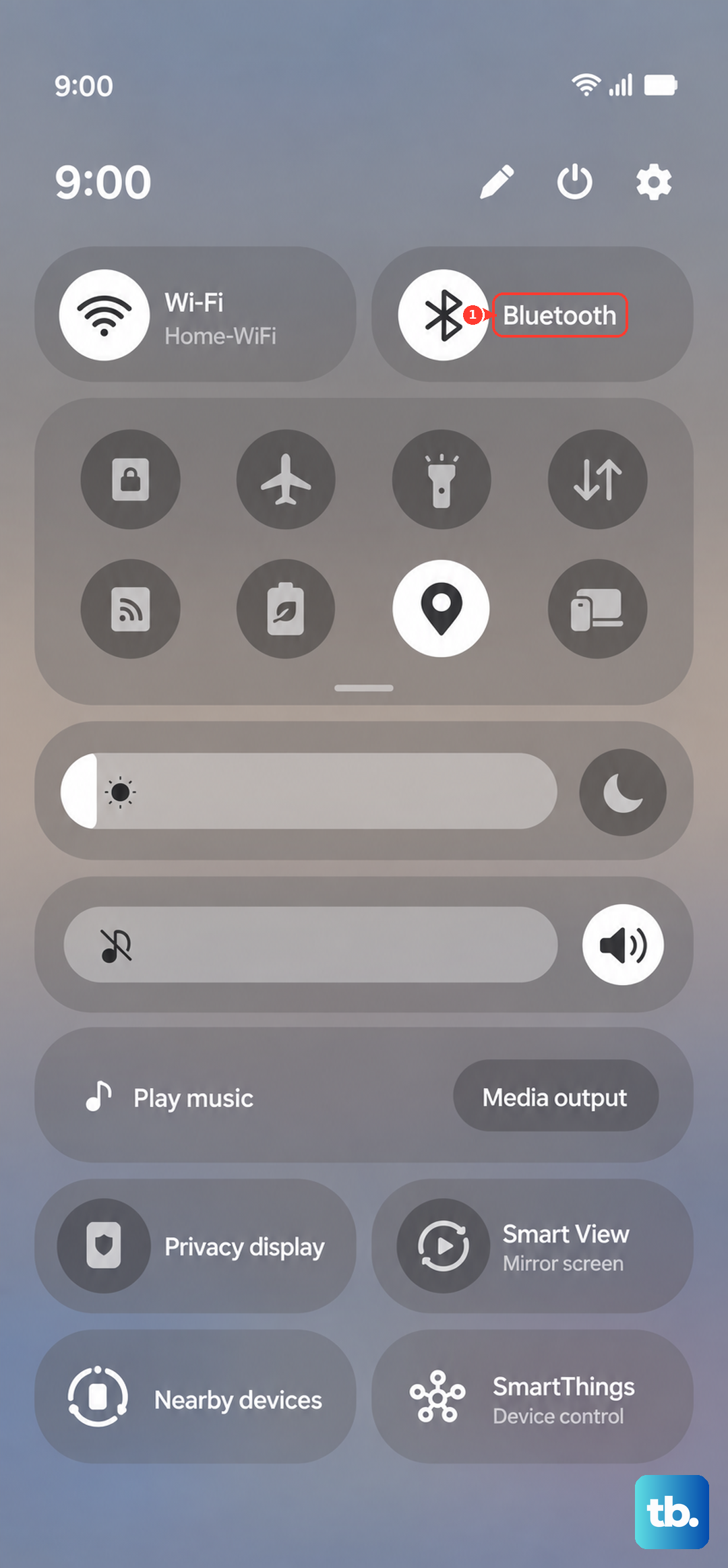
Pull down the quick settings panel from the top of your screen and tap the Bluetooth icon to turn it off. Wait about 10 seconds, then tap it again to turn it back on. This refreshes the connection and can often solve a temporary hiccup.
If that doesn't work, a full restart is the next logical step. Press and hold the Volume Down button and the Side button together for about 10 seconds until you see the Samsung logo. This force restarts the phone and clears out any minor system errors that might be interfering with Bluetooth.
Forget and Re-Pair the Device
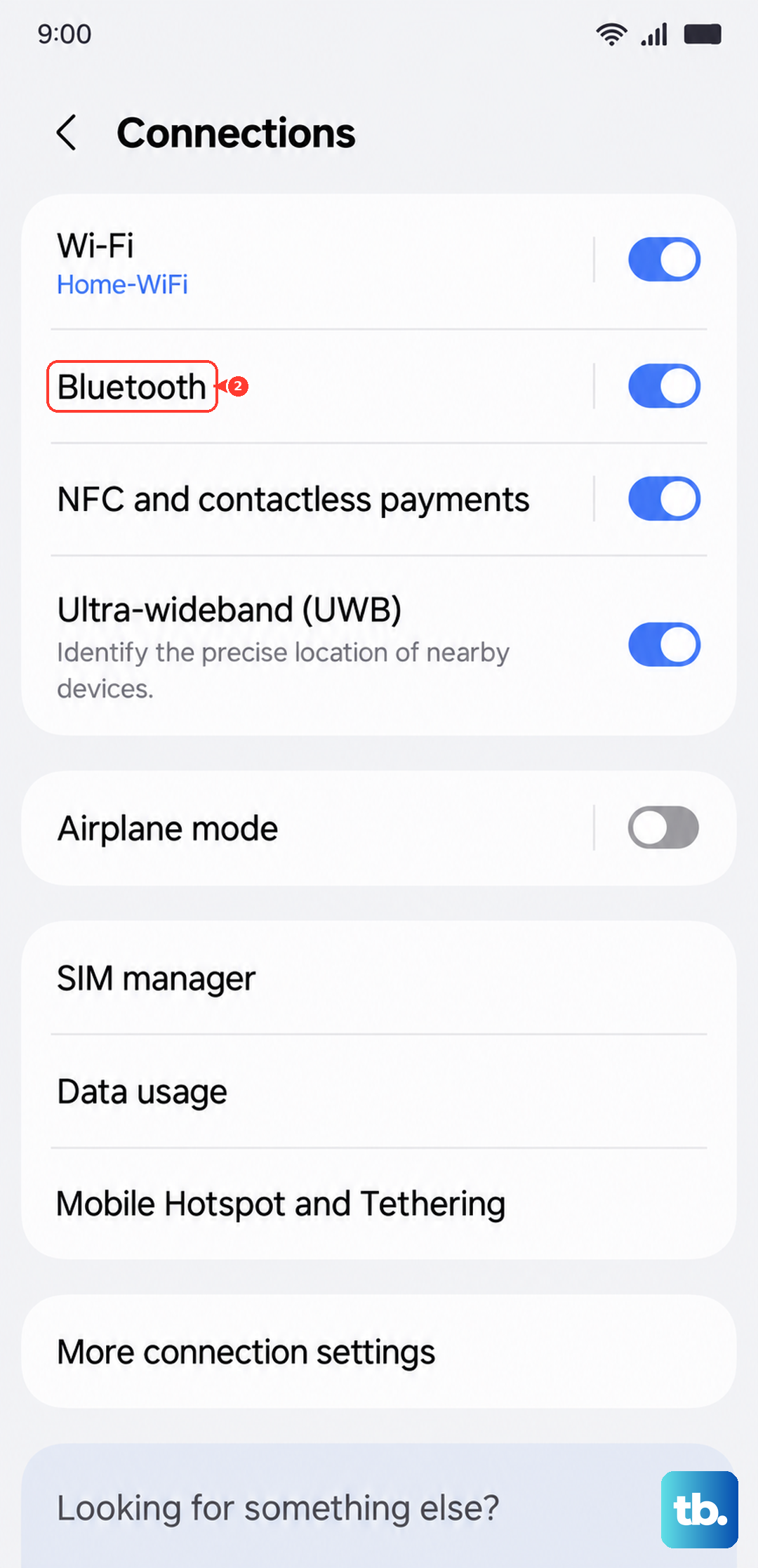
Go to Settings > Connections > Bluetooth. Find the problematic device in your list of paired gadgets and tap the settings gear icon next to it. Select Unpair or Forget. Once it's removed, put the device back into pairing mode and search for it again on your phone to establish a fresh connection.
Sometimes, having too many old, unused devices in your paired list can cause conflicts. It's worth taking a minute to go through and forget any devices you no longer use. This cleans up your Bluetooth registry and can improve stability.
Clear the Bluetooth System Cache
Corrupted temporary files can cause all sorts of connectivity problems. Clearing the Bluetooth cache is a safe, effective fix that doesn't delete your paired devices. Go to Settings > Apps. Tap the three-dot menu in the top right and select Show system apps.
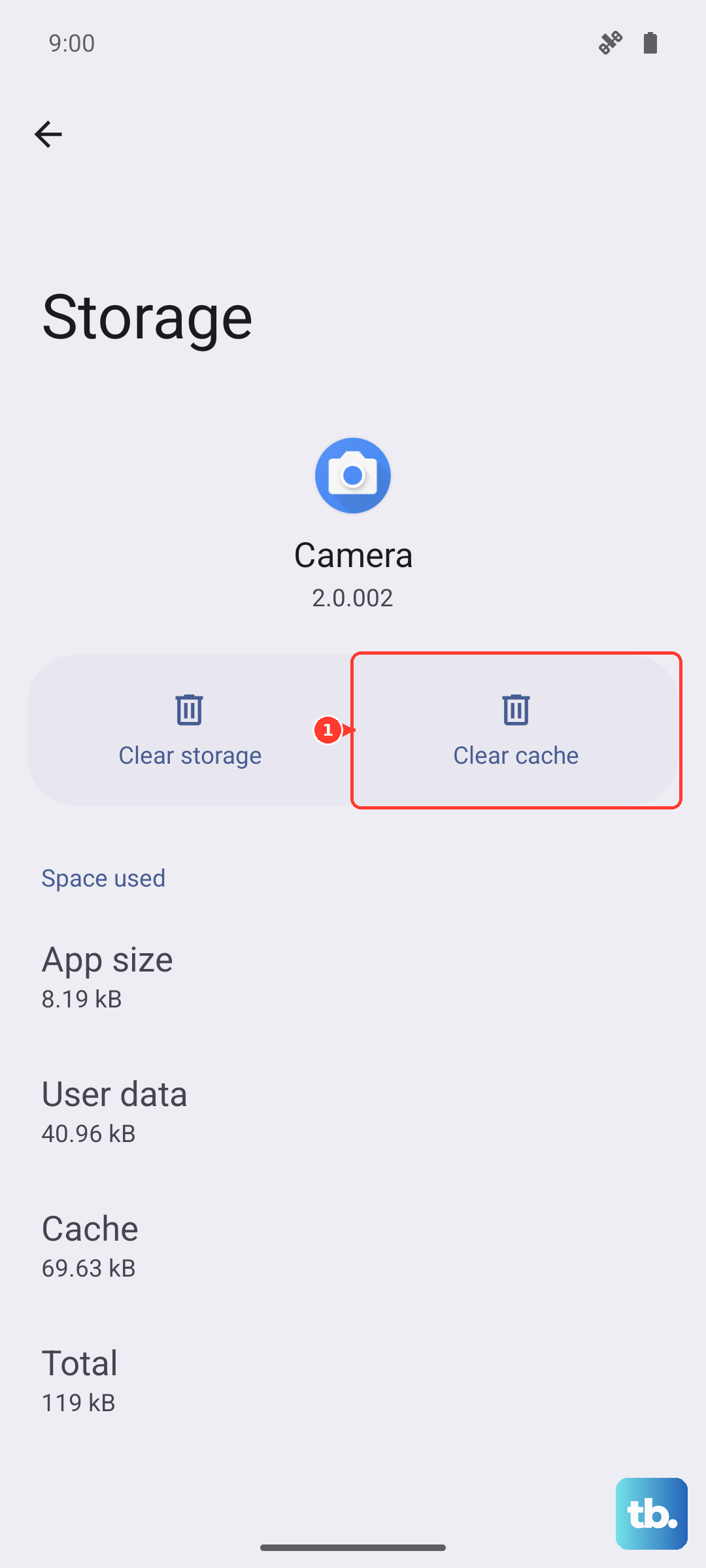
Scroll down and find Bluetooth in the list, then tap on it. Select Storage and tap Clear Cache. Restart your phone and test the connection again. If the issue is particularly stubborn, you can also tap Clear Data from this same menu, but be aware this will forget all your paired devices, so you'll have to set them up again.
Check for Software Updates
Samsung frequently releases updates that fix bugs, including Bluetooth stability issues. It's always a good idea to make sure your S25 FE is running the latest software. Go to Settings > Software update and tap Download and install.
Also, check if the Bluetooth device itself needs a firmware update. For Samsung accessories like Galaxy Buds or a Galaxy Watch, open the Galaxy Wearable app and look for an update option. For other brands, check their companion app in the Google Play Store.
Reset Your Network Settings
This is a more comprehensive step that resets all wireless radios, including Wi-Fi and mobile networks, back to their default states. It will forget your saved Wi-Fi networks and paired Bluetooth devices, so you'll need to reconnect to them afterward.
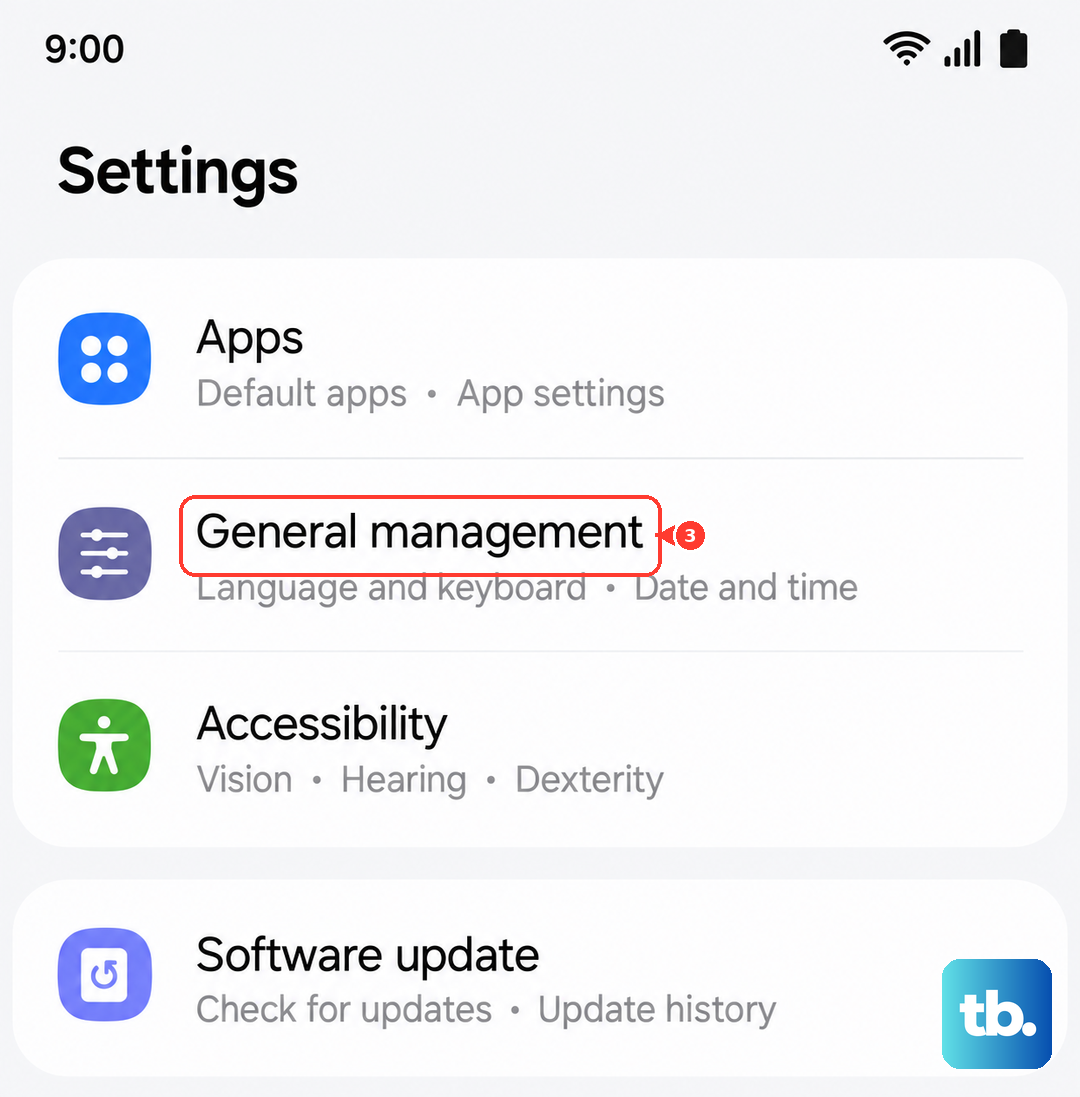
To do this, navigate to Settings > General management > Reset, then choose Reset mobile network settings for SIM or mobile data issues, or Reset Wi-Fi and Bluetooth settings for Wi-Fi and Bluetooth issues. Confirm the action, and your phone will restart. This often resolves deep-seated connectivity conflicts.
Boot Into Safe Mode
If a recently installed third-party app is causing interference, Safe Mode will help you find it. Press and hold the Side button and Volume Down button until the power menu appears. Then, tap and hold the Power off option on your screen until you see a prompt to reboot to Safe Mode. Tap OK.
Once in Safe Mode, which will be indicated in the bottom corner of your screen, test your Bluetooth connection. If it works perfectly here, you know an app you installed is the culprit. Restart your phone normally and start uninstalling recent apps one by one, testing Bluetooth after each one, until the problem stops.
Address Specific Connection Scenarios
For car Bluetooth issues, the process is similar but sometimes requires steps on both sides. Delete your phone from your car's infotainment system and delete the car from your phone's Bluetooth list. Then, with the car running, initiate a fresh pairing from your S25 FE. Some older car systems have trouble with newer Bluetooth protocols, so patience is key.
If you're having trouble with Samsung accessories disconnecting, ensure the relevant Samsung app, like Galaxy Wearable or SmartThings, is updated. Also, check the battery optimization settings for that app by going to Settings > Apps, selecting the app, then going to Battery and setting it to Unrestricted.
Consider a Factory Reset
This is your last resort before considering a hardware issue. A factory reset will erase everything on your phone, so you must back up all your photos, messages, and app data first. You can use Samsung Cloud or Google One for this.
Once backed up, go to Settings > General management > Reset > Factory data reset. Follow the prompts to reset the phone. After it restarts, set it up as new (don't restore a backup immediately) and test Bluetooth with one device. If it works, you can then restore your data.











