
Running out of storage on your Redmi Note 13 Pro can really slow things down, stopping you from taking new photos or updating apps. The 128GB or 256GB models fill up faster than you think, especially with that 200MP camera. I've found a few straightforward ways to clear out gigabytes of junk and get your phone breathing again.
See What's Hogging Your Space
Open the Settings app and tap on Storage. MIUI will show you a detailed breakdown of what's using your space, with categories like Apps, Photos, and System. Wait a moment for it to calculate. You'll often find that cached data and downloaded files from apps like WhatsApp or Instagram are the main culprits on this phone.
Clear App Cache and Data
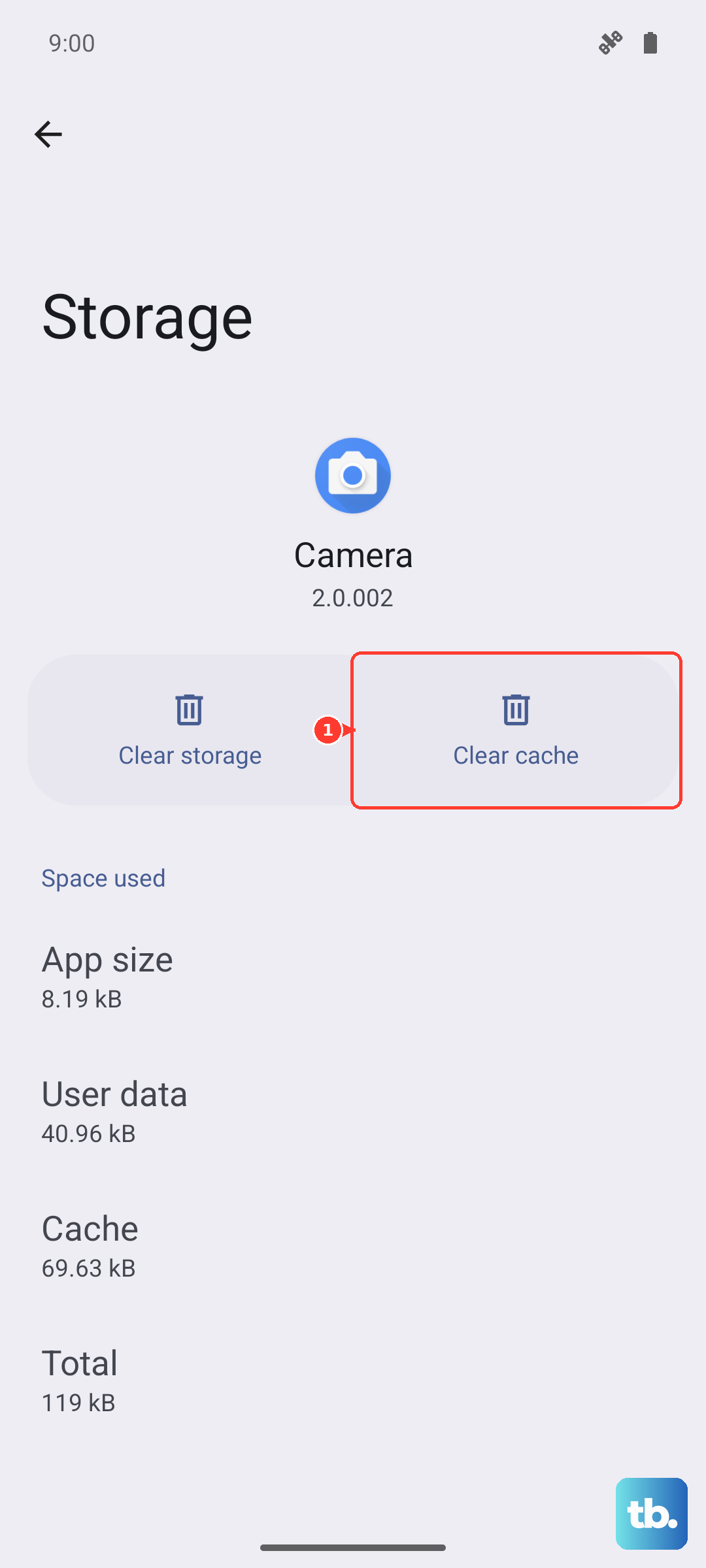
This is usually the quickest win. Go back to Settings > Storage and tap on Cleaner. The MIUI cleaner will scan for junk files, app cache, and residual data. You can safely tap "Clean" on the junk files section. For more control, go to Settings > Apps > Manage apps, select a large app like Facebook or Chrome, and tap Clear data or Clear cache. Clearing data will log you out, but it removes everything the app has stored locally.
Manage Your Photos and Videos
That 200MP camera mode creates huge files. Open the Gallery app and use the "Free up space" tool, which uploads photos to Xiaomi Cloud and removes the local copies. You can also manually delete old screenshots, duplicate shots, and blurry photos. Don't forget to empty the Albums > Recently Deleted folder afterward, as those files still take up space for 30 days.
Review Large Files and Downloads
In the Settings > Storage menu, tap on Large files. This shows you videos, PDFs, and APK files sorted by size. You can delete old downloaded movies, installation files for apps you already installed, or documents you no longer need. Also, check your File Manager app and look in the "Downloads" folder for forgotten items.
Uninstall or Disable Bloatware
Some regional variants of the Redmi Note 13 Pro come with pre-installed apps and games you never use. Go to Settings > Apps > Manage apps, find an app like GetApps or a game, and tap Uninstall. For system apps that can't be uninstalled, tap on them and choose Disable instead. This stops them from running and updating in the background.
Limit Data for Streaming Apps
Apps like Spotify, Netflix, and YouTube Music store offline downloads. Open Spotify, go to Settings & Privacy > Storage and tap "Delete cache" or "Remove all downloads". In YouTube, go to your Library > Downloads section and clear out watched videos. For WhatsApp, manage auto-download settings in Settings > Storage and data to stop it from saving every media file automatically.
Turn Off MIUI Optimization and Ads
Some MIUI features can silently consume space. Go to the Security app, tap the settings icon (usually in the top-right), and look for "Recommendations" or "Ads". Turn off options for "Receive recommendations" and "Show ads". This stops the system from downloading promotional content. Also, in Settings > Additional settings > Developer options (if enabled), you can toggle "MIUI Optimization" off and on again, which can sometimes reset and clear temporary system data.
Use Google Files by Google
I'd recommend installing the "Files by Google" app from the Play Store. It often does a better job than the built-in cleaner at identifying duplicate files, old memes, and unused apps. Open the app and use the "Clean" tab. It's particularly good at finding large videos and low-resolution photos that are safe to delete.
Perform a Deep Clean with a Restart
If your System or Miscellaneous data seems abnormally high (like over 20GB), it could be leftover update files or corrupted cache. After trying the other steps, back up your important data and perform a force restart. Press and hold the Power button for about 15 seconds until the phone vibrates and the Redmi logo appears. This can clear temporary system glitches. As a last resort, consider backing up your data fully and using the Settings > About phone > Factory reset option, which will give you a completely fresh start.