
When your OPPO Find X8 Pro's voice assistant stops responding, it can feel like you've lost a key feature of your phone. Whether it's the "Hey OPPO" wake word or the side button shortcut that's failing, the fixes are usually straightforward. Let's get it working again.
Verify the Voice Assistant is Enabled
First, check that the feature is actually turned on. Open the Settings app and tap on Breeno. This is OPPO's AI and voice assistant platform.
Make sure the toggle for Voice Wake-up is switched on. You can also tap into this option to retrain the wake word if needed. While you're here, check that Press and Hold Power Button 0.5s to Wake Breeno is also enabled if you use that method.
Check for Microphone Blockages
The Find X8 Pro has multiple microphones for noise cancellation and voice pickup. If they're covered, the assistant can't hear you. Check the small pinhole at the bottom of the phone and the secondary mic near the camera module.
Gently clean these areas with a soft, dry brush. Also, if you're using a very thick case, try removing it temporarily to see if it's muffling the microphone.
Restart Your Phone
A simple restart clears out temporary software glitches that can affect system services like the voice assistant. Press and hold the Power button until the power menu appears, then tap restart.
If the screen is unresponsive, you can force a restart by holding the Power button for about 10 seconds until the phone vibrates and the OPPO logo appears.
Review App Permissions for Breeno
Breeno needs specific permissions to function. Go to Settings > Apps > App Management. Find and tap on Breeno in the list.
Tap on Permissions and ensure that Microphone access is allowed. It's also a good idea to check that battery optimization isn't restricting it. Go back and tap Battery, then set it to Allow background activity.
Retrain the "Hey OPPO" Wake Word
If the assistant hears you but doesn't activate reliably, retraining it for your voice can help. Go to Settings > Breeno > Voice Wake-up.
Turn the feature off and then back on. You'll be prompted to say "Hey OPPO" several times in a quiet environment. Follow the on-screen instructions carefully to improve accuracy.
Update ColorOS
System updates often include fixes for the AI engine and voice recognition components. I've seen updates specifically address assistant responsiveness.
Open Settings > About phone > ColorOS version. Tap on the top banner to check for updates. If one is available, download and install it over Wi-Fi, as they can be large.
Check for Conflicting Accessibility Features
Certain accessibility settings can interfere. Go to Settings > Additional settings > Accessibility. Look for features like Sound detectors or other listening services and try disabling them temporarily as a test.
Also, if you have any third-party voice control apps installed from the Play Store, they might be conflicting. Try uninstalling them to see if that resolves the issue.
Clear Breeno App Data and Cache
Corrupted cache files can cause the service to malfunction. Go to Settings > Apps > App Management and find Breeno again.
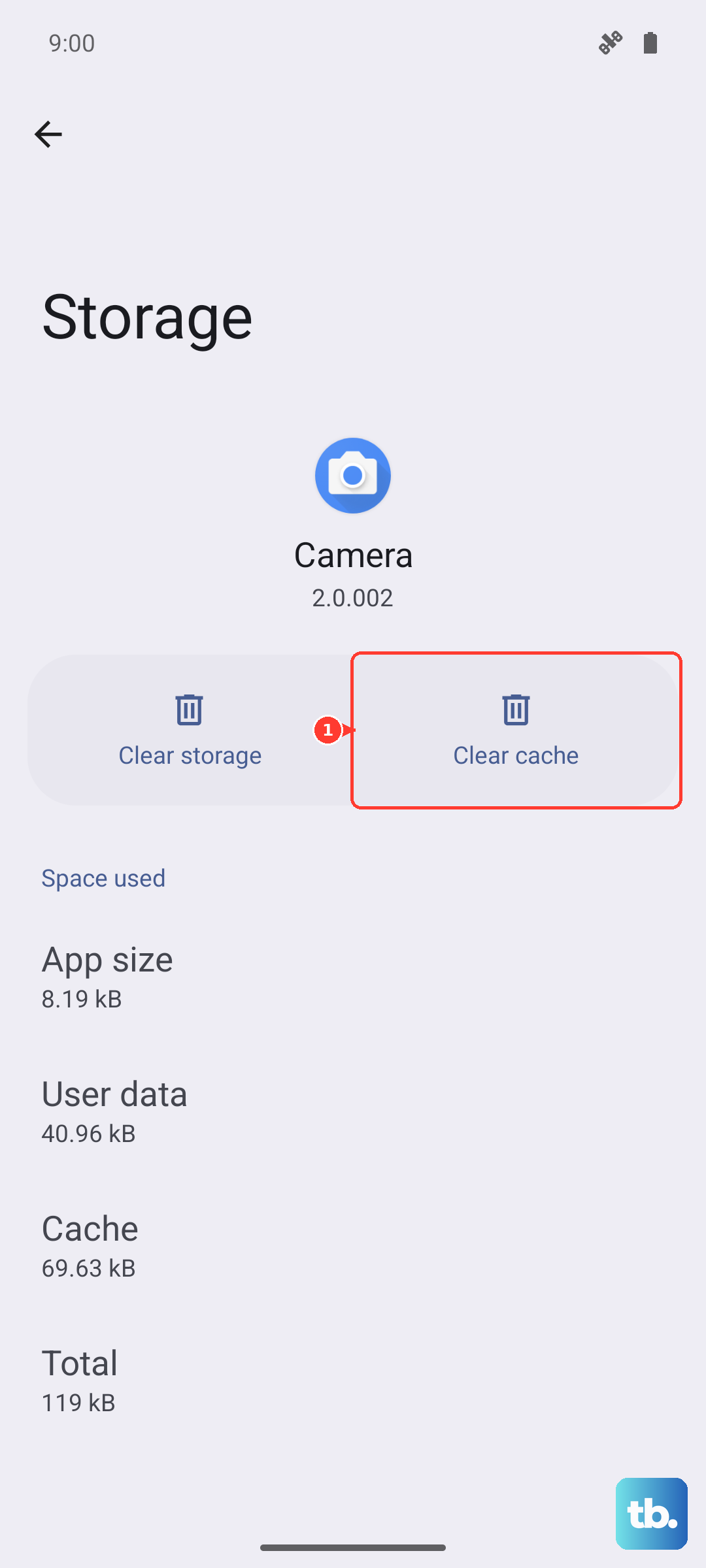
Tap on Storage usage. First, tap Clear cache. If the problem persists, you can tap Clear data. Note that this will reset Breeno's settings, so you may need to set up the wake word again.
Disable Battery Saver Mode
Aggressive power saving can limit background processes, including the always-listening function for "Hey OPPO". Swipe down from the top of your screen to open the Quick Settings panel.
Look for the battery saver icon (usually a leaf or battery symbol) and make sure it's turned off. You can also check Settings > Battery > Power Saving Mode to ensure it's disabled for testing.
Reset All Settings
If you've tried everything else, this can resolve deeper configuration conflicts without deleting your personal data. It will reset Wi-Fi passwords, Bluetooth pairings, and system settings to default.
Go to Settings > Additional settings > Back up and reset. Tap on Reset phone, then select Reset all settings. Enter your lock screen password if prompted and confirm. After the phone reboots, you'll need to re-enable and retrain the voice assistant.