
Knowing your Samsung Galaxy Z Flip 6's battery health is pretty useful. It helps you understand if a sudden drain is a software quirk or a sign the battery itself is aging. Samsung provides a few different ways to check on it right from your phone.
Start with the Battery Menu in Settings
Head into your phone's Settings and tap on Battery and device care. From there, select Battery. This is your main dashboard for all things power-related. While Samsung doesn't display a precise health percentage like some brands, it provides a status indicator.
On the Z Flip 6 with One UI 6.1.1, look for text that says your battery condition is "Normal." If there's a known issue, it might state "Weak" or suggest service. This is your quickest, built-in health check.
Run a Diagnostic with Samsung Members
For a more thorough check, use the Samsung Members app that came pre-installed on your phone. Open it and tap on the Get help tab, then select Interactive checks. Choose to run the Battery diagnostic.
This test will analyze your battery's current state and give you a pass/fail result. It's more detailed than the basic settings menu and can sometimes catch issues the other method misses. I'd run this if you're getting suspiciously short battery life.
See Exactly What's Using Your Power
Back in Settings > Battery and device care > Battery, tap on Battery usage. This screen breaks down exactly which apps and services have consumed power since your last full charge. It separates screen-on time from background activity.
If you see a social media or messaging app you haven't used much sitting high on the list, it's likely running wild in the background. This is often the culprit behind "my battery was fine yesterday" problems. You can tap any app here to restrict its background activity.
Use the Hidden Battery Status Code
Open your standard Phone dialer app and enter *#0228#. This will launch a hidden diagnostic page. It shows real-time data like your battery's current voltage and temperature.
While it won't spell out "health percentage," a consistently low voltage reading under load can indicate a tired battery. For the Z Flip 6, a healthy voltage is typically around 3.8V to 4.4V depending on charge level. This is a more technical method, but it offers raw data.
Set Up Battery Protection
To help your battery last longer from day one, enable Samsung's protection feature. Go to Settings > Battery and device care > Battery > More battery settings. Here you'll find Battery protection.
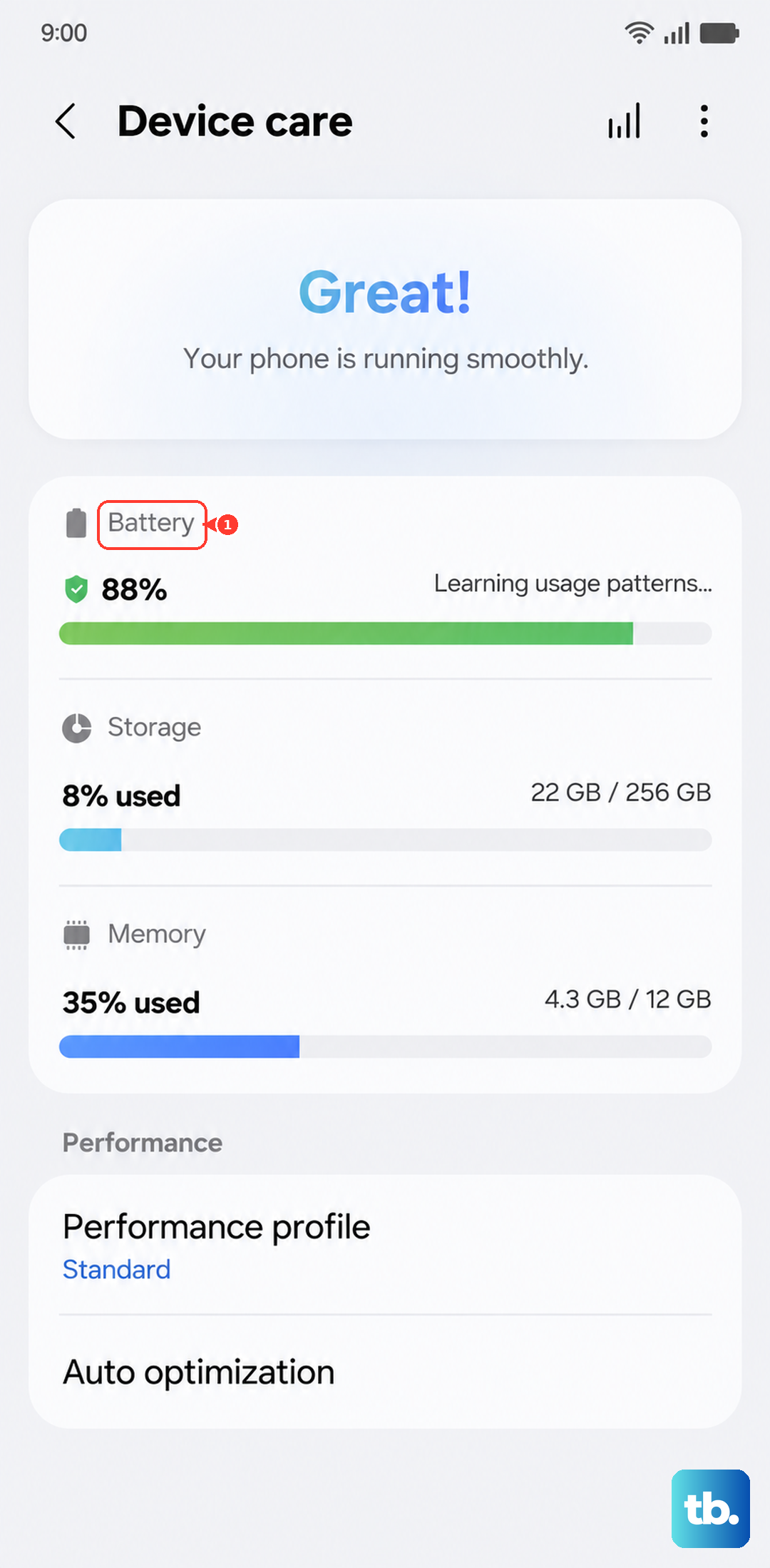
You can set it to cap your charge at 85%, which significantly reduces wear on the lithium-ion cells over time. For the Z Flip 6's 4000mAh battery, this is a smart move if you're often near a charger and don't need a full 100% every day.
Let Adaptive Battery Do Its Thing
Your phone has a feature called Adaptive Battery designed to learn how you use apps. Find it in Settings > Battery and device care > Battery > More battery settings. Make sure it's toggled on.
It works by gradually putting apps you don't use often into a deep sleep state, preventing them from draining power in the background. This learning takes a week or so, but it's one of the best set-and-forget optimizations you can enable.
Also, consider your charging habits. Using the official 25W Samsung charger or a certified equivalent is best for the wired fast charging. If you use the 15W wireless charging, just be aware it generates more heat, which isn't great for long-term battery health. Try not to leave it on a wireless pad overnight if you can avoid it.
If your Z Flip 6 is draining drastically faster than it used to, struggles to make it through a normal day, or gets unusually warm during simple tasks, the battery might be nearing the end of its life. Physical swelling is an immediate red flag. For a phone with a folding design like the Z Flip 6, I'd recommend getting an official battery replacement from a Samsung-authorized service center to ensure the integrity of the hinge and inner display seal.