
Your Samsung Galaxy S25 Edge is a powerful phone, but even the best batteries degrade over time. If you've noticed your phone isn't lasting as long as it used to, or if charging seems slower than expected, checking the battery health is a good place to start. Samsung includes several built-in tools to give you a clear picture of what's going on under the hood.
Run a Diagnostic With Samsung Members
The Samsung Members app is your go-to for a quick health check on the S25 Edge. Open the app, tap Get help, then select Interactive checks and choose Battery. The diagnostic will tell you if the battery status is normal or if it's starting to weaken. This is the most direct way to get a health assessment without needing any third-party tools.
Find the Battery Status in Device Care
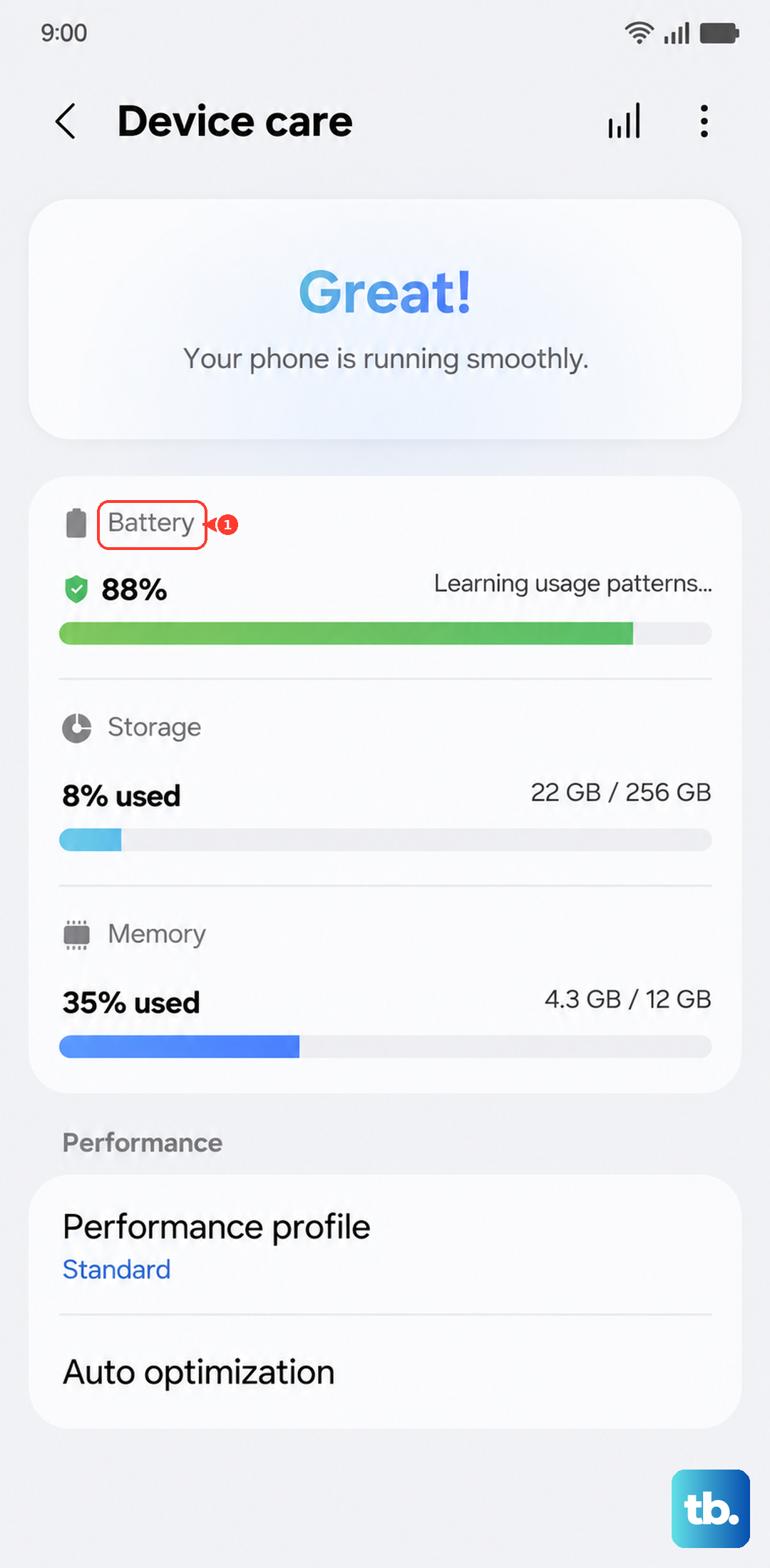
Head to Settings > Battery and device care > Battery. On the S25 Edge running Android 15, you might see a battery health indicator here. It won't show you an exact percentage like some other phones, but it will flag the battery as Normal, Weak, or suggest a replacement if the health has dropped significantly.
Dial the Hidden Diagnostic Code
Open the Phone app and dial *#0228#. This brings up a hidden menu with real-time data on voltage, temperature, and current. While it doesn't give you a simple health score, unusually low voltage at a full charge can point to degradation. Use this as a secondary check alongside the Samsung Members test.
Check Which Apps Are Using the Most Power
Go to Settings > Battery and device care > Battery and tap on Battery usage. You'll see a breakdown of what's consuming power since the last full charge. If an app you barely use is at the top of the list, it's likely running too much in the background and draining your battery faster than normal.
Turn On Battery Protection to Extend Lifespan
Navigate to Settings > Battery and device care > Battery > More battery settings > Battery protection. You can choose Basic, Adaptive, or Maximum. Maximum caps the charge at 80%, which significantly reduces battery wear over time. The S25 Edge supports 25W wired and 15W wireless charging, and using these protections helps maintain that fast charging capability for longer.
Restart the Phone If It Overheats or Charges Slowly
One common issue with the S25 Edge is that it might cap charging speed at around 15W instead of the full 25W if the internal temperature gets too high. If you notice slow charging or the phone feels warm, a quick restart often clears the temporary glitch. Press and hold Volume Down and Side (power) buttons simultaneously for about 10 seconds until the Samsung logo appears.
Clean the USB-C Port If Charging Stops and Starts
Intermittent charging is a common sign of debris in the USB-C port. If your cable keeps losing connection or only charges at a certain angle, it's worth taking a look. Use compressed air or a soft brush to clean it out gently, you don't want to damage the pins inside. A clean port often fixes connection issues completely and restores full charging speed.
If you've tried these checks and your S25 Edge still drains quickly, shuts down unexpectedly, or the battery starts to swell, the battery itself needs replacing. Samsung's authorized service centers can handle that for you. In the meantime, keeping Battery Protection enabled and avoiding extreme temperatures will help slow down further degradation.