
If your Pixel 10 Pro XL keeps restarting on its own, you're not alone. It's a frustrating issue that can come from a software glitch, a misbehaving app, or even something as simple as heat buildup while charging. The good news is that most causes can be fixed at home without a trip to the repair shop.
Before you start, back up your data if you can. Go to Settings > System > Backup and make sure everything is saved to your Google account. That way, if you end up needing a factory reset, your photos, contacts, and app data won't be lost.
Force Restart First
This should be your very first step. A force restart cuts the power to everything and can kick the phone out of a minor software loop that's causing the reboots.
If the screen is frozen, hold the Power button for about 30 seconds, until the phone restarts. If the phone is responsive and you just need the restart menu, press Power and Volume Up for a few seconds, then tap Restart.
Let the Phone Cool Down
If your phone feels unusually hot during a restart cycle, heat could be the culprit. Google says that if a Pixel gets too hot, you should unplug it if it's charging, move it somewhere cooler, and avoid using it until it cools down.
Remove any case you have on it, especially thick or insulating ones. Cases trap heat against the back of the device. Set the phone on a flat, cool surface, and stop using it for a few minutes. If it was charging, unplug it and let it cool before trying again. If the restarts stop after it cools down, you've found the cause.
When you do charge, the Pixel 10 Pro XL supports fast charging up to 70% in about 30 minutes with a 45W USB-C PPS charger or higher, sold separately. It also supports Pixelsnap wireless charging, Qi2-certified, up to 25W; for that 25W wireless speed, Google recommends a 35W or higher USB-C power adapter for the Pixelsnap charger.
Check Your Charging Setup
A dirty, loose, damaged, or unsupported charging setup can cause charging problems. Inspect the USB-C port for lint or dust, make sure the cable is securely connected, and try another cable or power adapter.
If you see moisture or debris, do not put anything into the USB-C port or cable. Google says to face the USB-C port downward and gently tap the phone against your hand to dislodge debris. Then connect a known-good USB-C cable and compatible power adapter, and watch to see if the restart happens again while plugged in.
For wireless charging, use a Qi2 or Pixelsnap-compatible charger and make sure the phone is aligned properly. If you use a case, remove it temporarily, because cases can interfere with charging or reduce charging speed.
Boot Into Safe Mode
Safe mode temporarily disables all third-party apps, and it's the best way to tell if an app you installed is behind the restarts.
To enter safe mode, press and hold the Power button and Volume Up button together until the power menu appears. Then tap and hold the "Power off" option until you see the safe mode prompt, and tap "OK" to confirm. The phone will reboot with "Safe mode" in the bottom-left corner.
Use the Pixel normally for a while. If it doesn't restart in safe mode, a third-party app is the problem. Restart the phone normally to leave safe mode, then start uninstalling recently downloaded apps one at a time until the restarts stop.
Update Android and Your Apps
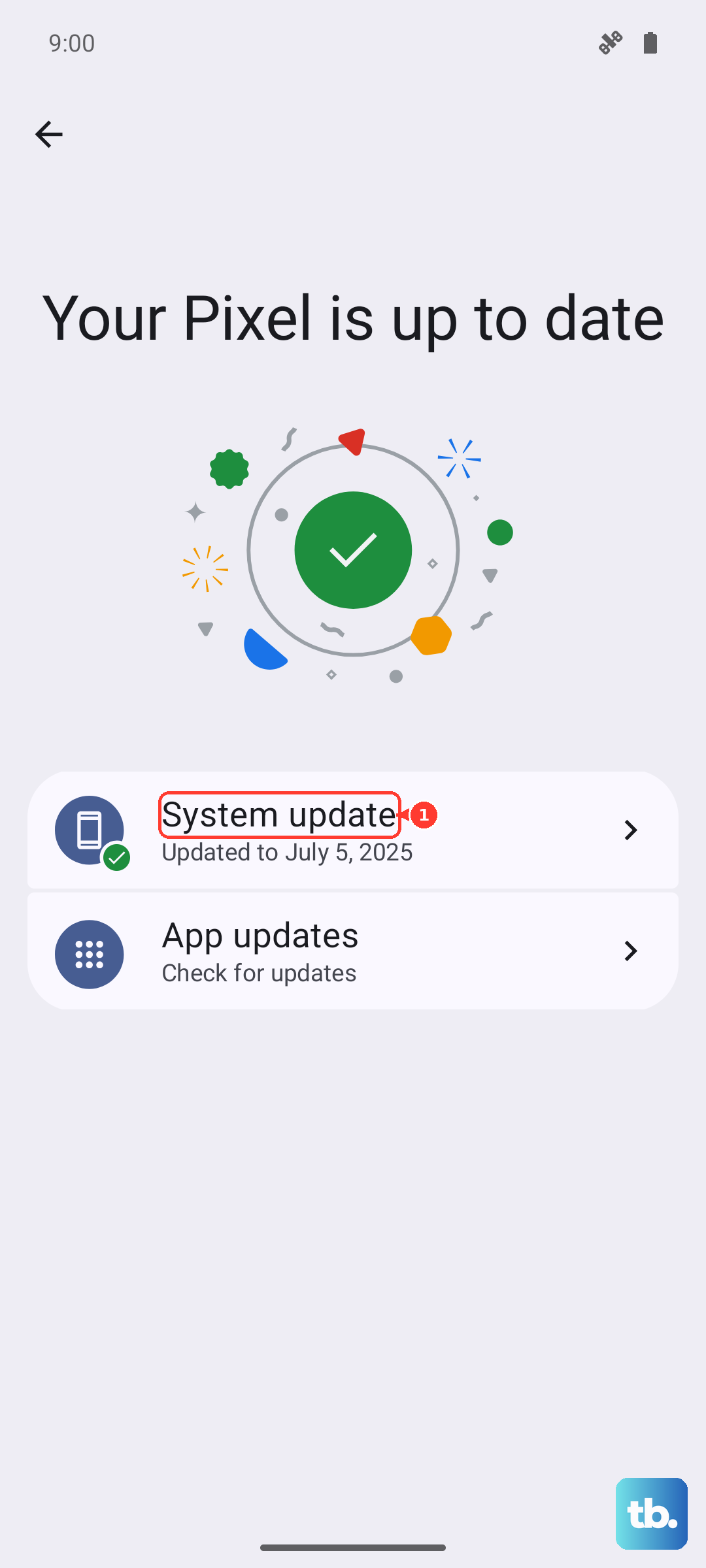
Running outdated software can cause compatibility bugs that lead to random reboots. First, get the system update out of the way. Open Settings > System > Software update and check for any updates. As of July 2026, Android 17 OTAs and downloads are available for the Pixel 10 Pro XL, so install the latest update offered to your phone.
Next, update your apps through the Play Store. Open the Play Store, tap your profile icon, and select "Manage apps & device." Tap "Update all" to get everything current.
It's a good idea to also check for app-specific updates if you notice a pattern for example, if the phone only restarts when you're running a particular game or streaming service.
Review the Crash Logs
Android keeps a detailed log of system events, including crashes and restarts. Looking at them can give you a clue about whether it's a specific app or a system process at fault.
Go to Settings > About phone > Build number and tap it seven times to enable Developer options. Then go back to Settings > System > Developer options and tap "Bug report" or "Take bug report." Wait for it to generate, then share the file to yourself. The report is large, but look for entries tagged "KERNEL PANIC" or "REBOOT" they'll show the reason the phone restarted.
If you see an app name repeated in those logs, uninstall that app first and see if the issue clears up.
Free Up Storage Space
When your phone's internal storage gets too full, the system can become unstable and force a restart. Check yours by going to Settings > Storage.
Google says your phone can have issues when less than 10% of storage is available. If you're down to single-digit gigabytes, start clearing out old photos, videos, caches, or unused apps. Tap "Free up space" in the storage menu for quick suggestions.
A little breathing room can make a big difference in overall stability.
Reset All Settings
If you haven't found the culprit yet, reset all of your settings without wiping your personal data. This clears out network configurations, display preferences, and other system settings that may have become corrupted.
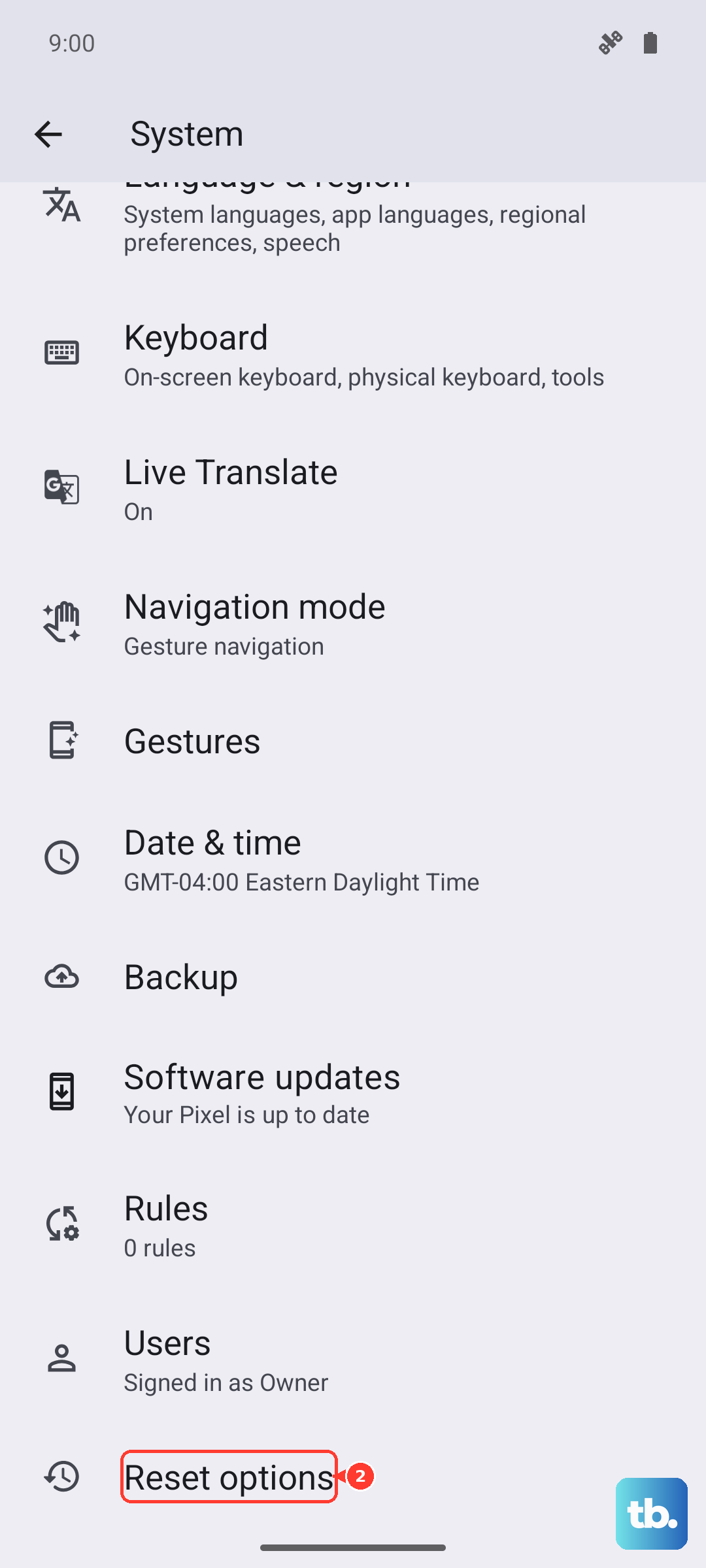
Go to Settings > System > Reset options and tap "Reset all settings." You'll need to enter your PIN or pattern. The phone will reboot, and you'll have to set up your Wi-Fi and Bluetooth again, but your photos, apps, and accounts stay put.
This step has resolved many random restart issues on Pixel devices, and it's much less disruptive than a full factory reset.
Factory Reset (Last Resort)
Before you try this, make sure you have a recent backup. Google recommends trying other troubleshooting first because a factory reset erases all data from the phone. Go to Settings > System > Reset options and tap "Erase all data (factory reset)." Confirm and let the phone do its thing.
The Pixel will restart completely fresh. Do not restore an old backup right away set it up as a new device and see if the restarts come back. If they don't, you can gradually reinstall apps and restore data from backup once you're confident the issue is gone.
If the phone still restarts after a factory reset, contact Pixel support or an authorized repair partner. If the battery appears swollen, do not press the phone back together, pry it open, or try to fix the battery yourself. If the USB-C port appears burned, melted, or corroded, or the phone is too hot to touch, get support rather than continuing to troubleshoot at home. Warranty coverage depends on the repair diagnosis and your region.